🕷️ Spider Midnight: Aesthetic Theme, Font & Live Weather Companion
A modern, atmospheric aesthetic environment for VS Code featuring the Spider-Man Midnight theme, real-time live local weather companion, Comic Mono font, and custom spider icons.
✨ Features
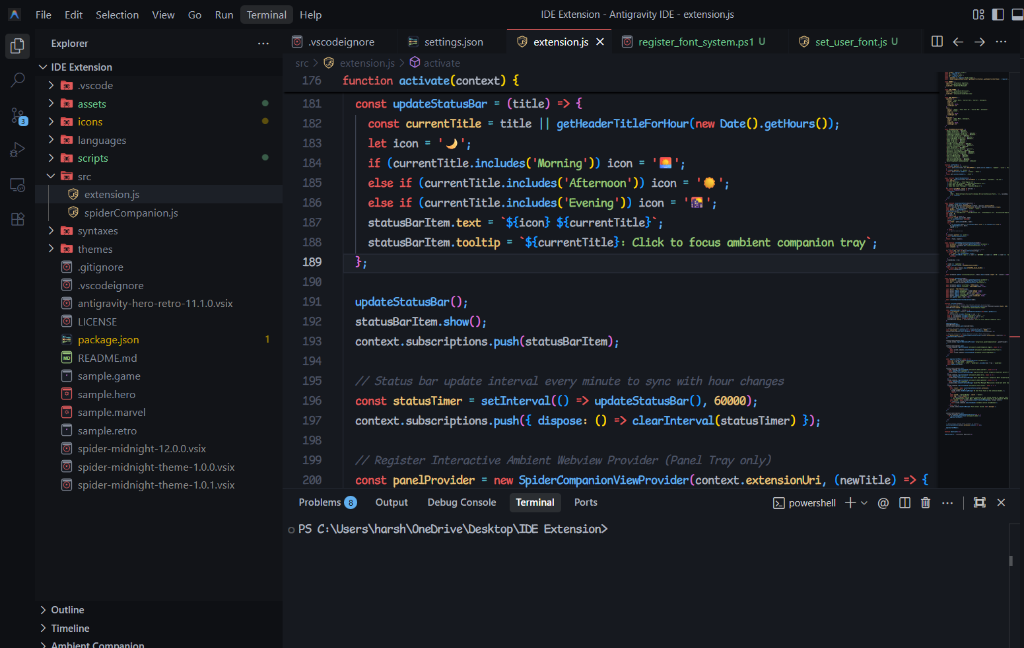
- 🕷️ Spider-Man Midnight Theme — Deep matte obsidian canvas (
#12131a), custom midnight charcoal borders, vibrant crimson red accents, and electric cyan highlights.
- 🌦️ Live Real-Time Local Weather Engine — The ambient companion tray detects your local city and live forecast (temperature, rain, clouds, snow, thunderstorms) and matches your actual sky in real time!
- 🎨 Multi-Color Syntax Highlighting — Segregated TextMate token rules for JS, TS, React (TSX/JSX), HTML, CSS, Python, JSON, and more.
- 🔤 Bundled Custom Coding Fonts — Includes Comic Mono (handwritten monospace), VT323, and Press Start 2P.
- 🏙️ Dynamic Ambient Skyline & Spider Companion — Bottom status panel featuring an animated pixel-art spider web companion with dynamic time-of-day skyline, moving city vehicles, and atmospheric weather.
- 📁 Custom File & Folder Icons — Themed Spider folders, Marvel shields, and distinct retro badges for
.ts, .tsx, .js, .py, .json, etc.
🌦️ Live Real-Time Local Weather Engine
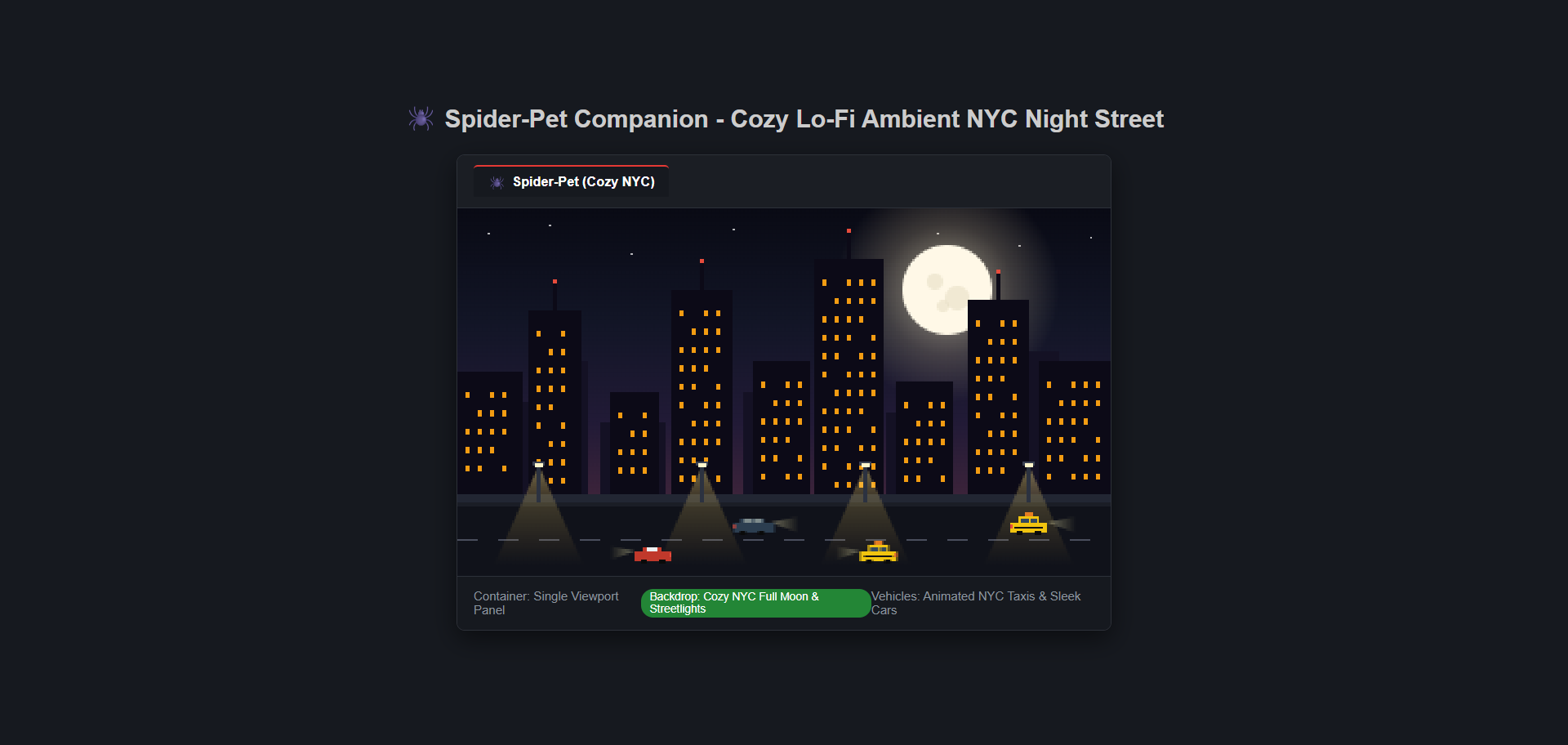
The bottom ambient companion automatically links to your local real-world weather:
- Floating Weather Island: Displays your local city name, temperature, and live condition emoji:
📍 SURAT 31°C ☀️
- Lively Spider Companion: Top-left corner web features an animated pixel spider that crawls across web strands, rappels down on silk, swings, and explores!
- Real-Time Clock Ticker: Pinned to the bottom-right corner with smooth per-second updates.
- Atmospheric Canvas Reactions:
- 🌧️ Rain Outside: Activates smooth falling pixel raindrops, ambient mist, and wet asphalt ripples.
- ⛈️ Thunderstorm: Rainy sky with arcade lightning flashes across the city spires.
- ❄️ Snowing: Gentle falling pixel snowflakes drifting across the skyline.
- ☁️ Cloudy / Overcast: Soft drifting pixel clouds across the city silhouettes.
- ☀️ / 🌙 Clear Skies: Radiant daytime sun or glowing full moon with twinkling stars.
- Click to Cycle: Click the floating location pill at any time to cycle and preview all time and weather environments!
Toggle the companion anytime: Ctrl+Shift+P $\to$ Antigravity: Focus Ambient Companion Tray.
🔤 How to Activate the "Comic Mono" Font
VS Code themes cannot automatically render custom fonts unless the font is installed on your operating system. We have bundled the font directly with this extension so you can install it in seconds!
Option 1: Automatic 1-Click Install (Easiest)
- Open the Command Palette in VS Code:
Ctrl+Shift+P (or Cmd+Shift+P on Mac).
- Type and run:
Antigravity: Install Bundled 8-Bit Fonts to This Machine
- Click Reload Window when prompted!
Option 2: Manual Install
- Open the extension folder or locate
ComicMono.ttf inside assets/fonts/.
- Double-click
ComicMono.ttf (and ComicMono-Bold.ttf) and click Install.
- Fully restart your VS Code / IDE.
Note: Once installed on your system, the theme will automatically load 'Comic Mono', monospace with crisp, high-contrast monospace comic styling.
📁 Custom Folder & File Icons
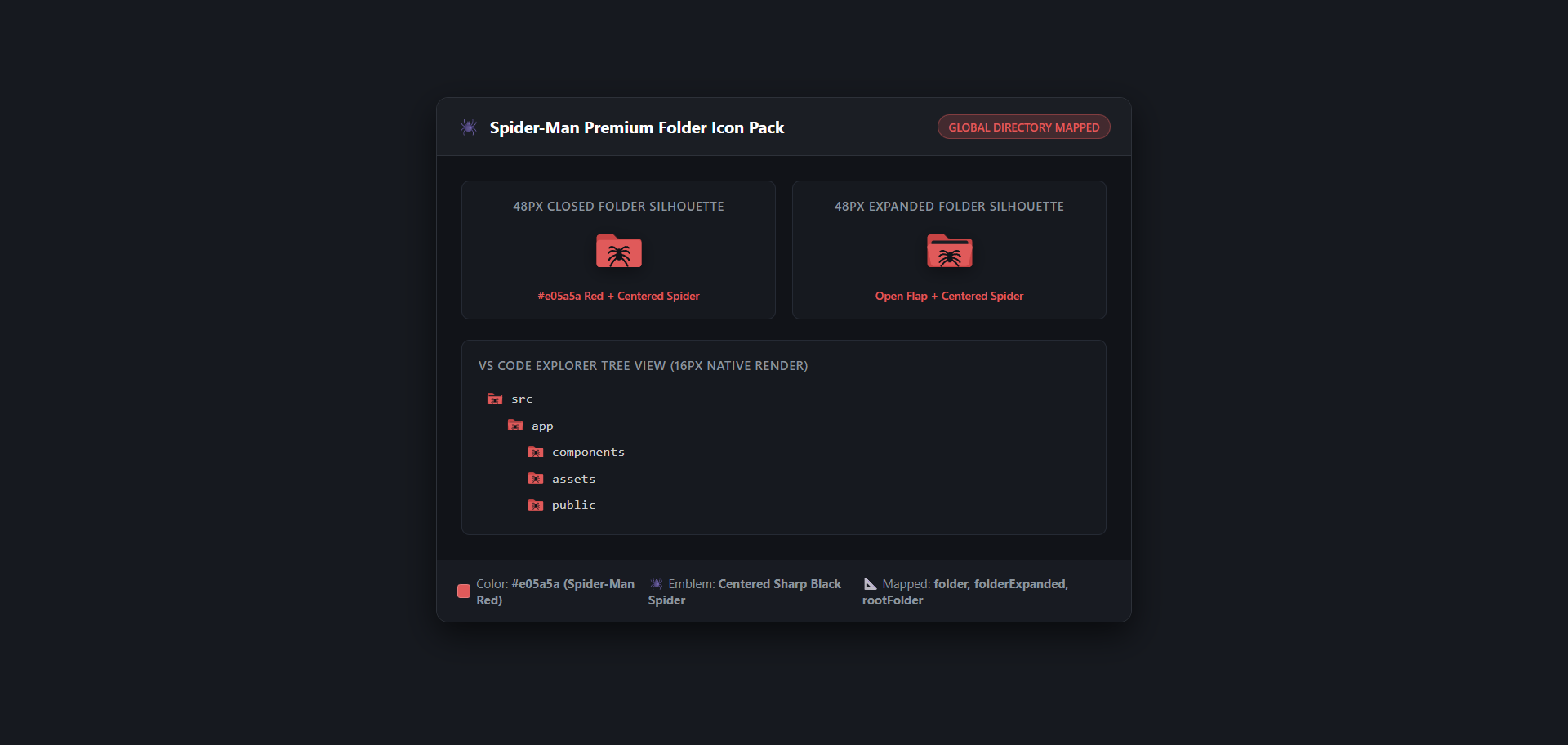
- Folders: Clean crimson spider-web folders with animated open/closed states.
- Languages: Specialized badges for JavaScript, TypeScript, React JSX/TSX, Python, Markdown, HTML, CSS, and config files.
🎮 Available Themes & Switching Modes
Press Ctrl+Shift+P and choose your favorite mode:
| Mode |
Command |
Palette & Font |
| Spider-Man Midnight |
Antigravity: Switch to Spider-Man Midnight Theme |
Matte charcoal, crimson, cyan + Comic Mono font |
| Superhero Mode |
Antigravity: Switch to Superhero Mode |
Catppuccin Mocha pastel + hero shield icons |
| Retro Game Mode |
Antigravity: Switch to Retro Game Mode |
Macchiato arcade + VT323 / Press Start 2P pixel font |
📄 License
- Extension code & theme files: MIT
- Bundled Fonts: Comic Mono (MIT), Press Start 2P & VT323 (SIL Open Font License 1.1)
| |

