Rive VS Code MCP
Preview and inspect Rive .riv files without leaving Visual Studio Code.
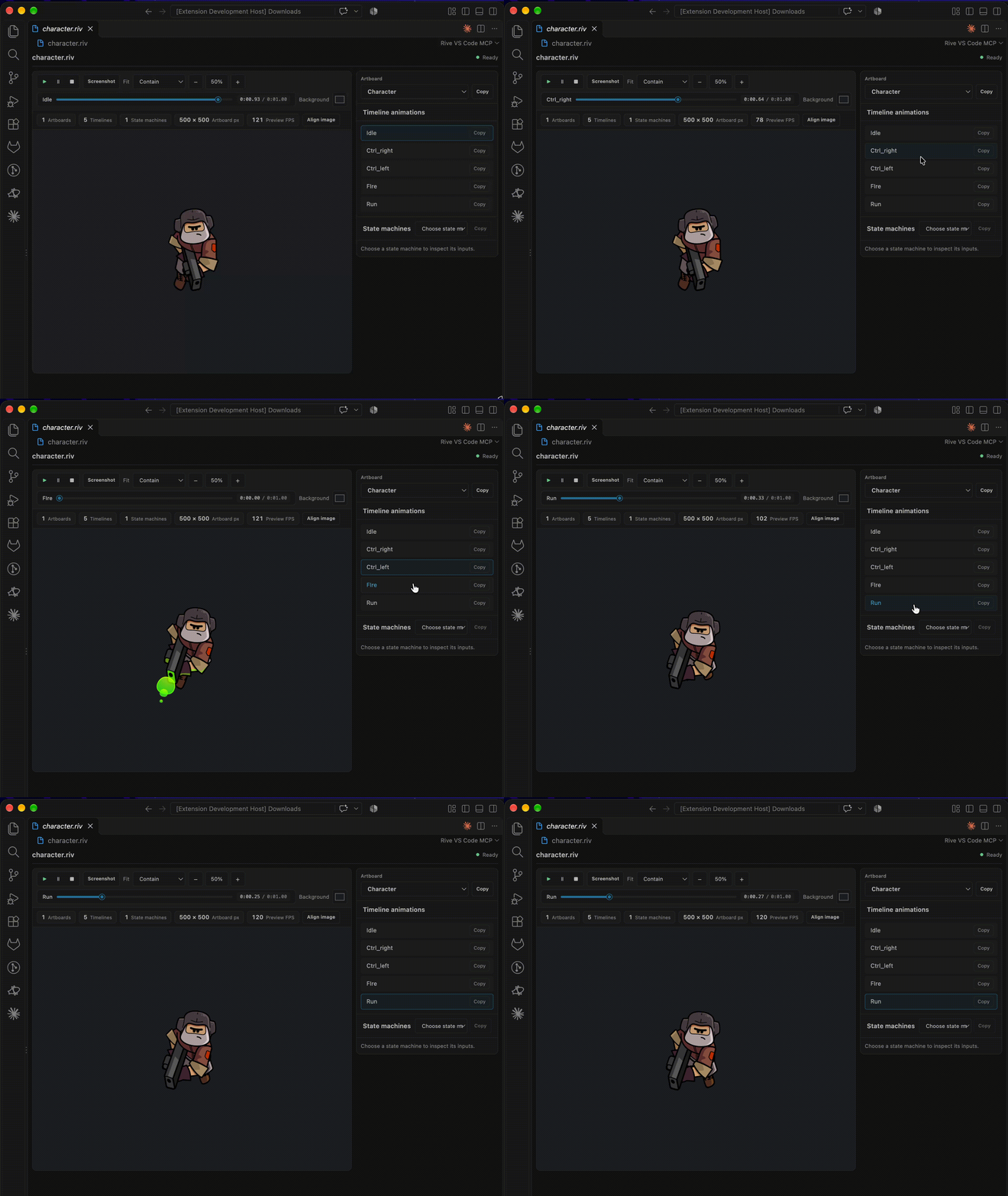
Features
- Preview Rive artboards with timeline animations and state machines.
- Select artboards and animations, play or pause playback, and scrub timelines.
- Inspect state-machine inputs and interact with supported inputs.
- Adjust fit, zoom, and preview background.
- Align an artboard over a temporary background image and copy its top-left
x/y coordinates and scale.
- Optionally inspect Rive file metadata through the
inspect_rive_file MCP tool.
Use the preview
- Install Rive VS Code MCP from the Visual Studio Code Marketplace.
- Open a
.riv file. If prompted, choose Rive VS Code MCP as its editor.
- Use the side panel to choose an artboard or inspect animations and state machines.
- Use the preview toolbar for playback, timeline scrubbing, fit, zoom, background color and opacity, and screenshot export.
MCP server in VS Code
The extension contributes one local stdio MCP server, discovered automatically by VS Code across workspaces. Use MCP: List Servers to manage Rive MCP. The inspect_rive_file tool returns artboard dimensions, animation names and timing, state-machine names, and input names and types.
Enable in Cursor or another MCP client
- Run Rive VS Code MCP: Copy Global MCP Configuration from the Command Palette once.
- Paste the copied
rive-vscode-mcp entry into your MCP client's user-level/global configuration. For Cursor, use ~/.cursor/mcp.json. This works across projects under your home directory.
Requirements
- Visual Studio Code 1.101 or later.
- Node.js 18 or later to run the MCP server from another client outside VS Code.
Development
npm install
npm run compile
"/Applications/Visual Studio Code.app/Contents/Resources/app/bin/code" --new-window --extensionDevelopmentPath="$PWD" "/absolute/path/to/sample.riv"
The compile command builds the preview stylesheet and TypeScript extension code.
Standalone MCP server
The extension bundles the same MCP server for automatic VS Code discovery. It is also published independently as rive-vscode-mcp-server. Run this in a terminal to add it to global MCP configs for VS Code, Cursor, Claude Code, and Claude Desktop:
npx -y rive-vscode-mcp-server
License
MIT

