ObsiCapture
A VS Code extension that auto-generates project documentation with Claude AI and saves it directly to Obsidian.
Features
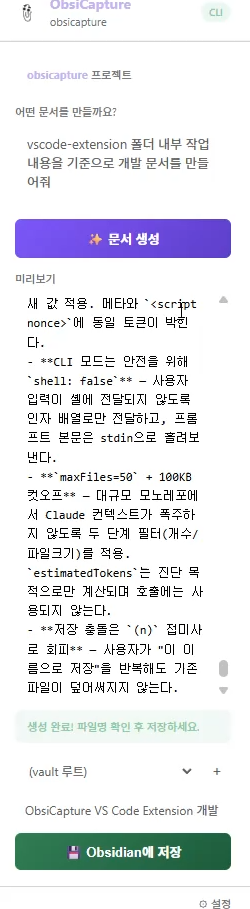
- AI document generation — Claude AI analyzes your project code and writes Markdown documentation in real time
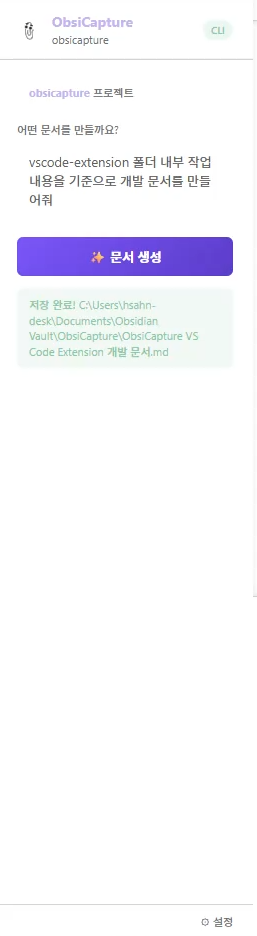
- Direct Obsidian save — saves the generated document straight to any folder in your Obsidian Vault
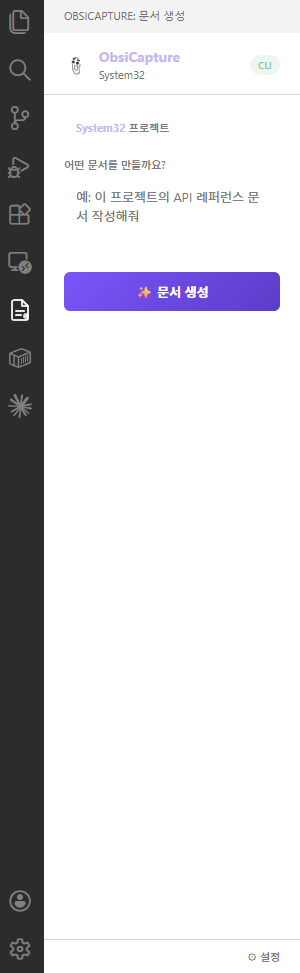
- Sidebar integration — accessible directly from the VS Code Activity Bar
- Streaming output — watch the document being written as it generates
- Claude CLI mode (v0.2.0+) — use a locally installed Claude Code CLI without an API key
Screenshots
Getting Started
1. Get a Claude API Key
Obtain an API key from console.anthropic.com.
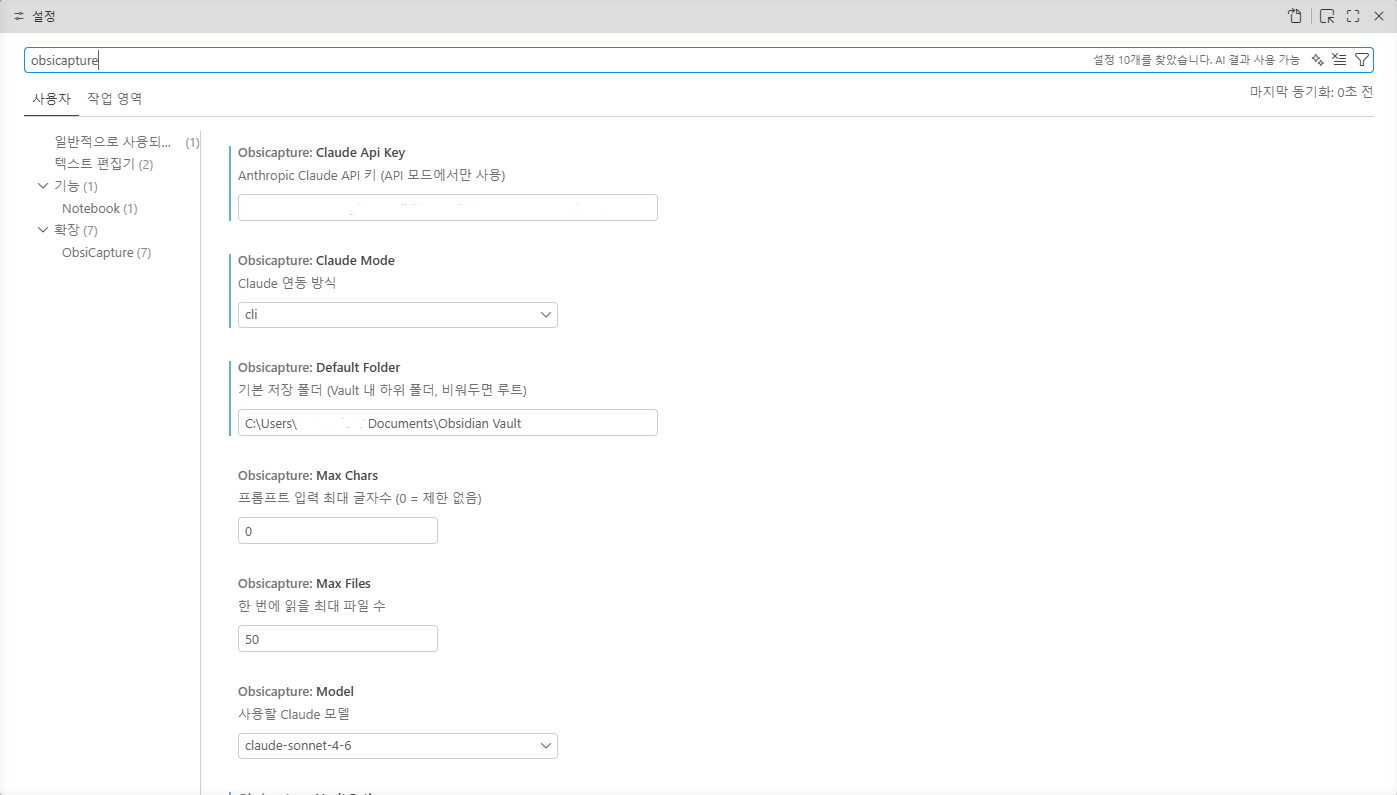
Open Ctrl+,, search for ObsiCapture, and fill in the following:
| Setting |
Description |
obsicapture.claudeApiKey |
Your Anthropic Claude API key |
obsicapture.vaultPath |
Absolute path to your Obsidian Vault (e.g. C:/Users/yourname/MyVault) |
obsicapture.defaultFolder |
Default save folder (leave blank for Vault root) |
obsicapture.maxFiles |
Max files to read at once (default: 50) |
obsicapture.model |
Claude model to use |
3. Usage
- Click the ObsiCapture icon in the left Activity Bar
- Enter the type of document you want (e.g. "API reference", "README", "architecture doc")
- Click Generate — Claude AI will analyze your project and write the document
- Confirm the filename and folder, then click Save to Obsidian
Supported Models
| Model |
Notes |
claude-sonnet-4-6 |
Default. Best balance of speed and quality |
claude-opus-4-7 |
Highest quality, ideal for complex documents |
claude-haiku-4-5 |
Fastest, suitable for simple documents |
Requirements
- VS Code 1.85.0 or later
- Anthropic Claude API key
- Obsidian (required when saving documents)
Issues & Feedback
GitHub Issues
| |

