Kotro Proxy Engine

Transparent IDE sidecar for the Kotro Proxy Engine — a local LLM gateway with injection scanning, streaming prompt-state cache, PII redaction, and context compression for OpenAI and Anthropic APIs.
Works in VS Code, Cursor, and other VS Code–compatible editors.
What this extension does on disk (transparency)
Security products should be boringly explicit. On first run, with your Proceed confirmation, the extension:
- Downloads the platform archive from GitHub Releases
- Verifies SHA-256 against that release’s
checksums.txt (refuses to install on mismatch or if checksums are missing)
- Extracts / installs the binary under the extension global storage path (VS Code / Cursor managed; not your project tree)
- Starts the sidecar on
localhost:8080 (LLM) and 127.0.0.1:9090 (dashboard)
Agent routing is not automatic. After the proxy is up you may choose Run Wizard (or Command Palette → Kotro: Setup Wizard). Only then, and only after a second Confirm, may it:
- Set
cline.openaiBaseUrl in VS Code user settings
- Add a Kotro model entry to
~/.continue/config.json if that file already exists
- Show Cursor BYOK Base URL instructions (no silent Cursor DB edits)
You can decline both prompts and configure agents yourself.
Features
- Verified binary install — SHA-256 checked against release
checksums.txt before chmod +x
- Opt-in Setup Wizard — Cline / Continue / Cursor guides; never silent global reroutes on activate
- Prompt-state SSE cache — exact-match replay on repeat prompts;
X-Kotro-Cache: HIT on cache hits
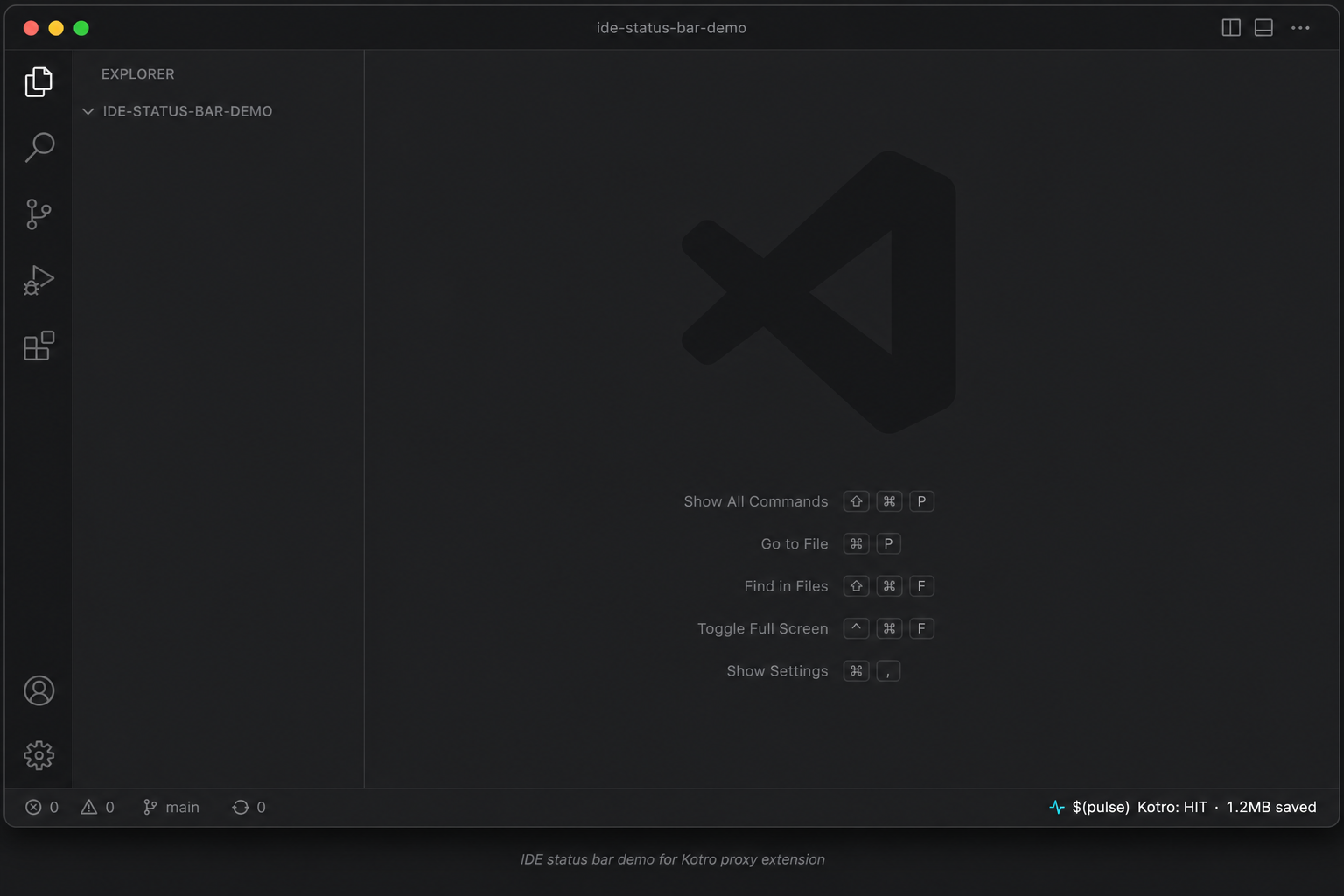
- Status bar — live cache result and dollars saved (polls every 5s)
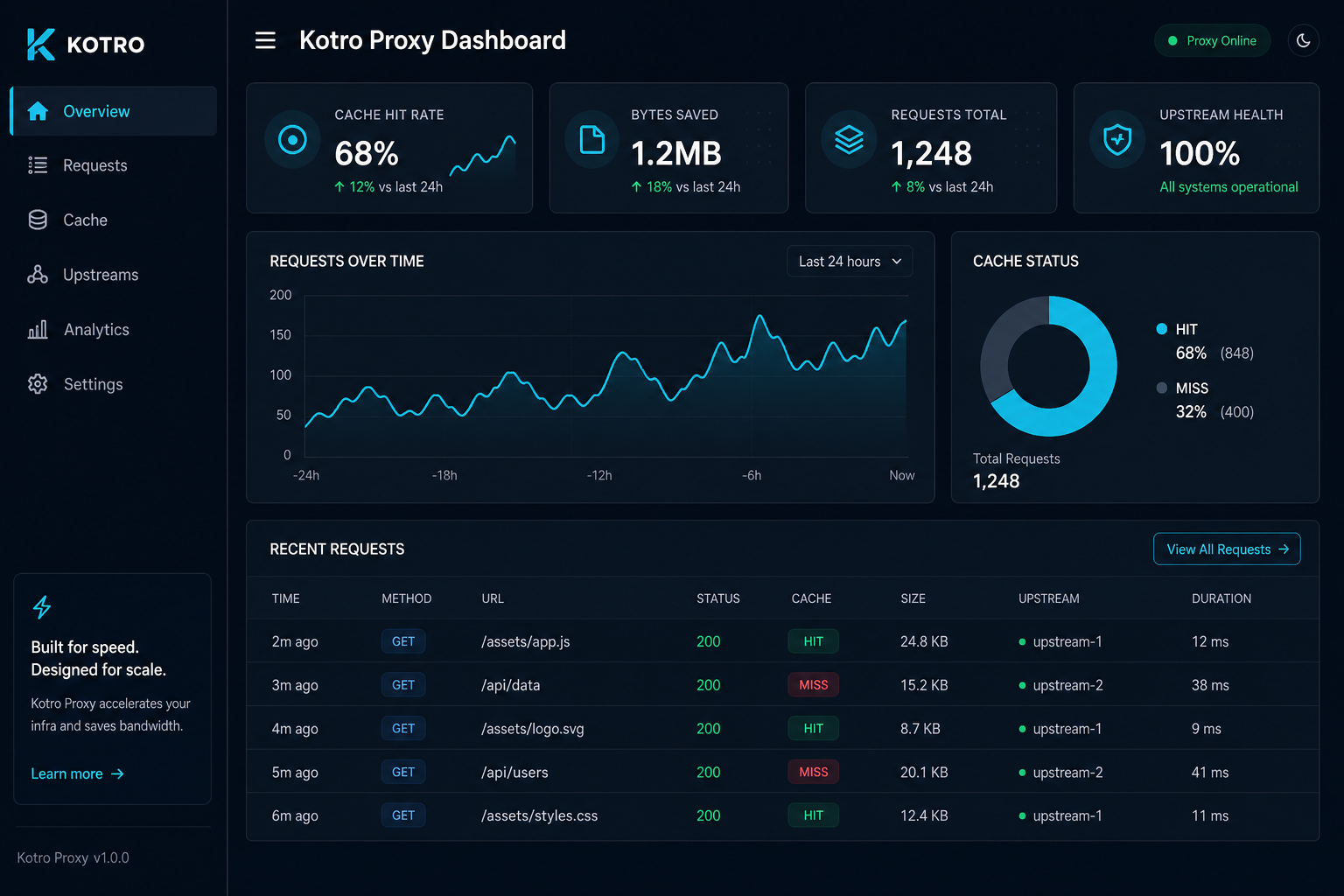
- Operator dashboard — open from the status bar (
http://127.0.0.1:9090/dashboard)
- Isolated telemetry —
/metrics and /dashboard bind to loopback by default, separate from LLM traffic
- Context-aware cache keys —
window_n strategy prevents false cache hits in multi-turn agent loops
Screenshots
Status bar
Dashboard
Install
- Install from the Marketplace (Install above), or:
code --install-extension kotrolabs.kotro-proxy-engine
- On first activate, confirm the SHA-256–verified binary download (~15MB).
- Optionally click Run Wizard to configure Cline / Continue, or point your AI client at
http://localhost:8080/v1 yourself.
Quick start (Cursor / VS Code)
Full walkthrough: Cursor first-run guide
Default path (works today, no tunnel)
- Confirm binary download; wait until status ≠
Kotro: offline
- Kotro: Verify Cache → MISS then HIT
- Optional: Kotro: Open Dashboard
- Optional: Setup Wizard for Continue.dev / Cline (direct
localhost — these call from the IDE process)
Cursor Chat / Agent (cannot use localhost)
Cursor’s Override Base URL is called from Cursor’s cloud, which blocks localhost (Access to private networks is forbidden).
Today: temporary HTTPS tunnel + bridge auth — see the first-run guide.
Planned (0.7): Kotro: Enable Cursor Bridge (managed tunnel + stop on deactivate).
| Setting |
Default |
Maps to |
kotrolabs.listenAddr |
:8080 |
KOTRO_LISTEN_ADDR |
kotrolabs.metricsAddr |
127.0.0.1:9090 |
KOTRO_METRICS_ADDR |
kotrolabs.upstreamUrl |
https://api.openai.com |
KOTRO_UPSTREAM_URL |
kotrolabs.bridgeToken |
(empty) |
KOTRO_BRIDGE_TOKEN — for public tunnels; generate with uuidgen or openssl rand -hex 32; put same value in Cursor API key field |
kotrolabs.upstreamApiKey |
(empty) |
KOTRO_UPSTREAM_API_KEY — real provider key (only when bridgeToken is set) |
kotrolabs.enableCache |
true |
KOTRO_ENABLE_CACHE |
kotrolabs.enableRedaction |
true |
KOTRO_ENABLE_REDACTION |
kotrolabs.enableCompression |
true |
KOTRO_ENABLE_COMPRESSION |
kotrolabs.enableMetrics |
true |
KOTRO_ENABLE_METRICS |
Verify it works (2 minutes)
| Step |
Action |
Success signal |
| 1 |
Status bar ≠ offline |
Sidecar bound |
| 2 |
Kotro: Verify Cache |
MISS then HIT |
| 3 |
Dashboard http://127.0.0.1:9090/dashboard |
Recent traffic shows miss/hit |
Cursor Chat is a separate step (HTTPS bridge) — not required to prove Kotro works.
Common mistakes
- Setting Cursor Base URL to
http://localhost:8080/v1 → Access to private networks is forbidden
- Using Auto (bypasses custom Base URL even with a tunnel)
- Mismatched
kotrolabs.upstreamUrl vs provider key
- Running Verify Cache while logs show
AddrInUse
Troubleshooting: Kotro: offline / Address already in use
If Show Proxy Logs contains AddrInUse / Address already in use and Core engine exited with code 1, another process owns port 8080.
lsof -nP -iTCP:8080 -sTCP:LISTEN
kill <PID>          # or change kotrolabs.listenAddr and the Cursor Base URL
Then Developer: Reload Window. Full steps: §5 in the first-run guide.
Commands
| Command |
Description |
| Kotro: Setup Wizard |
Consentful Cline / Continue / Cursor routing setup |
| Kotro: Verify Cache |
Keyless MISS→HIT via kotro-local-verify (or provider key fallback) |
| Kotro: Connect Cursor |
Wizard for routing Cursor BYOK chat through the proxy |
| Kotro: Setup Continue.dev Config |
Alias for Setup Wizard |
| Kotro: Open Dashboard |
Opens http://127.0.0.1:9090/dashboard |
| Kotro: Status Menu |
Same as clicking the status bar — dashboard, quick summary, Cursor help |
| Kotro: Show Proxy Logs |
Opens the extension output channel (startup / errors) |
Architecture
IDE agent  →  localhost:8080/v1/*     (LLM proxy — may bind 0.0.0.0 in cluster mode)
Operator   →  127.0.0.1:9090/dashboard  (telemetry — loopback only by default)
Other install channels
- npm:
npm install -g @kotro-labs/proxy-engine
- Homebrew:
brew tap kotro-labs/tap && brew install kotro-proxy
- GitHub Releases: kotro-labs/kotro-proxy-engine
Documentation
License
MIT — Kotrosystems

