CC Team Viewer for VS Code
Real-time monitoring dashboard for Claude Code Agent Teams
한국어 | 日本語 | 中文
What is CC Team Viewer?
When you run Claude Code Agent Teams, multiple AI agents collaborate on tasks in parallel. CC Team Viewer gives you a real-time dashboard to monitor their progress — which agents are active, what tasks they're working on, and how they're communicating with each other.
Features
WebView Dashboard
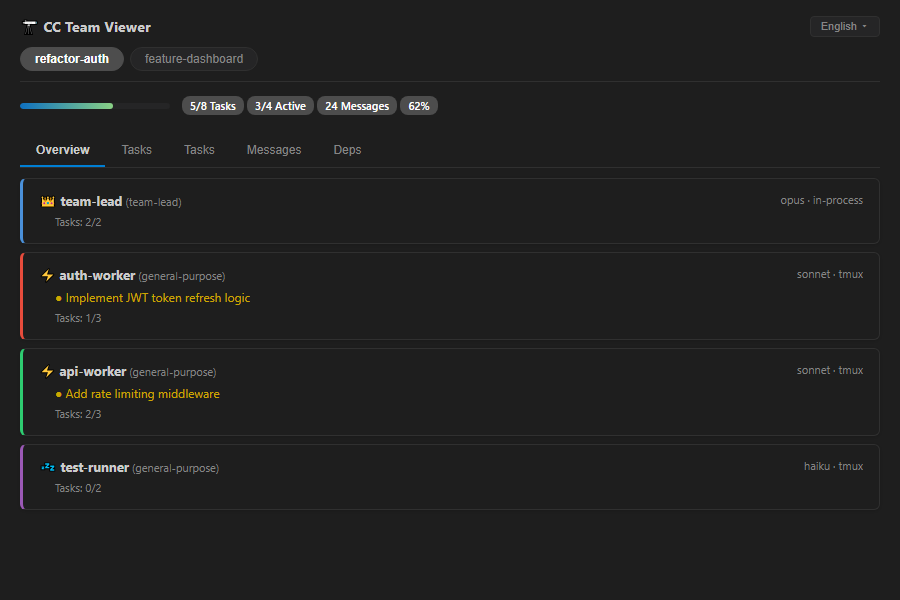
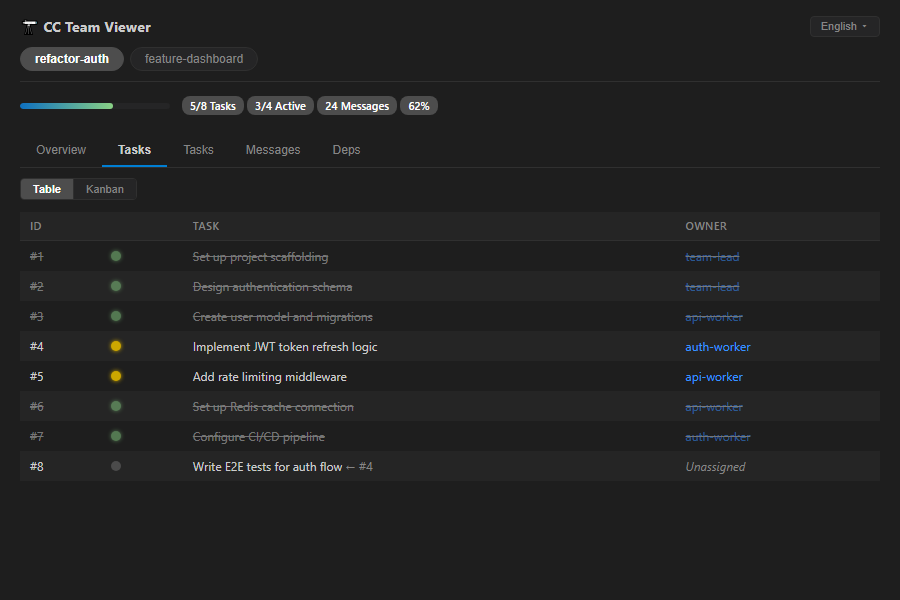
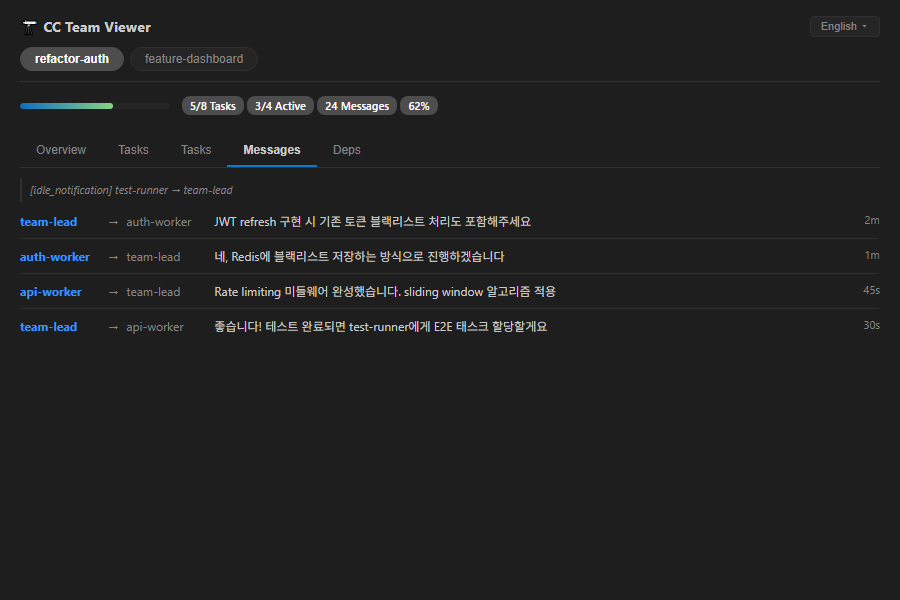
A rich, interactive dashboard with four tabs:
| Tab |
Description |
| Overview |
Agent cards with status, active tasks, and progress |
| Tasks |
Full task table with status indicators and ownership |
| Messages |
Real-time message log between agents |
| Deps |
Task dependency graph visualization |
Hierarchical view in the activity bar: Team > Agent > Task. Click any item to navigate directly.
Status Bar
Always-visible progress summary: refactor-auth 62% (5/8) — click to open the dashboard.
Multi-language Support
Dashboard UI available in 4 languages: English, Korean, Japanese, Chinese.
- Configure via
Settings > CC Team Viewer > Language
- Or click the language button in the dashboard header to cycle through languages
Additional Features
- Team Pill Switcher — Quick switching when monitoring multiple teams
- Agent Pulse Animation — Visual indicator for actively working agents
- Real-time Updates — Automatic 1-second polling, no manual refresh needed
- Theme Integration — Adapts to your VS Code theme (light/dark/high contrast)
Installation
From VS Code Marketplace
Search for "CC Team Viewer" in the Extensions panel, or:
ext install koh-dev.cc-team-viewer-vscode
From .vsix file
git clone https://github.com/koh0001/cc-team-viewer.git
cd cc-team-viewer
npm install && npm run build
cd packages/vscode && npm run package
code --install-extension cc-team-viewer-vscode-*.vsix
Usage
- Start a Claude Code Agent Team in your terminal
- Open VS Code — the extension activates automatically when
~/.claude/ is detected
- Click the telescope icon in the activity bar to open the tree view
- Click the dashboard icon to open the WebView dashboard
The extension watches ~/.claude/teams/ and ~/.claude/tasks/ directories for changes. No configuration required.
Commands
| Command |
Description |
CC Team Viewer: Open Dashboard |
Open the WebView dashboard panel |
CC Team Viewer: Refresh |
Manually refresh team data |
CC Team Viewer: Select Team |
Switch active team |
Access via Command Palette (Ctrl+Shift+P / Cmd+Shift+P).
Settings
| Setting |
Default |
Description |
ccTeamViewer.language |
auto |
Dashboard language (auto, ko, en, ja, zh) |
Requirements
- VS Code 1.90+
- Claude Code with Agent Teams
License
MIT

