
Code Guardian — Glassworm & Malware Threat ScannerProactive Glassworm & malware defense, one-click threat neutralizer & quarantine, fake font & injected config scanner, and pre-push blocker. Installation Launch VS Code Quick Open ( Ctrl+P), paste the following command, and press enter.Copied to clipboard |

Code Guardian — Glassworm & Malware Threat Scanner 🛡️
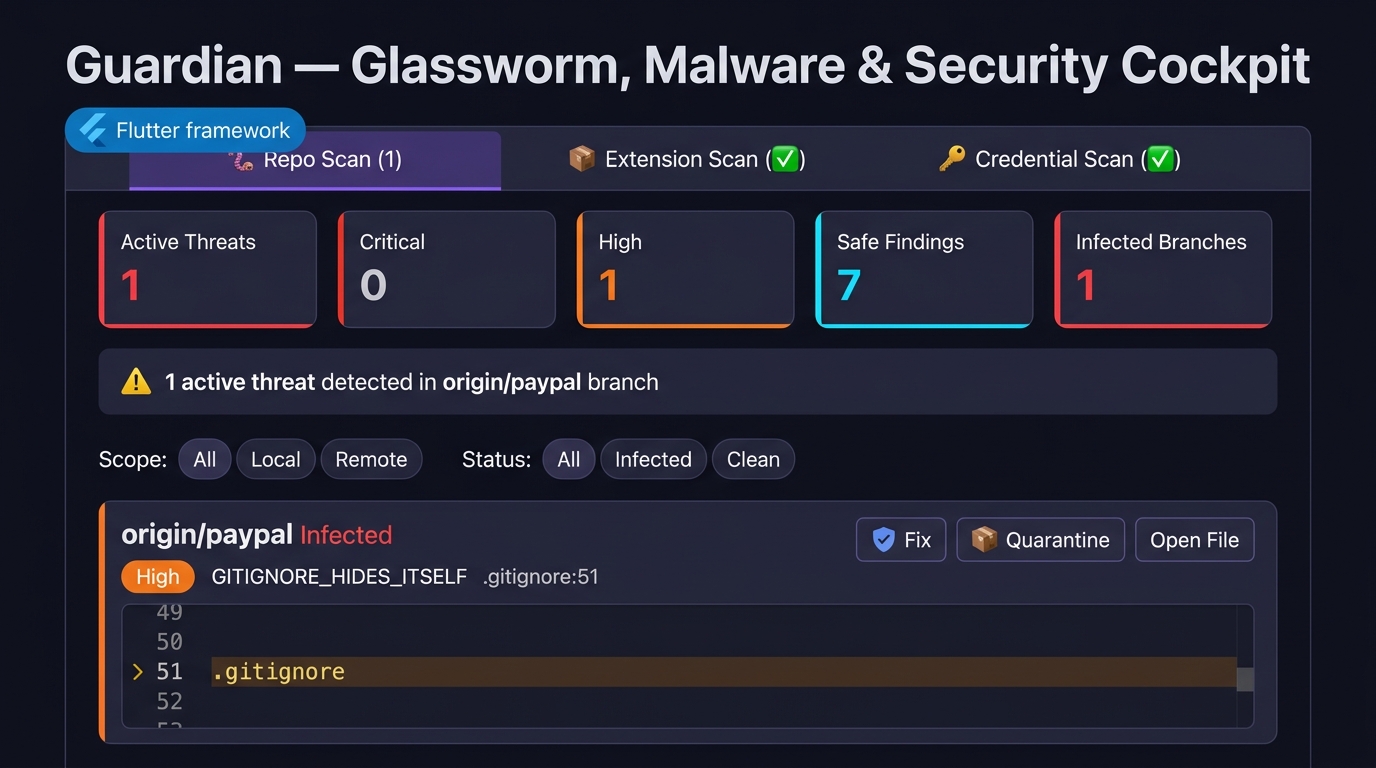
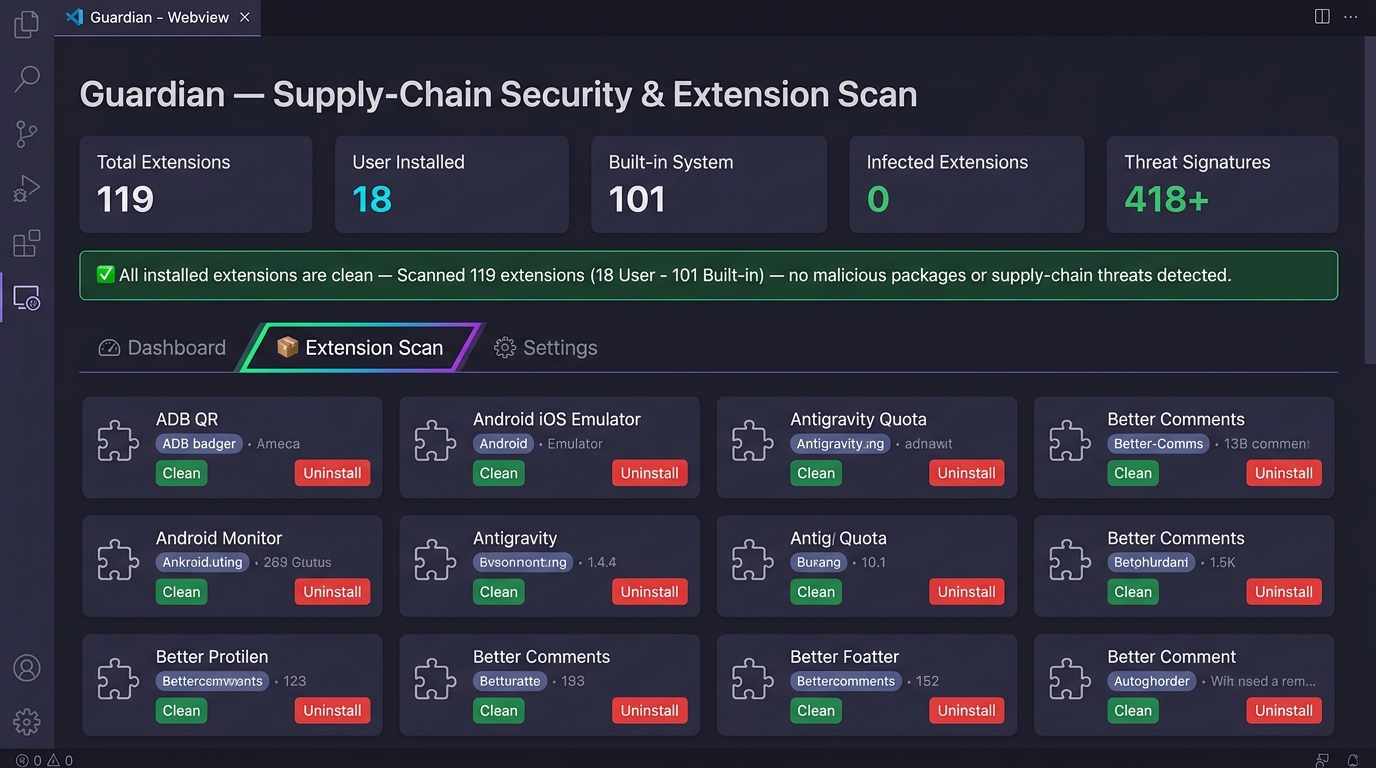
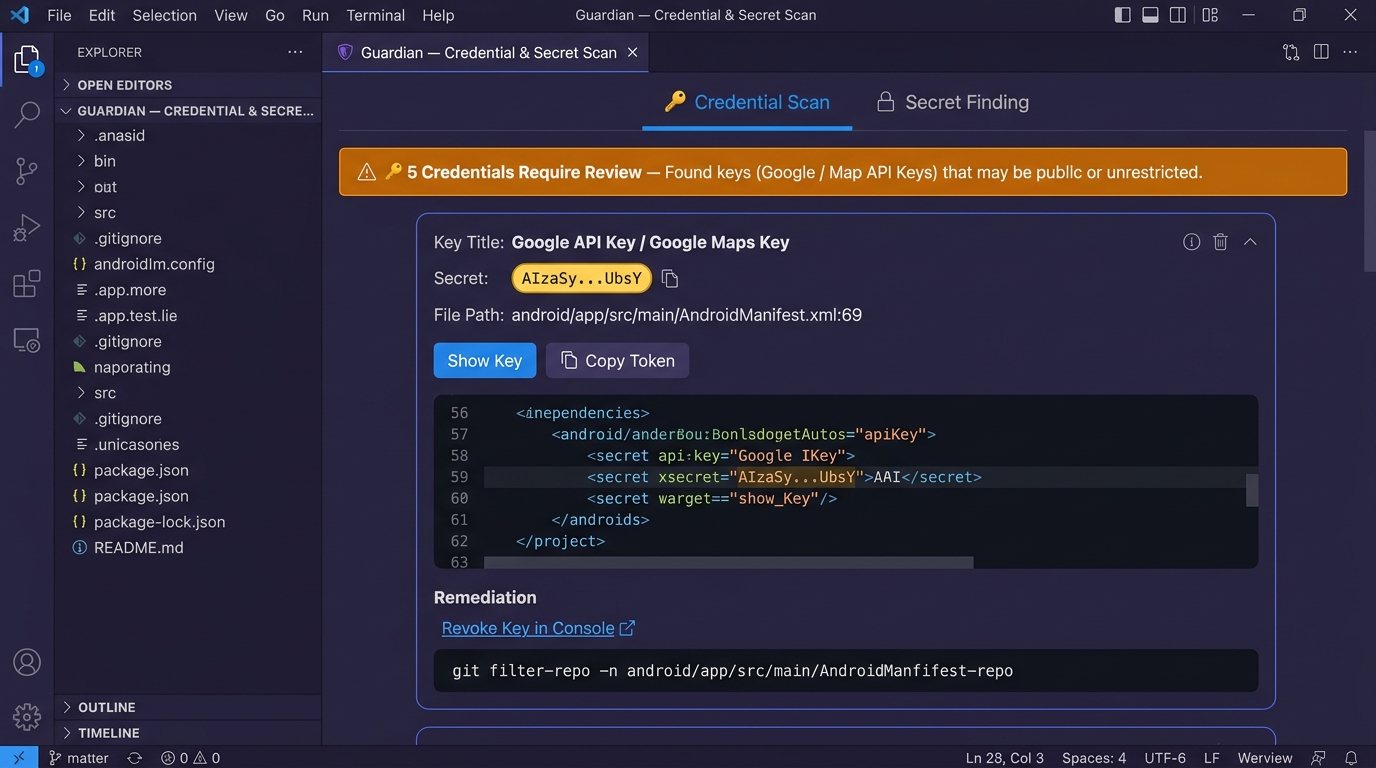
Code Guardian is a developer security suite built for modern IDEs (VS Code, Cursor, Windsurf, VSCodium, and Antigravity IDE). It delivers Real-Time Editor Diagnostics, an Interactive 3-Tab Security Cockpit, an Emergency Startup Task Terminator, an Extension Supply-Chain Auditor, a Deep Credential Scanner, and Automated Git Pre-Push Protection. 📸 Interactive Security Cockpit & Visual Highlights1. 🪱 Tab 1: Repo Scan — Multi-Branch Git & Workspace DefenseInspects all local and remote branches via safe read-only Git queries ( 2. 📦 Tab 2: Extension Scan — Supply-Chain Security & Extension AuditorAudits installed extensions ( 3. 🔑 Tab 3: Credential Scan — Deep Secret & API Key DetectorScans workspace files, git branch tips, and commit history for Google API keys, AWS keys, GitHub tokens, Stripe keys, JWTs, and PEM keys. Features secret card consolidation, token masking, and in-place reveal.
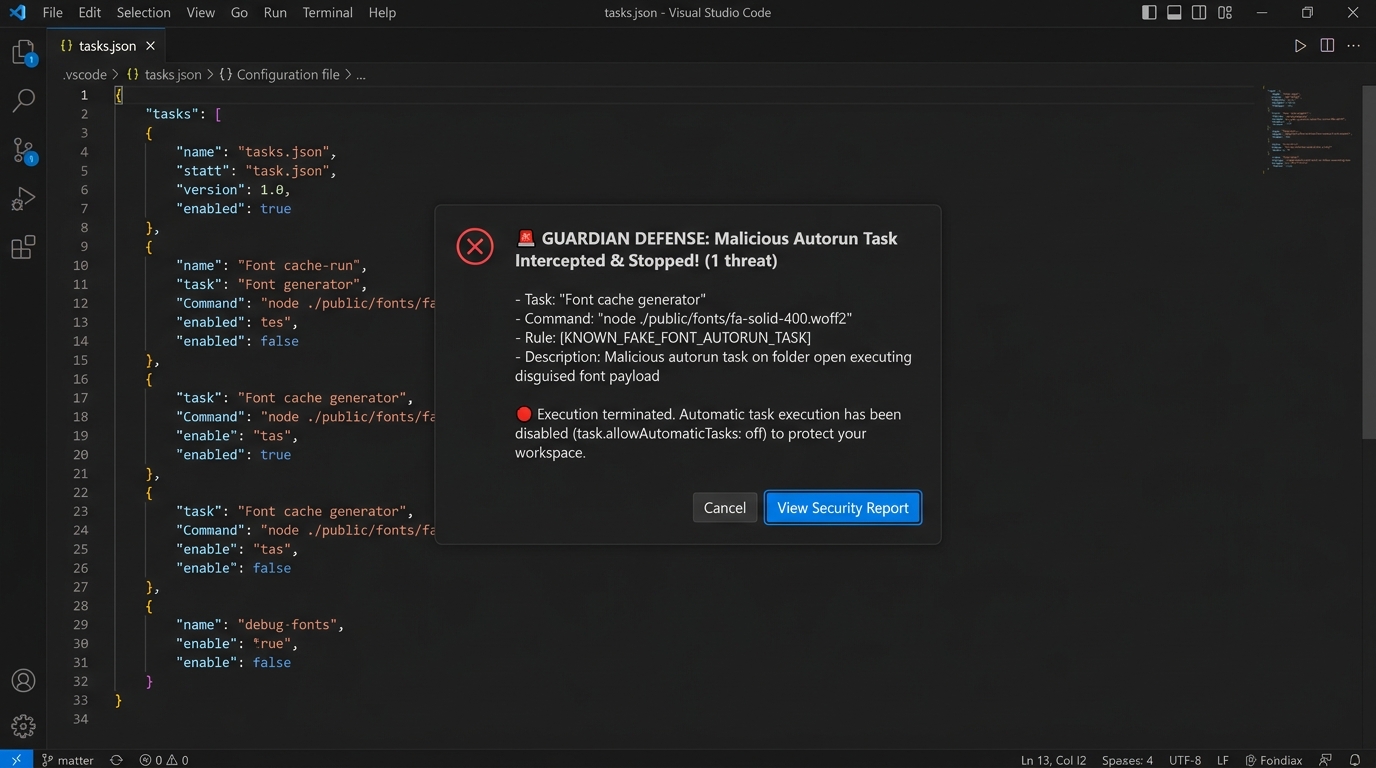
4. 🚨 Emergency Startup Interceptor & Task Terminator Modal AlertZero-delay interceptor that terminates malicious folder-open tasks ( 🌟 Key Capabilities
⌨️ Command Palette Commands (
|



| Command | Identifier | Description |
|---|---|---|
| Code Guardian: Open Security Dashboard | codeguardian.openDashboard |
Opens the interactive 3-Tab Security Cockpit. |
| Code Guardian: Scan Workspace | codeguardian.scanWorkspace |
Full workspace scan with progress indicator and Problems panel output. |
| Code Guardian: Scan Current File | codeguardian.scanCurrentFile |
Scans the active editor document immediately. |
| Code Guardian: Scan All Git Branches & Refs | codeguardian.scanAllBranches |
Scans all local & remote Git refs using safe read-only queries. |
| Code Guardian: Scan Installed Extensions | codeguardian.scanExtensions |
Audits installed extensions for malware and supply-chain threats. |
| Code Guardian: Scan for Exposed Credentials | codeguardian.scanCredentials |
Scans workspace and Git branches for leaked secrets and API keys. |
| Code Guardian: Neutralize & Disarm All Threats | codeguardian.neutralizeAll |
Auto-fixes and disarms all active threats in bulk. |
| Code Guardian: Quarantine Malicious File | codeguardian.quarantineFile |
Quarantines fake font payloads or malicious batch scripts. |
| Code Guardian: Reload Rules | codeguardian.reloadRules |
Clears in-memory cache and reloads configuration from disk. |
| Code Guardian: Open Configuration | codeguardian.openConfig |
Opens or creates .codeguardian.json. |
| Code Guardian: Enable Global Protection | codeguardian.enableGlobalProtection |
Sets machine-wide core.hooksPath (~/.code-guardian/hooks). |
| Code Guardian: Disable Global Protection | codeguardian.disableGlobalProtection |
Unsets machine-wide global hooks path. |
| Code Guardian: Remove All Protection & Git Hooks | codeguardian.cleanupAll |
Removes all hooks, preinstall guards, and global configs (uninstall helper). |
🔧 Extension Settings (settings.json)
{
  "codeGuardian.enabled": true,
  "codeGuardian.enableGlobalHooks": true,
  "codeGuardian.scanOnSave": true,
  "codeGuardian.scanOnOpen": true,
  "codeGuardian.scanRepoOnActivation": true,
  "codeGuardian.blockNpmInstall": true,
  "codeGuardian.showNotifications": true,
  "codeGuardian.fetchRemotesBeforeScan": true,
  "codeGuardian.configFileName": ".codeguardian.json"
}
📄 License
Distributed under the MIT License. Created with ❤️ by Meet Kathiriya.