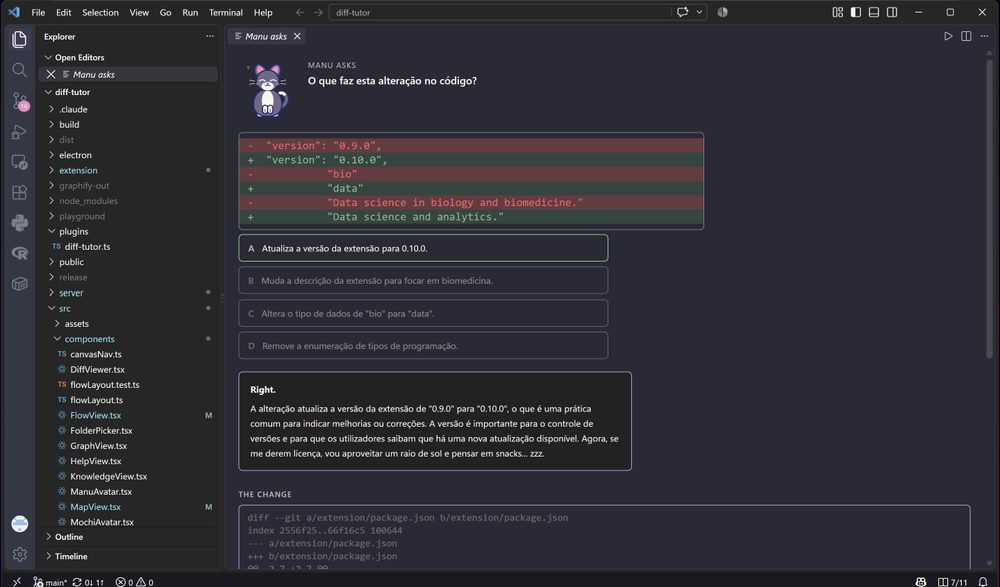
diff-tutorA cat teaches you to code by quizzing you on your own changes while you still remember making them. One click, four answers, instant feedback. Installation Launch VS Code Quick Open ( Ctrl+P), paste the following command, and press enter.Copied to clipboard |

diff-tutor for VS CodeA cat who teaches you to code by asking about the changes you just made, while you still remember making them.
Three things it doesQuiz (
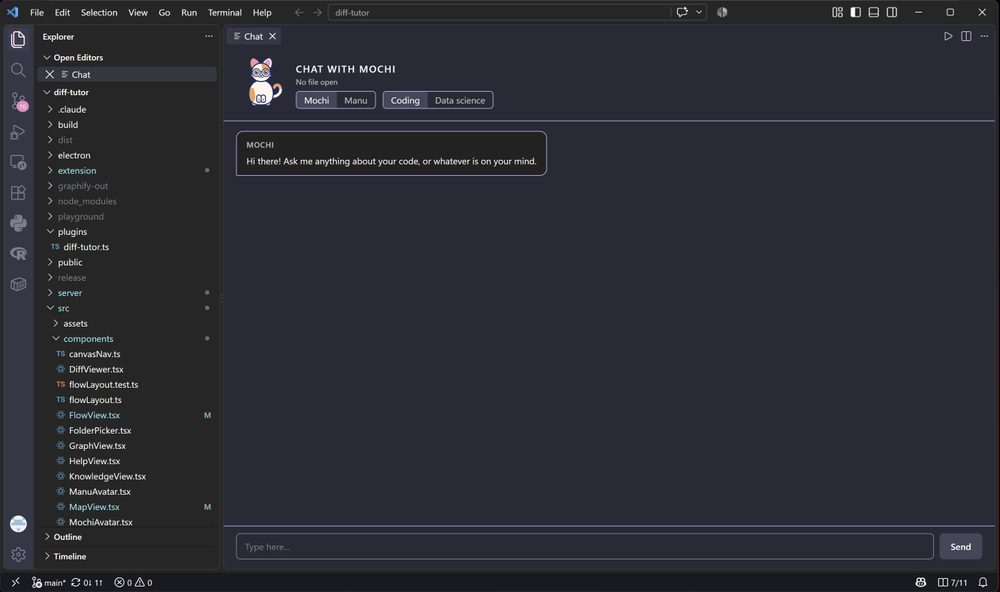
Chat ( Choose whether to attach selected code, the whole file, or no code. The chat also keeps each tutor and subject conversation separate, and gives you clear, cancel, and model-setup controls right in the panel.
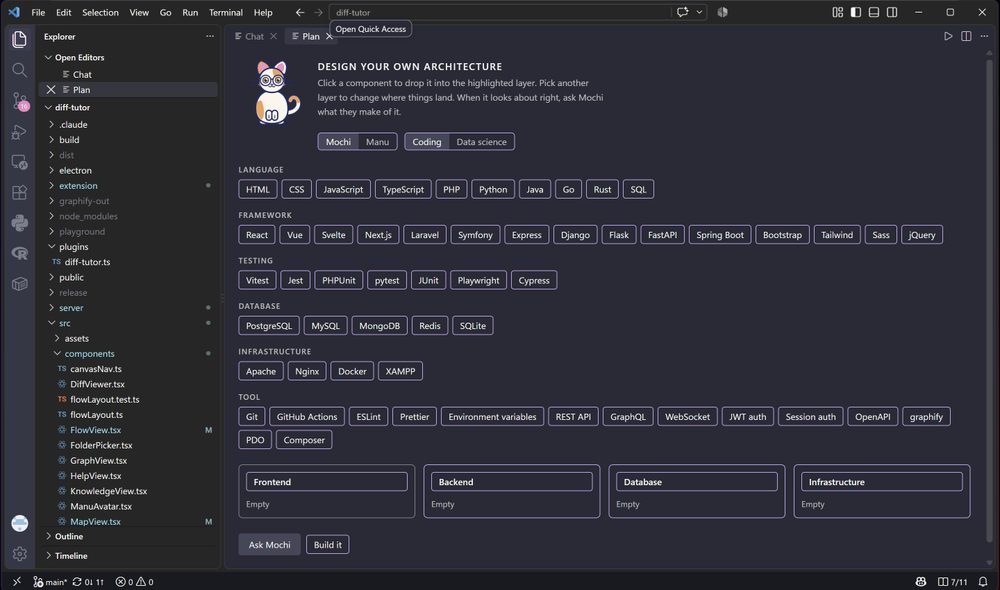
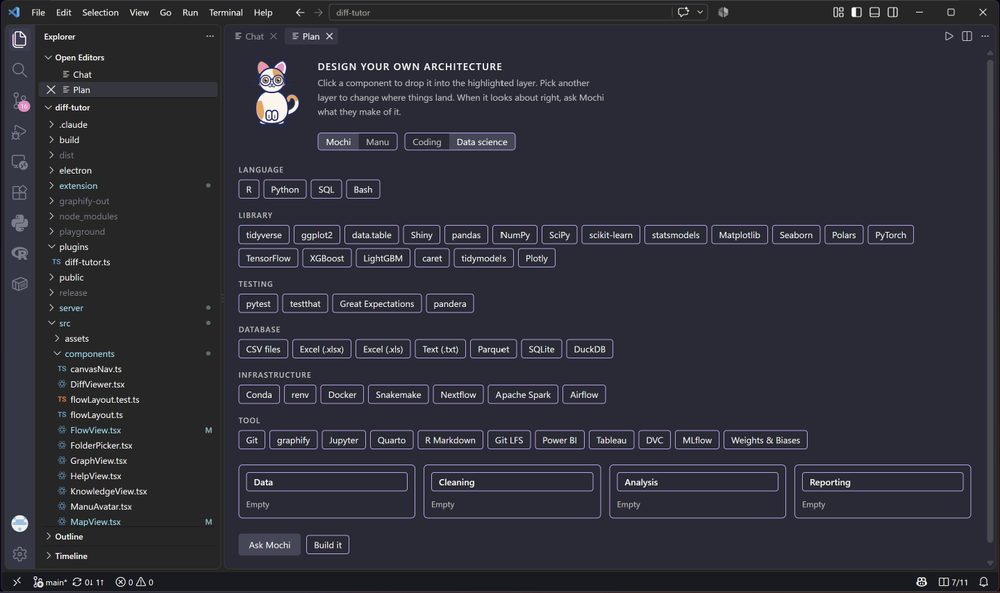
Plan (command palette). Design a project architecture by dropping components into layers, then ask the cat what it thinks. It gives an honest review: what works, what is risky, and what is missing. Press "Build it" to generate a starter project. Instead of dumping all the files at once, the cat walks you through each one with a question about its role in the architecture, so you understand the project before you start working in it. Plans stay as separate drafts for each subject. Generated files are validated first and are only created in an empty destination, so existing work is never overwritten.
Two catsMochi is a calico with glasses who teaches in English. She is patient, encouraging, and occasionally purrs. Manu is a tuxedo who teaches in European Portuguese. He is mellow, easily distracted by cozy things, and his code is always precise despite the sunbeam he is planning to nap in. Switch between them in the Chat or Plan panels, or in the settings. What it needsGit, and a repository open in the window. That is the whole hard requirement. It also needs a model, and it looks for one in this order:
With none of those, the extension says so and offers the way in, rather than sending a request that can only fail. What the quiz does not doIt never shows a list. If you missed the last twenty questions, those are gone, not waiting. A checkpoint older than an hour is never asked about, because by then the reason you made the change has left your head. It also stays quiet about changes smaller than four lines. A one-line tweak carries no lesson, and asking about one teaches you that these notifications are noise. Settings
Building itesbuild bundles everything into Then press F5 in VS Code with this folder open to launch a window with the
extension loaded, or copy the folder into Checking it worksThe tests cover the decisions; |