Markdown Colorful
A vibrant, color-coded Markdown preview for VS Code. Headings, links, bold/italic text, blockquotes, tables, task lists, and GitHub-style callouts all get distinct colors instead of the default black-and-white preview — with 10 switchable palettes, including several based on well-known editor themes.

Features
- 10 palettes, including a
classic no-op mode that leaves VS Code's stock preview untouched
- Every palette is theme-aware — colors are tuned separately for light and dark VS Code themes so nothing washes out or disappears
- GitHub-style callouts —
> [!NOTE], [!TIP], [!IMPORTANT], [!WARNING], [!CAUTION] render as colored, icon-labeled boxes
- Colored headings, links, bold/italic, strikethrough, blockquotes, tables, horizontal rules, and task-list checkboxes
- Standalone screenshots get rounded corners and a subtle shadow; inline badge rows (shields.io-style) are left alone
- Instant palette switching via a command — no reload required
Palette gallery
| Palette |
Preview |
Notes |
ocean (default) |
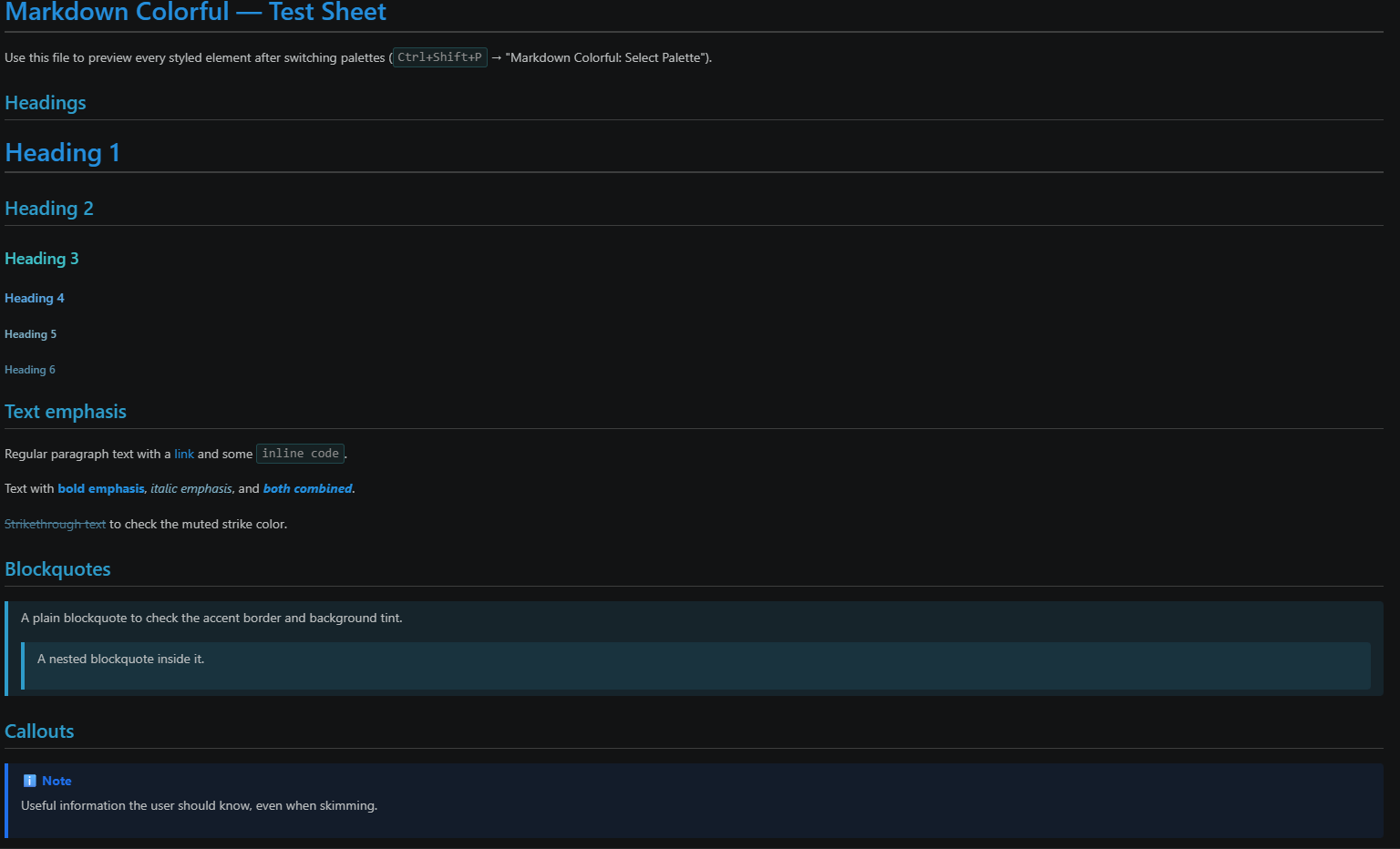 |
Cool blues/teals, calm and low-contrast |
sunset |
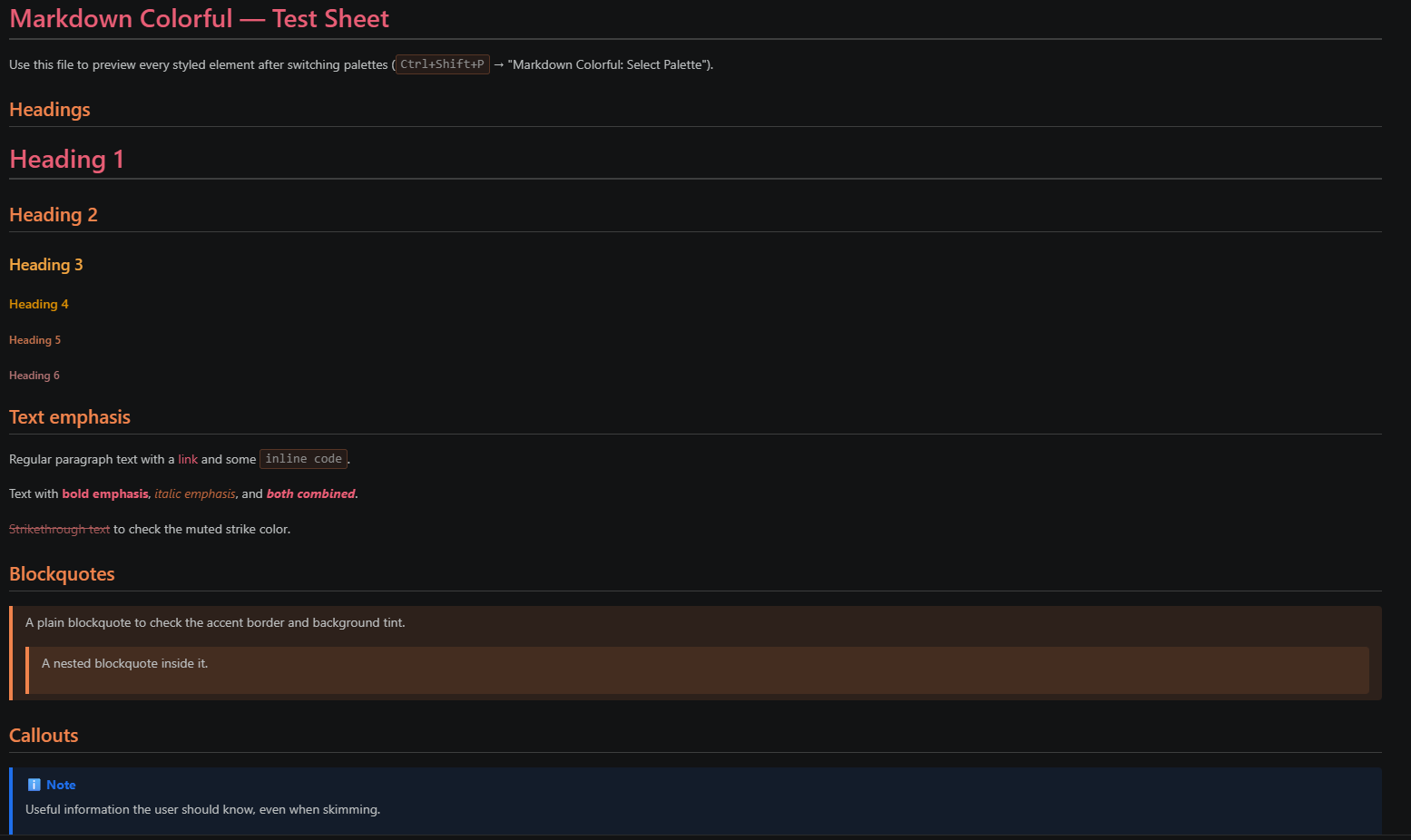 |
Warm oranges/pinks, muted purple accents |
forest |
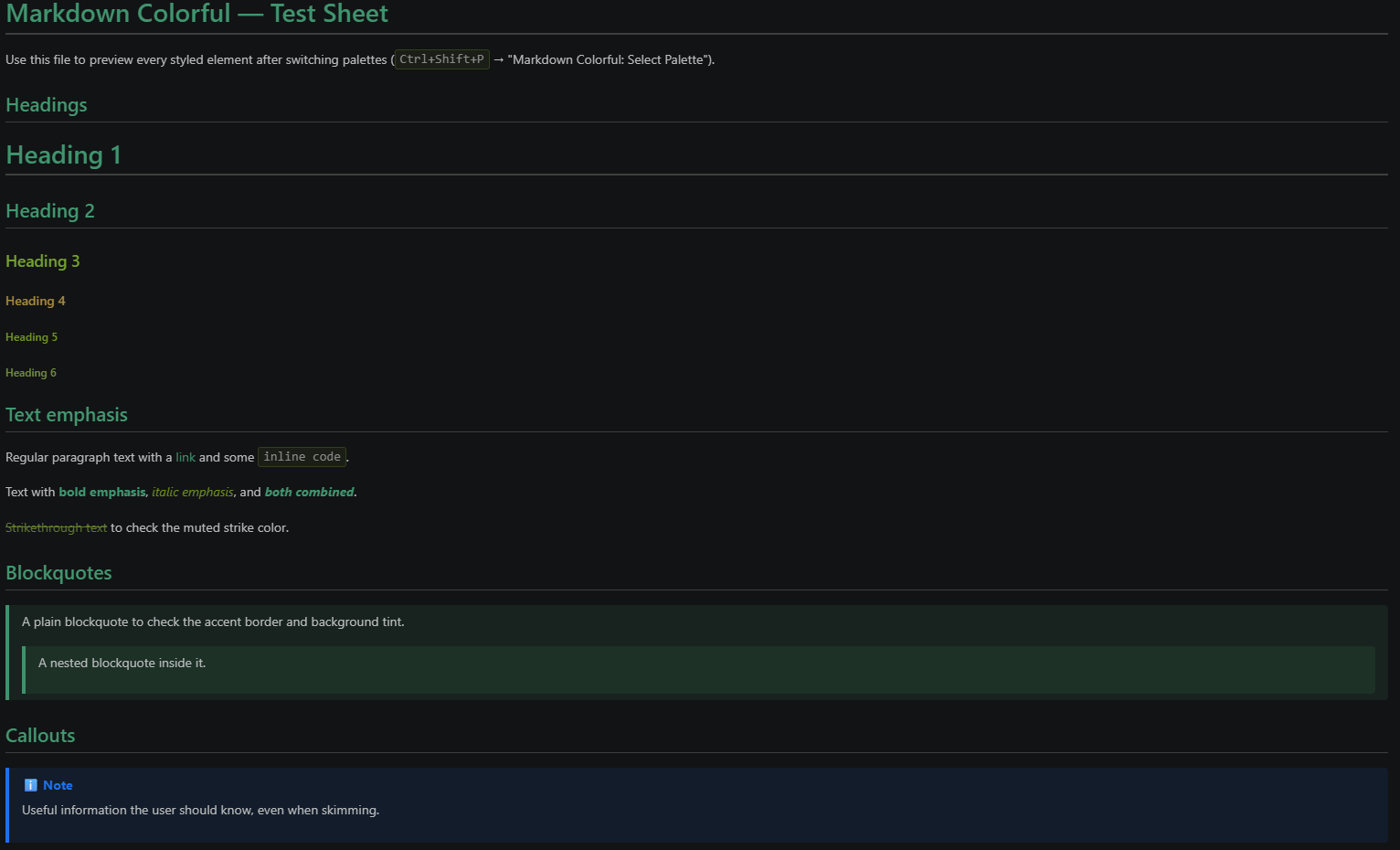 |
Greens/browns, earthy and easy on the eyes |
dracula |
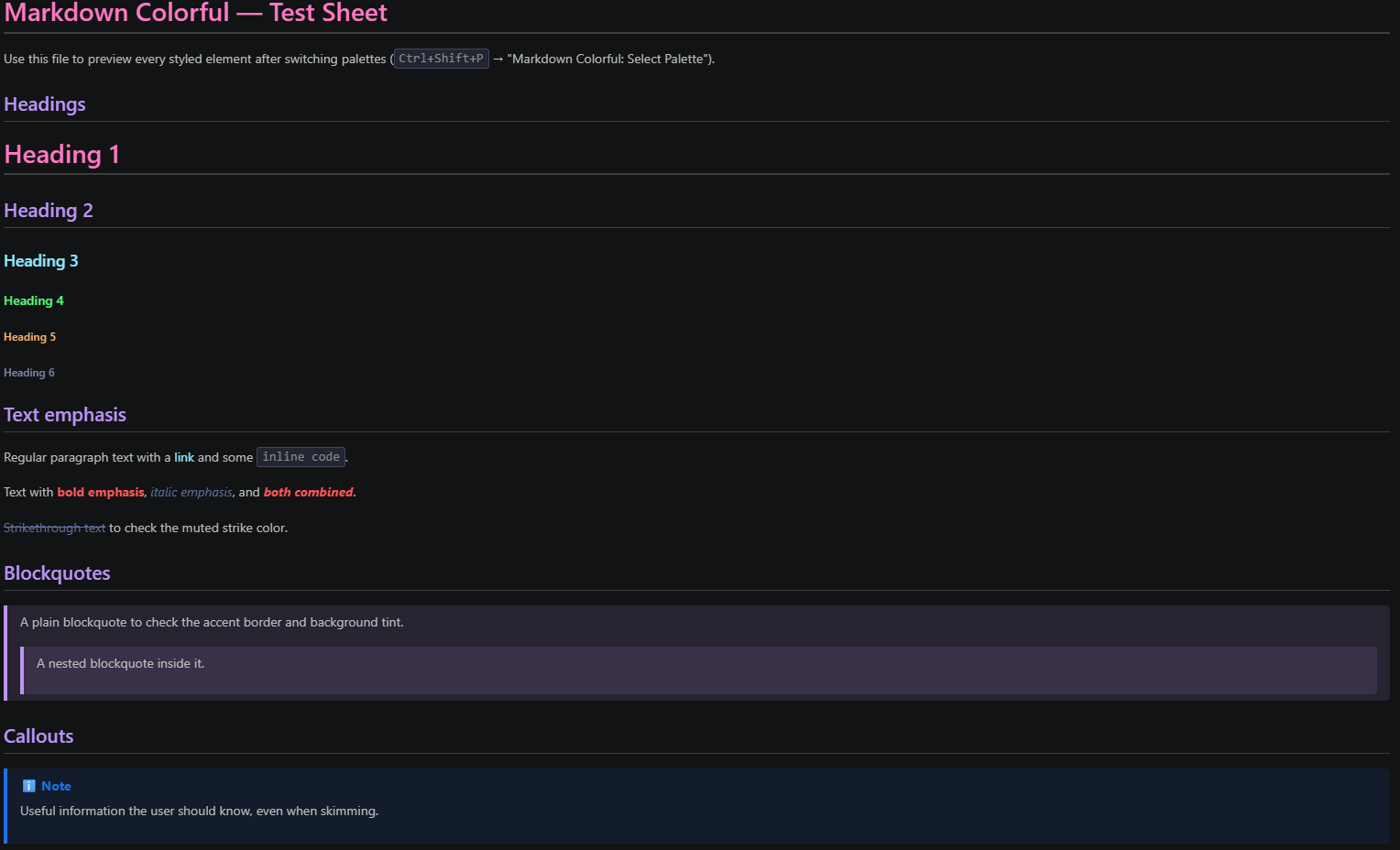 |
Purple/pink/cyan on muted gray-blue |
nord |
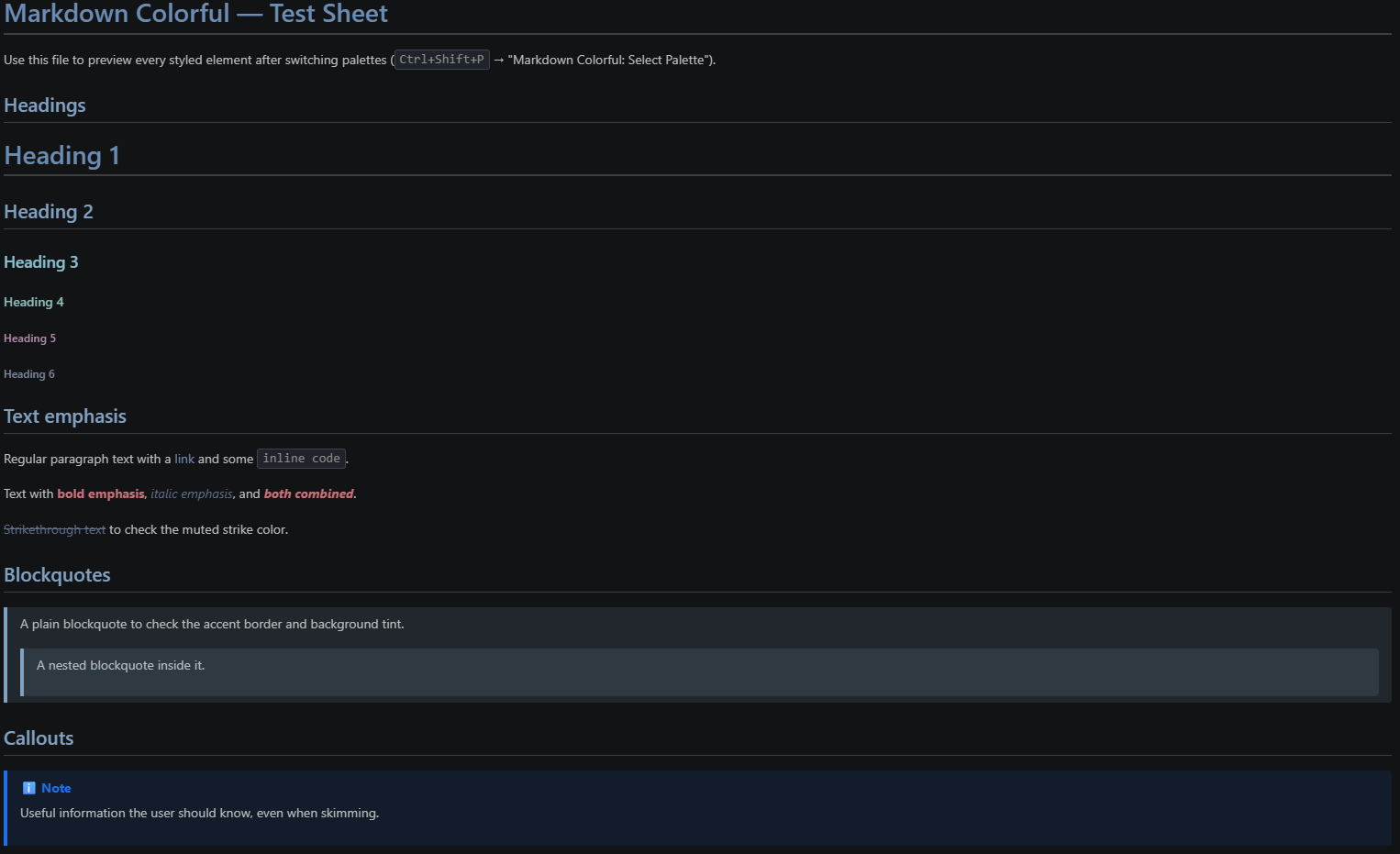 |
Arctic blues and frost tones |
monokai |
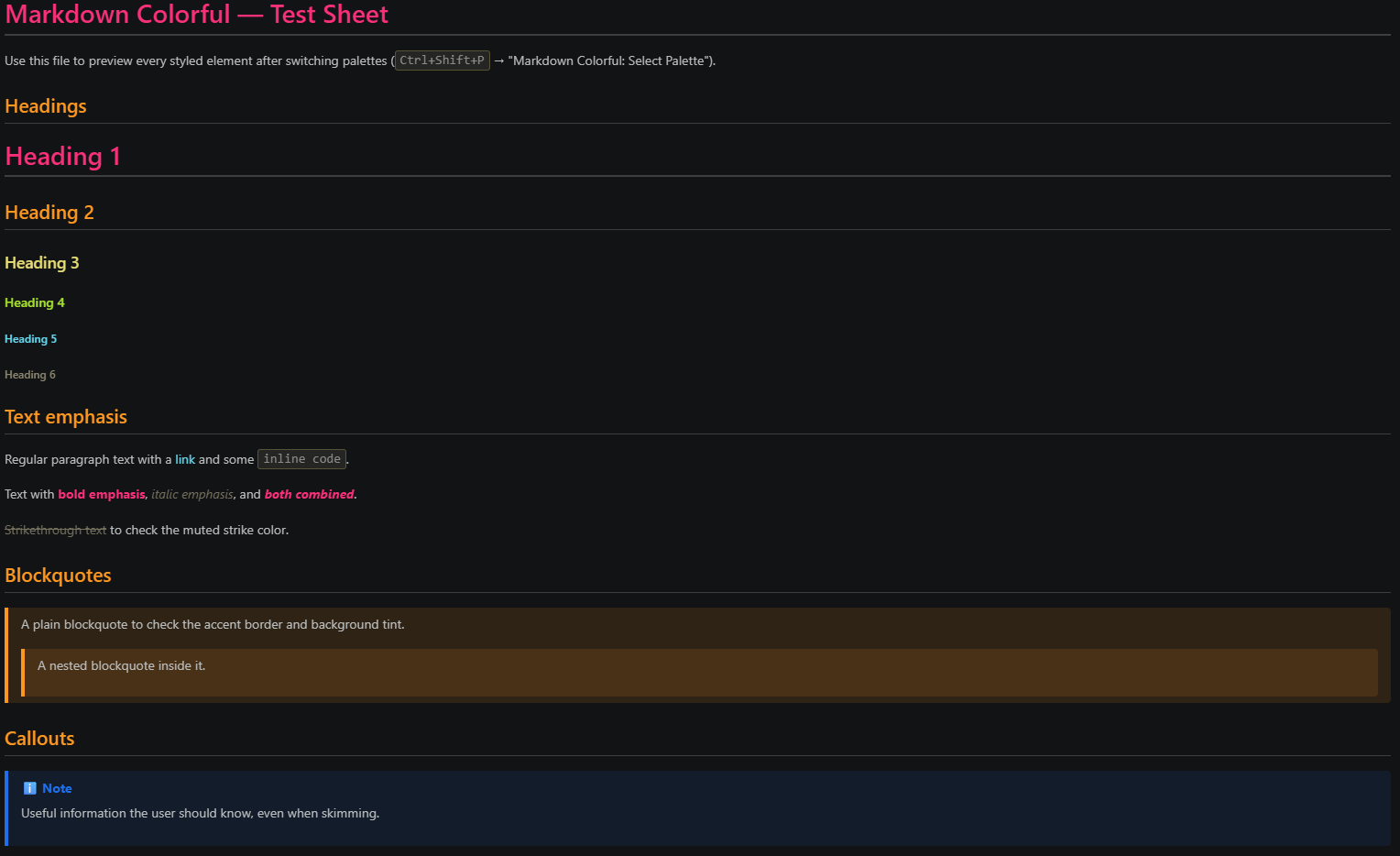 |
Pink/orange/yellow/green, high contrast |
tokyo-night |
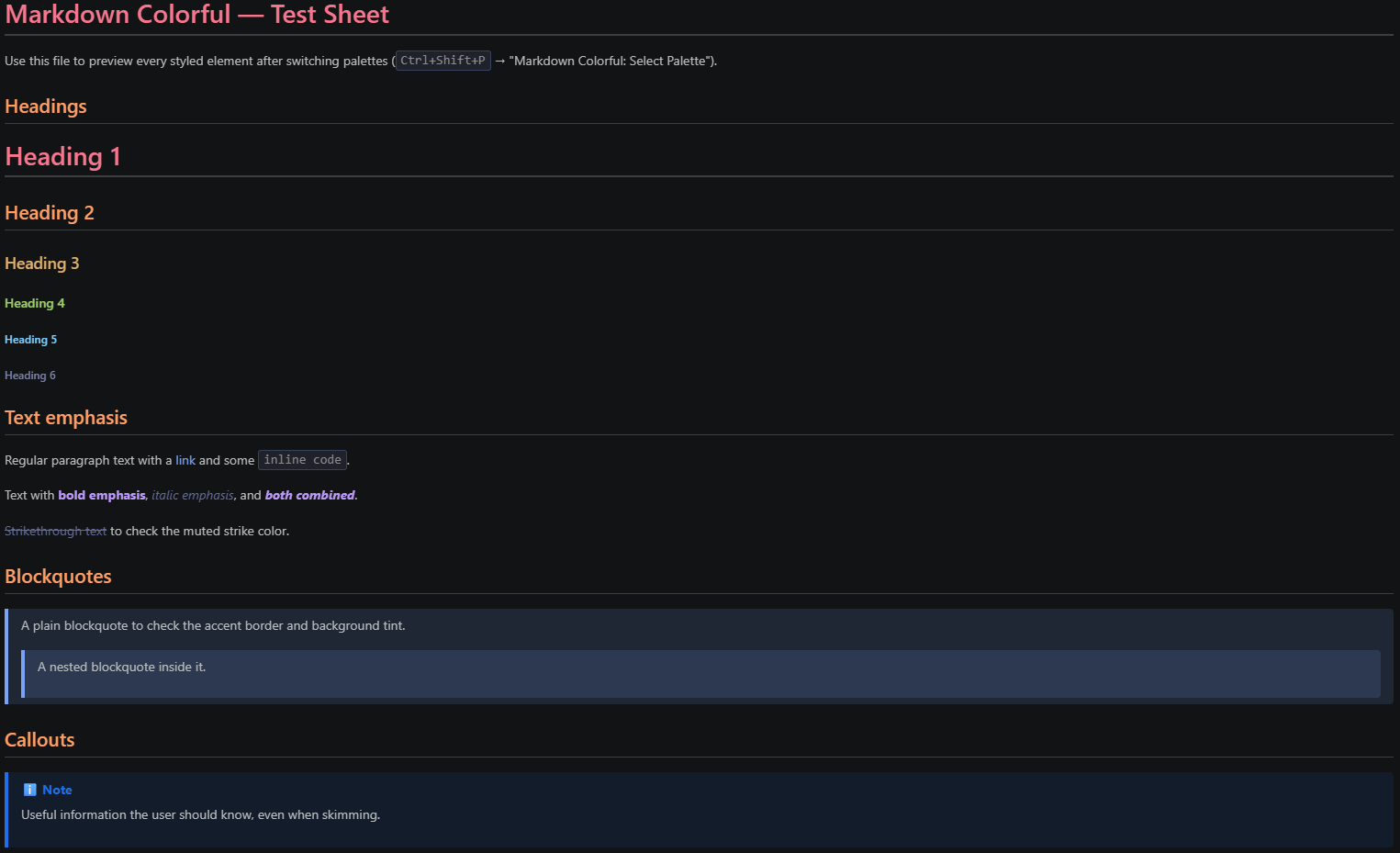 |
Blues/purples with pink and orange accents |
catppuccin |
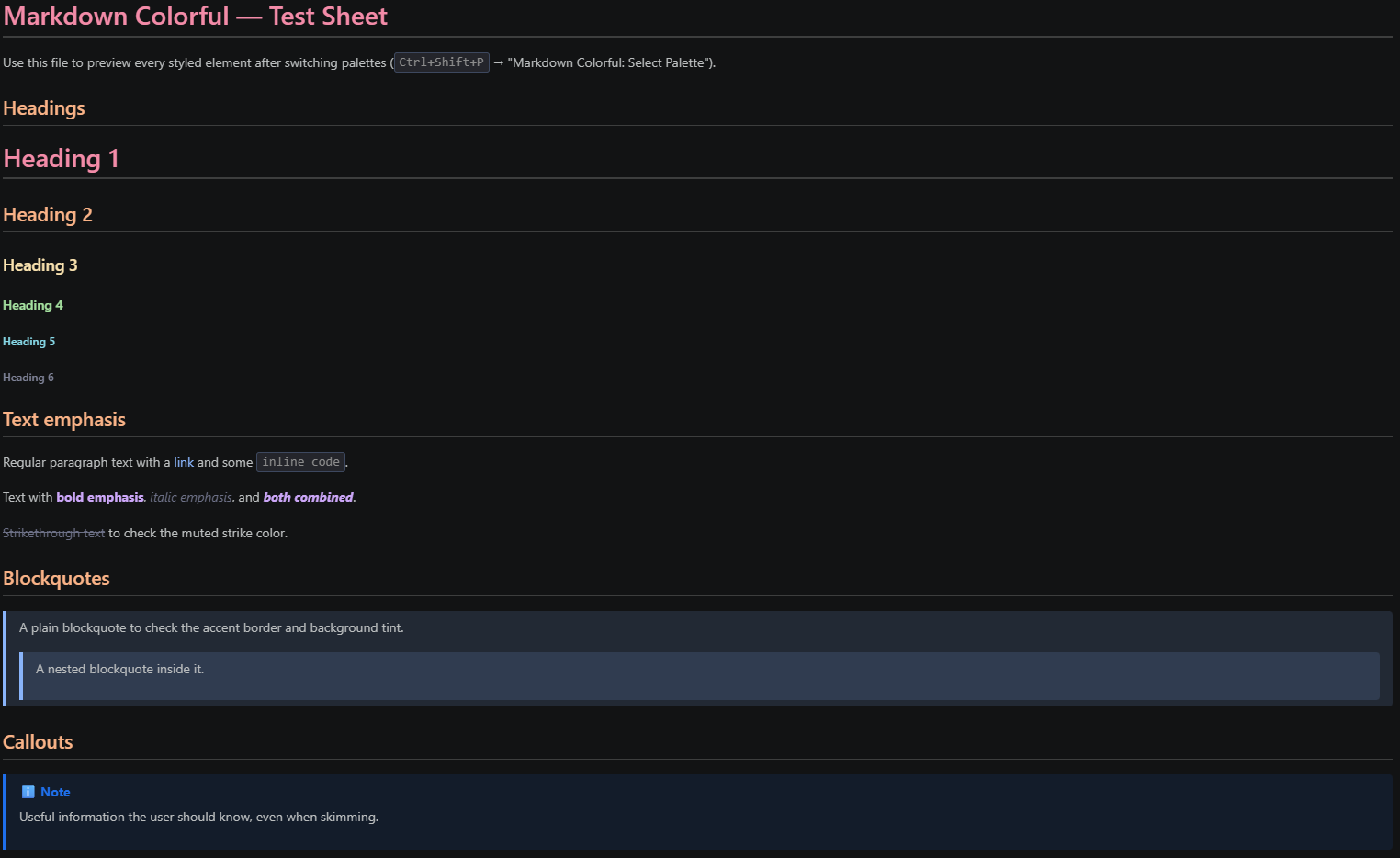 |
Soft pastel red/peach/green/blue/mauve (Mocha) |
gruvbox |
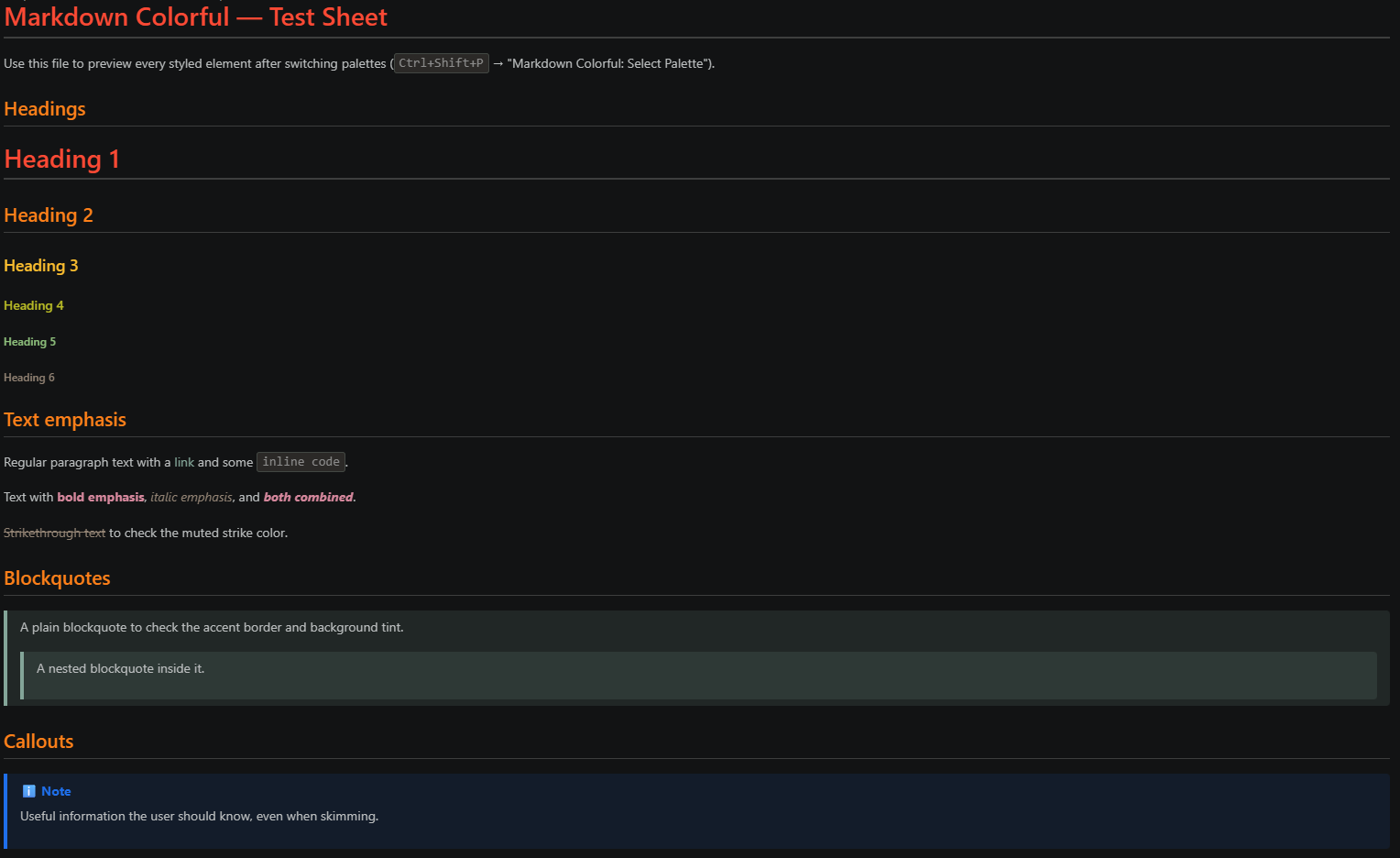 |
Warm retro reds/oranges/yellows/greens |
contrast |
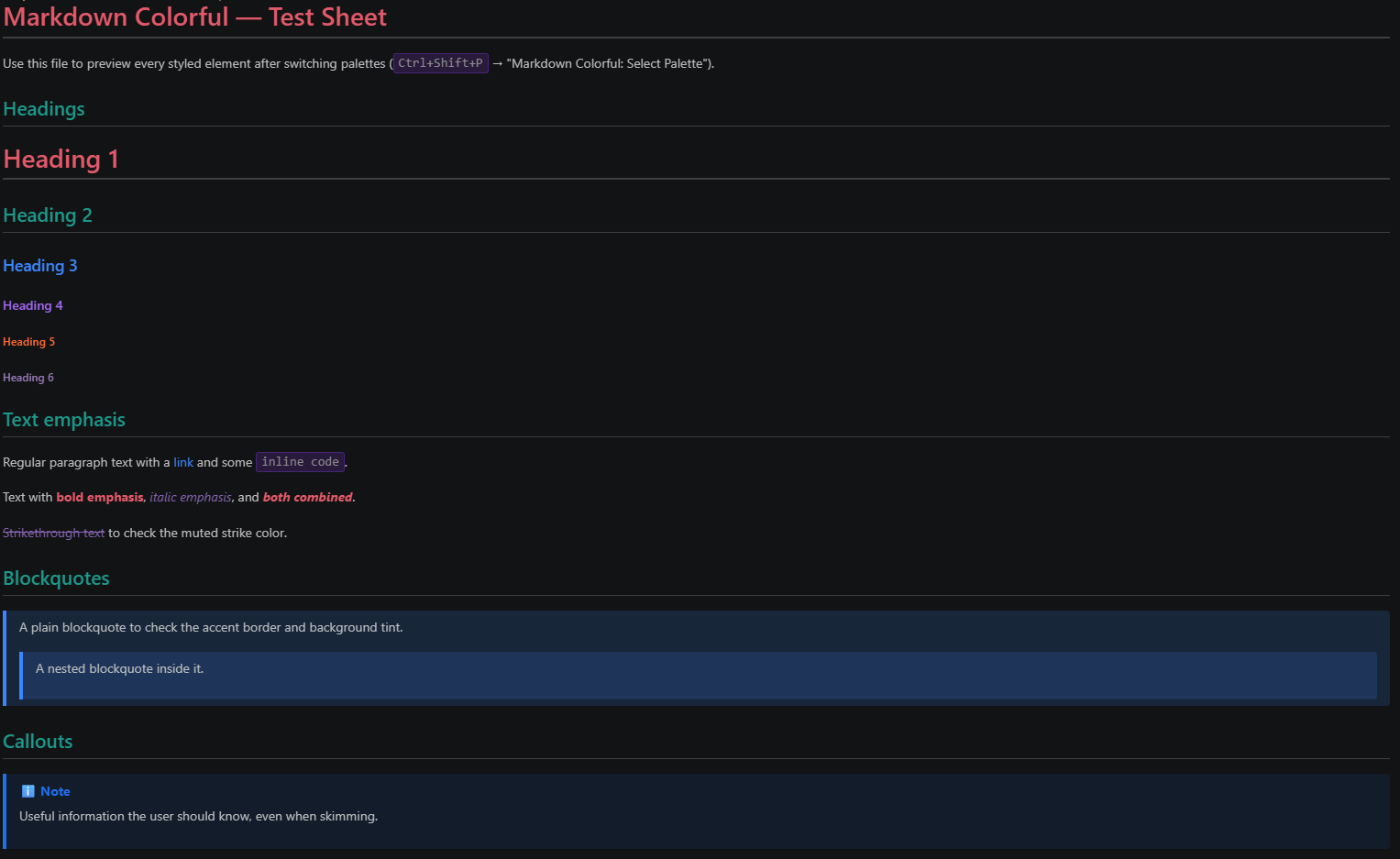 |
Vivid, high-contrast, built for accessibility |
classic |
— |
No styling — the default VS Code preview |
Installation
From the Marketplace (once published):
- Open the Extensions view in VS Code (
Ctrl+Shift+X)
- Search for "Markdown Colorful"
- Click Install
From a .vsix file:
code --install-extension markdown-colorful-0.0.1.vsix
Usage
- Open any Markdown file and show the preview (
Ctrl+Shift+V)
- Run "Markdown Colorful: Select Palette" from the Command Palette (
Ctrl+Shift+P) and pick a palette
- The preview updates immediately — no reload needed
Configuration
| Setting |
Type |
Default |
Description |
markdownColorful.palette |
string |
"ocean" |
Palette used in the Markdown preview. One of: classic, sunset, ocean, forest, dracula, nord, monokai, contrast, tokyo-night, catppuccin, gruvbox |
You can also set this directly in settings.json:
{
  "markdownColorful.palette": "ocean"
}
Callouts
GitHub-style alert syntax is supported and rendered with color + icon, regardless of palette:
> [!NOTE]
> Useful information the user should know.

> [!TIP]
> Optional helpful advice.

> [!IMPORTANT]
> Key information needed to achieve a goal.

> [!WARNING]
> Urgent info needing immediate attention.

> [!CAUTION]
> Risks or negative outcomes of an action.
License
MIT
| |

