ServiceNow Pocket Admin
⚡ Put a Vibe Admin into the Vibe Coding loop
Once configured, you can chat with an AI Senior Administrator that answers anything about your ServiceNow instance.
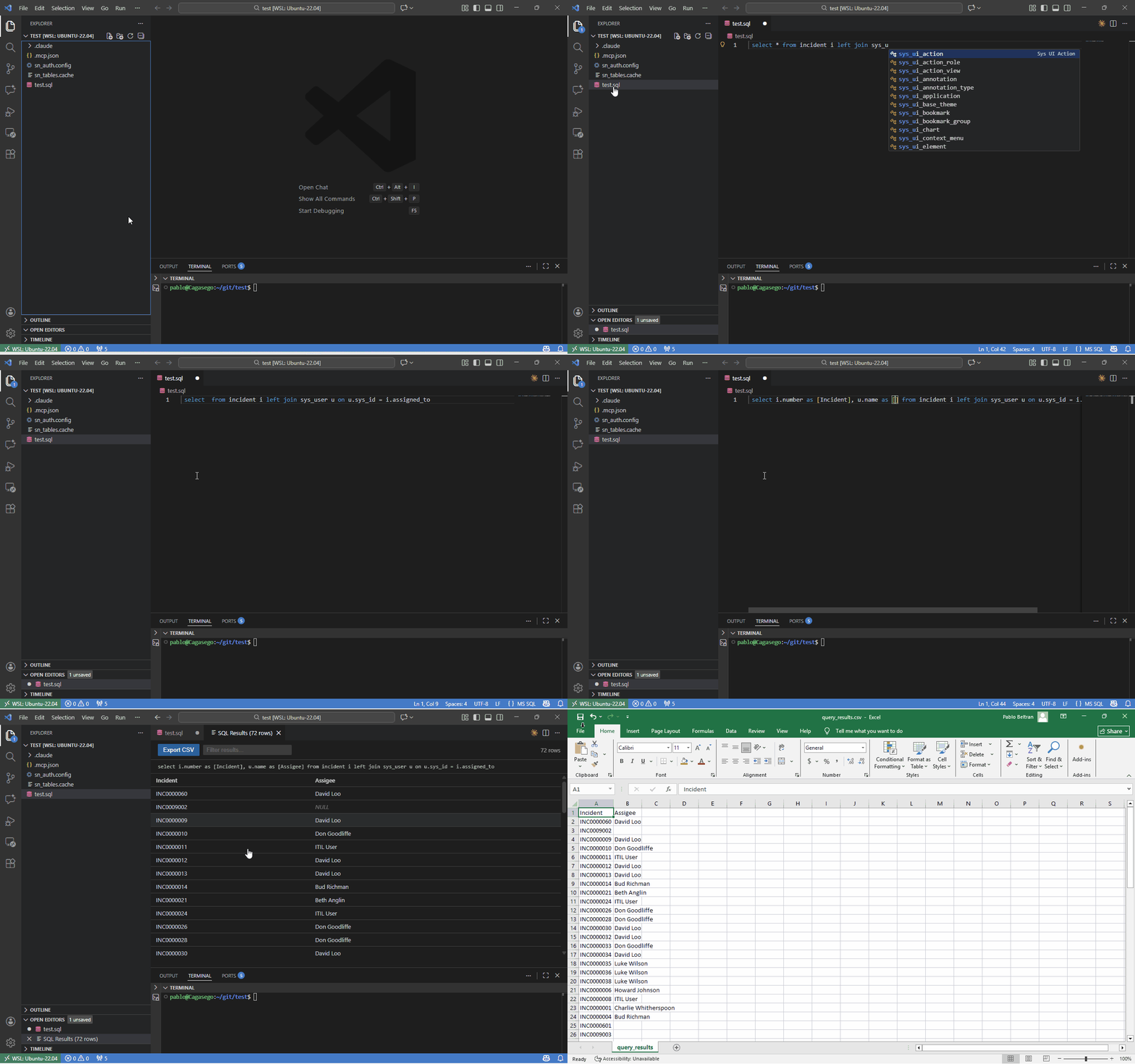
This changes everything about coding in ServiceNow: the harness is no longer blind to your instance. LLMs now talk to it in SQL, unlocking the Administrator skill that was already inside them.
Vibe Admin is Vibe Coding in SQL. No more, no less.
And that is what makes it great: give the harness knowledge of your instance and the loop closes. Vibe Architect, Vibe Coder, Vibe Tester, Vibe Data Analyst... all of them now work for you, through prompts.
Preparing for your CSA? Turn your PDI into your Vibe Academy.
🏗️ Architecture
📝 SQL Examples
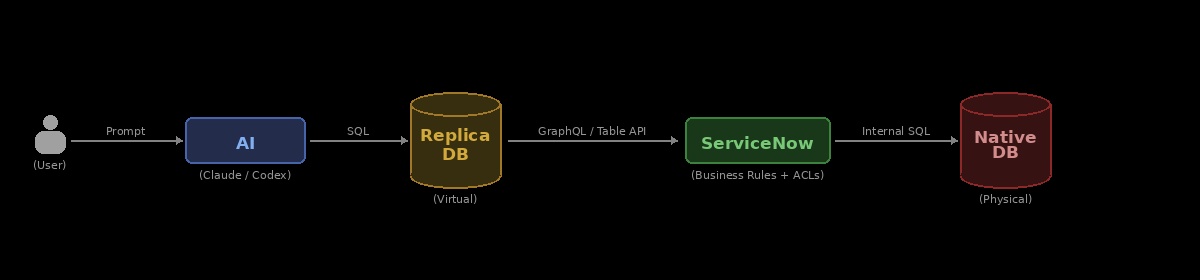
Open a .snsql file and get IntelliSense, execution (Ctrl+Shift+E), multi-table joins, and automatic resolution of choice fields.
-- Display all tables
SHOW TABLES
-- Display columns of a given table
SHOW COLUMNS FROM incident
-- Get assignee for incidents
SELECT i.number as [Incident], u.name as [Assignee]
FROM incident i
JOIN sys_user u ON i.assigned_to = u.sys_id
-- Use DISPLAYVALUE() to transform references, dates, currencies, etc. into the values displayed in the UI
SELECT i.number as [Incident], DISPLAYVALUE(i.priority) as [Priority]
FROM incident i
WHERE i.active = true
LIMIT 10
-- Get priority label for incidents by joining sys_choice
SELECT i.number as [Incident], c.label as [Priority]
FROM incident i
JOIN sys_choice c ON c.value = CAST(i.priority AS STRING)
  AND c.element = 'priority'
  AND c.name = 'task'
  AND c.language = 'en'
WHERE i.active = true
LIMIT 10
🚀 Configuration (3 Minutes)
🚨 Use a strong MCP-capable model (Claude Code, OpenAI Codex, or local equivalent) for best SQL-admin results. 🚨
Watch the setup video for a step-by-step guide.
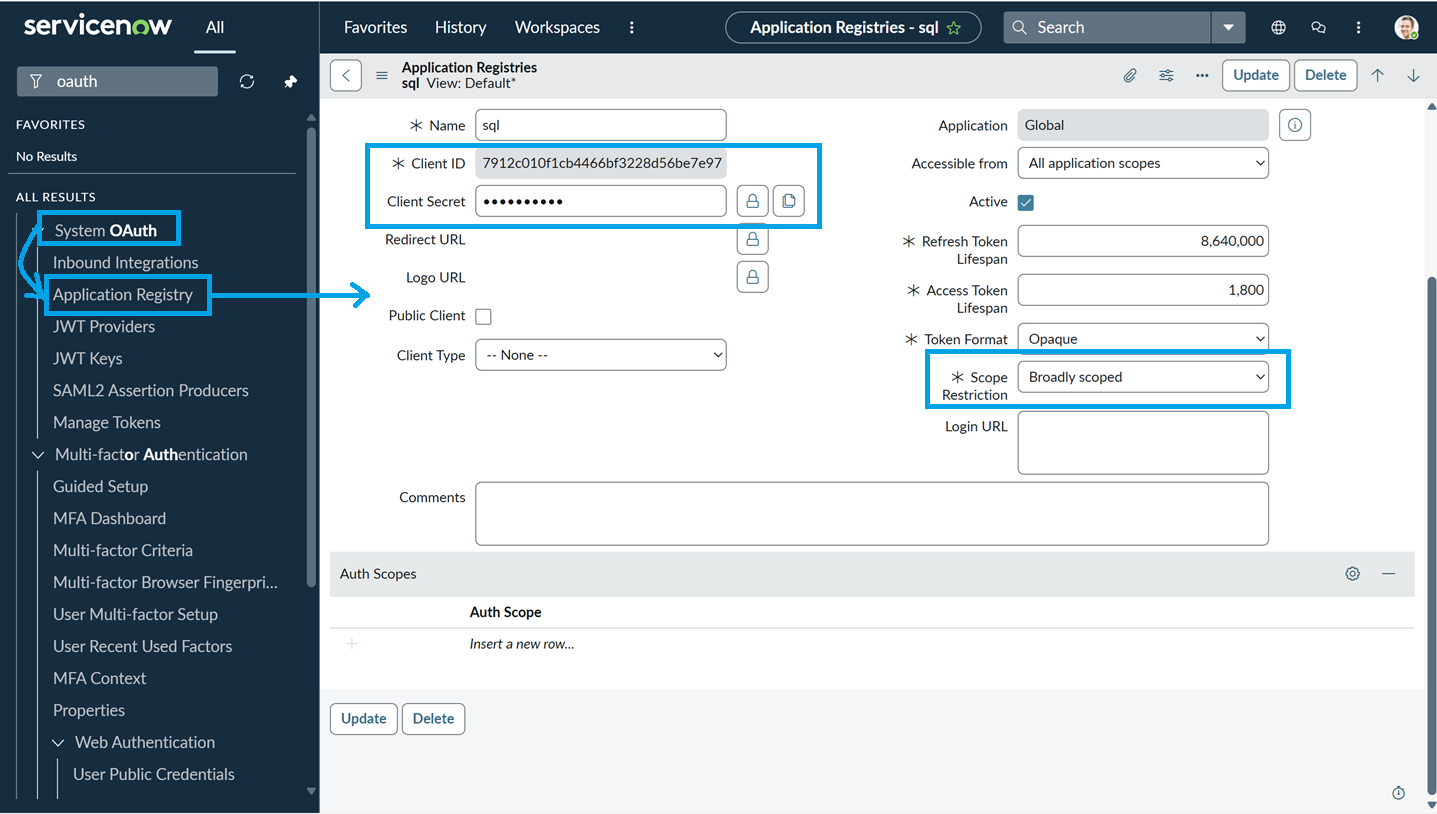
Prerequisites: OAuth2 configured using password grant. Read access to sys_db_object and sys_dictionary.
- Install the extension from the VS Code Marketplace.
- Configure Connection: Open the Command Palette (
Ctrl+Shift+P) and run ServiceNow Pocket Admin: Configure Connection. Credentials are encrypted and stored locally in /sn_auth.config.
- Sync Metadata: Run
ServiceNow Pocket Admin: Refresh Tables Cache. Tables are stored locally in /sn_tables.cache.
- Connect your MCP client:
- Claude Code:
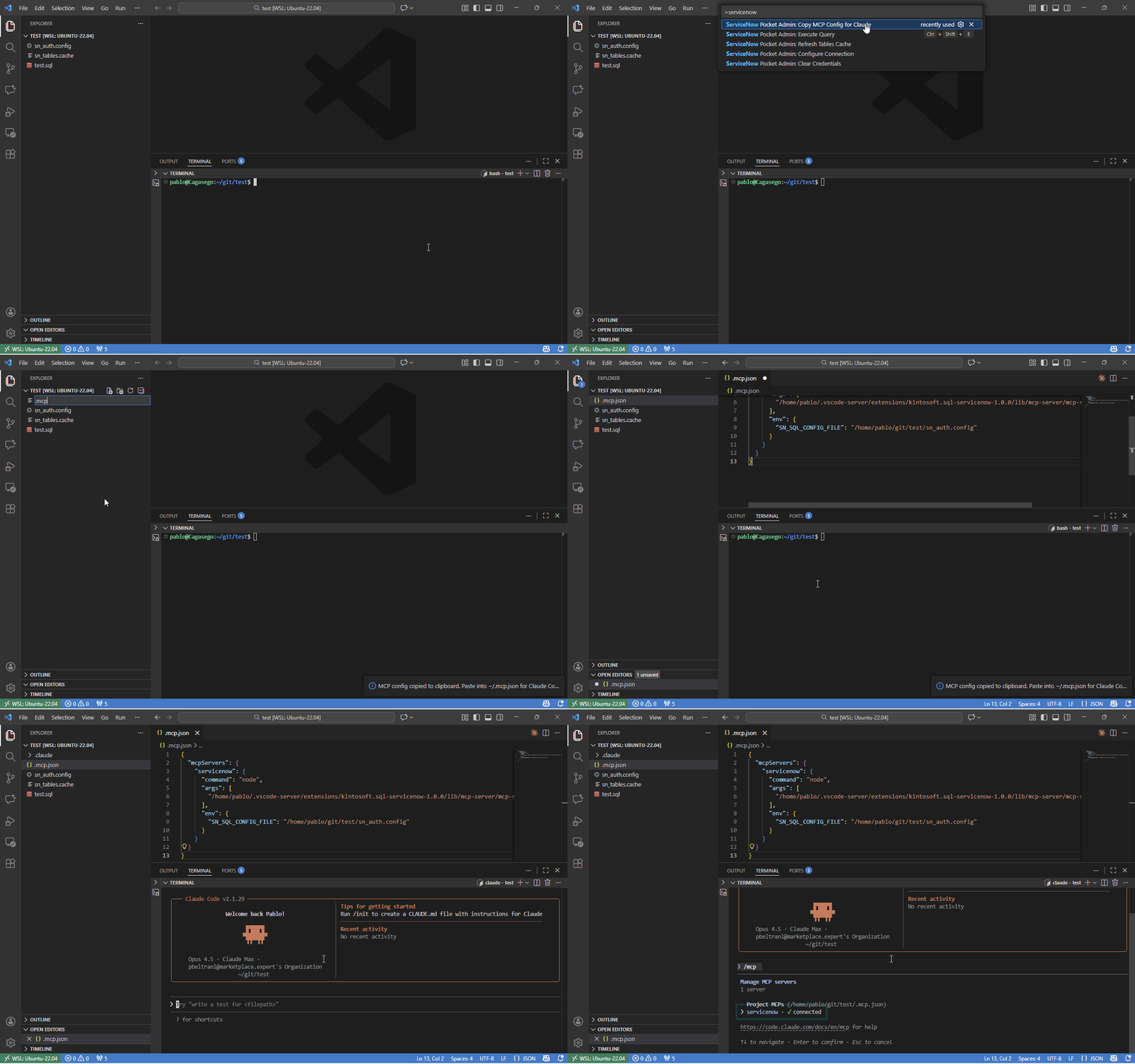
./.mcp.json is auto-created/updated in your workspace after connection setup, and refreshed each time VS Code starts. You can also run ServiceNow Pocket Admin: Copy MCP Config for Claude.
- OpenAI Codex:
~/.codex/config.toml is auto-created/updated after connection setup (inside a managed block), and that block is refreshed each time VS Code starts. You can also run ServiceNow Pocket Admin: Copy MCP Config for Codex.
⚙️ Settings
sql-servicenow.maxResults: Maximum rows returned per query (default: 10,000).
💬 Feedback
Found a bug? Have an idea? Open an issue on GitHub.
⭐⭐⭐⭐⭐ If Pocket Admin saved you time and you find it useful, writing a quick review on the Marketplace helps other ServiceNow developers find it. It takes 30 seconds and makes a real difference.
👥 Who's behind this?
KintoSoft. Saving marriages between developers and ServiceNow since 2026.

