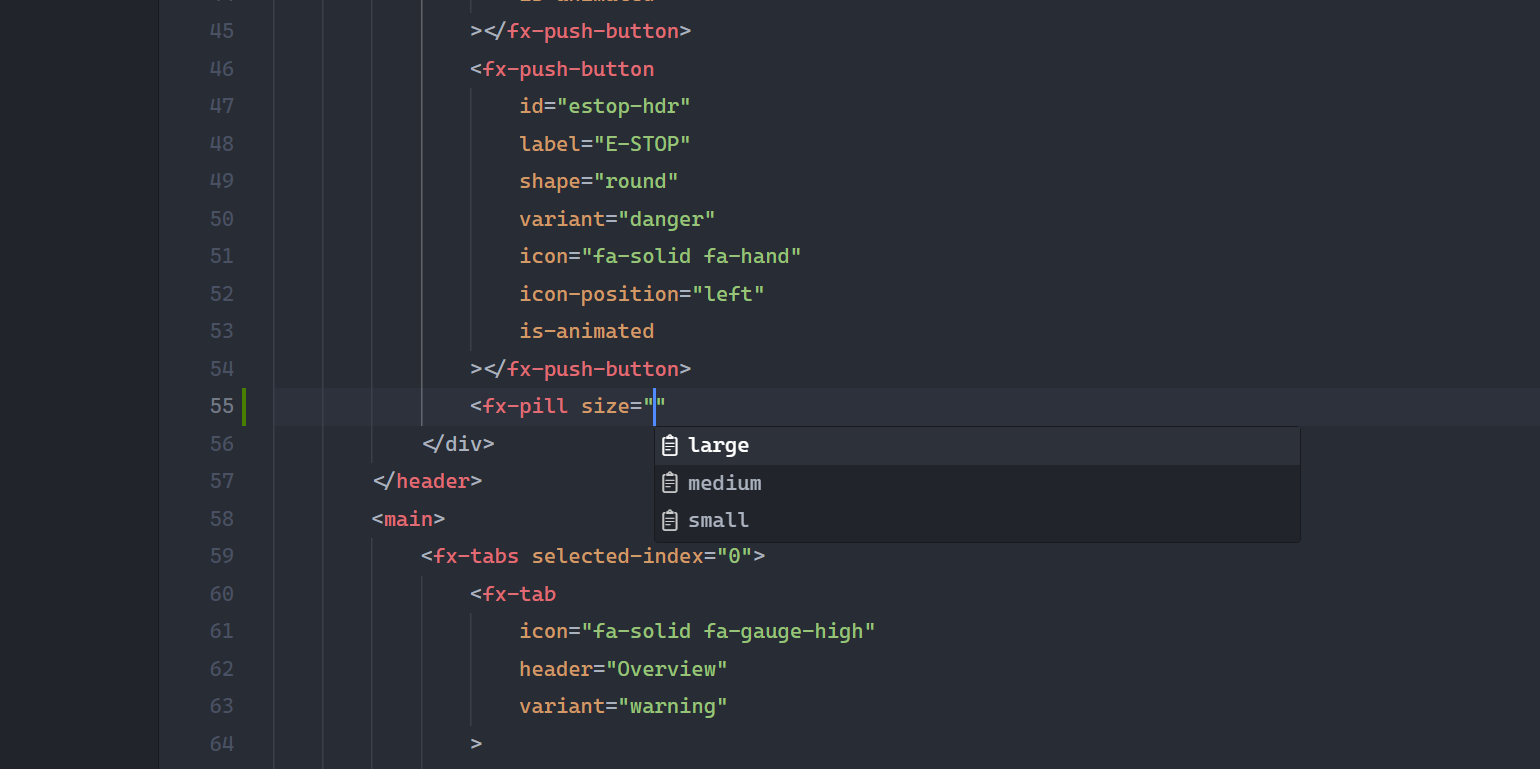
SalsaFX IDEIntelliSense for SalsaFX elements, attributes, and their values in HTML. Installation Launch VS Code Quick Open ( Ctrl+P), paste the following command, and press enter.Copied to clipboard |

SalsaFX IDESalsaFX IDE brings the SalsaFX component language directly into your editor. While you write HTML or templates, it offers custom elements, the attributes they accept, and the values those attributes allow — making an HMI gauge, fader, push-button, pill, or tab as discoverable as a native tag.
Type Features
Supported EnvironmentsSalsaFX custom elements are standard Web Components. IntelliSense works seamlessly across:
Compatible with VS Code, Cursor, VSCodium, and Windsurf. ResourcesLicenseBSD-3-Clause © Kingmaker SAS |