StatusBar Quotes for Visual Studio Code
Keep your principles in sight while you code.
StatusBar Quotes is a quiet personal motivation quote system for VS Code. It keeps the values, principles, and goals you do not want to forget in the status bar while you work — without notification loops, feeds, or noisy UI.
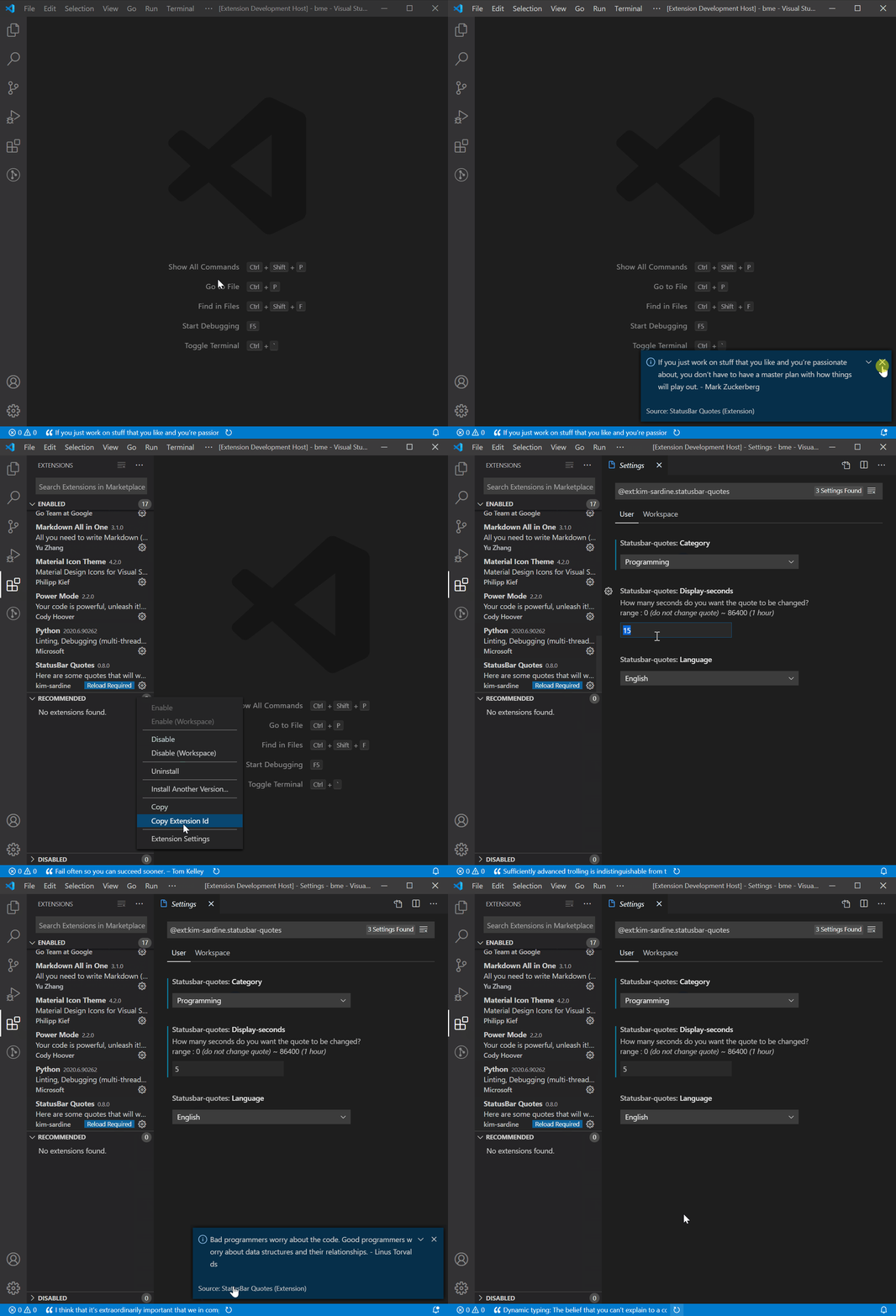
Why use it?
When you are deep in implementation, it is easy to forget the bigger principles that matter: ship small, verify honestly, stay close to the user, protect focus, or keep going through a hard debugging session.
This extension keeps those custom quotes in the same place where the drift happens: your editor.
Features
- Quiet status bar custom quotes that rotate while you code
- Add your own custom quotes
- Create and manage custom quote categories
- Use built-in quote categories as starter packs
- Shuffle the current custom quote on demand
- Click the status bar text to read the full quote
- Choose English or Korean built-in quotes
- Configure the display interval, including
0 to keep one quote visible
Custom Quotes
Create your own quote system from the Command Palette:
StatusBar Quote: Add Custom CategoryStatusBar Quote: Add Custom QuoteStatusBar Quote: Manage Custom CategoriesStatusBar Quote: Manage Custom QuotesStatusBar Quote: Change category
Example categories:
- My Principles
- Debugging Mindset
- Founder Mode
- Deep Work
- Burnout Recovery
Example custom quotes:
Ship small, verify honestly.Stay close to the user.Make the important thing easy to see.
Custom quotes are local-first. They are stored in the statusbar-quotes.custom-quotes setting, so you can manage them through Settings JSON or the Command Palette. They are not sent to a server by this extension.
Built-in categories
- Wise Saying
- Programming
- Startup
- How to Win Friends and Influence People (Dale Carnegie)
Languages
Built-in quote languages:
Custom quotes are shown exactly as you write them and are not filtered by the language setting.
Settings
statusbar-quotes.category — choose a built-in category, or choose Choose Custom Category... to open the category picker for custom categoriesstatusbar-quotes.language — choose English or Korean built-in quotesstatusbar-quotes.display-seconds — quote rotation interval in seconds
- Range:
0 to 86400
- Set to
0 to keep the current quote visible
statusbar-quotes.display-shuffle-button — show or hide the shuffle button
Custom categories are selected at runtime through StatusBar Quote: Change category so they do not need to be written into the extension manifest category enum.
Manage Custom Quotes in Settings JSON
You can also edit custom quotes directly in VS Code Settings JSON:
"statusbar-quotes.custom-quotes": {
    "version": 2,
    "categories": {
        "My Principles": [
            "Ship small, verify honestly.",
            "Stay close to the user."
        ],
        "Debugging Mindset": [
            "Read the error twice.",
            "Reproduce before fixing."
        ]
    }
}
Category names are the keys, so you do not need to copy internal IDs when adding or moving quotes.
Design principles
- Quiet by default
- Personal motivation over generic quote volume
- No default popups or notification loops
- No accounts, feeds, rankings, or AI-generated content as core behavior
- Built to preserve developer focus
Quotes from
- Wise saying
- Programming
- Startup
- How to Win Friends and Influence People (Dale Carnegie)
You may also like


