Perl Test - VSCode Extension
Run Perl tests with ease - directly from your editor with visual feedback!
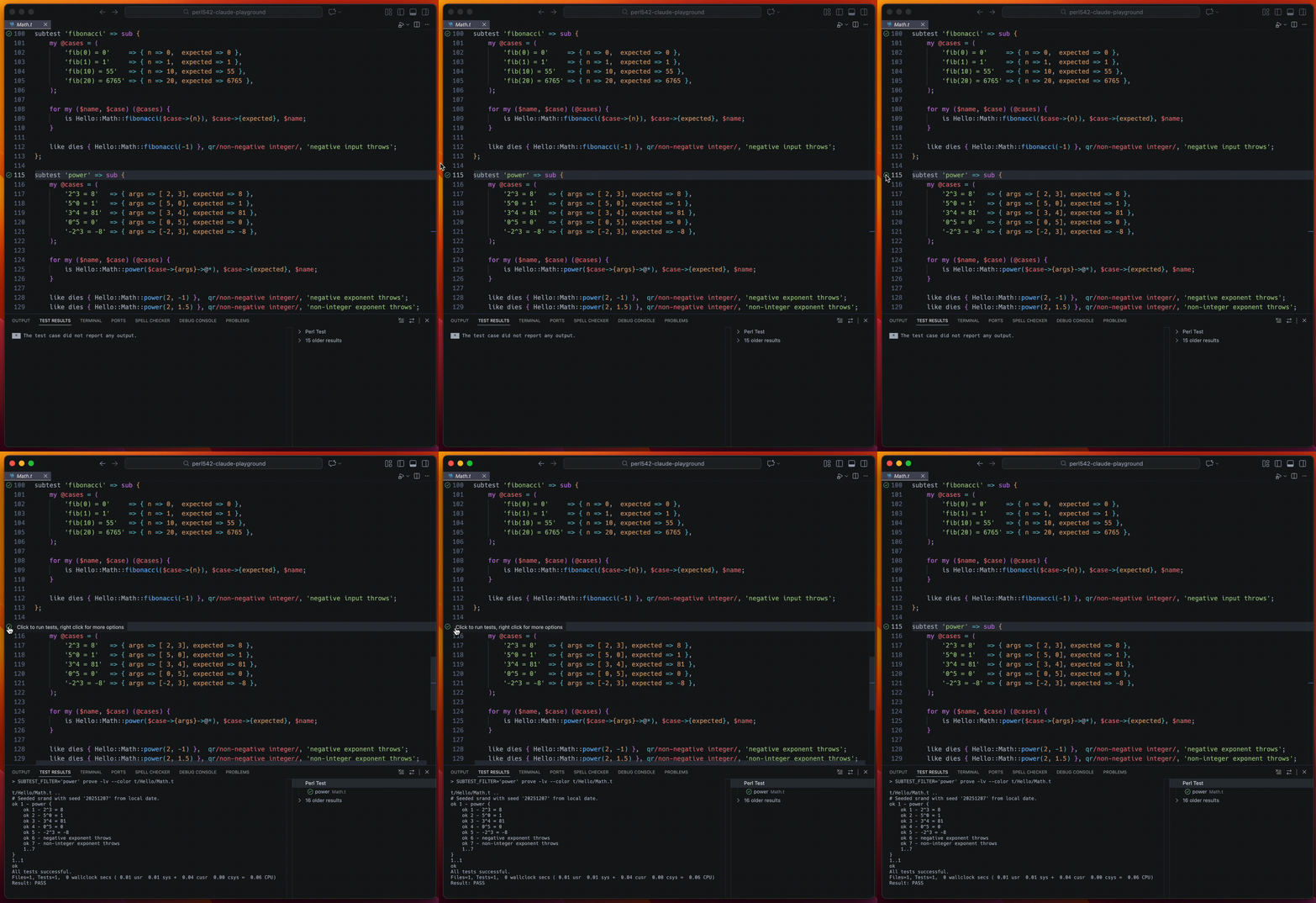
Features
- Gutter Decorations: Test status icons (✓/✗) appear in the editor gutter
- Selective Test Execution: Run individual subtests or Test::Class methods
Selective Test Execution
This extension enables selective test execution when using the following test modules:
Both can be used together for fine-grained test selection.
Configuration
Settings
test2SubtestFilter.proveCommand: Full command to run prove with arguments (default: "prove -lv")
Example Settings
Add to your workspace or user .vscode/settings.json:
Simple:
{
  "test2SubtestFilter.proveCommand": "prove -lv"
}
With Carton:
{
  "test2SubtestFilter.proveCommand": "carton exec -- prove -lv"
}
With Docker Compose:
{
  "test2SubtestFilter.proveCommand": "docker compose exec app carton exec -- prove -lv"
}
With Custom Formatter:
{
  "test2SubtestFilter.proveCommand": "T2_FORMATTER=Cute perl -Ilib"
}
License
MIT
Credits
Supports Test2::Plugin::SubtestFilter and Test::Class for selective test execution.
| |

