Webhook Inspector
Catch, inspect, and replay webhooks without leaving VS Code.
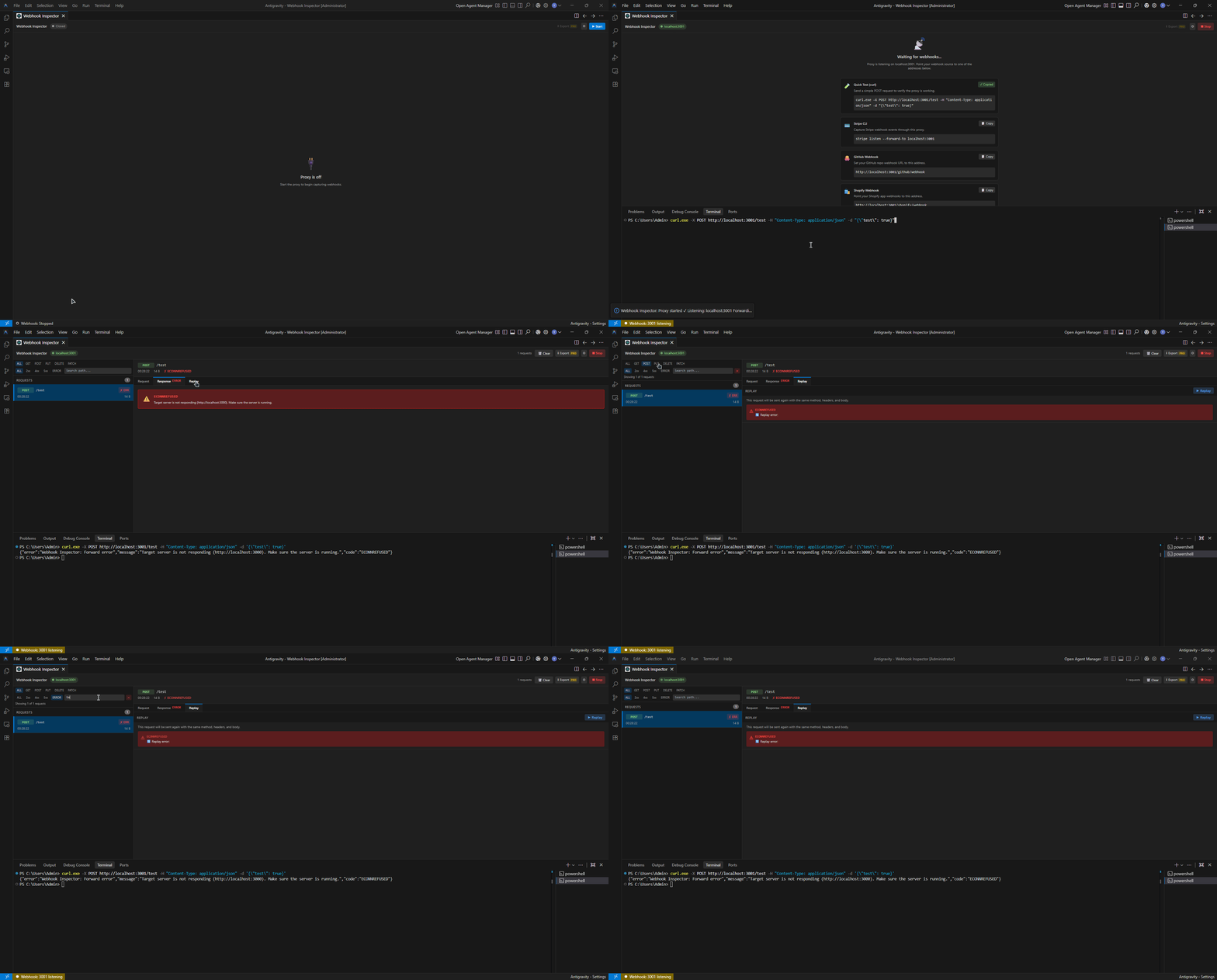
Webhook Inspector is a local HTTP proxy that captures incoming webhook requests, displays them in a rich UI, and lets you resend them with one click.
Freemium Model: The core inspection and replay features are completely free to use. Advanced workflow features like export and cURL generation are available with a one-time Pro license. No data leaves your machine -- everything runs on localhost.
Features
- Inspect -- See every webhook request with headers, JSON body (collapsible tree view), and response timing
- Replay -- Resend any captured request to your local server with a single click
- 100% Local -- No cloud, no servers, no data leaves your machine
- Multi-language -- English and Turkish UI support (auto-detected from VS Code locale)
- Responsive -- Adapts to any panel size with a compact mobile-friendly layout
- Status Bar -- Live indicator showing proxy status and listening port
Pro Features
Available with a one-time Pro license:
- Copy as cURL -- Export any request as a ready-to-run curl command
- HAR Export -- Export your entire request history as a HAR file, compatible with Chrome DevTools and other HTTP tools
Quick Start
- Install the extension from the VS Code Marketplace
- Open the Command Palette (
Ctrl+Shift+P) and run Webhook Inspector: Open Panel
- Click Start in the panel header to begin capturing
- Point your webhook source to
http://localhost:3001
Incoming requests will appear in real time in the left panel. Click any request to view its full details.
Integration Examples
Stripe CLI
Forward Stripe test events to Webhook Inspector:
stripe listen --forward-to localhost:3001
GitHub Webhooks
In your GitHub repository settings, set the webhook Payload URL to:
http://localhost:3001/github/webhook
Use a tunneling tool like ngrok to expose localhost to the internet if needed.
Shopify Webhooks
Point your Shopify app webhook URL to:
http://localhost:3001/shopify/webhook
Quick Test with curl
Verify everything is working with a simple POST request:
curl -X POST http://localhost:3001/test \
  -H "Content-Type: application/json" \
  -d '{"event": "test", "timestamp": "2024-01-01T00:00:00Z"}'
Extension Settings
Configure via the settings icon in the panel or through VS Code settings:
| Setting |
Default |
Description |
webhookInspector.listenPort |
3001 |
Port number the proxy listens on |
webhookInspector.forwardUrl |
http://localhost:3000 |
Target URL to forward incoming requests to |
webhookInspector.forwardTimeout |
30000 |
Timeout for forwarded requests (ms) |
webhookInspector.maxEntries |
200 |
Maximum number of requests kept in memory |
webhookInspector.maxBodySize |
5242880 |
Maximum request body size (bytes) |
Commands
All commands are available via the Command Palette (Ctrl+Shift+P):
| Command |
Description |
Webhook Inspector: Open Panel |
Open the main inspector panel |
Webhook Inspector: Start Proxy |
Start the proxy server |
Webhook Inspector: Stop Proxy |
Stop the proxy server |
Webhook Inspector: Clear History |
Clear all captured requests |
Webhook Inspector: Reset License |
Reset Pro license to free tier |
Requirements
No external dependencies required. Node.js runtime is bundled with VS Code.
Privacy
Webhook Inspector runs entirely on your local machine. No telemetry, no analytics, no network requests other than the webhook forwarding you configure.
License
MIT

