Launcher for Claude Code
Leia em português
Opens the official Claude Code chat in VS Code and Cursor and shows, file by file, what Claude changed, so you can accept or reject each change.
Independent extension: it is not made or maintained by Anthropic. "Claude" and "Claude Code" are trademarks of Anthropic.
What it does
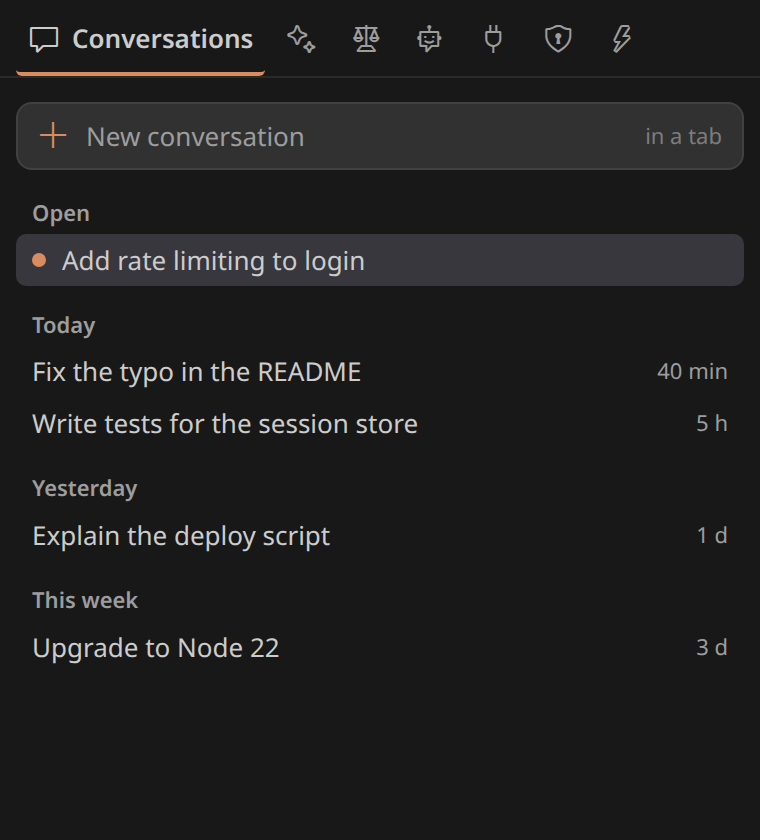
- Opens the chat in the sidebar or in editor tabs, from the icon in the editor title or the Claude item in the status bar. In Cursor, where the Claude Code sidebar ends up inside the Explorer, these shortcuts show the chat in a tab instead. The launcher view lists the project's conversations so you can resume any of them.
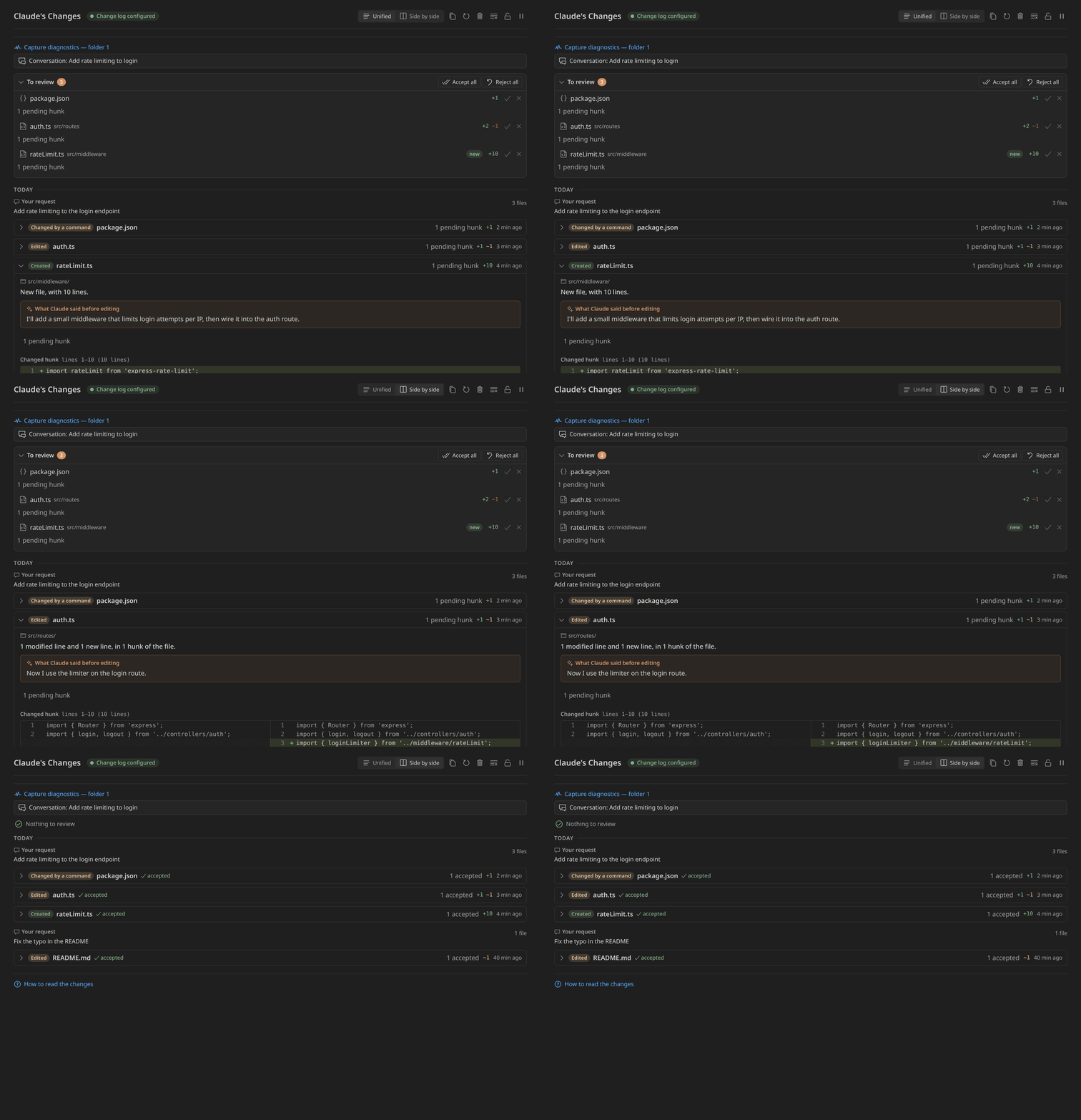
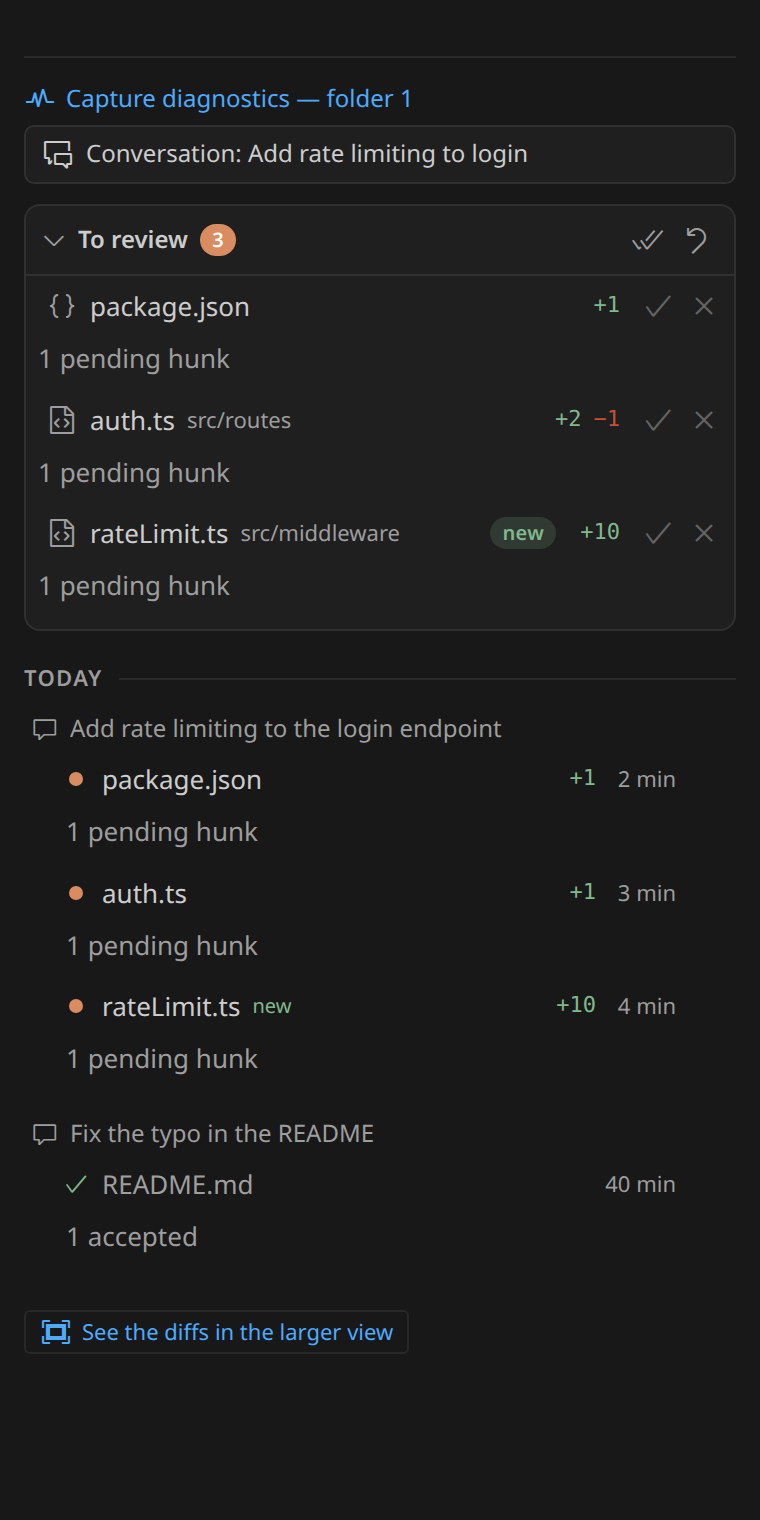
- Reviews Claude's changes. Every file Claude edits shows up in Changes, grouped by your request, with the diff and what Claude said before editing. Accept or reject a whole file, a single hunk or a whole request, in the panel or right in the editor, and undo a reject.
- Captures what commands changed. Formatters,
npm install, code generators and MCP tools change files without going through Claude's edit tools. At the end of each Claude reply, the launcher compares the project with how it was when you sent the request and lists those changes as Changed by a command, ready to review and reject.
- Copies a summary for your PR. One click puts a Markdown summary of the changes, grouped by request, on the clipboard.
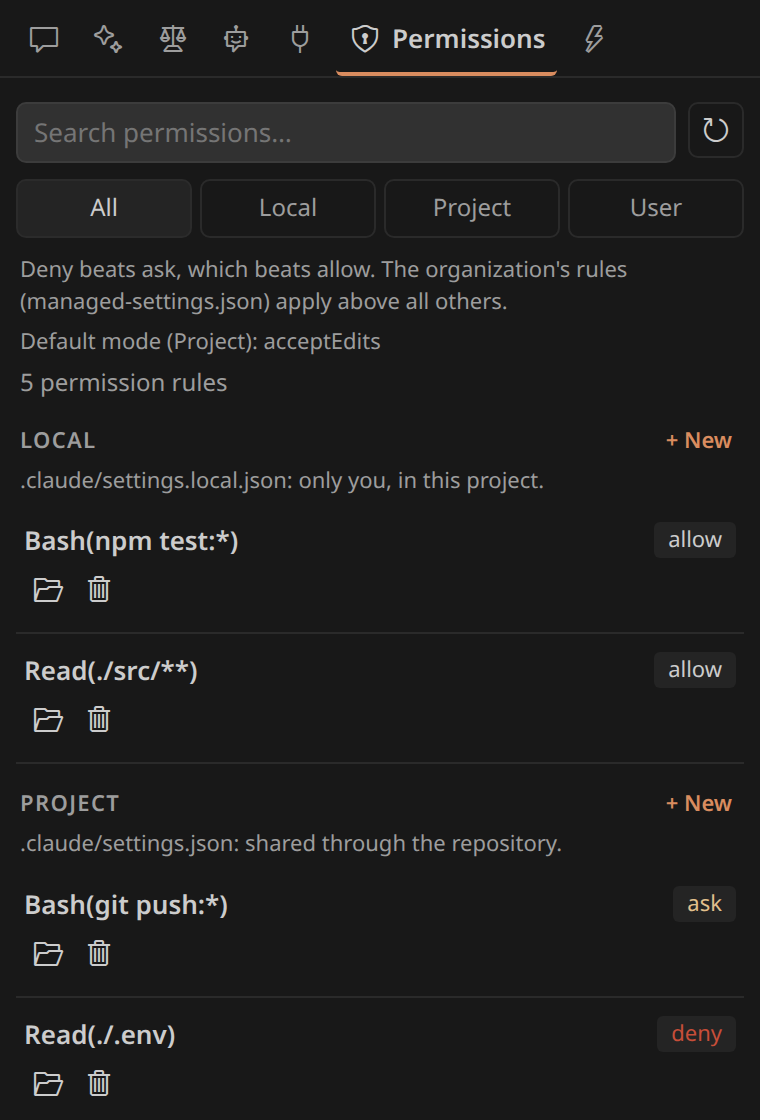
- Manages skills, rules, agents, MCP servers, permissions and hooks in tabs of their own, including in multi-root workspaces.
Chat, sign-in, models and permissions stay with the official Claude Code extension (anthropic.claude-code).
| Changes in the sidebar |
Conversations |
Permissions |
 |
 |
 |
Getting started
The walkthrough (Launcher for Claude Code: Open the Walkthrough) opens on install and takes you through these steps:
- Install the official Claude Code extension. The launcher offers an Install button.
- Open the project folder.
- Run Turn On Change Log. The hook runs with
node, so Node.js must be on your PATH.
- Start a new conversation and ask for an edit. Claude loads hooks when a conversation starts, so conversations that were already open record nothing.
- Review the change in Changes or in the editor.
| Shortcut |
Windows and Linux |
macOS |
| Next / previous hunk by Claude |
Alt+] / Alt+[ |
Ctrl+Alt+] / Ctrl+Alt+[ |
| Accept / reject the hunk at the cursor |
Alt+Shift+Y / Alt+Shift+N |
Ctrl+Alt+Y / Ctrl+Alt+N |
Privacy and local data
- Everything stays on your disk. Nothing is sent to an external service.
- The change log adds hooks to the project's
.claude/settings.local.json and keeps copies in .claude/launcher-changes/, which gets its own .gitignore. The hook only observes: it never approves or blocks a tool, and it never runs anything from your project.
- To capture what commands changed, the hook notes the project state when you send a request and keeps copies of text files, within half of the storage budget and up to 2,000 files.
.git, node_modules, .claude and what the root .gitignore lists are skipped. Turn it off with claudeCodeLauncher.captureCommandChanges.
.env files, private keys, certificates and credential files are never copied (claudeCodeLauncher.historyExcludedPatterns). Reviewed history is cleaned up after 30 days.- Changes made outside Claude (by you or other programs) are not captured.
Remote windows, WSL and containers
The launcher runs where your workspace is, like the official extension: in WSL, over SSH or in a dev container, the hook uses that machine's node and conversations live in that machine's ~/.claude. Install Node.js 22+ there. Reveal in file manager reveals in the Explorer instead (or copies the path), and where the file system has no trash, rejecting a created file stops and asks you to delete it by hand: the launcher never deletes permanently.
Requirements
- VS Code 1.94 or later, or a compatible Cursor.
- The official Claude Code extension.
- Node.js 22 or later on the
PATH of the machine where the workspace is, for the change log.
- A trusted workspace. The launcher stays off in Restricted Mode.
Settings
| Setting |
Default |
What it does |
claudeCodeLauncher.language |
auto |
Interface language: auto follows the editor (Portuguese or English), or pick en or pt-br |
claudeCodeLauncher.inlineChanges |
true |
Shows review markers in the editor |
claudeCodeLauncher.captureCommandChanges |
true |
Also captures what terminal commands, MCP tools and generators changed |
claudeCodeLauncher.historyExcludedPatterns |
sensitive files |
Paths that are never copied into the history |
claudeCodeLauncher.historyRetentionDays |
30 |
Days to keep reviewed history; 0 keeps it |
claudeCodeLauncher.historyMaxStorageMB |
128 |
Storage budget; new captures pause when it is reached |
claudeCodeLauncher.manageEditorGroups |
false |
Lets the launcher keep file tabs out of the chat's editor group |
claudeCodeLauncher.hookExecutionMode |
auto |
How the hook is registered; disabled turns it off |
Learn more
Licensed under MIT.
| |

