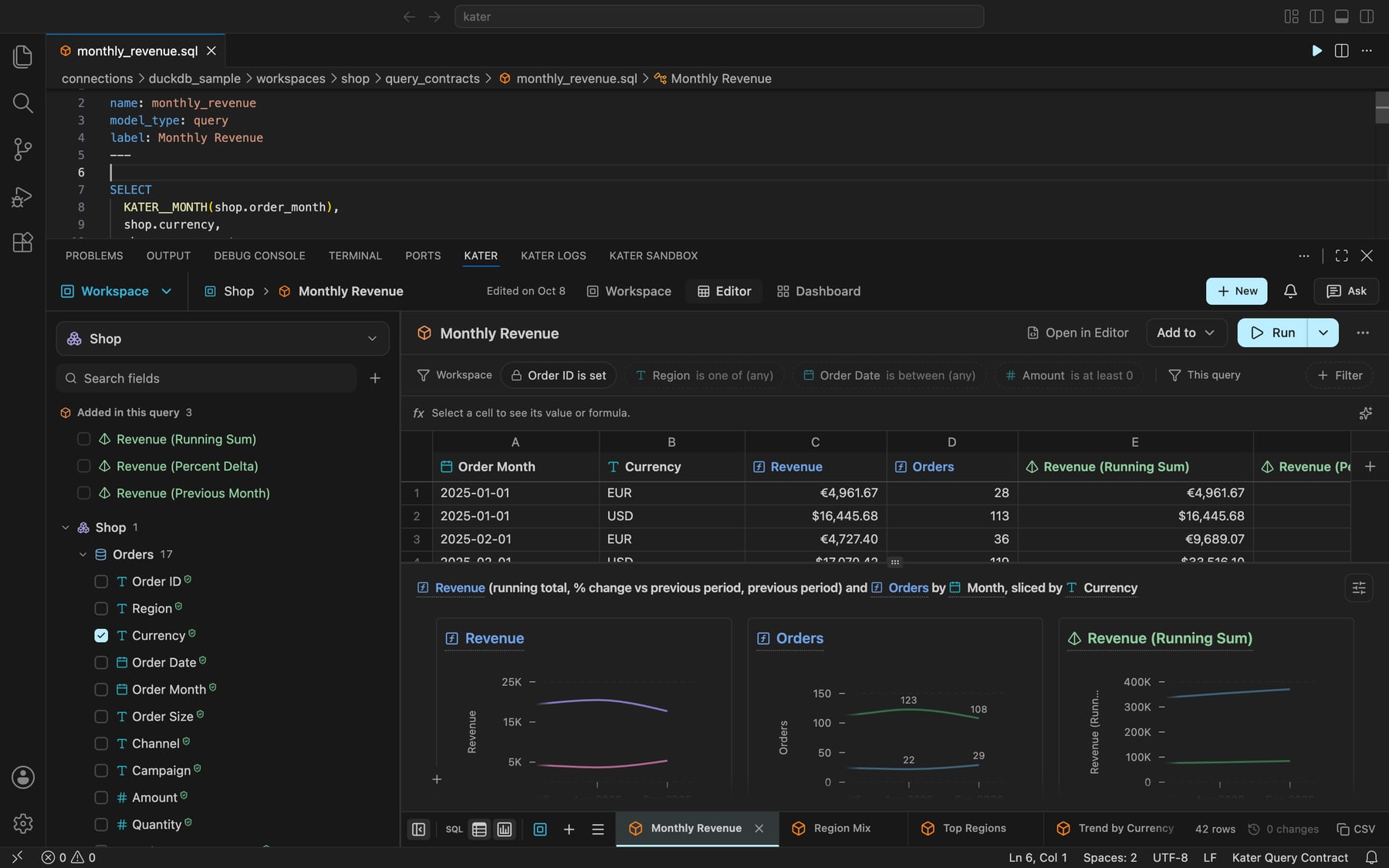
Kater's extension puts the Kater workspace editor in VS Code, Cursor and Windsurf. Open a query file, and the Kater panel shows its fields, rows and chart. Open a semantic model, and it shows the model's sources and joins. Each person signs in with their own Kater account, so the extension reads only what they can read.
What it does
Kater SQL in the editor. Each Kater file type has its own language, with diagnostics, hover, completion, go to definition, formatting and quick fixes.
The Kater panel. The field picker, the filters, the rows, the chart, the lineage and the compiled SQL of the file you have open. A change in the panel changes the file, and a change in the file shows in the panel.
Runs through Kater. The extension compiles a query on your computer and sends the SQL to Kater. Kater runs it on your warehouse with your organization's stored credential, so your computer never holds a warehouse credential.
Access. The Kater Access view shows who can read the open file or a folder.
Links from Kater. A link from the Kater portal or an exported file opens the file in your editor, on its line.
Before you start
Install the Kater CLI. In a terminal, run curl -fsSL https://landing.kater.ai/install.sh | sh.
Sign in with kater login.
Make a local copy of your content with kater git clone.
The extension starts Kater's language server with the CLI that you installed, as kater lsp. So kater must be on the PATH that your editor sees.
Get started
Open your local copy with File › Open Folder….
Open the command palette and run Kater: Sign In.
Open a query file in a workspace's query_contracts/ folder. The Kater panel opens at the bottom of the window.
kater init vscode and kater vscode install install this extension in each of VS Code, Cursor and Windsurf that they find.