GitHub Copilot InsightsUnderstand your GitHub Copilot plan, quotas, AI credits, and limits at a glance. Installation Launch VS Code Quick Open ( Ctrl+P), paste the following command, and press enter.Copied to clipboard |

GitHub Copilot InsightsUnderstand and reduce your GitHub Copilot AI‑credit usage — right inside VS Code. OverviewGitHub Copilot Insights gives you a fast, local view of your Copilot plan, AI credits, and usage habits — and helps you spend fewer credits without changing what you build. It answers practical questions such as:
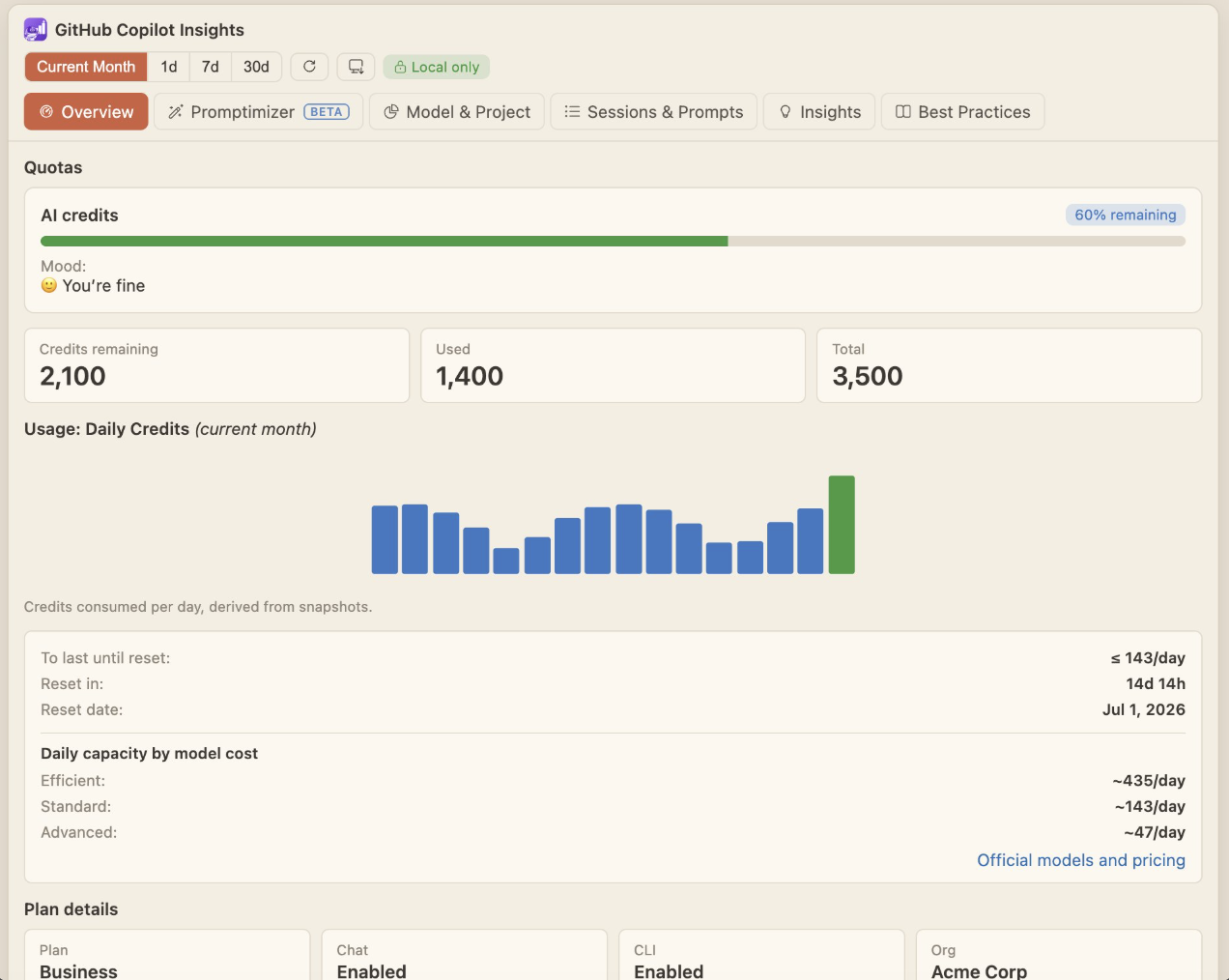
Everything runs on your machine. No usage data leaves your computer. What you getThe extension adds a GitHub Copilot Insights view to the activity bar, plus a one‑click Full View that opens the whole dashboard in an editor tab. Six tabs: OverviewYour AI‑credit quota at a glance — remaining, used, total, percentage, a colored progress bar, and a friendly "mood" indicator. Plus pacing guidance (how much you can spend per day to last until reset), reset countdown and date, a daily‑credits‑used chart for the current month, daily‑capacity estimates by model cost, plan details, and your access details. Copy a summary or the raw data to the clipboard.
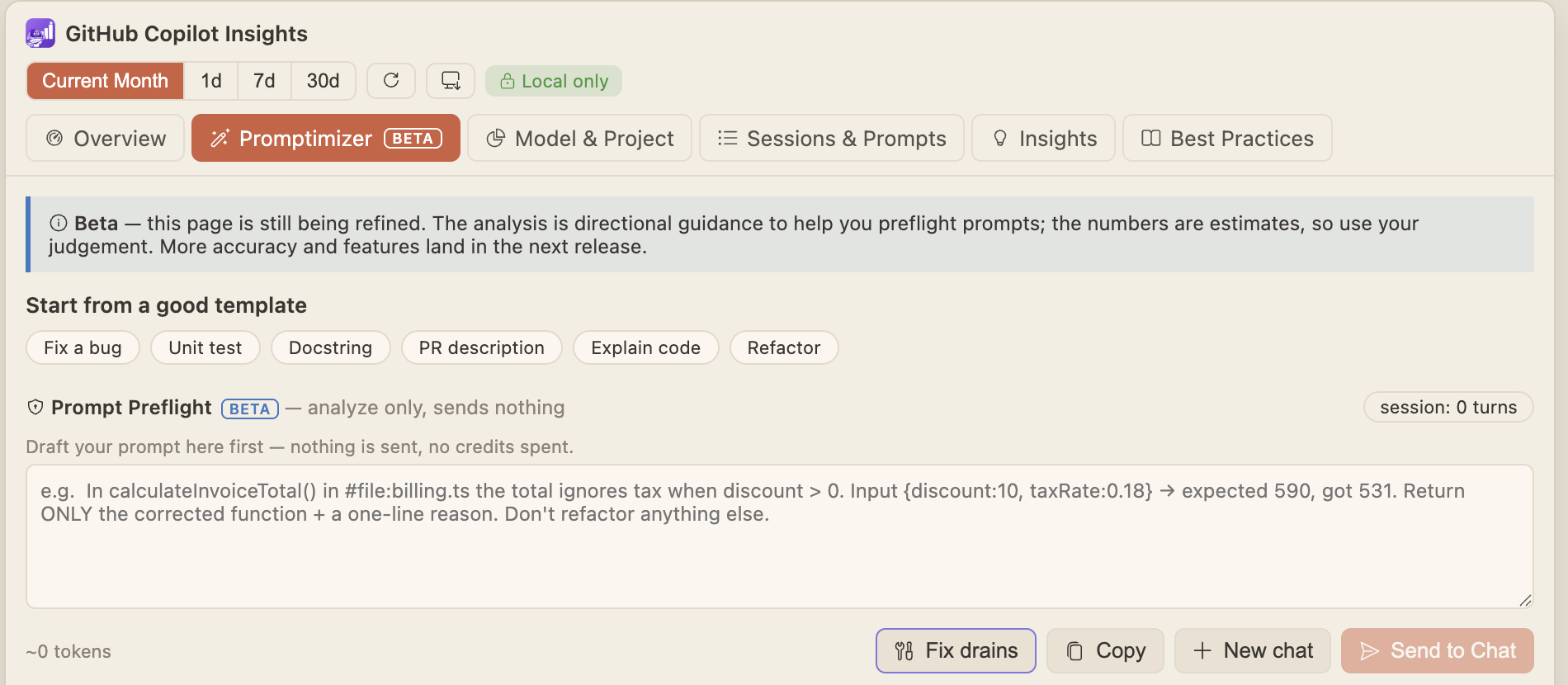
Promptimizer · BetaA zero‑cost "pre‑flight" pad for your prompts. Draft a prompt and it analyzes it before you send — nothing is transmitted, no credits spent. You get an estimated cost for lightweight vs. powerful models, a recommended model, a one‑shot quality checklist (context / expected output / constraints / example), and concrete findings with fixes. Start from a good template, auto‑fix obvious credit drains, and send the prompt straight to Copilot Chat when you're ready.
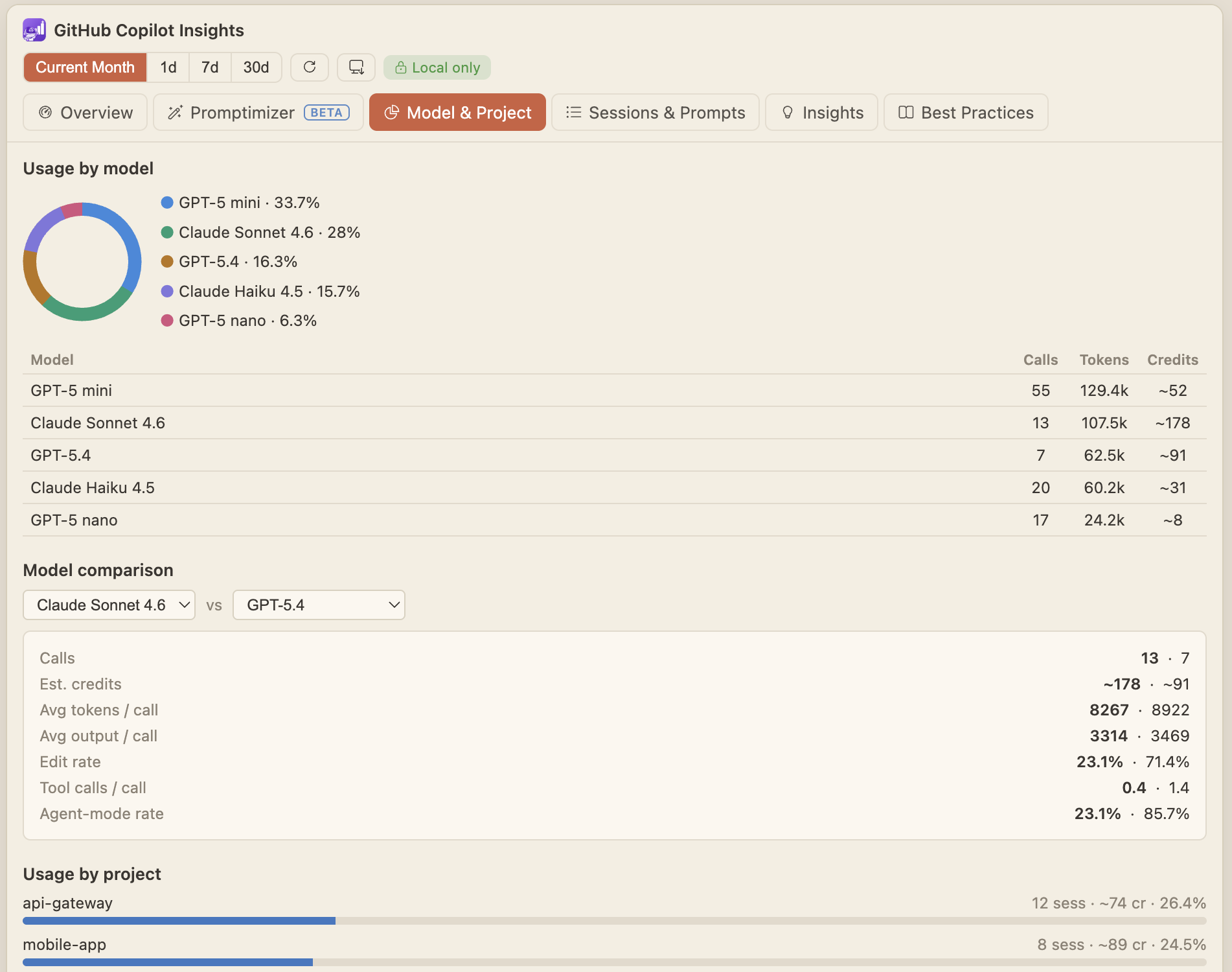
Model & ProjectSee where your credits go: usage by model (with a side‑by‑side model comparison), usage by project, a chat‑mode split (agent / ask / edit), and the tools your agent sessions use.
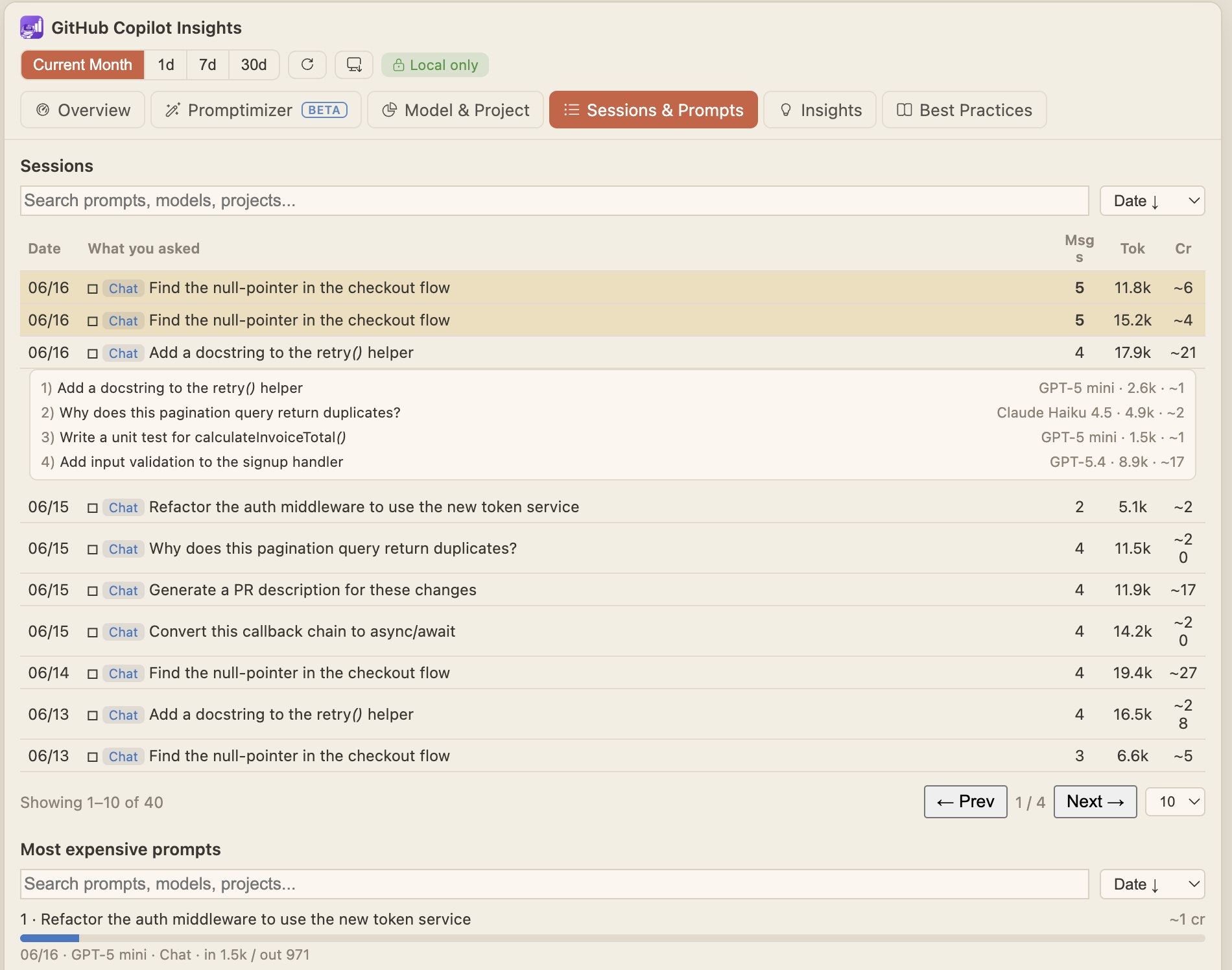
Sessions & PromptsBrowse your Copilot Chat and CLI sessions and your most‑expensive prompts, with search, sort, pagination, and click‑to‑expand drill‑down into each session's turns.
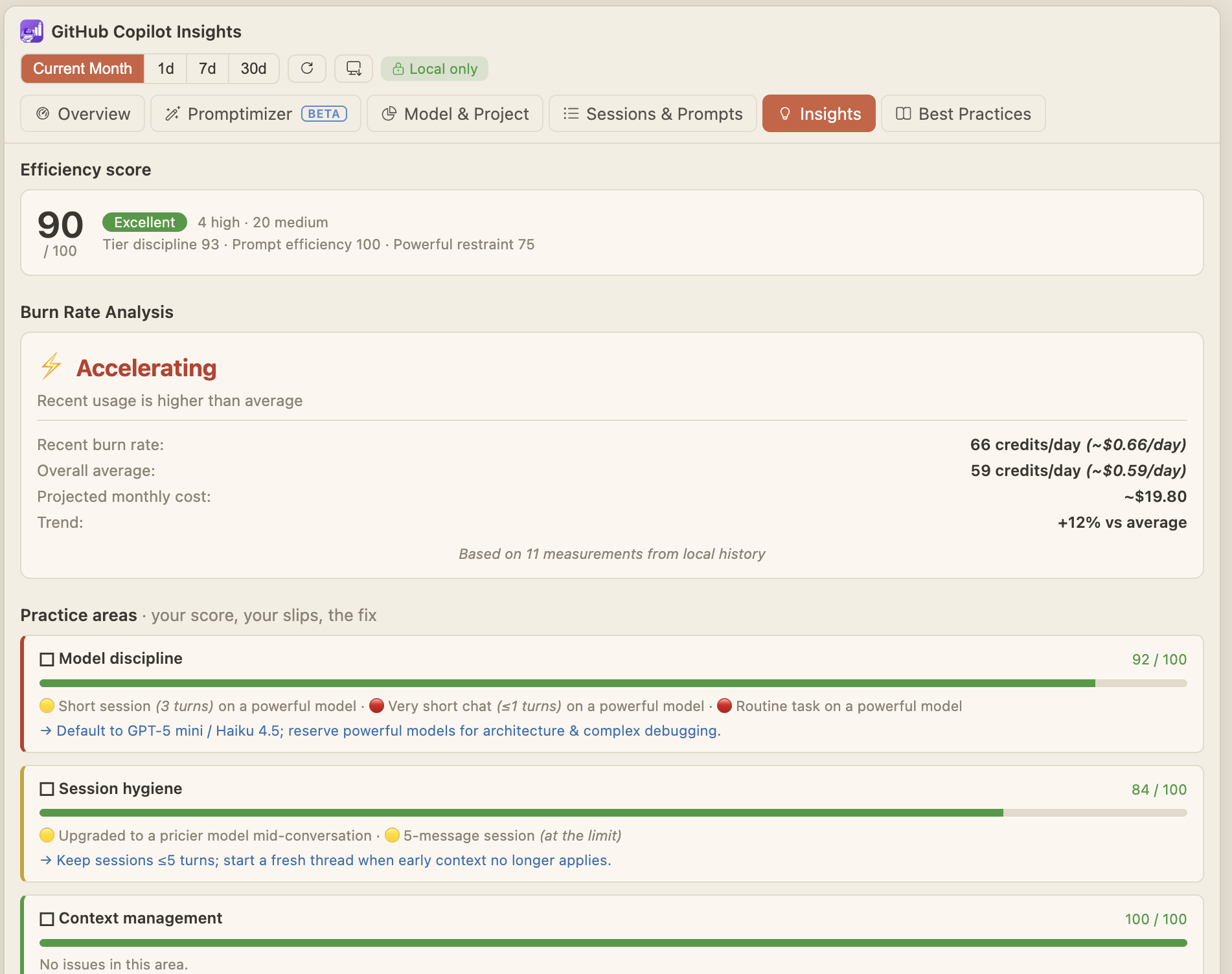
InsightsA practice report: an overall efficiency score, Burn Rate Analysis (recent vs. average burn rate, projected monthly cost, and trend), practice‑area scorecards that show your slips and the fix, a context‑health checklist, notable items for the period, and a rule‑coverage summary.
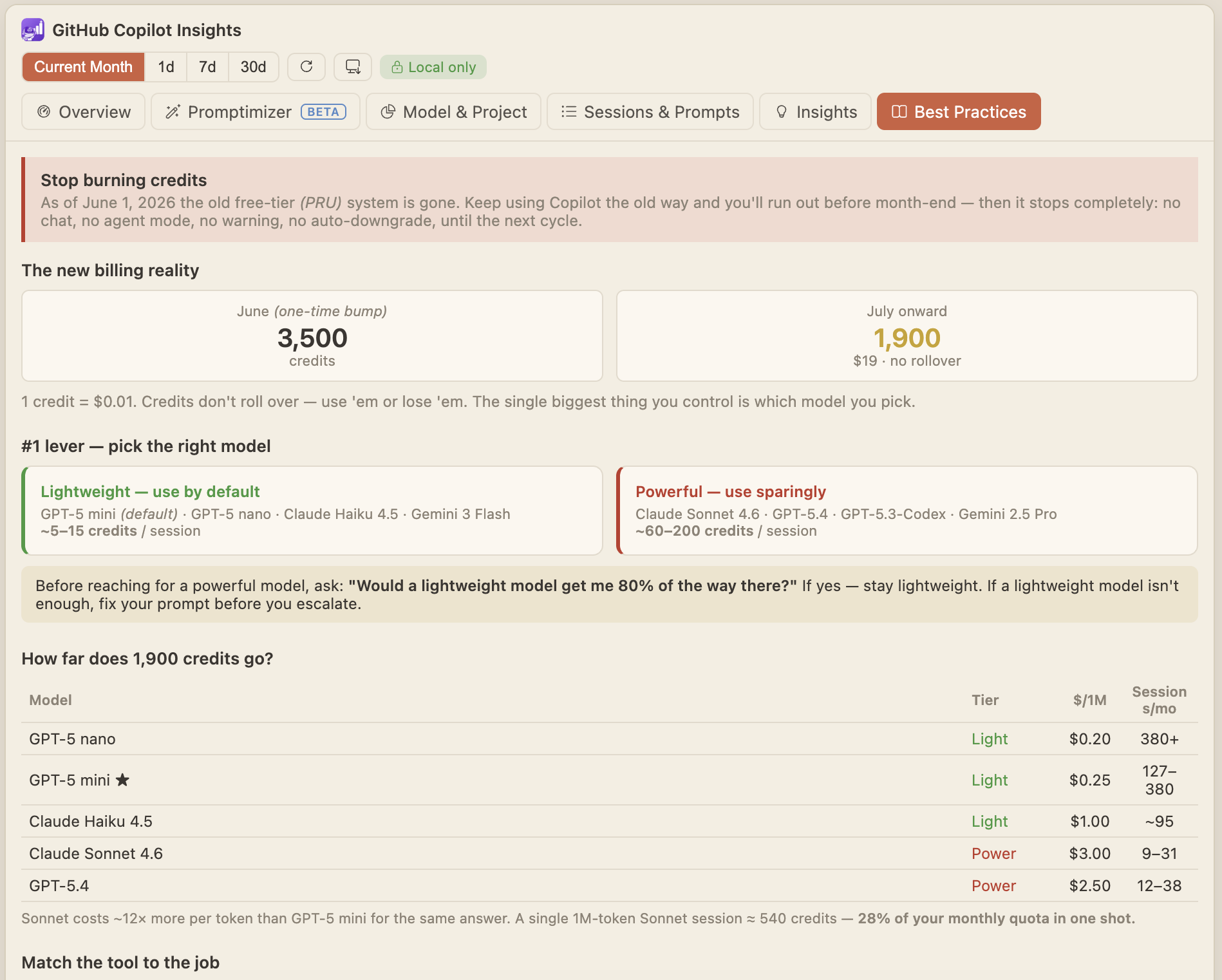
Best PracticesA handy reference for spending fewer credits — the do's and don'ts, the two model tiers and when to use each, developer and QA playbooks, and the most common credit drains to avoid.
Highlights
Privacy
Getting started
SettingsSearch for "GitHub Copilot Insights" in VS Code Settings (or use the gear in the view title bar) to configure the status‑bar style and placement, polling interval, progress‑bar mode, mood indicator, and an optional custom credit limit. Unofficial, third‑party extension. Not affiliated with or endorsed by GitHub or Microsoft. |