karasu for VS Code
Author and explore karasu architecture
models (.krs / .krs.style) without leaving your editor. karasu is a
text-based architecture modeling tool — inspired by the C4 model but with its
own vocabulary — that keeps the logical and physical structure of a
system separate.
This extension gives .krs files syntax highlighting, inline diagnostics, and a
live SVG preview you can drill into.
Features
- Syntax highlighting for
.krs and .krs.style files.
- Inline diagnostics — errors and warnings from the karasu language server,
shown as you type.
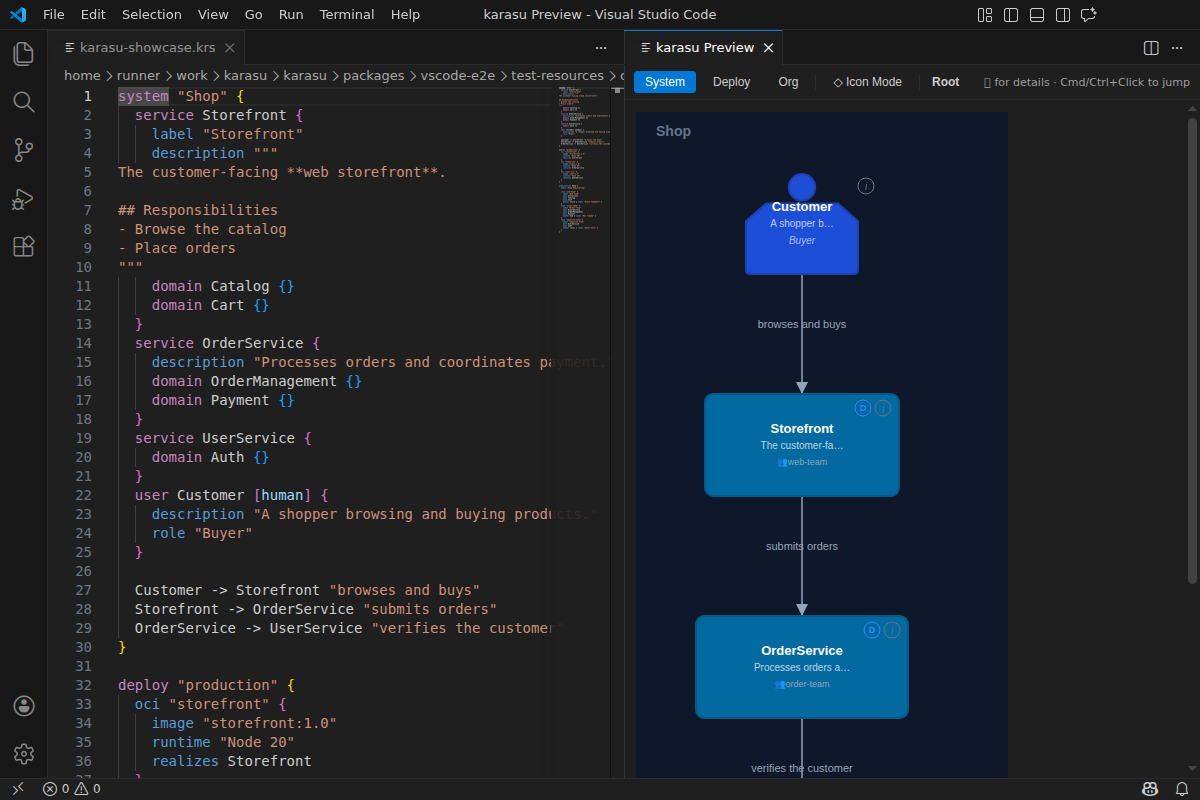
- Live SVG preview — open a diagram beside your source and navigate it by
drilling down into containers and nodes.
- Bidirectional jump —
Cmd/Ctrl+Click in the preview to jump to the
source, and open the preview from the editor title bar.
- Standard editor smarts — hover and go-to-definition over your model.
- Node detail panel — inspect a node and jump across diagrams.
Screenshots
Edit .krs on the left, explore the live preview on the right:
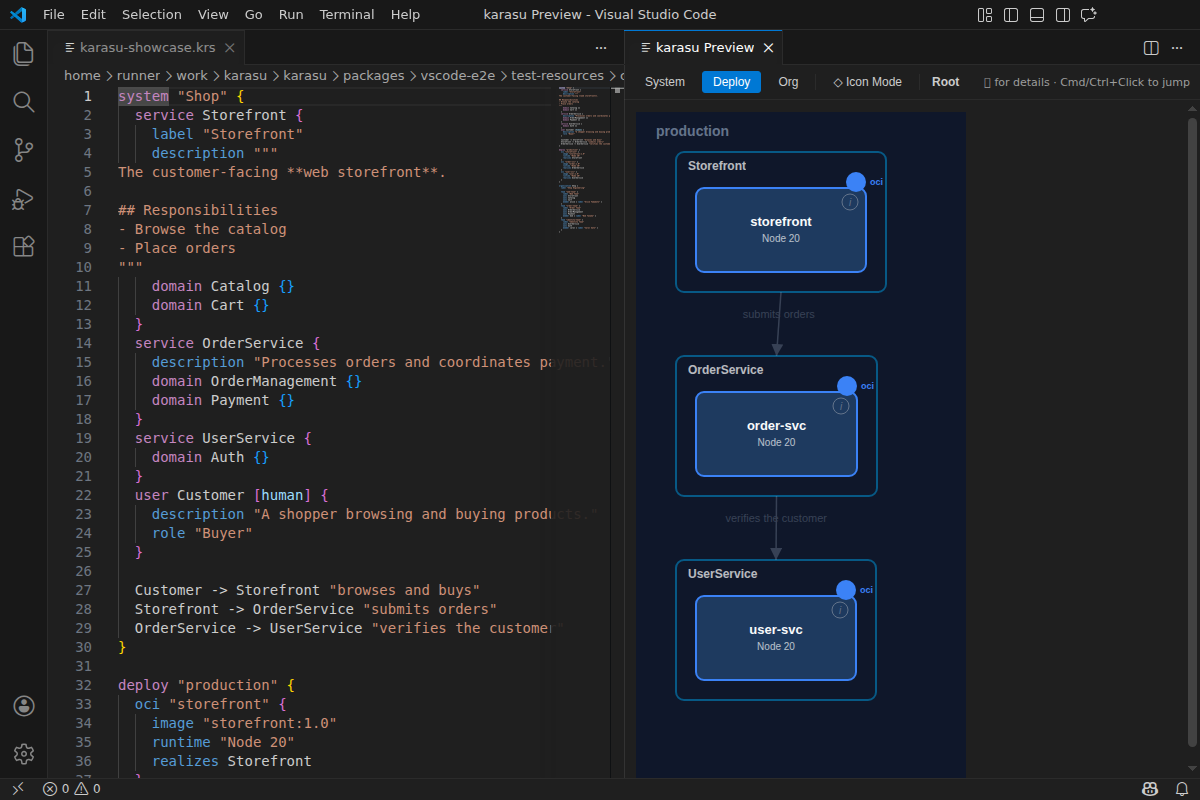
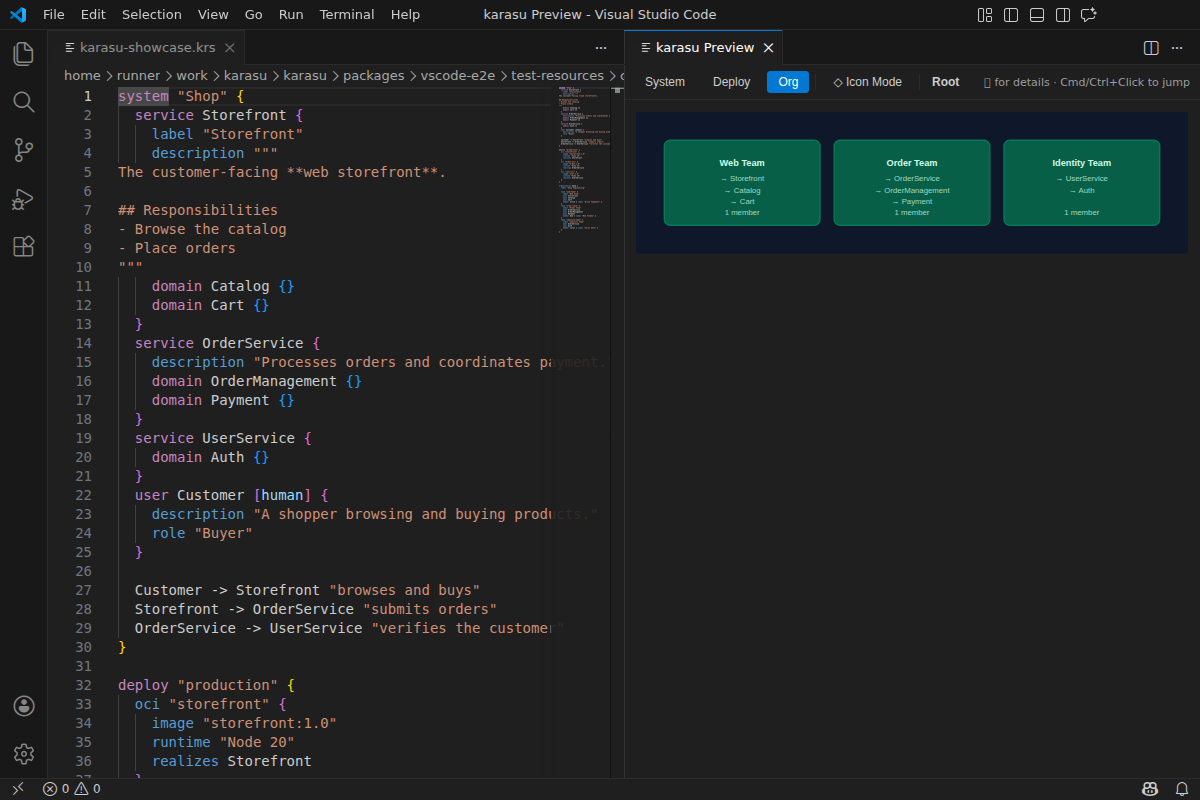
karasu separates a system into three faces — switch between them from the
preview toolbar:
Getting started
Install the extension (see below).
Create a file ending in .krs, for example index.krs:
system Shop {
  service Web "Storefront" [web]
  service Api "Orders API"
  Web -> Api "places order"
}
Run karasu: Open Preview from the editor title bar (or the command
palette) to see the rendered diagram. Edits update the preview live.
For the full .krs / .krs.style syntax, see the
syntax reference
and the sample models.
Installation
From the Extensions view, search for karasu, or from the command line:
code --install-extension karasu-tools.karasu-vscode
The Marketplace listing goes live with the karasu launch — if the link or
command above is not yet available, the extension is still being published.
Scope
The extension is intentionally a convenience for editing .krs locally;
features such as completion, code actions, and rename are still minimal. For a
fuller authoring experience, the web preview (karasu serve) is recommended.
See the project README for the CLI
and the hosted preview.
Feedback
Issues and ideas are welcome at
github.com/kompiro/karasu/issues.
Licensed under Apache-2.0.

