TreeDash
Manage parallel git worktrees with a visual dashboard inside VS Code.
TreeDash lets you work on multiple branches simultaneously in isolated environments — no stashing, no switching. Each worker gets its own worktree, terminal, and window.
Getting Started
- Install TreeDash from the VS Code Marketplace
- Open a git repository in VS Code
- Press
Ctrl+Alt+D to open the TreeDash panel in the secondary sidebar
- Click Initialize Worktrees to set up your first workers
- Create a worker, give it a branch, and start coding — each worker gets its own isolated worktree
Free tier includes 2 workers (Teal + Ember) with full rebase, merge, revert, and task tracking. Sign in with GitHub to unlock up to 8 workers and customization.
Demo
Watch the full demo on YouTube: https://youtu.be/nIPu5QzB77g
Screenshots
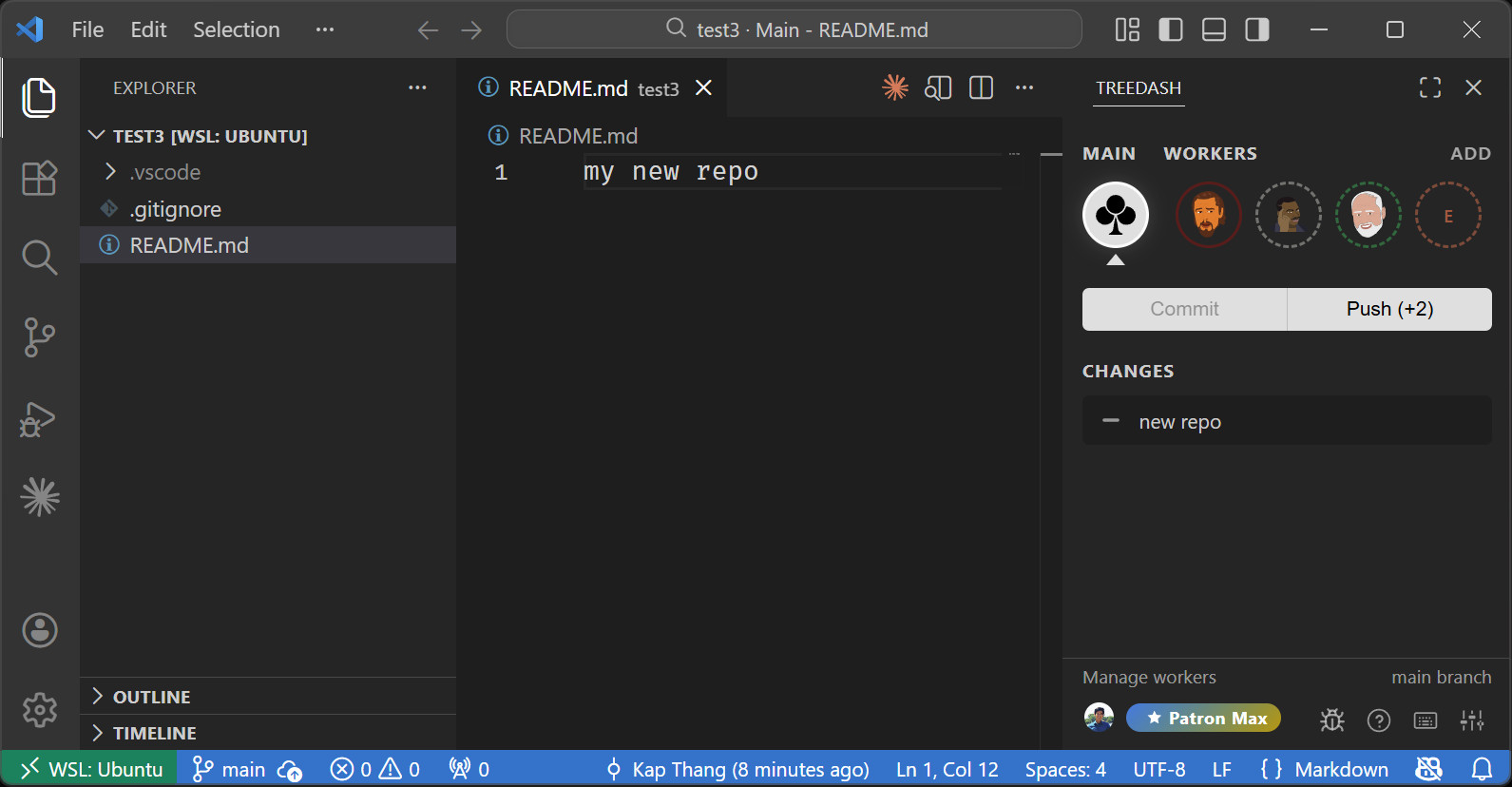
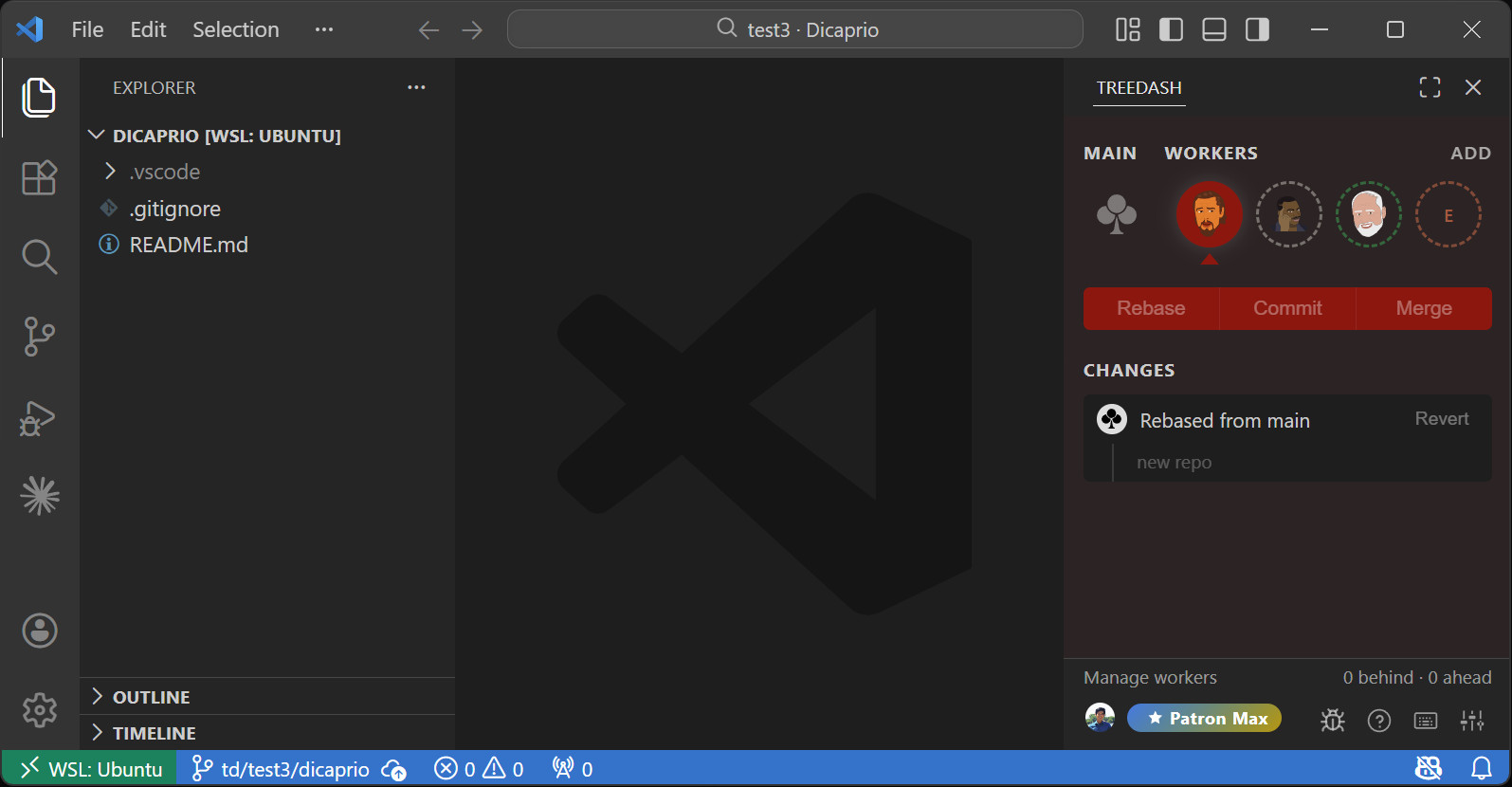
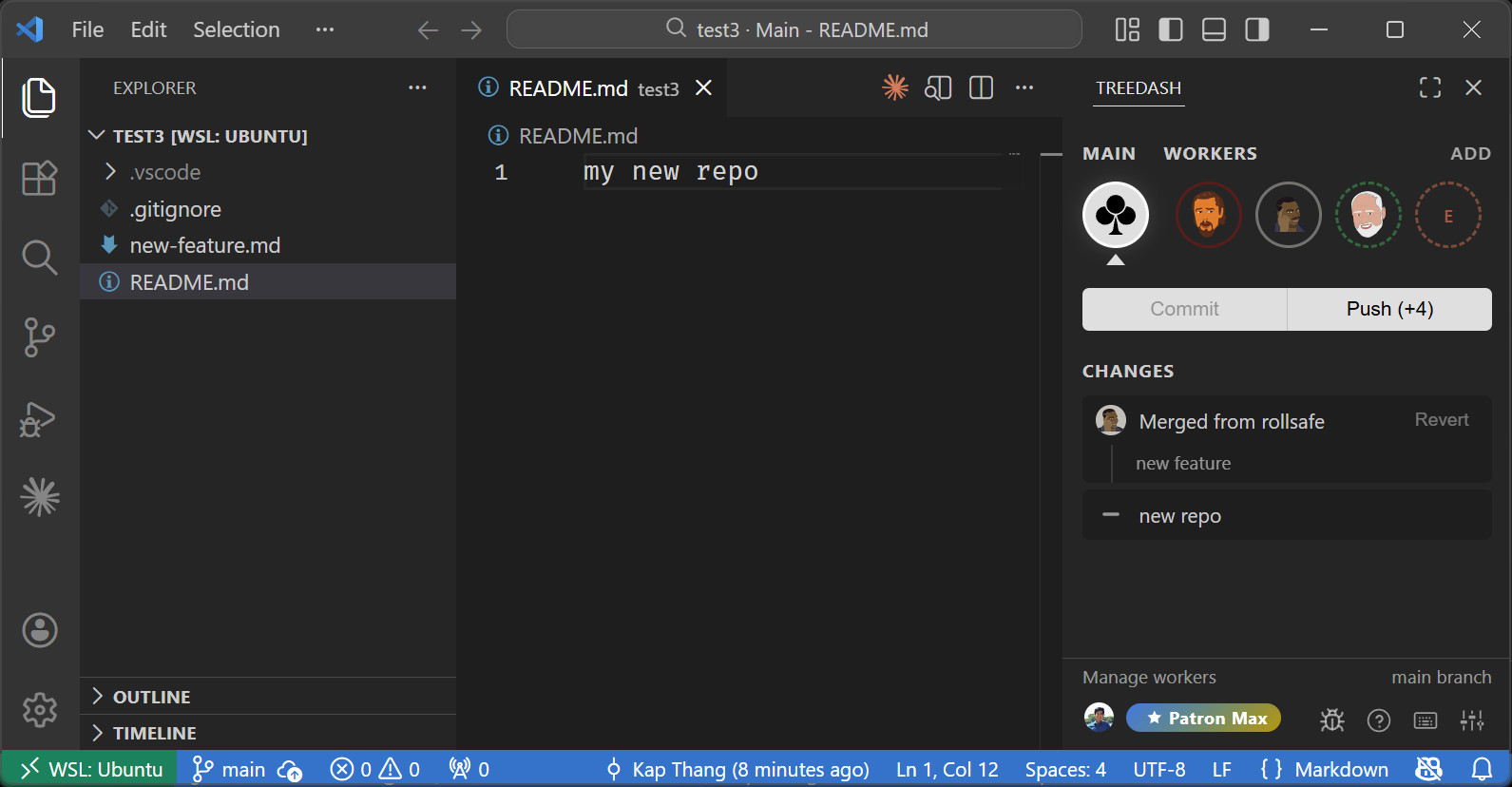
Features
Worker Grid
Up to 8 color-coded workers, each backed by a git worktree:
Teal · Ruby · Emerald · Ember · Denim · Azure · Stone · Hotpink
Each worker circle shows:
- Ahead/behind commit counts relative to main
- Active highlight when viewing that worker
- Right-click context menu (change color, delete)
Branch naming: td/<project>/<color> (e.g. td/myapp/teal)
Task Tracking
Every commit is tracked with a status:
| Status |
Meaning |
| Ready |
Worker commit waiting to be merged to main |
| Merged |
Already on main (greyed out) |
| Remerge |
Was merged, then reverted — available to re-merge |
| Reverted |
Rebase from main was undone |
Commits are grouped by operation:
- Rebase groups — main commits pulled into a worker, collapsible with revert support
- Merge groups — worker commits merged to main, with individual commit messages and revert/remerge support
Git Operations
| Operation |
Description |
| Rebase |
Pull latest main commits into a worker branch |
| Merge |
Merge worker commits into main (--no-ff) |
| Revert rebase |
Reset worker to pre-rebase state |
| Revert merge |
Reset main to pre-merge state, flag commits for remerge |
| Remerge |
Cherry-pick individual commits or entire merge groups back to main |
Conflict detection auto-detects failed operations, surfaces the conflict file list, and persists conflict state across VS Code reloads.
Panel UI
The secondary sidebar panel includes:
- Main tab — main branch history with merge groups and revert buttons
- Worker tabs — per-worker commit list with rebase/merge action buttons
- Settings — General tab (Main Branch, Commit Command, Skip Confirmations, Sync, Reload) and Sponsor Features tab (Default Workers, Customization)
- Popups — add worker, change color, manage workers, settings, FAQ, keyboard shortcuts, customization
- All popups use backdrop blur with dynamic viewport-aware positioning
Manage Workers
Three-tab popup for managing workers across projects:
- This project — list and batch-delete workers
- Global — browse all TreeDash branches across sibling repos
- Orphans — find and clean up orphaned branches
Per-worker: custom name, initials, shape, background color, text color, and SVG icon upload. Text color includes an auto-contrast suggestion based on WCAG luminance.
File Decorations
Files in the active worktree get a colored badge matching the worker color.
Commands
| Command |
Keybinding |
Description |
TreeDash: Toggle Panel |
Ctrl+Alt+D |
Toggle the TreeDash secondary sidebar |
TreeDash: Switch to Main |
Alt+` |
Switch to main window |
TreeDash: Switch Worker 1–8 |
Alt+1 – Alt+8 |
Switch to worker by slot (paid tier) |
TreeDash: Switch Worker |
— |
Open a worker in a new window |
TreeDash: Initialize Worktrees |
— |
Set up TreeDash in the current project |
Keyboard shortcuts (Alt+1–Alt+8) require a paid tier. Alt+` (switch to main) works for all users.
Authentication & Tiers
Sign In
Sign in with GitHub to sync your settings across devices and unlock sponsored features.
| Feature |
FREE |
Sponsored |
| Workers |
2 (Teal + Ember) |
Up to 8 |
| Rebase / Merge / Revert |
Yes |
Yes |
| Task history |
Yes |
Yes |
| Conflict detection |
Yes |
Yes |
| Keyboard shortcuts |
— |
Yes |
| Add custom workers |
— |
Yes |
| Worker customization |
— |
Yes |
Sponsor on GitHub to upgrade: Patron ($10/mo) or Patron Max ($20/mo).
Links
License
See LICENSE for details.

