Skip to content
| Marketplace
Sign in
Visual Studio Code>Themes>Katana ThemeNew to Visual Studio Code? Get it now.
Katana Theme

Katana Theme

kakshidev56

|
5 installs
| (1) | Free
Japanese-inspired developer theme. Katana Zsh companion. Long-session optimized.
Installation
Launch VS Code Quick Open (Ctrl+P), paste the following command, and press enter.
Copied to clipboard
More Info
Katana Theme logo

Katana Theme

License: MIT VS Code

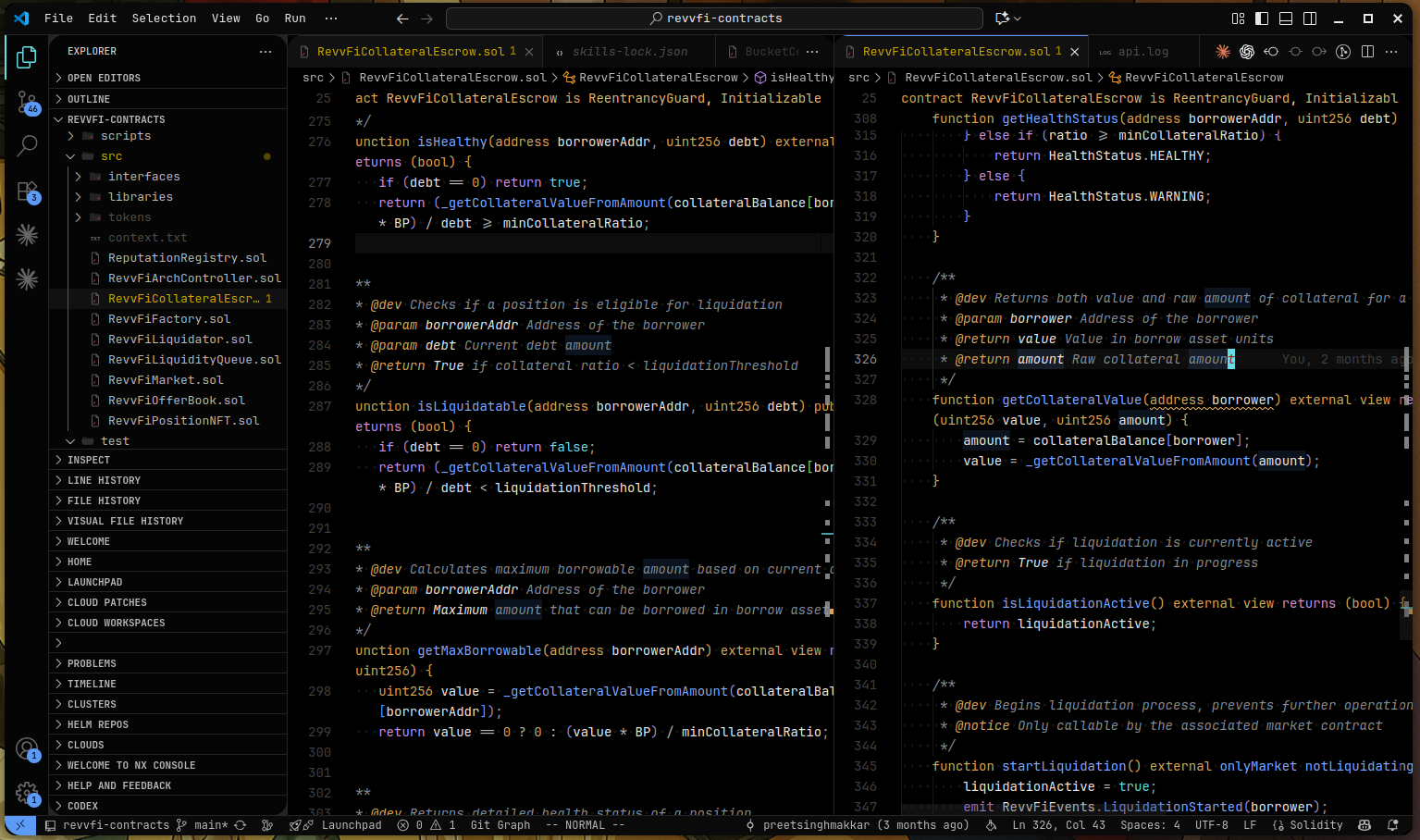
A Japanese-inspired dark color theme and matching file icon theme for Visual Studio Code, designed as the editor companion to the Katana Zsh terminal prompt.

Katana Theme preview

Features

  • Color theme — near-black editor surface, a restrained crimson/blue/cyan/gold/green/purple syntax palette, and soft off-white text tuned for long coding sessions rather than maximum contrast.
  • File icon theme — an original icon set structured after VS Code's built-in Seti theme (compact, glyph-only, low visual noise) using only the theme's own six colors: white, two steel grays, dark surface tones, crimson, and blue. No unrelated brand colors, no rainbow Explorer.
  • Terminal-aware — editor and integrated terminal share one palette, so the workspace reads as a single system end to end.

Installation

From a packaged .vsix

npm install
npm run package
code --install-extension katana-theme-0.0.1.vsix

The .vsix is a plain archive of JSON and SVG — the same file installs unmodified on Windows, macOS, and Linux, and on VS Code Stable, Insiders, or VSCodium.

From source, as a local extension

ln -s "$(pwd)" ~/.vscode/extensions/katana-theme

Restart VS Code completely (a window reload is not enough the first time an extension is added).

Usage

  1. Ctrl+K Ctrl+T (Cmd+K Cmd+T on macOS) → select Katana Theme.
  2. Ctrl+Shift+P → "Preferences: File Icon Theme" → select Katana Theme Icons.

Project structure

vscode-theme/
├── package.json                     extension manifest
├── themes/
│   └── katana-theme-color-theme.json    editor/UI colors and syntax token colors
├── fileicons/
│   └── katana-theme-icon-theme.json     icon theme manifest
├── icons/                           SVGs referenced by the icon theme
├── scripts/
│   └── generate-icons.py            regenerates icons/ and the icon theme JSON
└── LICENSE

Design system

themes/katana-theme-color-theme.json and fileicons/katana-theme-icon-theme.json are the source of truth for every color decision in this theme — edit them directly rather than deriving them from an external spec.

Icon design

Icons are generated by scripts/generate-icons.py, not hand-edited individually. The palette is deliberately restricted to six values — no green, gold, purple, or cyan anywhere in the icon set, even though the editor theme uses them for syntax:

Role Color
Primary text #FAFAFA
Steel #A1A1AA
Dim steel #71717A
Surface tones #1A1A1A / #161616 / #242424
Accent — git #E5484D (Katana crimson)
Accent — code/tooling #5B9BF7 (Katana blue)

Folders use one steel tone when closed and a brighter steel tone when open, applied uniformly — not per folder name. The only exceptions are .git/ .github (crimson), .vscode/docker/k8s/kubernetes (blue), and node_modules/dist/build/out (a darker tone that recedes). Files are glyph-only marks, mostly white or steel; blue is reserved for the code/ tooling family (Go, TypeScript, shell, Docker, go.mod/go.sum), and crimson is reserved strictly for git-related files.

Icon path resolution: every iconPath in katana-theme-icon-theme.json must start with ./../icons/..., not ./icons/... — paths resolve relative to the JSON file's own directory (fileicons/), not the extension root. Getting this wrong fails silently (a broken image, no error), which is why generate-icons.py writes it for you rather than leaving it to hand-editing.

Katana Zsh integration

This theme is designed to pair visually with the Katana Zsh terminal prompt (a separate project), which uses its own Tokyo Night–derived palette — intentionally not recolored to match this theme.

Development

npm install                 # installs @vscode/vsce for packaging
python3 scripts/generate-icons.py   # regenerate icons/ after editing the script
npm run package              # build a .vsix

Testing changes locally does not require packaging — edit the theme or icon JSON, then reload the window (Ctrl+Shift+P → "Developer: Reload Window") or fully restart VS Code if icons don't refresh.

License

Licensed under the MIT License.

  • Contact us
  • Jobs
  • Privacy
  • Manage cookies
  • Terms of use
  • Trademarks
© 2026 Microsoft