DiffGuide
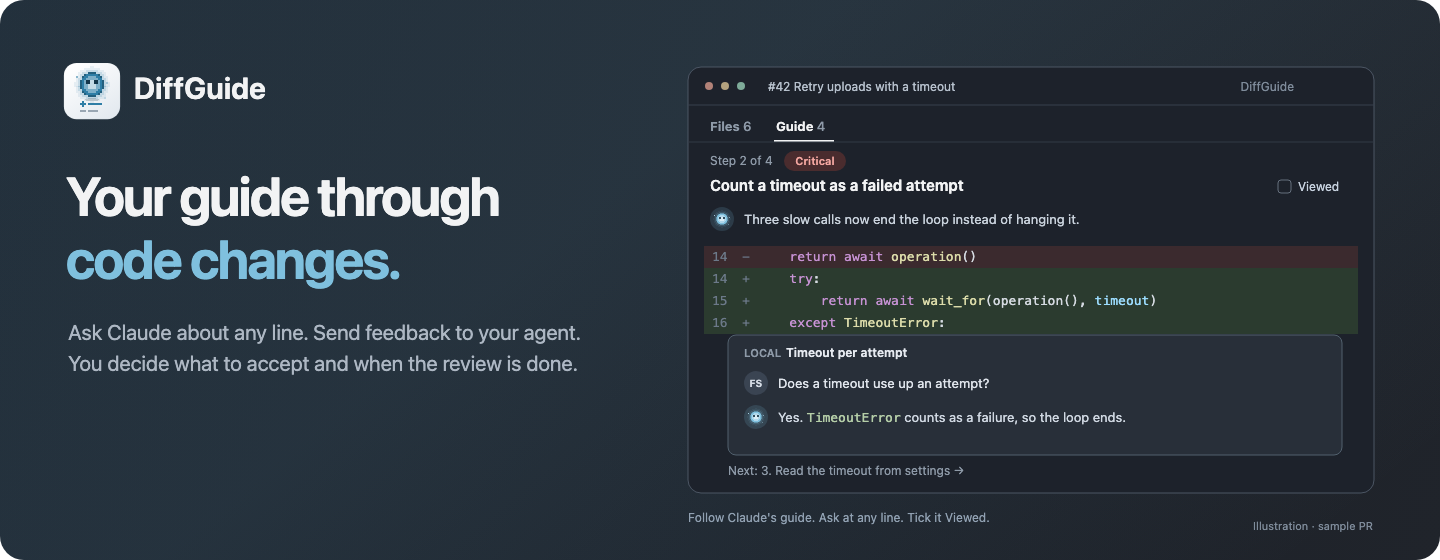




Your guide through code changes.
DiffGuide brings human-led code review and AI assistance together. Ask questions on the code, discuss potential problems, challenge implementation decisions and send feedback to your coding agent without losing the context of your review.
You stay in control. Claude helps you understand and improve the changes; you decide when the review is done.
Download ·
Installation guide ·
Full guide ·
Issues
Why
Reviewing an agent's changes often means copying code into a terminal, explaining which lines you mean, and finding the answer again later. A GitHub draft review keeps the context together, but takes you out of the local editing loop.
DiffGuide brings that conversation into the editor: feedback attached to a line, delivered to Claude, with the answer returned to the same thread. Keep reading the diff while the agent works. Resolve the thread when you are satisfied.
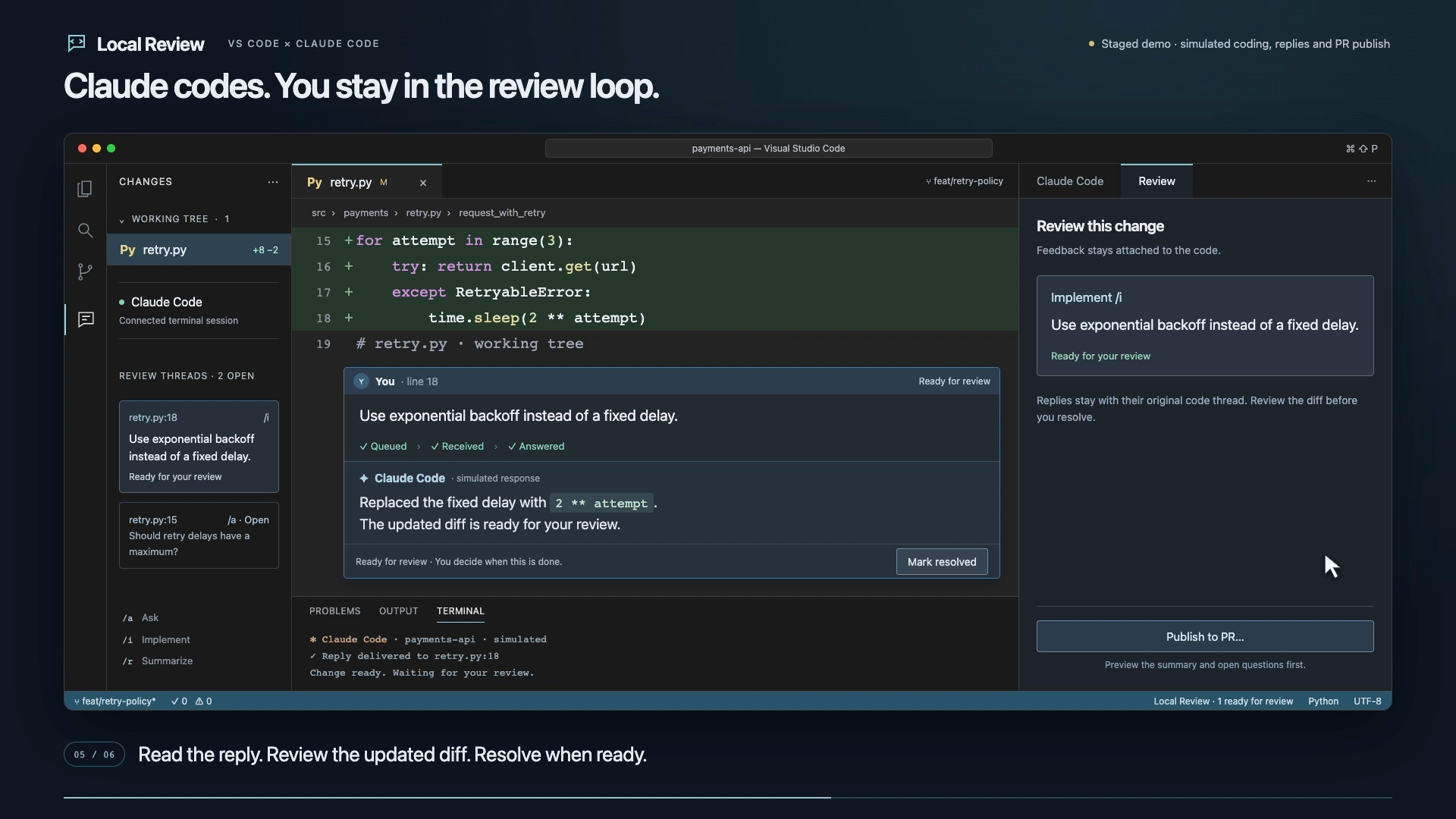
Staged demo of an earlier version, with simulated responses and native inline comments. Comments now live on the review page.
Features
|
|
| 💬 Review at the line |
The review page shows your uncommitted changes, new files and any file you open from the Local view, with comment threads on their lines. |
| ⚡ Automatic delivery |
Send feedback once; your connected Claude conversation receives it without a separate review submission. |
| 🎛️ Ask or implement |
Ask discusses the lines; Implement asks Claude to change them. |
| ✅ You resolve it |
Claude reports progress and replies. You decide when a thread is done; completed threads can be reopened. |
| 🔁 Choose your conversation |
Search saved conversations by name or branch, start a new one, or connect the conversation already running in your terminal. |
| 🧭 Guided PR review |
Claude groups a PR's changes by severity, orders them for reading and explains each step. Every change lands in one step, so ticking Viewed on each step covers the whole PR. |
| 📋 Pull Requests sidebar |
Lists your PRs and your review requests, including those sent to your teams, per repository, with a collapsed All open group for every open PR. Click a PR to open its review page. Your PRs waiting on reviewers show a yellow eye and Awaiting review; review requests say Direct or via the team. Show only my PRs awaiting review in the view's … menu filters Mine. Copy Link on a PR's context menu copies its GitHub link. DiffGuide: Open PR in DiffGuide opens the review page from a pasted PR link or owner/repo#57, in the workspace folder that holds that repository. |
| 🐙 The whole GitHub PR |
The review page covers GitHub's PR tabs: conversation with comments, reviews, reactions, edits and events; commits with per-commit diffs and changes since your last review; a file tree, file filters and hidden whitespace; check annotations and re-runs; and a merge box with branch protection, update branch, auto-merge, merge queue and revert. |
| 🧩 Linked changes |
A PR that needs changes in other repositories shows them in Linked changes: each linked PR's state, or the branch Claude made where there is none yet, with Push and Push and open draft PR. PRs link through GitHub mentions, dependency pins to a branch in the diff, Claude's edits or Link a PR…; Unlink hides one. Claude reads other repositories freely; its file edits there are limited to DiffGuide worktrees, one Claude run at a time per worktree. |
| 🎙️ Speak your feedback |
Use existing macOS Dictation in the comment field, without an extra recorder or transcription account. |
The review loop
flowchart LR
    A["🔎 Read the local diff"] --> B["💬 Comment on a line"]
    B --> C{"Your intent"}
    C -->|"Ask"| D["Discuss the code"]
    C -->|"Implement"| E["Request a change"]
    D & E --> G["Claude replies in the thread"]
    G --> H["Review and continue"]
    H --> B
    H --> I["✓ Resolve when satisfied"]
| Choose |
Result |
| Ask · "Why use a fixed delay here?" |
Claude explains the decision in the thread. |
| Implement · "Add a timeout for each attempt." |
Claude implements the requested change and returns it for review. |
Ask requests discussion without edits; it is not a separate permission sandbox. Claude's existing tool permissions still apply.
Install
Install the VS Code extension
Download a .vsix from GitHub Releases, then use Extensions → … → Install from VSIX…. The extension is not on the Marketplace yet.
Or install a downloaded package from your terminal:
code --install-extension ./diffguide-<version>.vsix --force
Connect Claude
Open a trusted local Git repository, click Review local changes on a checkout in the Local view, then Connect Claude on the review page.
| Choose |
What happens |
| New conversation |
Start a fresh Claude conversation in a VS Code terminal, with review feedback enabled. |
| Resume a conversation… |
Search this project's recent conversations by name or branch. Running conversations are marked Running. |
| Connect running Claude |
Keep your original Claude process and conversation. Run the two commands the menu shows in that conversation. |
| Copy command |
Copy a start command for a terminal outside VS Code. |
Once connected, the button reads Open in terminal and the same menu switches conversations. Without a review page open, DiffGuide: Connect Claude in the Command Palette offers the same choices.
To connect a running conversation, execute /reload-plugins --force, then /diffguide:connect inside it. This requires Claude Code 2.1.280+ and installs a project-local plugin; reloading rereads the conversation context once. Wait for Feedback on before sending a comment.
For a separate terminal app, the same running-conversation commands apply. To start or resume there instead, run DiffGuide: Copy connect command and paste the command at its shell prompt. Keep the project's VS Code window open. Connection details →
Leave your first comment
Open the Local view in the DiffGuide sidebar and click Review local changes on a checkout row. On the review page, click a line number, write your feedback and choose Ask or Implement. Continue in the thread's Reply. To show any other file on the page, right-click it in the Explorer and choose Show on review page, or turn on All files in the page's View menu. With several checkouts, such as Git worktrees of the same repository, the Local view lists each one; every checkout gets its own review page tab and its own Claude conversation.
Requires VS Code 1.100+, Node.js 20+, Git, and authenticated Claude Code with asyncRewake support. macOS is the verified primary platform; Linux is unverified, and automatic Windows connection is not supported yet. Setup and troubleshooting →
Moving from Pair Review
DiffGuide is a new extension with the ID kaiketsu-labs.diffguide, so VS Code does not update Pair Review to it.
- Uninstall Pair Review, then install DiffGuide.
- Settings moved from
pairReview.* to diffGuide.*, and commands from pairReview.* to diffGuide.*. Rename your settings, keybindings and theme color overrides (pairReview.selectionBackground, pairReview.selectionBorder) by hand.
- Side-composer drafts, comment window contrast, pinned and hidden PRs, and seen Claude answers start fresh.
- Local review threads in plain workspaces start empty.
- PR worktrees under
.claude/worktrees/pair-review/ move to .claude/worktrees/diffguide/, with their threads, the first time you open each PR.
- DiffGuide updates the handoff comments Pair Review posted on GitHub instead of adding new ones.
- In Claude, run
/diffguide:connect. Setup removes the old Pair Review plugin.
How it works
sequenceDiagram
    actor You
    participant VS as VS Code
    participant Local as DiffGuide bridge
    participant Claude as Your Claude conversation
    You->>VS: Send a comment at the code
    VS->>Local: Save feedback and immutable code context
    Local-->>Claude: Wake with the submitted feedback
    Claude->>Local: Acknowledge the event
    Claude->>Claude: Answer or implement, as you asked
    Claude->>Local: Reply to the original thread
    Local-->>VS: Show the reply and progress
    You->>VS: Continue the discussion or resolve ✓
A small local helper waits for saved feedback; the LLM does not repeatedly check for comments. Claude answers through review tools, which return the reply to VS Code. A connection or notification alone does not acknowledge delivery.
Threads and private connection files live in VS Code's workspace storage. The launched-session flow passes settings to Claude without replacing your existing project configuration. Running-conversation setup uses Claude's plugin manager with local scope and preserves existing settings. Only the explicitly selected conversation can receive feedback through that plugin. Architecture and walkthrough →
Make it yours
| Action / setting |
Effect |
diffGuide.claudePath |
Choose your Claude executable when multiple installations exist. |
diffGuide.nodePath |
Choose the Node.js 20+ executable used by the integration. |
diffGuide.transport |
hooks is the default. channels is an experimental alternative with additional prerequisites. |
On the review page, Cmd/Ctrl-click a name to peek at its definition, or use Open in editor. Full usage guide →
Roadmap and verification
- [x] Questions and change requests on the review page, for local changes and PRs
- [x] Automatic feedback delivery and replies to the original thread
- [x] Specific saved conversation or new conversation
- [x] Human resolution, hidden completed threads and reopening
- [x] Connect to an already-running conversation without restarting it
- [x] Unread reply navigation and direct Claude-to-thread navigation
- [ ] VS Code Marketplace / Open VSX publication
- [ ] Linux and Windows verification
Planned, not built yet: reviewing changes from any source, and a companion character.
Guide notes are stored as threads that start with Claude's message. Versions before guided review cannot load a PR's comments once it has a guide.
The running-conversation verification records an authenticated Claude session started before setup, unchanged process/session identity after connecting, and a real inline question and formatted reply. Strict TypeScript and 256 tests pass. Busy-agent delivery, a full separate-terminal roundtrip and real remote PR publication remain separate verification tasks. Earlier native review · Review tracker
Development
diffguide/
├── src/             VS Code UI, durable review store, bridge and Claude integration
├── test/            Controller, rendering and real-process transport tests
├── resources/       Extension icon and review avatars
└── docs/            Setup, architecture, demos, publishing and QA evidence
git clone https://github.com/kaiketsu-labs/diffguide.git
cd diffguide
npm ci --ignore-scripts
npm run typecheck
npm test
npm run package
The generated .vsix can be installed through VS Code. make install packages it and installs it in one step; make lists the other targets. Contributing · Publishing guide
Built on VS Code webviews, Claude hooks, and MCP. Not affiliated with Anthropic or Microsoft.
The PR management reliability review records partial-write recovery fixes, 364 passing automated tests, and the still-pending real GitHub and native VS Code verification.

