Skip to content
| Marketplace
Sign in
Visual Studio Code>Programming Languages>RISC-V HarnessNew to Visual Studio Code? Get it now.
RISC-V Harness

RISC-V Harness

k19

| (0) | Free
Language server and debugger for RISC-V assembly: hover, quick fixes, completion and instruction-level stepping.
Installation
Launch VS Code Quick Open (Ctrl+P), paste the following command, and press enter.
Copied to clipboard
More Info

RISC-V harness

RISC-V assembly in VS Code: hover, diagnostics with quick fixes, completion and go-to-definition from a language server that shares its parser with the simulator, plus a debugger that steps one instruction at a time with registers and memory on screen.

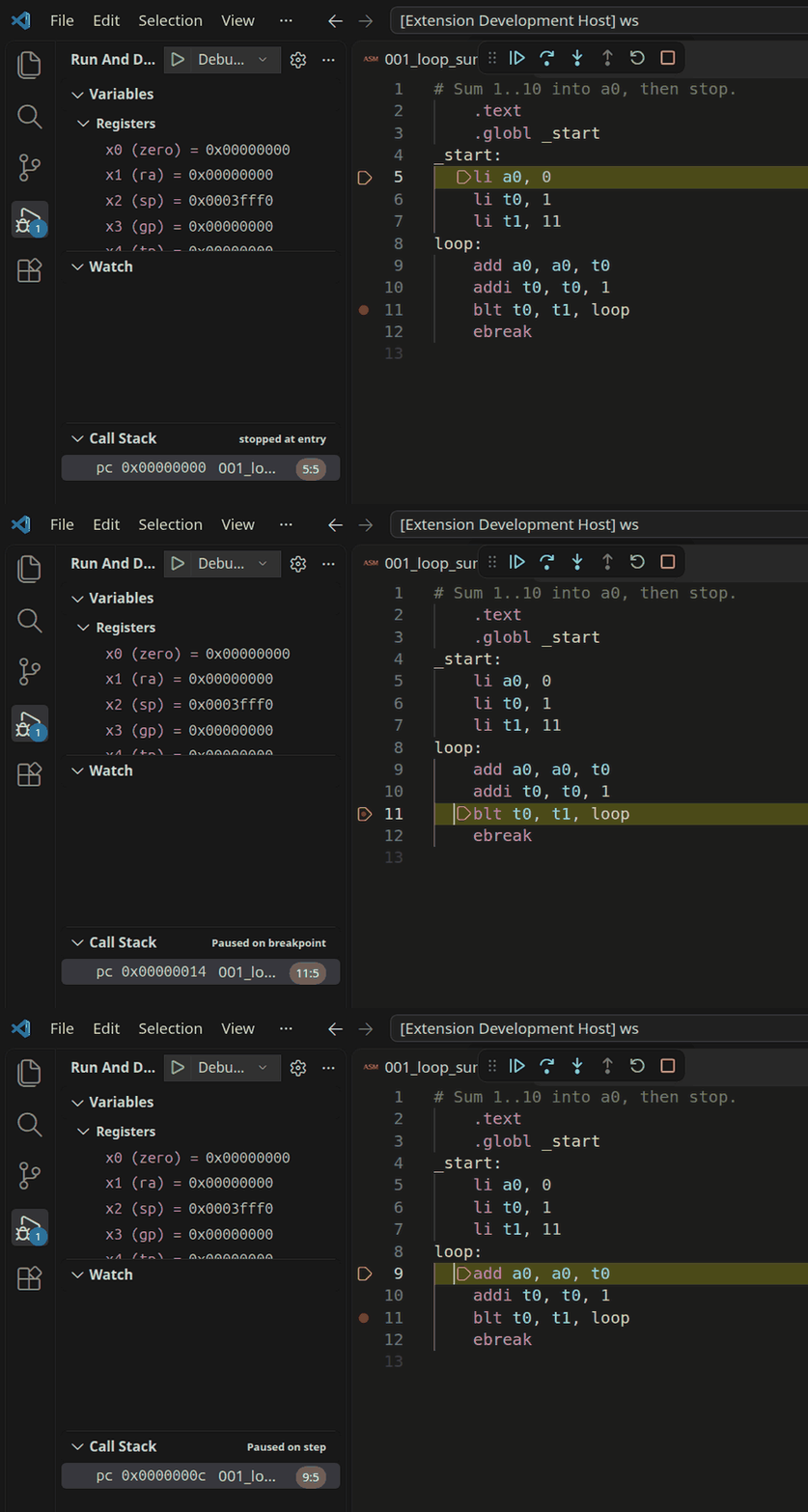
Entry stop, the breakpoint, then one step with registers updating

Features

  • diagnostics and quick fixes from the same pipeline as the playground and the CLI
  • hover on instructions, pseudos, registers, CSRs, labels and directives
  • completion with a candidate set chosen by position
  • go-to-definition and semantic highlighting from the CST
  • a debug type rvh: breakpoints, F5 on the current file, one instruction per next
  • a Memory view that follows sp or pc and highlights the bytes a step changed
  • per-file ISA pins, so one workspace can mix rv32i, rv32im and rv32ia

In action

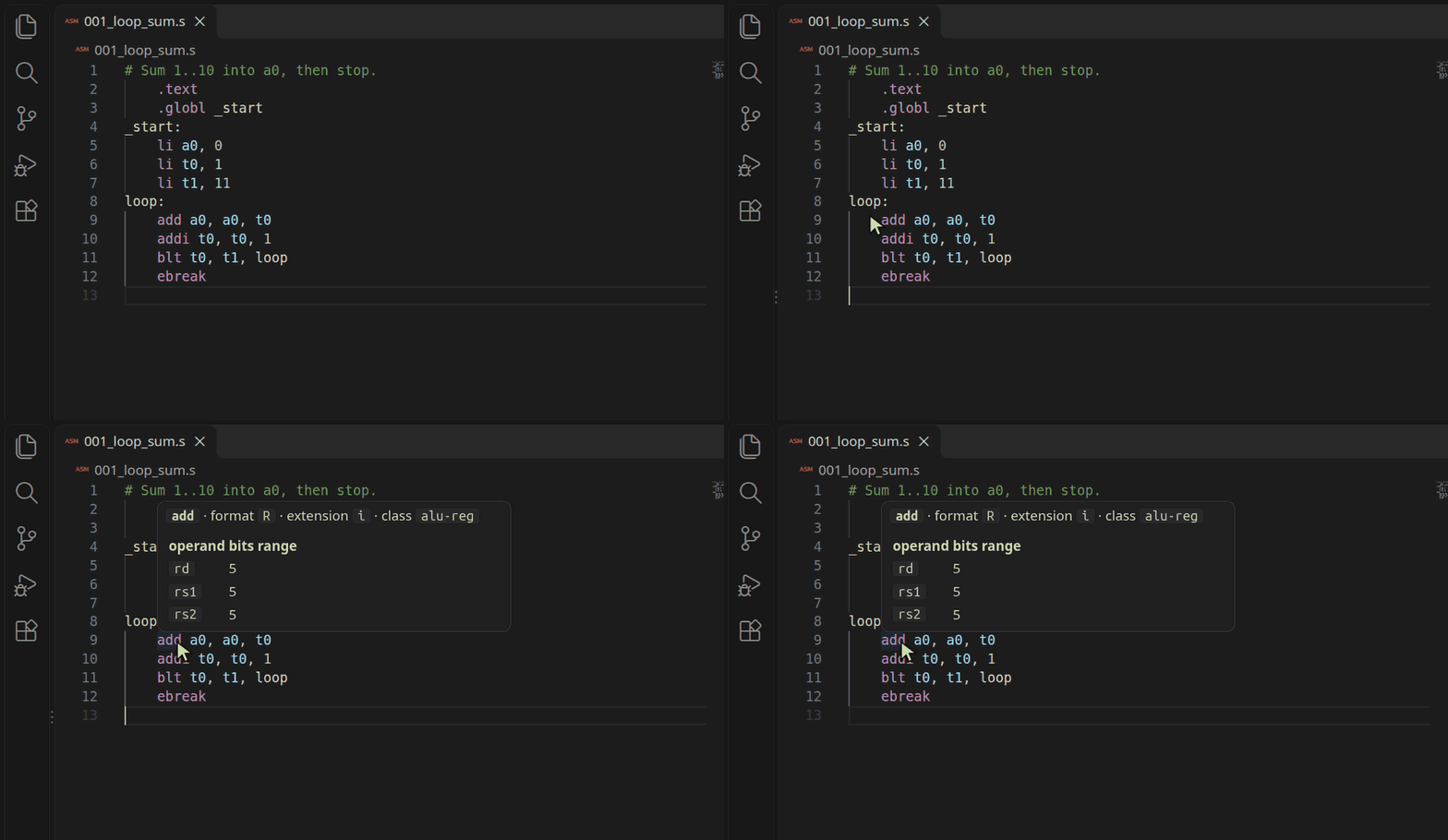
Hovering an instruction explains its encoding and its operand ranges.

The pointer moves to add, and the tooltip opens with the format, the extension, the class and the operand table

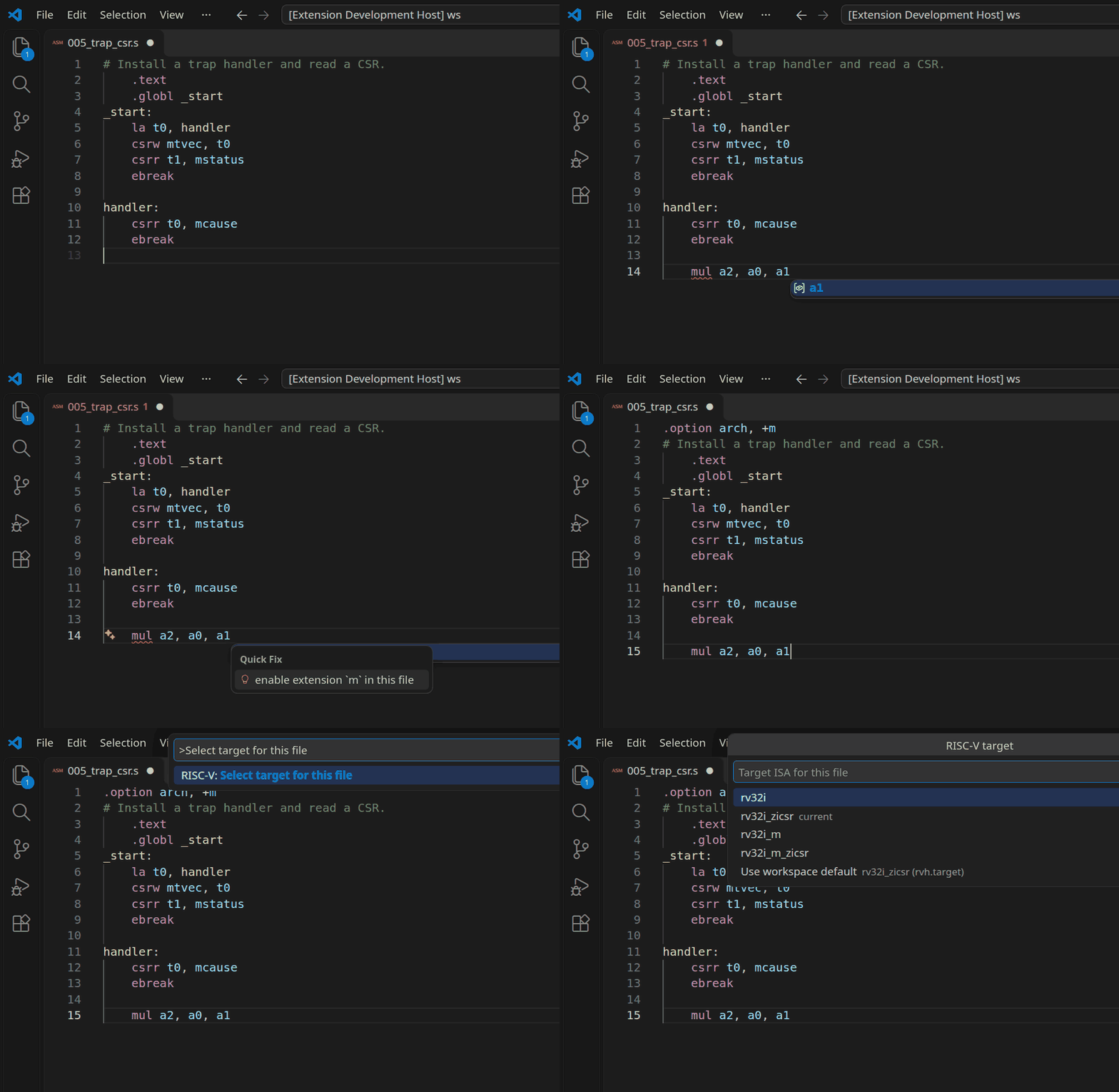
A missing extension is a diagnostic, and the fix inserts the directive that enables it.

A red squiggle under mul, then the quick fix inserting .option arch, +m

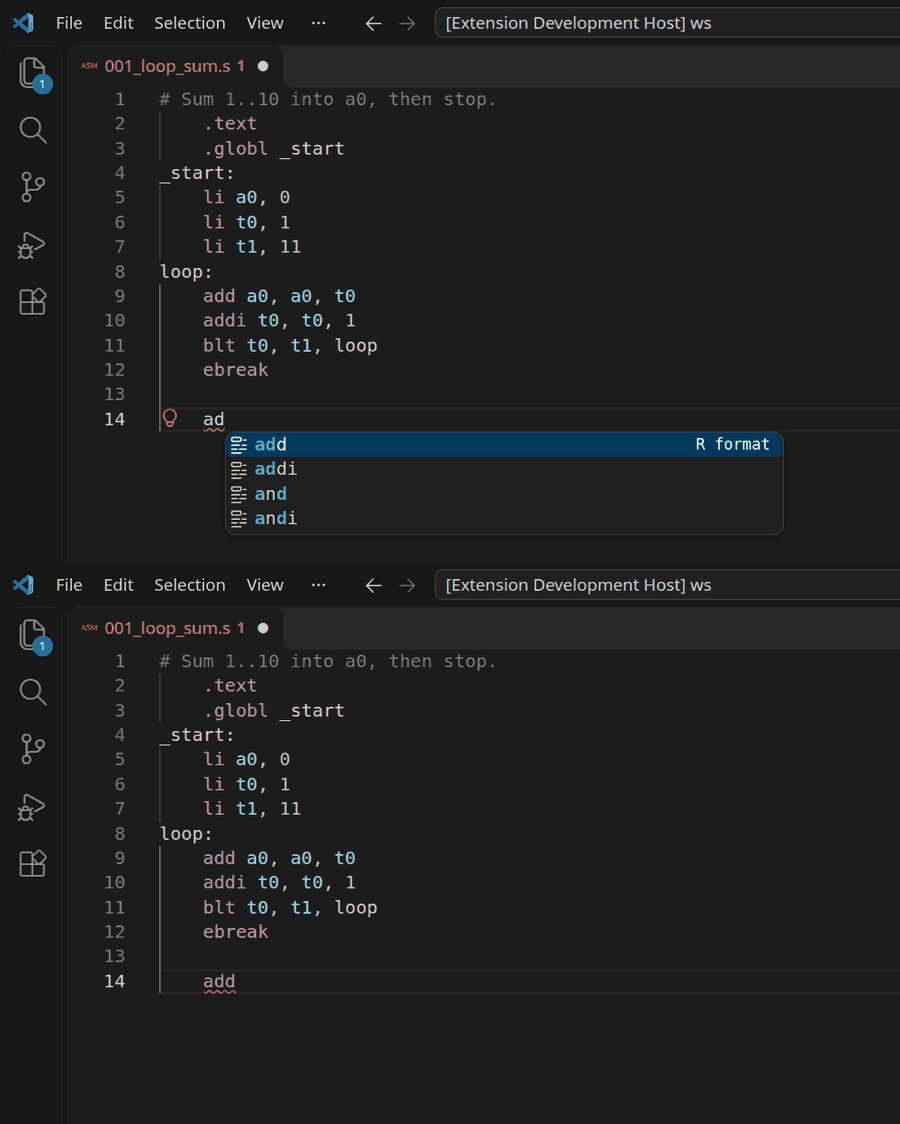
Completion is filtered by position, and the accepted line assembles.

Typing ad, the completion list, then the accepted line

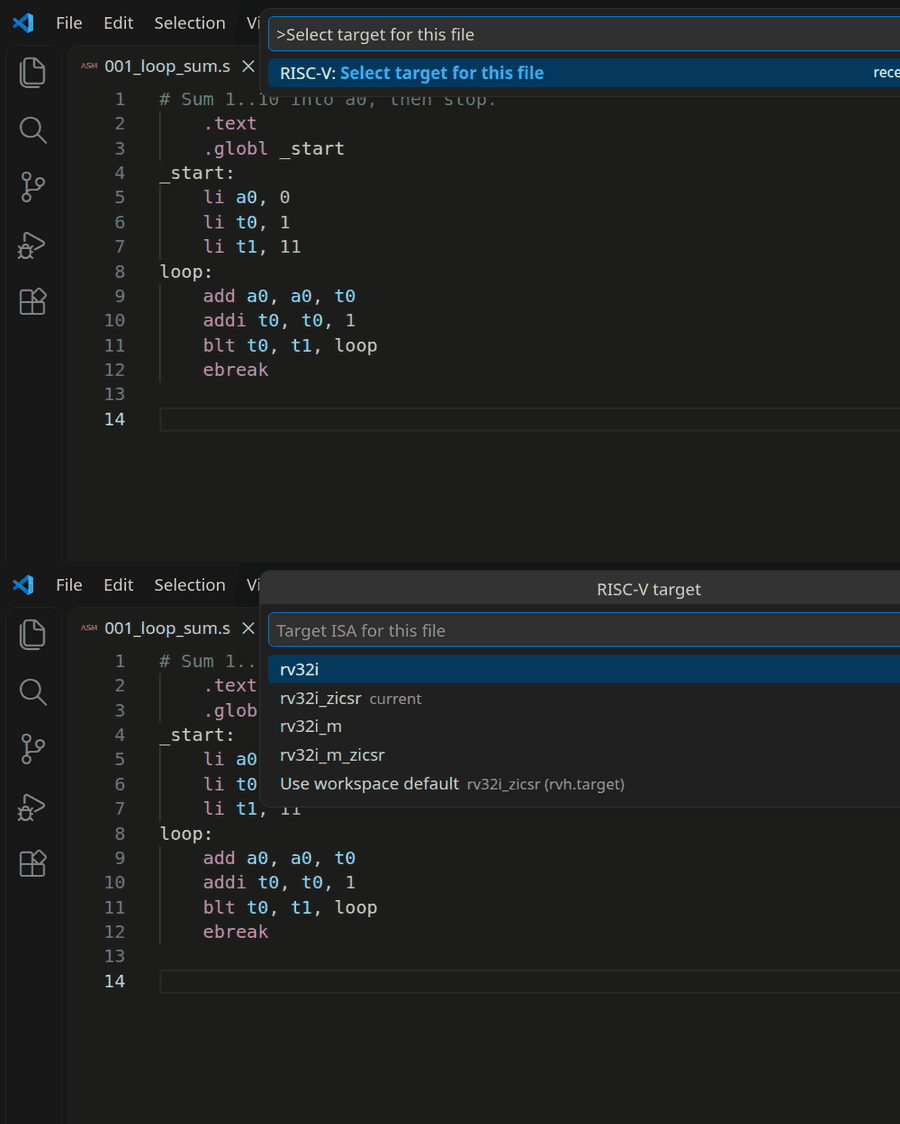
A workspace can mix ISAs: the target is pinned per file from the command palette.

The command palette, then the target quick pick

The extension ships the rvh binary for its own platform and architecture, so there is nothing else to install.

Settings, troubleshooting and build steps: docs/usage.md.

License

MIT OR Apache-2.0, at your option. See LICENSE.md.

  • Contact us
  • Jobs
  • Privacy
  • Manage cookies
  • Terms of use
  • Trademarks
  • Your Privacy Choices
  • Consumer Health Privacy
© 2026 Microsoft