ASysT Rendering — SysML v2 viewer and Modeler (Pre-alpha)
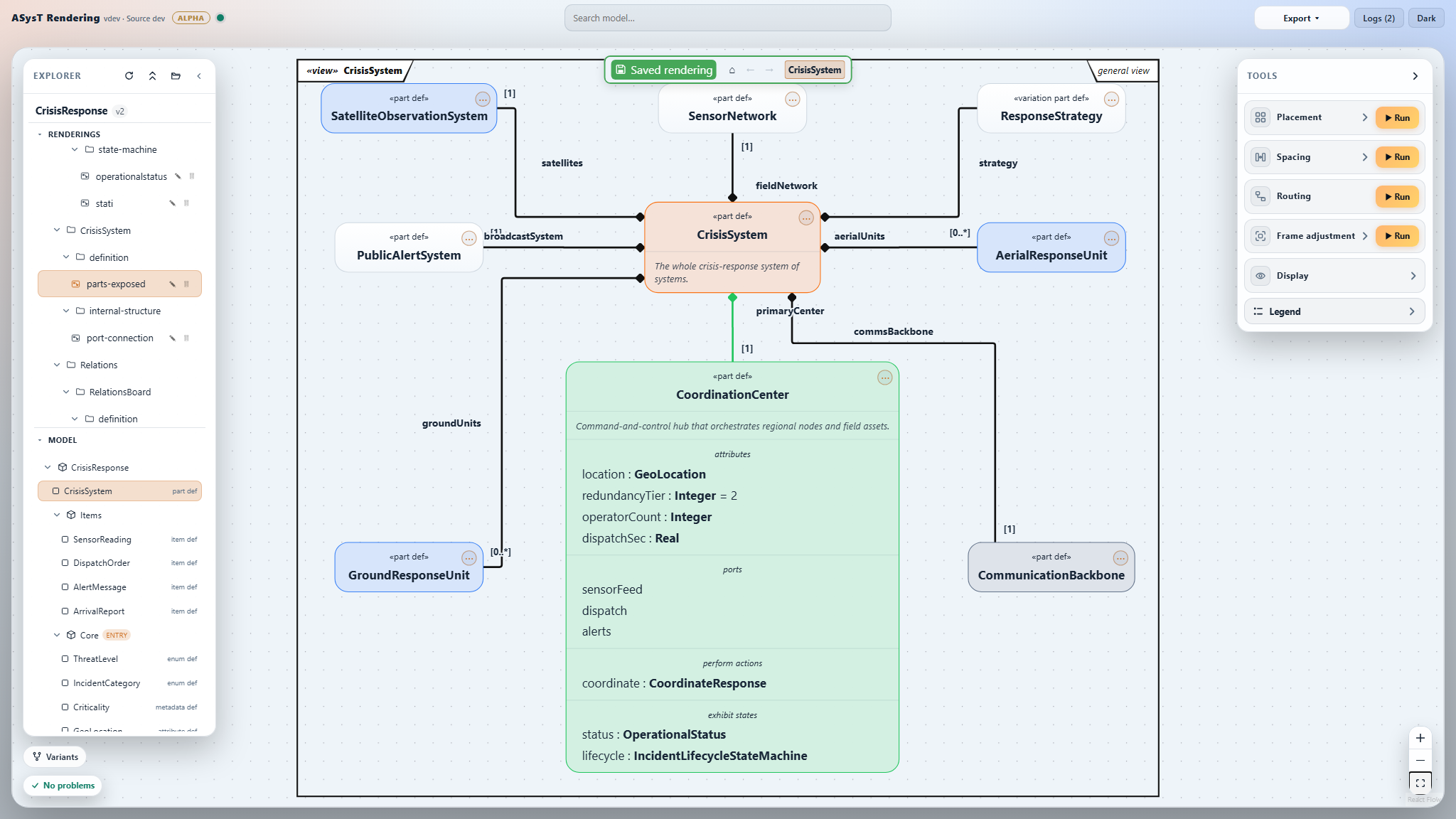
ASysT Rendering turns SysML v2 text into live, navigable diagrams and includes a Pre-alpha Modeler.
It is a local-first viewer and layouter with early modeling capabilities; the plain-text model remains
the source of truth.
Your SysML changes are guarded. Explicit Modeler and Source Card actions may update .sysml only
after revision-conflict detection and whole-model language-server validation; publication is atomic and
has separate source undo/redo. Opening, navigating and arranging do not modify semantic source, .kerml
remains read-only, and presentation stays in *.asystrendering/*.asystsession sidecars.
Local-first. No cloud model workspace and no account are required. Your model content never leaves
your machine. Product diagnostics are off by default and are sent only if you explicitly choose sharing;
the choice, one-click withdrawal and installation-ID reset remain available under Privacy.
The Modeler is Pre-alpha and shared for feedback. Expect incomplete workflows and rough edges —
and please send notes! 🙏
Feedback, feature requests, bugs: use the public
ASysT Rendering feedback tracker.
Our Pilot: Crisis-response system
How to use it?
ASysT icon in the Activity Bar.
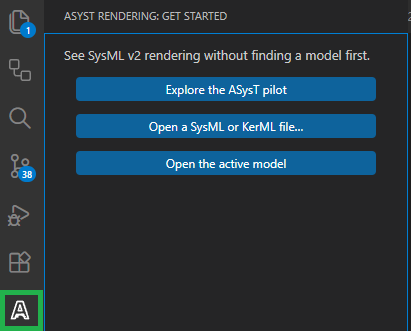
"ASysT icon".
When a .sysml or .kerml editor is already focused, the ASysT icon will apear in the top-right editor

"Ctrl+Shift+P"
You can also press Ctrl+Shift+P and select: ASysT: Open in browser
Model in the browser (Pre-alpha). Open Modeler to create supported elements and relations, then
use the unified Modified save button. A box or named relation's Source Card can edit/delete its exact declaration,
break the relation, and undo/redo source changes. Git remains the durable history for your text model.
If Windows asks about the engine listening on localhost — this is local-only; Allow it
(Private networks).
Not a VS Code user? The same app also ships as a standalone download for Windows and Linux: asyst-rendering.fr/download.html.
Free tier
ASysT Rendering is free to install. The Free tier lets you model, view, navigate, and work with most features
on small SysML v2 models.
See current plans, limits, and pricing on the ASysT Rendering website →
If something looks wrong
- The toolbar command does not appear after an extension update: reload the window
(
Ctrl+Shift+P → "Developer: Reload Window").
- Reveal source does nothing: accept the browser's Open Visual Studio Code prompt. After updating
a development extension, run
Developer: Reload Window once so its URI handler is reactivated.
- Another app is using port 8080: this preview's local engine uses port
8080. If something else
on your machine already occupies it (a dev server, another tool), the browser command can fail —
stop that other app and reload the window. A dynamic-port version is on the roadmap.
- A blue "Windows protected your PC" screen (SmartScreen): can appear the first time the local
engine runs, because it's a new unsigned binary. Click "More info" → "Run anyway" — the engine
binds
127.0.0.1 for the local app (see Privacy & data below). Optional diagnostics use the
documented telemetry endpoint only when enabled.
- See the logs:
View → Output, pick "ASysT" in the dropdown. Share those if you report a bug.
- If an explicit model edit is rejected, resolve the reported conflict or diagnostic and retry; the
original source remains unchanged. Check Git diff after a modeling session before committing.
Privacy & data
- Optional diagnostics. The privacy choice is available on first run and under Privacy. Withdrawal
deletes the local random installation ID; reset rotates it. When sharing is enabled, ASysT sends only
coarse app/version/channel/view, operating-system/processor families and success or failure categories—
never model text, names, paths, logs, stored IP addresses or country. See the
plain-language privacy notice.
- Network boundary. The bundled engine binds
127.0.0.1 only — it is not reachable from your
network. Update checks and Pro-key validation are separate HTTPS requests. Optional diagnostics use a
third, consent-gated HTTPS request and never include model source.
- Your models never leave your machine. ASysT reads and explicitly edits
.sysml locally. Source
transactions are revision-checked, validated and atomic; rendering/session sidecars stay separate.
Model text is never included in optional diagnostics.
- Local logs, for your own troubleshooting. ASysT writes a small local log
(
.asyst/logs/frontend.jsonl, backend.log) so you — or we, if you choose to share it — can debug
a problem. These logs can include file paths and element names from your model; review them before
attaching to a bug report if your model is sensitive.
Send feedback, feature requests, or bugs through the
public tracker. Thanks for testing! 🛠️
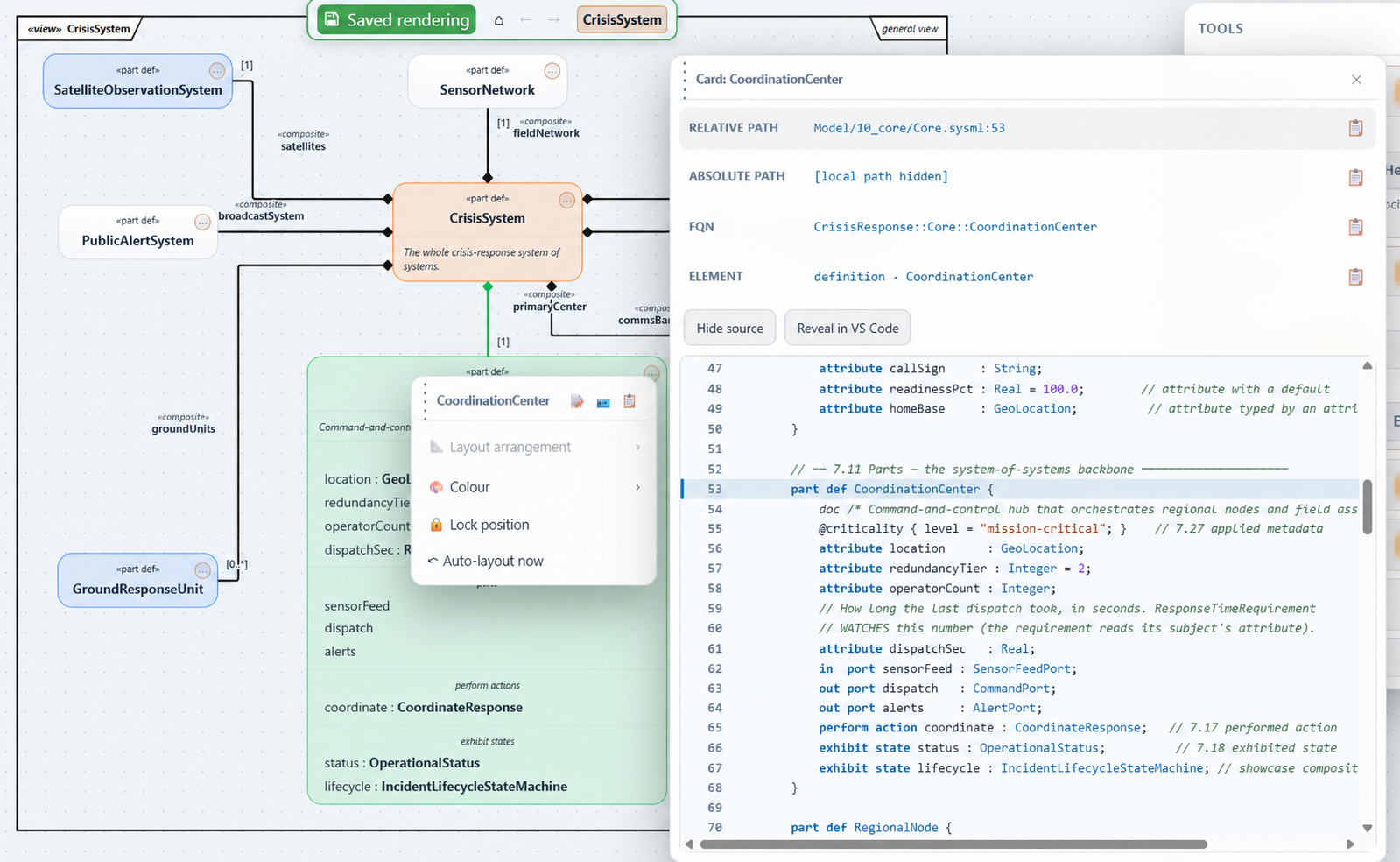
See the diagram and source together
Open a Card from a box or named relation to copy its path or FQN, inspect the complete SysML file around
the exact declaration, edit/delete that declaration, break a source-backed relation, or reveal the line
directly in VS Code without losing your place in the diagram.