Jinja - Jx
Language support for a Jx (Jinja2-based component library).
Requires jx >= 0.16.
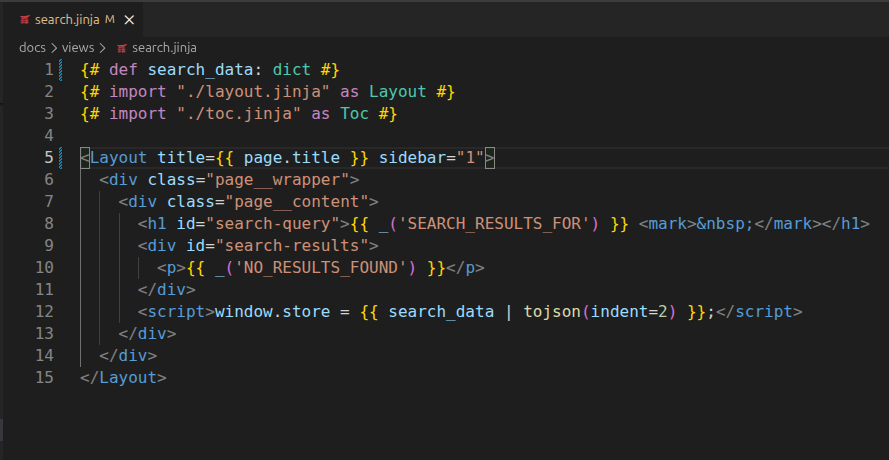
Features
Syntax Highlighting
The extension provides full syntax highlighting for .jx files, including:
- Jx pragmas:
{#import ... #}, {#def ... #}, {#css ... #}, {#js ... #}
- PascalCase component tags (e.g.,
<MyComponent>, <Card />)
- Jinja2 expressions (
{{ ... }}), statements ({% ... %}), and comments ({# ... #})
- Standard HTML (inherited from VS Code's built-in HTML grammar)
Go-to-Definition
Ctrl+click (or Cmd+click on macOS) to jump to a component file. This works from three places:
- The import path — click on the string in
{#import "card.jx" as Card #}
- The alias name — click on
Card in the import declaration
- A component tag — click on
<Card> or </Card> anywhere in the template
The extension resolves paths using your catalog folders (reported by jx itself), relative paths (./, ../), and prefixed paths (@ui/modal.jx).
Imports and tags come from jx parse, run over the editor's buffer, so unsaved edits are what gets parsed — and a <Button /> written inside a comment or a {% raw %} block is correctly not treated as a component tag.
Diagnostics
The extension runs jx check automatically and shows errors inline in the editor. Checks run:
- On save (
.jx and .py files)
- When a
.jx file is opened
- On startup
Errors appear in the Problems panel and as red underlines in the editor, including "did you mean?" suggestions for typos.
Snippets
Type a prefix and press Tab to expand:
| Prefix |
Expands to |
jximport |
{#import "..." as ... #} |
jxdef |
{#def ... #} |
jxcss |
{#css ... #} |
jxjs |
{#js ... #} |
jxslot |
{% slot name %} ... {% endslot %} |
jxfill |
{% fill name %} ... {% endfill %} |
jxcomp |
Full component scaffold (import, css, js, def) |
The extension provides document formatting (Shift+Alt+F) by delegating to VS Code's built-in HTML formatter. Your HTML formatting settings (indentation, wrapping, etc.) are respected.
Auto-Detection
The extension asks jx itself where your components live, rather than working it out from your Python source.
It scans the workspace for a ... = Catalog(...) assignment to find candidate catalogs, then runs jx info on each and uses what the catalog reports: its folders, their prefixes, and its file_ext. However the folders were registered — a literal string, a Path, settings.BASE_DIR / "components", add_package — they are found.
If no catalog can be loaded, it falls back to looking for component files inside well-known folder names (views, components, templates).
The scan re-runs whenever a .py file is created, changed, or deleted.
If jx is not installed in the selected interpreter, the extension falls back to recognising imports by their shape, so go-to-definition keeps working.
Installation
Launch VSCode Quick Open (Ctrl+P), paste the following command, and press ENTER.
ext install jpscaletti.jinja-jx
Alternatively:
- Download the the
jinja-jx-VERSION.vsix file from this repo.
- Launch VSCode Quick Command (Shift+Ctrl+P)
- Run "Extensions: Install from VSIX..."
Configuration
All settings are optional — the extension works out of the box with auto-detection.
| Setting |
Default |
Description |
jx.check.enabled |
true |
Enable or disable diagnostics |
jx.pythonPath |
"" |
Path to the Python interpreter. Auto-detects from the Python extension or PATH if empty |
jx.catalogPath |
"" |
Import path to your Catalog instance (e.g. myapp.setup:catalog). Auto-detects if empty |

