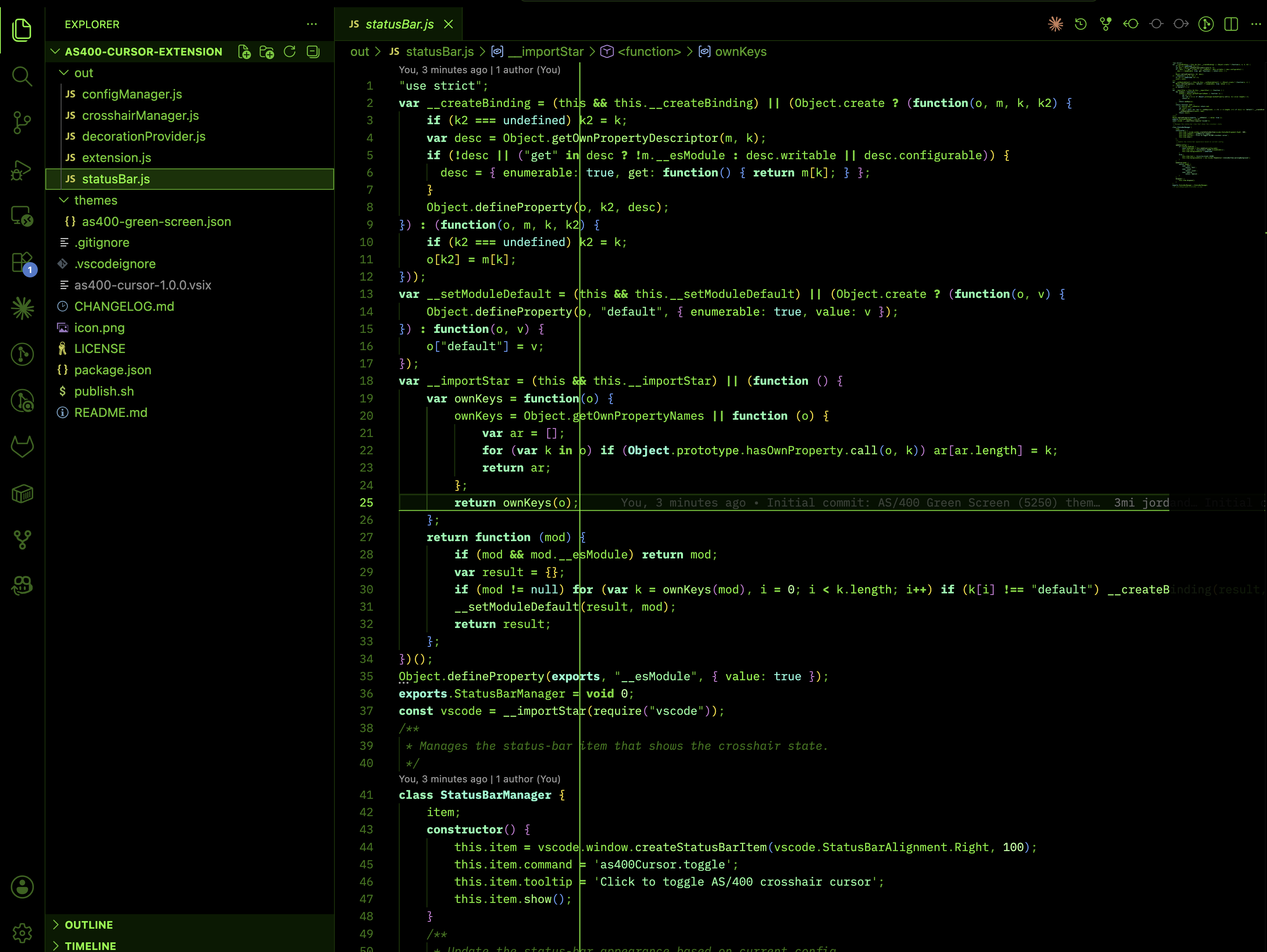
IBM AS/400 (iSeries) 5250 green-screen color theme plus a configurable crosshair cursor. Black background, phosphor-green text, and a real 5250-style cross cursor.
Installation
Launch VS Code Quick Open (Ctrl+P), paste the following command, and press enter.
AS/400 Green Screen (5250) — Theme & Crosshair Cursor
Bring the classic IBM AS/400 / iSeries 5250 terminal to VS Code: a black-and-phosphor-green color theme plus a fully configurable crosshair cursor that mimics the real 5250 display cursor.
Features
🟢 AS/400 Green Screen (5250) color theme — black background, phosphor-green foreground, green-tinted UI (editor, sidebar, tabs, terminal, status bar).
✚ Crosshair cursor — a cross that follows your caret like a real 5250 terminal.
⚙️ Highly configurable — color, width, opacity, line style (solid/dotted/dashed), and three display modes:
full — lines extend across the whole viewport
local — a small cross around the current character
hybrid — local cross plus faint guide lines
🔠 Multi-cursor support and an optional CRT-style blink effect.
Usage
Apply the theme:Ctrl/Cmd+K Ctrl/Cmd+T → AS/400 Green Screen (5250).
Toggle the crosshair:Cmd+Alt+X (macOS) / Ctrl+Alt+X (Windows/Linux), or run AS400 Cursor: Toggle Crosshair from the Command Palette.
Commands
Command
Description
AS400 Cursor: Toggle Crosshair
Turn the crosshair on/off
AS400 Cursor: Enable
Enable the crosshair
AS400 Cursor: Disable
Disable the crosshair
AS400 Cursor: Cycle Display Mode
Cycle Full → Local → Hybrid
Settings
All options live under as400Cursor.* (color, lineWidth, opacity, mode, lineStyle, verticalExtent, horizontalExtent, fullAS400Mode, blinkEffect, multiCursorSupport, guideOpacity). See the Settings UI → search "AS/400".