Gilt GMT
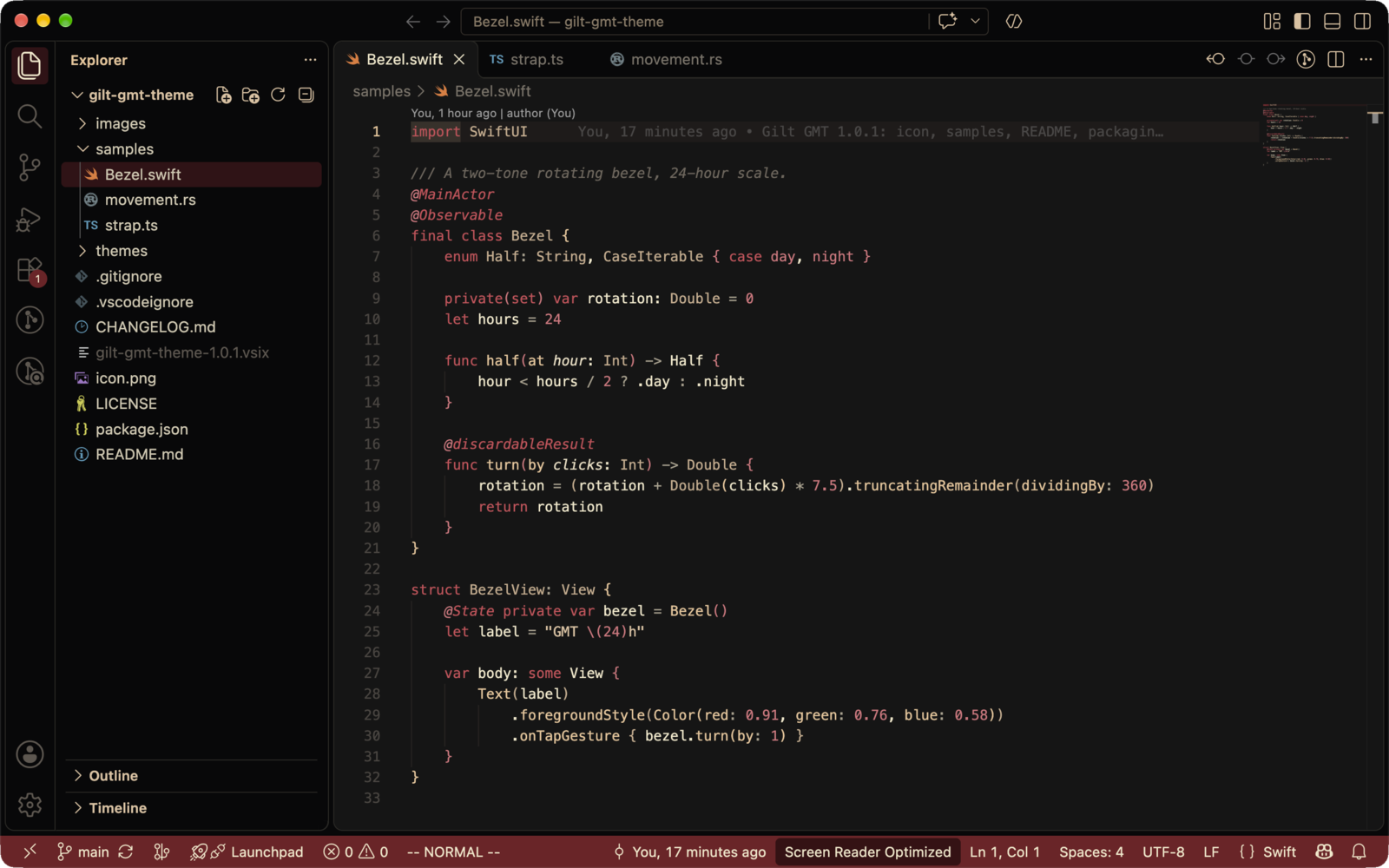
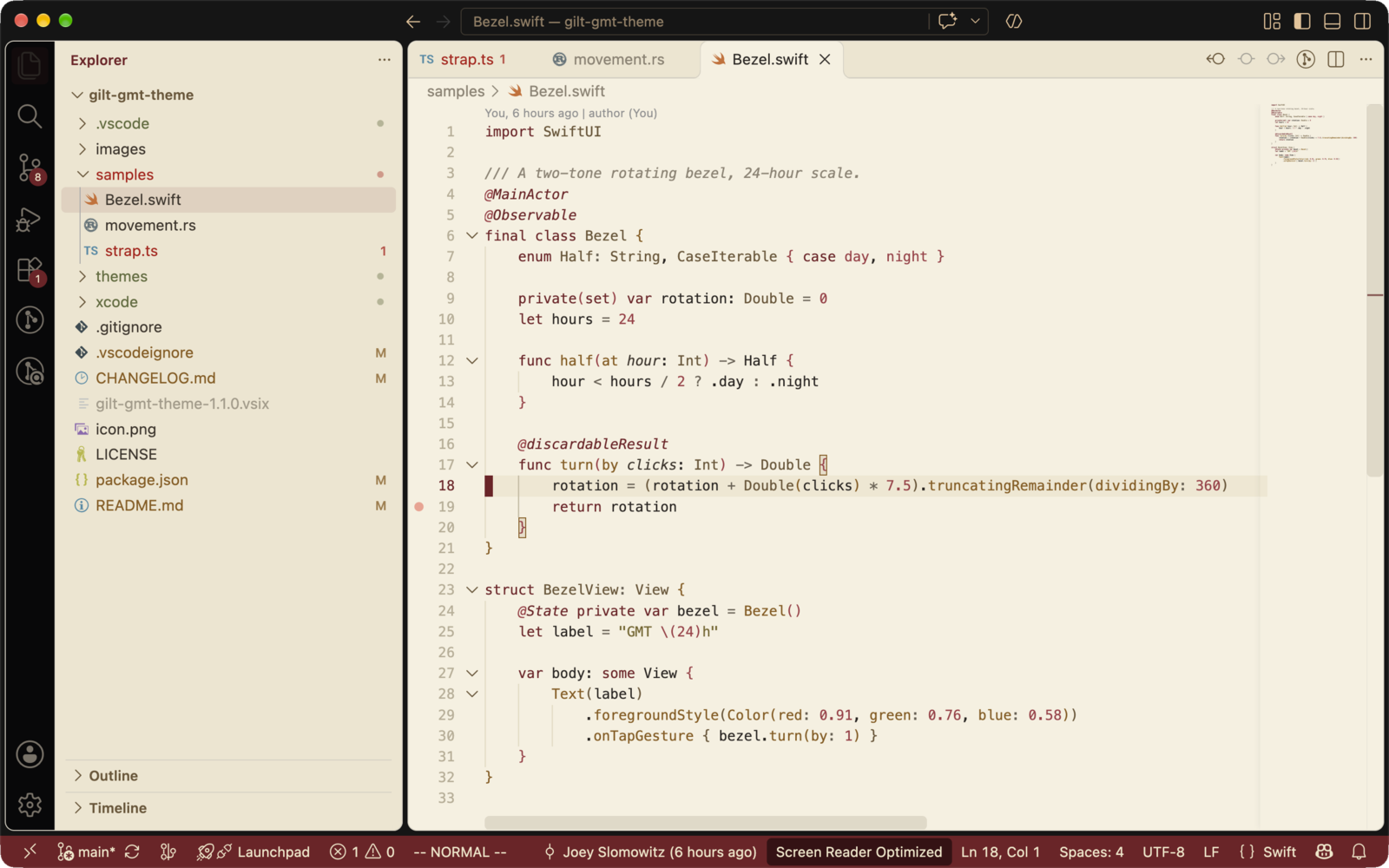
Dial black, burgundy and warm gilt, inspired by vintage burgundy-and-black GMT watch bezels. The extension includes two themes:
- Gilt GMT: dark, the dial at night.
- Gilt GMT Light: the same watch in daylight, with pale lume backgrounds and the real bezel burgundy for keywords.


Palette
Gilt GMT (dark)
| Role |
Hex |
| Editor background (dial black) |
#151515 |
| Sidebar / panels (bezel black) |
#080809 |
| Default text (lume cream) |
#F0E7C8 |
| Status bar / selection (bezel burgundy) |
#721E26 |
| Active tab / borders (lit burgundy) |
#90343D |
| Keywords |
#CC4B57 |
| Numbers, constants, attributes, lifetimes |
#D7737C |
| Functions (gilt) |
#E8C295 |
| Strings |
#DDC19F |
| Types |
#C7AB8B |
| Comments |
#6E665C italic |
Gilt GMT Light
| Role |
Hex |
| Editor background (pale lume) |
#F6F0DF |
| Sidebar / panels |
#EDE5CE |
| Default text |
#2A2522 |
| Title bar / activity bar (bezel black, gilt icons) |
#151515 / #080809 |
| Status bar (bezel burgundy) |
#721E26 |
| Keywords (bezel burgundy) |
#721E26 |
| Numbers, constants, attributes |
#A13A45 |
| Functions |
#8A5A14 |
| Strings |
#76662A |
| Types |
#6B5536 |
| Comments |
#8C8272 italic |
Every light syntax colour has at least 4.5:1 contrast on the background. Comments are the exception at 3.3:1, kept muted on purpose.
Install
VS Code: open the Extensions view, search for Gilt GMT, and install. Or from the command line:
code --install-extension joeyslomowitz.gilt-gmt-theme
Cursor, VSCodium, Windsurf and other Open VSX editors: search for Gilt GMT in the Extensions view.
Then run Preferences: Color Theme and pick Gilt GMT or Gilt GMT Light.
Follow system appearance
To switch automatically with macOS (or Windows) light and dark mode, add this to your settings.json:
"window.autoDetectColorScheme": true,
"workbench.preferredDarkColorTheme": "Gilt GMT",
"workbench.preferredLightColorTheme": "Gilt GMT Light"
Xcode
Matching Xcode themes are in xcode/:
Copy them into ~/Library/Developer/Xcode/UserData/FontAndColorThemes/, creating the folder if it doesn't exist:
mkdir -p ~/Library/Developer/Xcode/UserData/FontAndColorThemes
cp xcode/*.xccolortheme ~/Library/Developer/Xcode/UserData/FontAndColorThemes/
Then restart Xcode and choose one in Xcode → Settings → Themes.
License
MIT