AL Indent Prism
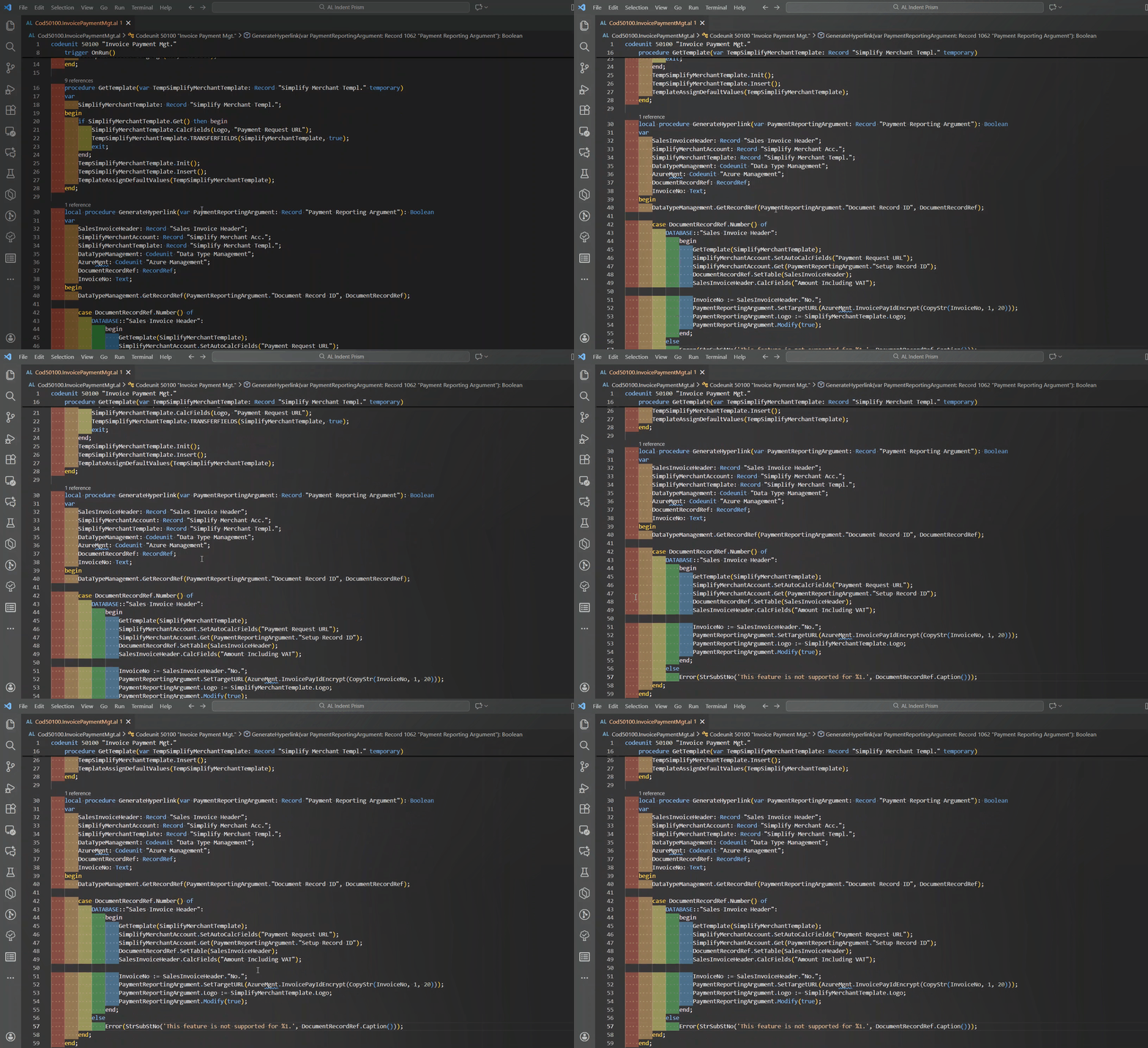
A Visual Studio Code extension that colorizes indentation levels in Business Central AL language files, making it easier to read and understand code structure at a glance.


Features
- Rainbow Indentation - Each indentation level gets a different color
- Customizable Colors - Configure your own color palette
- Theme Support - Separate color schemes for light and dark themes
- Configurable - Adjust indent size and colors to match your preferences
- Performance - Lightweight and fast, updates in real-time as you type
- AL-Specific - Only activates for Business Central AL language files
Here's how it works
Usage
The extension automatically activates when you open an AL language file. No additional commands are needed - your indentation will be colorized automatically!
Configuration
Customize the extension behavior through VS Code settings:
{
  // Enable or disable the extension
  "alIndentPrism.enabled": true,

  // Number of spaces per indent level (default: 4)
  "alIndentPrism.indentSize": 4,

  // Colors for dark themes
  "alIndentPrism.colors": [
    "rgba(255, 64, 64, 0.3)",
    "rgba(255, 178, 64, 0.3)",
    "rgba(255, 255, 64, 0.3)",
    "rgba(64, 255, 64, 0.3)",
    "rgba(64, 178, 255, 0.3)",
    "rgba(178, 64, 255, 0.3)"
  ],

  // Colors for light themes
  "alIndentPrism.lightColors": [
    "rgba(255, 128, 128, 0.2)",
    "rgba(255, 200, 128, 0.2)",
    "rgba(200, 200, 128, 0.2)",
    "rgba(128, 255, 128, 0.2)",
    "rgba(128, 200, 255, 0.2)",
    "rgba(200, 128, 255, 0.2)"
  ],

  // Color for incorrect indentation (future feature)
  "alIndentPrism.errorColor": "rgba(255, 64, 64, 0.6)"
}
Settings Details
| Setting |
Type |
Default |
Description |
alIndentPrism.enabled |
boolean |
true |
Enable/disable indent colorization |
alIndentPrism.indentSize |
number |
4 |
Number of spaces per indent level |
alIndentPrism.colors |
array |
6 colors |
Colors for dark themes |
alIndentPrism.lightColors |
array |
6 colors |
Colors for light themes |
alIndentPrism.errorColor |
string |
red |
Color for incorrect indentation |
Tips
- Adjust Opacity: Modify the alpha channel (last value in rgba) to make colors more or less transparent
- More Colors: Add more colors to the array for deeper nesting levels
- Disable Temporarily: Set
"alIndentPrism.enabled": false to turn off without uninstalling
Requirements
- Visual Studio Code 1.106.1 or higher
- AL Language Extension for Business Central development
Known Issues
Please report issues on our GitHub repository.
Contributing
Contributions are welcome! Please feel free to submit a Pull Request.
Release Notes
1.0.0 (Stable Release)
- First stable release!
- Rainbow indentation colorization for AL files
- Customizable color palettes
- Light and dark theme support with auto-detection
- Configurable indent size (spaces and tabs)
- Real-time decoration updates
- Performance optimized for large files
- Zero interference with other languages
License
MIT License - see the LICENSE file for details
Credits
Created by Jeffrey Bulanadi
Enjoy coding with colorful indentation!

