Skip to content
| Marketplace
Sign in
Visual Studio Code>Visualization>roots — CodemapsNew to Visual Studio Code? Get it now.
roots — Codemaps

roots — Codemaps

Jeffrey Asante

| (0) | Free
Generate AI-annotated, task-specific codemaps of your codebase.
Installation
Launch VS Code Quick Open (Ctrl+P), paste the following command, and press enter.
Copied to clipboard
More Info

roots — Codemaps

Generate AI-annotated, task-specific codemaps of your codebase: grouped, line-linked traces of how a feature or flow actually works. Then lock the knowledge in with an active-recall quiz that the model grades against the verified trace.

roots is read-only. It never edits your code — it explains it.

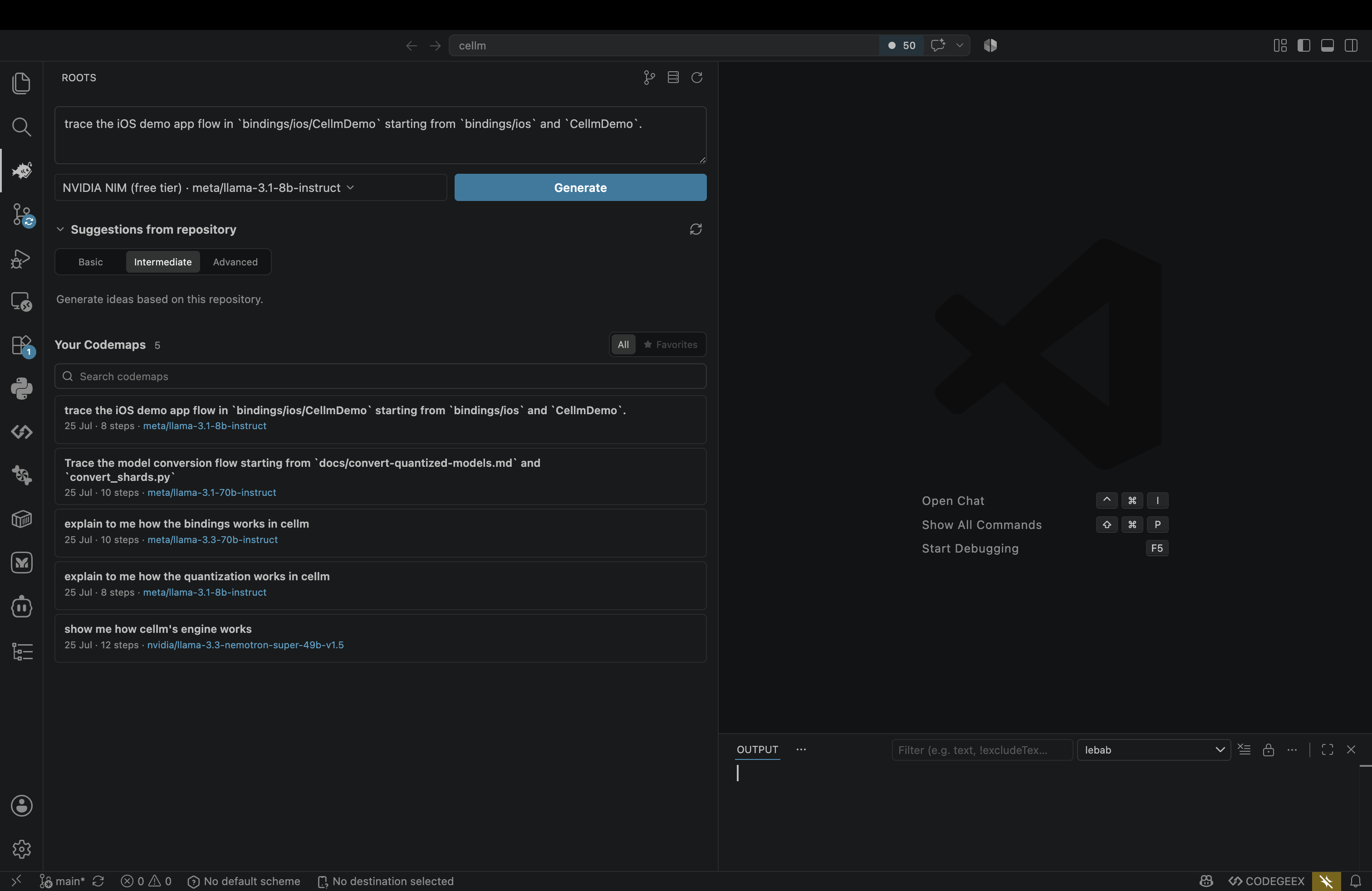
The roots panel — describe a flow, pick a model, and browse your saved codemaps

Features

  • Task-scoped codemaps — Ask "how does auth work?" and get a grouped, cited walkthrough with jump-to-line locations instead of a wall of chat.
  • Portable .codemap artifacts — Codemaps are saved as files you can commit to git, diff, and revisit.
  • Active recall quiz — Turn any codemap into recall questions. Write your answer, hit Submit, and the model compares it to the verified trace and grades it (missed / partial / recalled) with one line of feedback.
  • Pluggable model backends — Swap between cloud and local providers from one picker: Anthropic, OpenAI, NVIDIA NIM, DeepSeek, Groq, Mistral, Together AI, OpenRouter, Ollama, cellm, or any OpenAI-compatible custom endpoint.

Grouped, line-linked overview

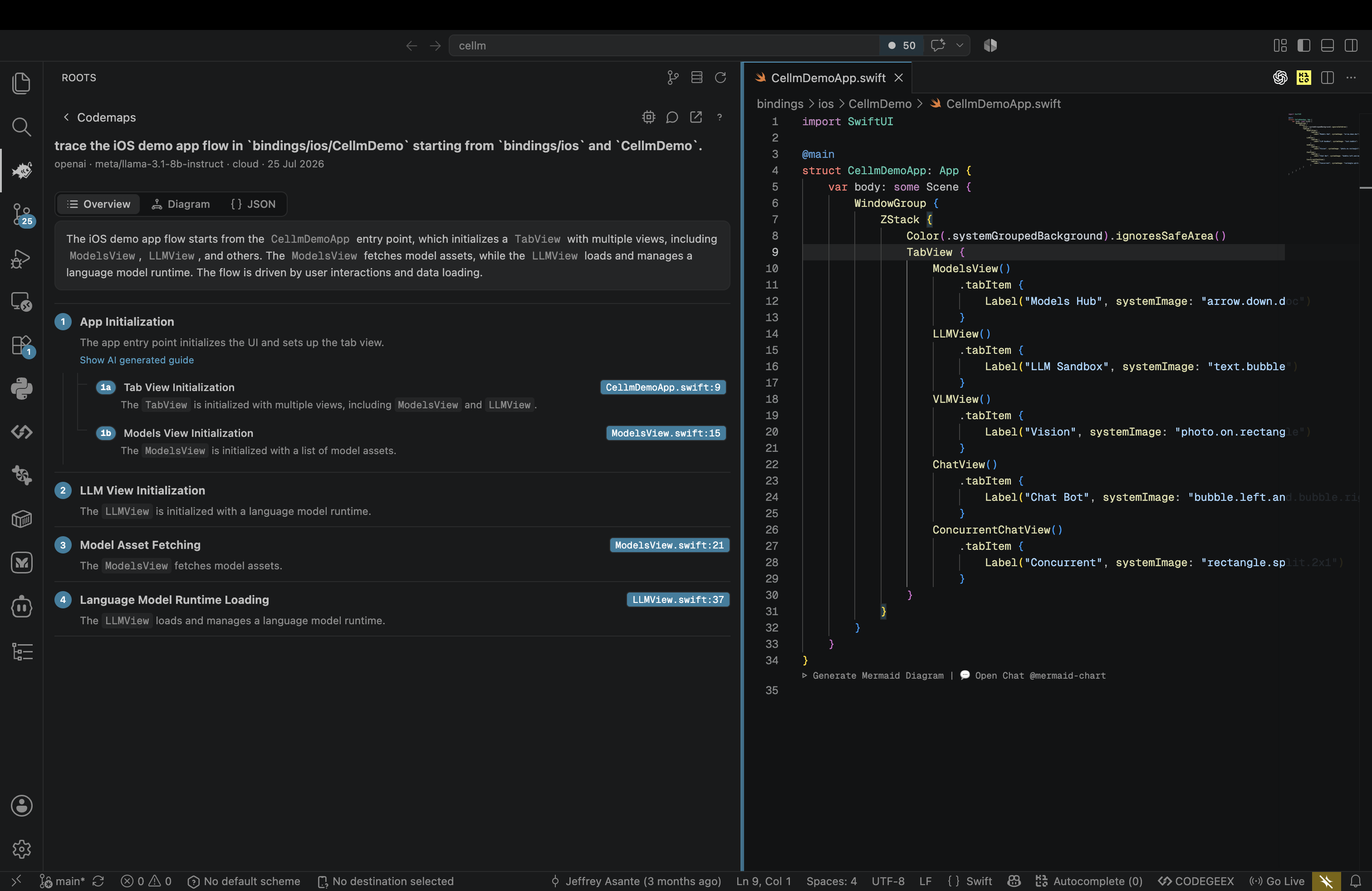
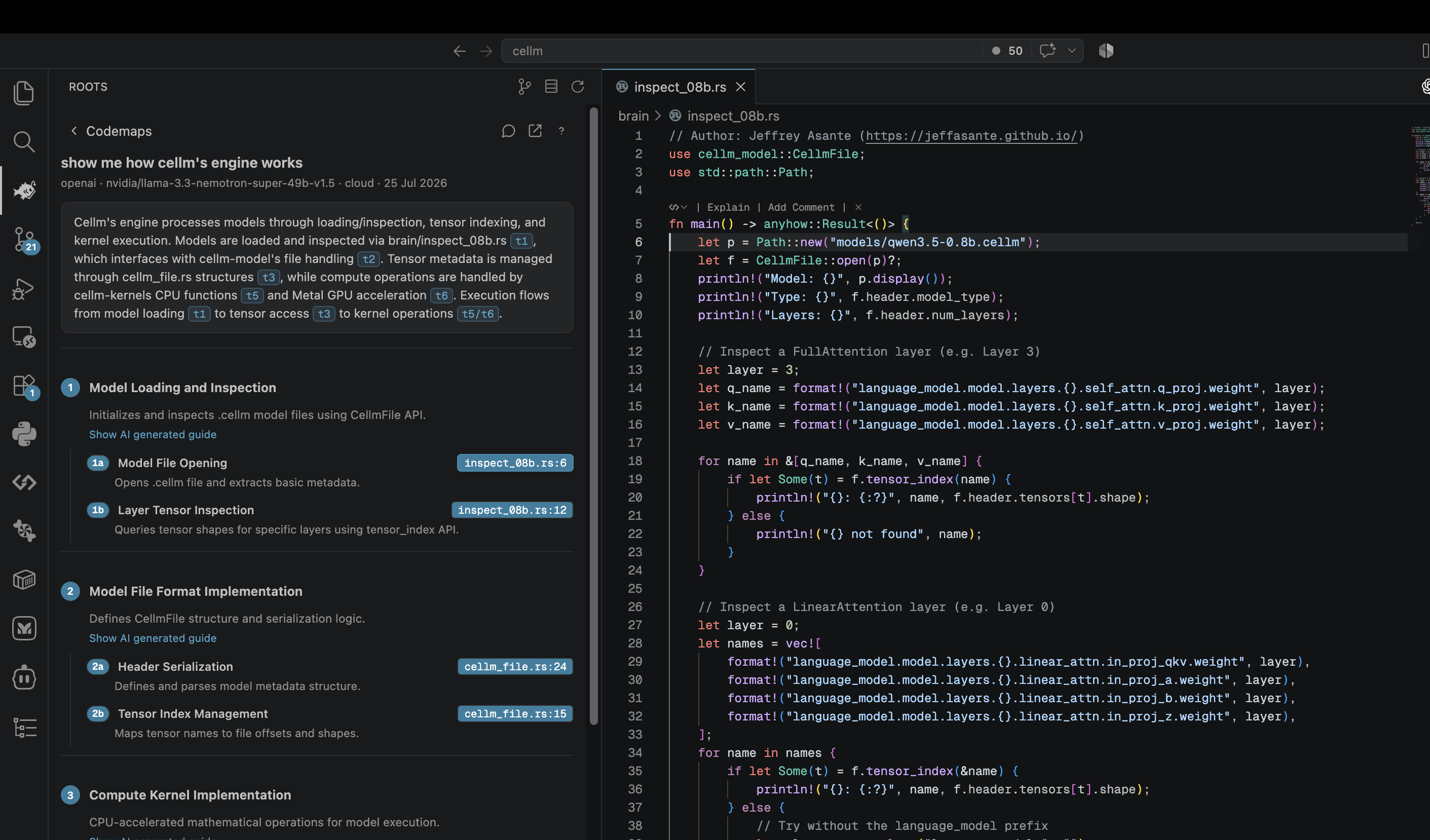
Every codemap is a grouped walkthrough where each step links straight to the code.

Codemap overview with jump-to-code locations

Jump to the exact line

Click any location to open the file at the referenced line.

Codemap overview beside the referenced source

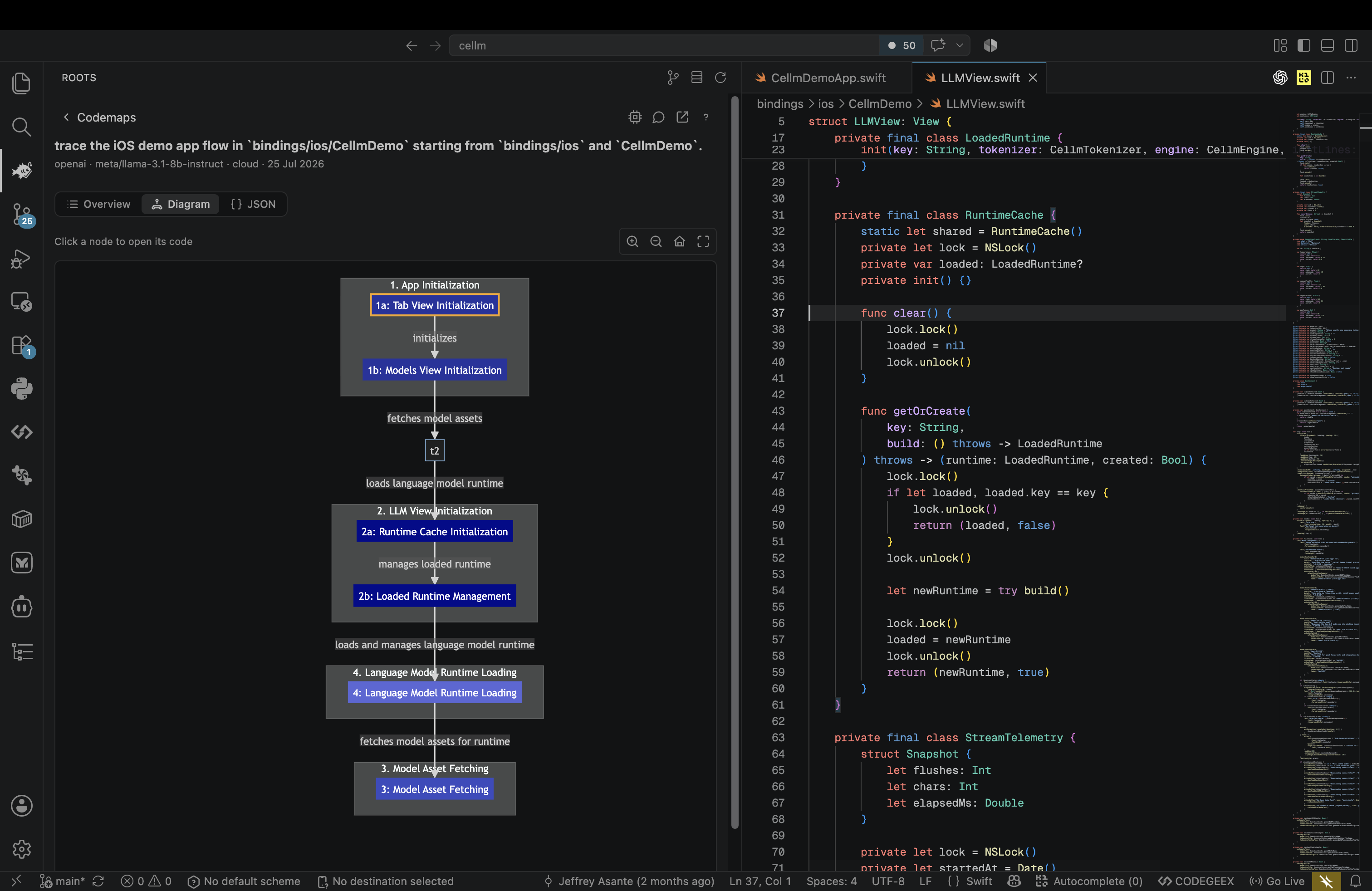
See the flow as a diagram

Switch to the diagram view to see how the steps connect, and click a node to open its code.

Codemap diagram view

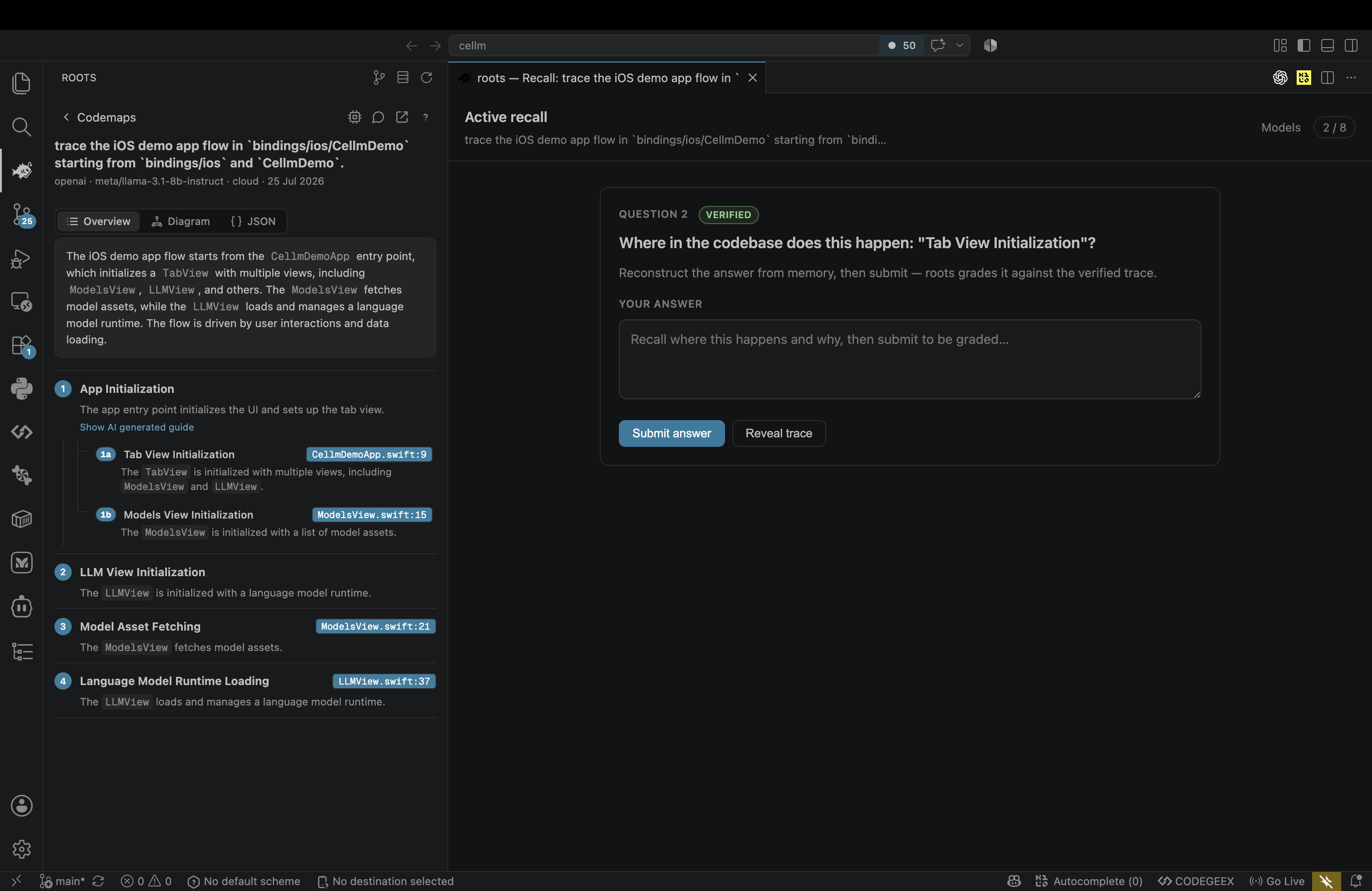
Lock it in with active recall

Turn any codemap into a graded recall quiz. Write your answer, submit, and let the model grade it against the verified trace.

Active recall quiz graded against the verified trace

Getting started

  1. Open the roots view from the Activity Bar.
  2. Run roots: Generate Codemap and describe the flow you want to understand.
  3. Click any location to jump straight to the code.
  4. Run roots: Quiz Me (Active Recall) to test your understanding.

Choosing a model

Use roots: Models (the toolbar button in the roots view) to pick a backend. For cloud providers you'll be prompted for an API key, stored securely in VS Code's secret storage. For OpenAI-compatible providers you can set a custom base URL.

Commands

Command Description
roots: Generate Codemap Create a task-scoped codemap
roots: Quiz Me (Active Recall) Start a graded recall quiz
roots: Models Choose an inference backend
roots: Refresh Codemaps Reload saved codemaps

Settings

Setting Description
roots.backend.kind Default inference backend
roots.backend.model Model name for the selected backend
roots.backend.baseUrl Base URL override for OpenAI-compatible providers
roots.enginePath Path to a custom engine build (blank uses the bundled engine)

License

Apache-2.0 © Jeff Asante

  • Contact us
  • Jobs
  • Privacy
  • Manage cookies
  • Terms of use
  • Trademarks
© 2026 Microsoft