History for Claude Code
Search, reuse and resume every Claude Code conversation on your machine, from any VS Code workspace.
Unofficial community extension. It is not made by, affiliated with, or endorsed by Anthropic. "Claude" and "Claude Code" are trademarks of Anthropic.
Claude Code keeps a transcript of every session, but its history list only shows conversations from the folder you have open. When you switch repositories, earlier solutions, decisions and debugging sessions from other projects drop out of view. This extension indexes all of them locally, so your history isn't limited to the repository that's open.
Features
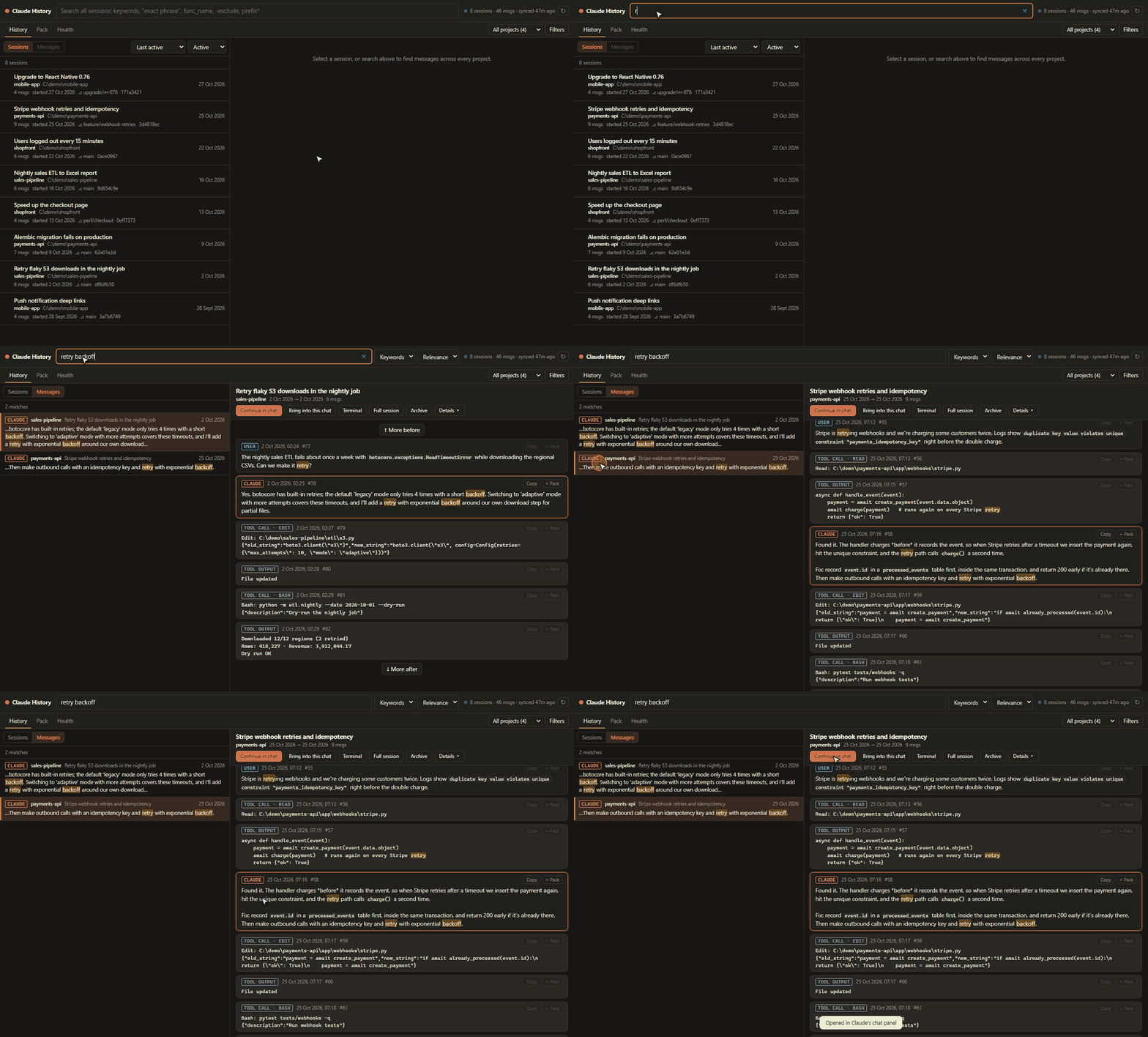
Global search
Ctrl+Alt+H (Cmd+Alt+H on macOS), or History in the status bar, opens a full-text search over every session in every project.- Use exact phrases (
"duplicate column name"), identifiers (load_workbook, foo.bar()), prefixes (migrat*) and exclusions (-test).
- Filter by project, date, message type (you, Claude, tool calls, tool output) and file path. Sort by relevance or date.
- Each match opens with the conversation around it.
- Search History for Selection (
Ctrl+Alt+Shift+H, or right-click): select an error message or function name and find where you've seen it before.
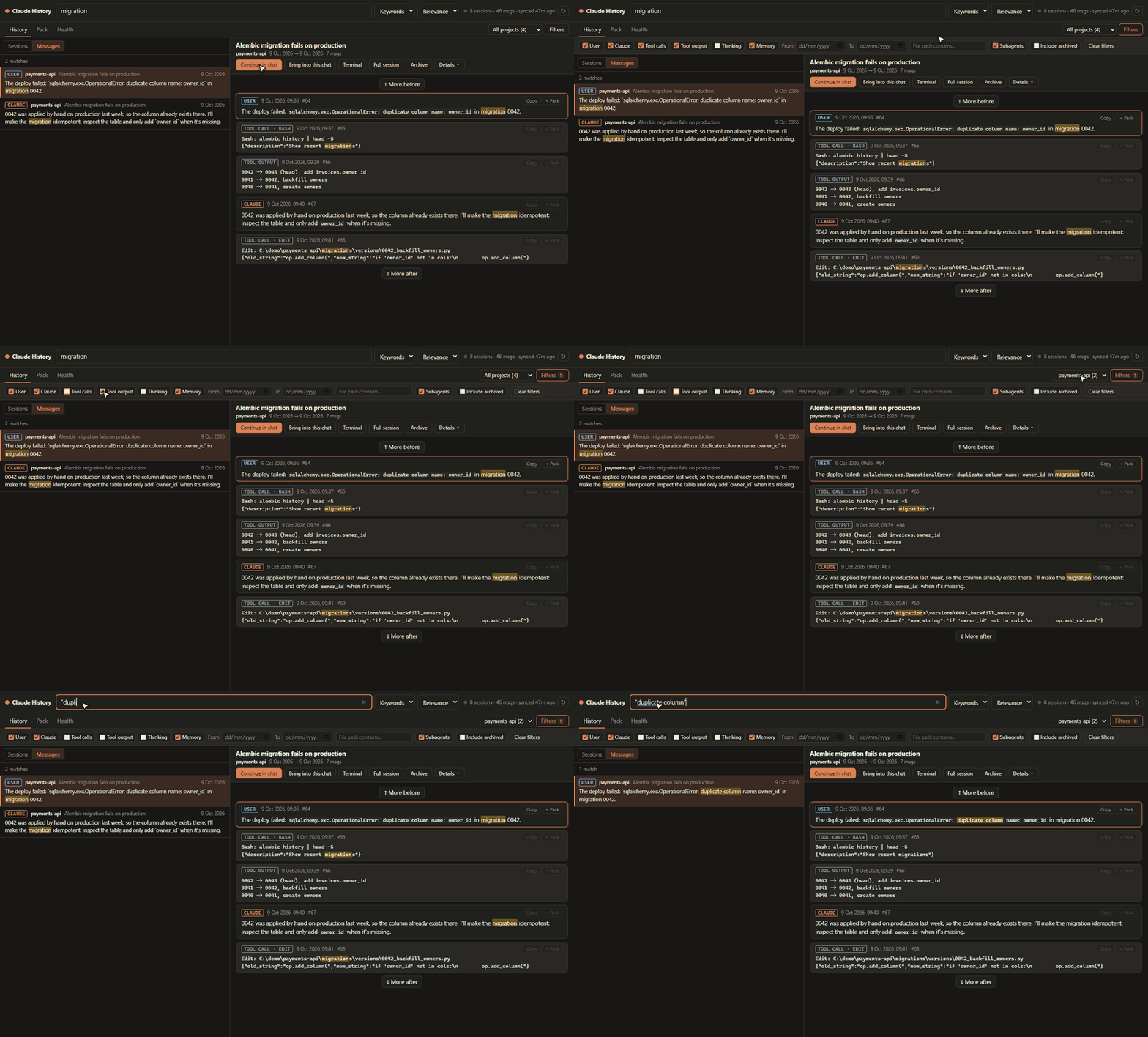
- Switch to Sessions to see which conversations contain matches, ranked, with a count on each.
Continue where you left off
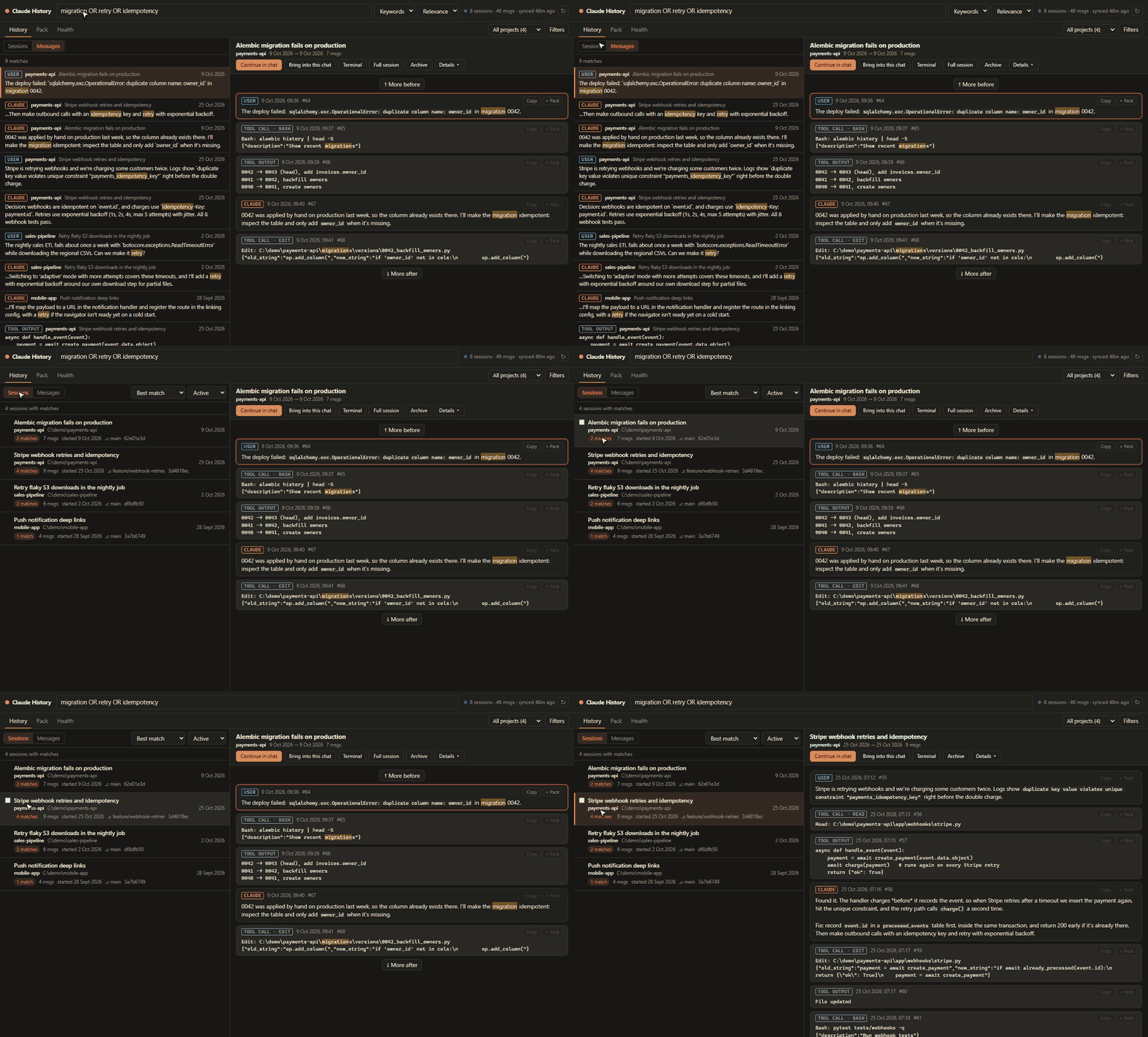
- Continue in chat reopens a past conversation in Claude Code's chat panel with its full history. If the session belongs to another folder, that folder opens in a new window and the conversation continues there.
- Bring into this chat starts a new Claude chat in your current workspace, pre-filled to load the old session and carry on. It works even after Claude Code has deleted the original transcript.
- Terminal runs
claude --resume in an integrated terminal, in the session's original folder.
Archive and delete
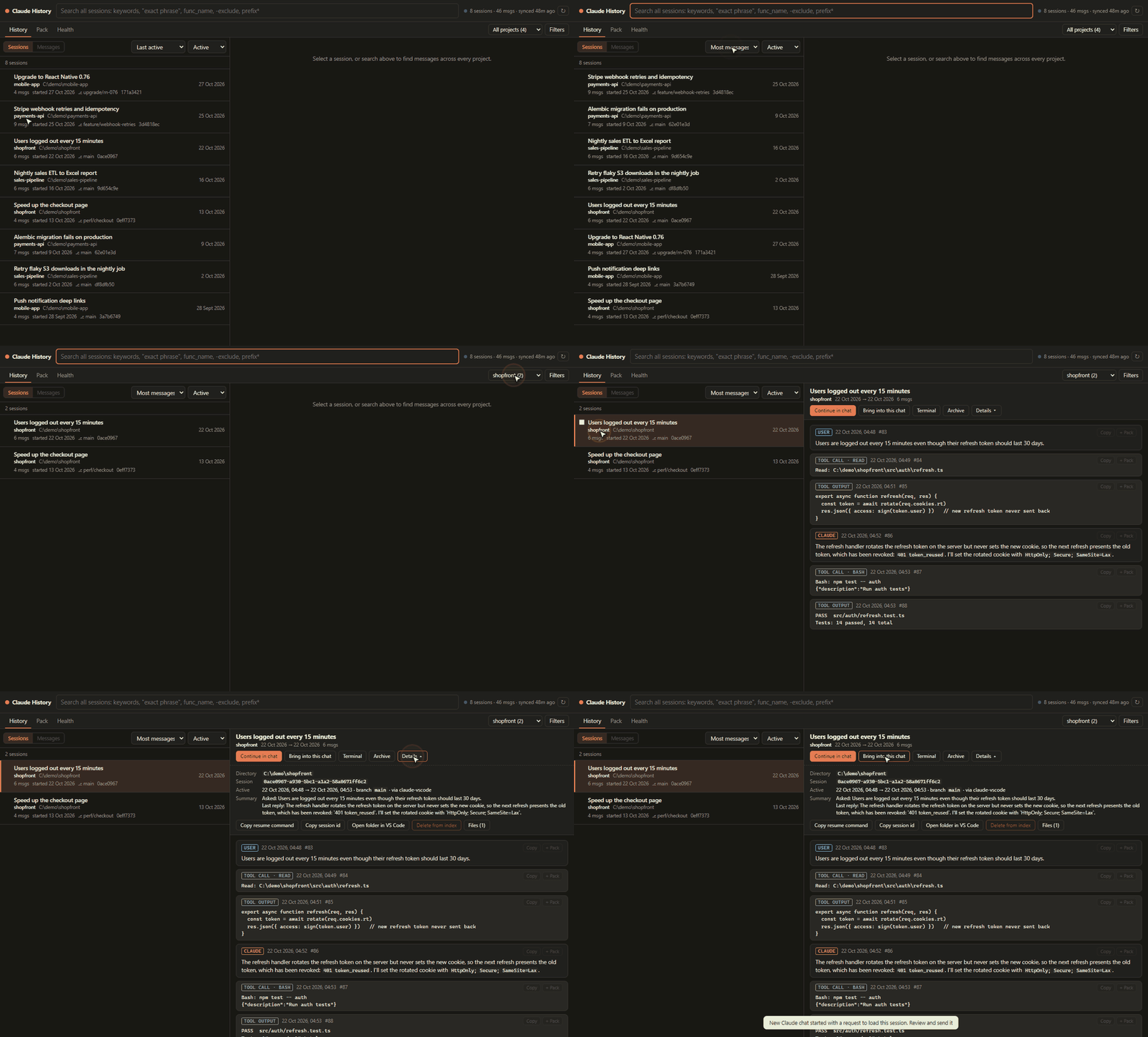
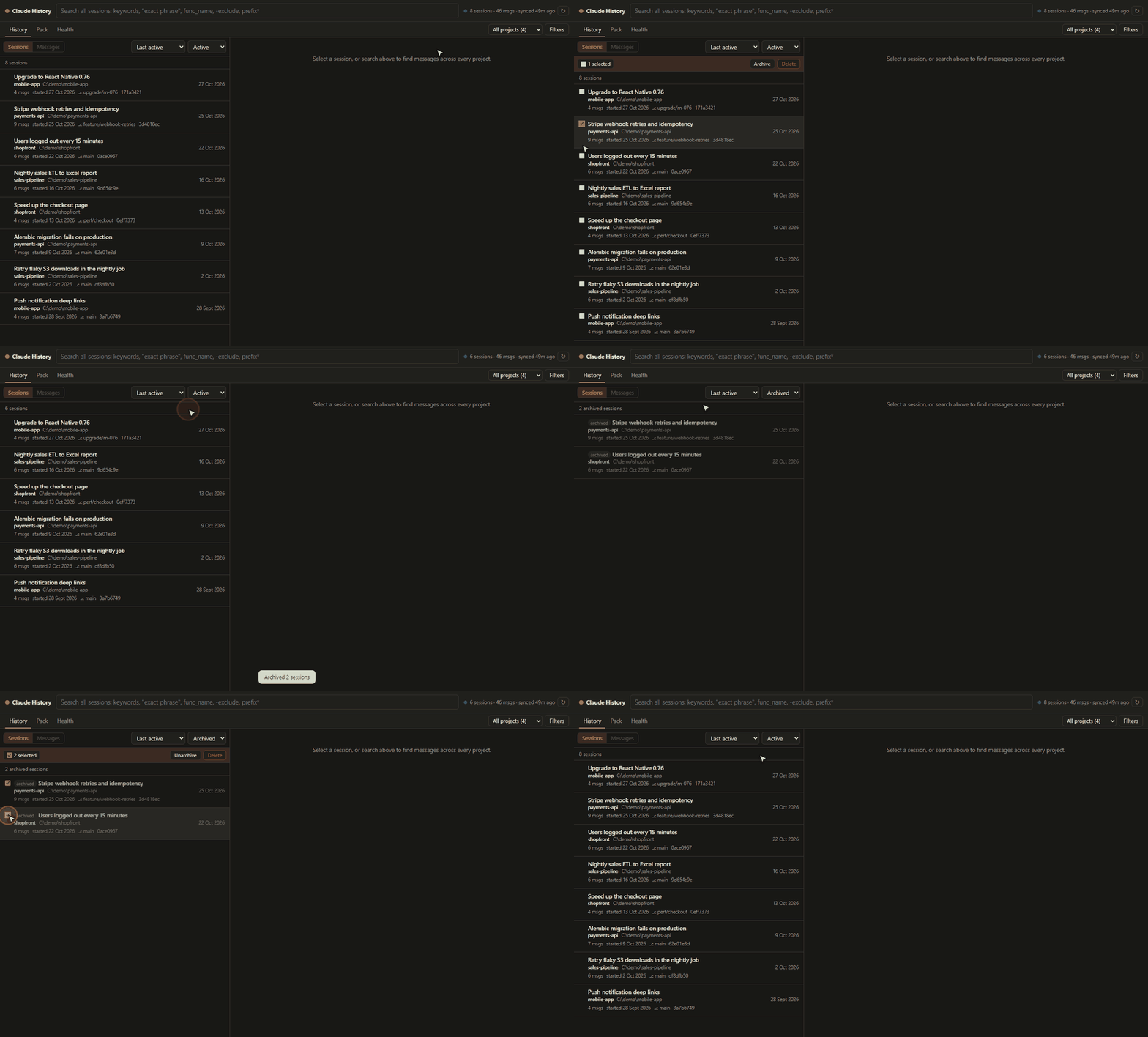
- Archive sessions you don't need to see: they disappear from search, lists and Claude's history searches, and can be unarchived any time.
- Delete from index removes a session from this extension's index for good, with Restore available under Health while Claude Code still has the transcript.
- Work on one session, or tick several in the History list. Claude Code's own transcript files are never touched.
Context packs
- Collect excerpts from any number of sessions and send them to a new Claude chat, insert them into the editor, or save them as Markdown.
- Every excerpt keeps its project, original folder, session and date, so old context isn't mistaken for the current code.
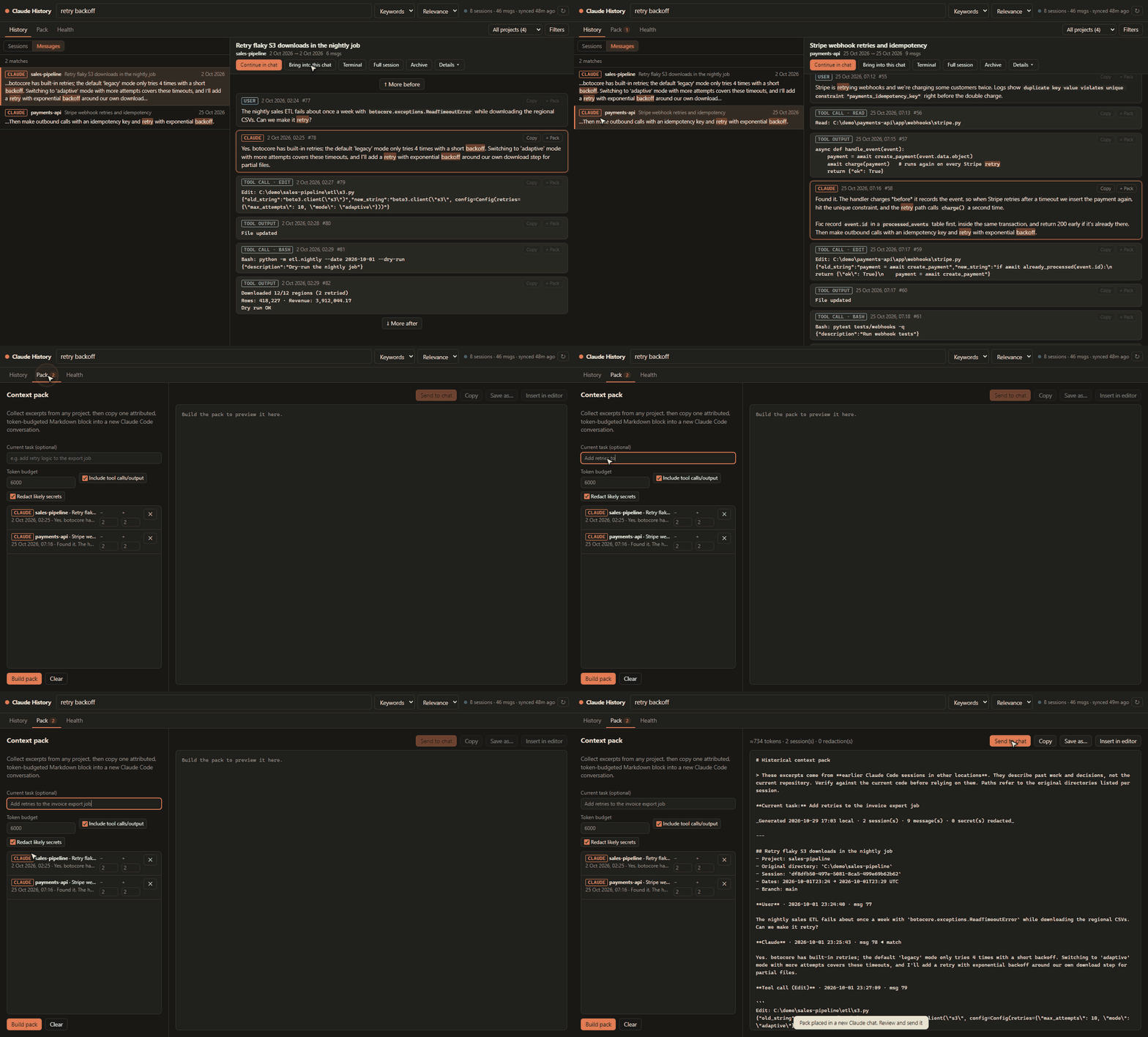
- Likely secrets (API keys, tokens, passwords) are redacted from packs.
Claude can search your history too
- Run Claude History: Register MCP Server for Claude Code once. Every new Claude Code session, in any repo, can then search your past conversations itself, for example: "how did we fix the pyodbc driver error last month?"
Your history outlives Claude Code's cleanup
- Claude Code deletes old transcripts (after about 30 days by default). The index keeps every message it has already seen, so that history stays searchable after the original file is gone.
Requirements
- Python 3.11 or newer on your PATH. If yours isn't called
python (Windows) or python3, set claudeHistory.pythonPath.
- Claude Code for VS Code, which you need for continuing sessions in chat.
Privacy
- Everything runs locally. The index is a SQLite file in
~/.claude-history/, and a small server listens on 127.0.0.1 only.
- Nothing is uploaded, and there's no telemetry. No AI API is used.
- Claude Code's own history files are only ever read, never modified.
- Registering the MCP server adds one entry to
~/.claude.json, after backing that file up.
Settings
| Setting |
Default |
Description |
claudeHistory.pythonPath |
python / python3 |
Python 3.11+ used to run the bundled indexer |
claudeHistory.port |
8765 |
Local port for the indexer (shared by all windows) |
claudeHistory.claudePath |
(bundled) |
Override the claude executable used for terminal resume |
claudeHistory.autoStart |
true |
Start the indexer with VS Code so the index keeps syncing |
Commands
- Claude History: Search Claude History
- Claude History: Search History for Selection
- Claude History: Continue a Past Session…
- Claude History: Register MCP Server for Claude Code
- Claude History: Sync Index Now
- Claude History: Show Log
Known limitations
- Continuing in the chat panel uses a command of the Claude Code extension that isn't in its README. If a Claude Code update changes it, the extension falls back to the terminal.
- Claude's chat panel only opens sessions belonging to its window's folder, which is why sessions from other folders open in a new window.
- A session can't be reopened if Claude Code has already deleted its transcript or its folder no longer exists. Bring into this chat still works in both cases.
- Large tool outputs are truncated in the index, and images aren't indexed.
- Tested on Windows. macOS and Linux should work but haven't been tested yet; please report issues.
| |

