Params Highlight
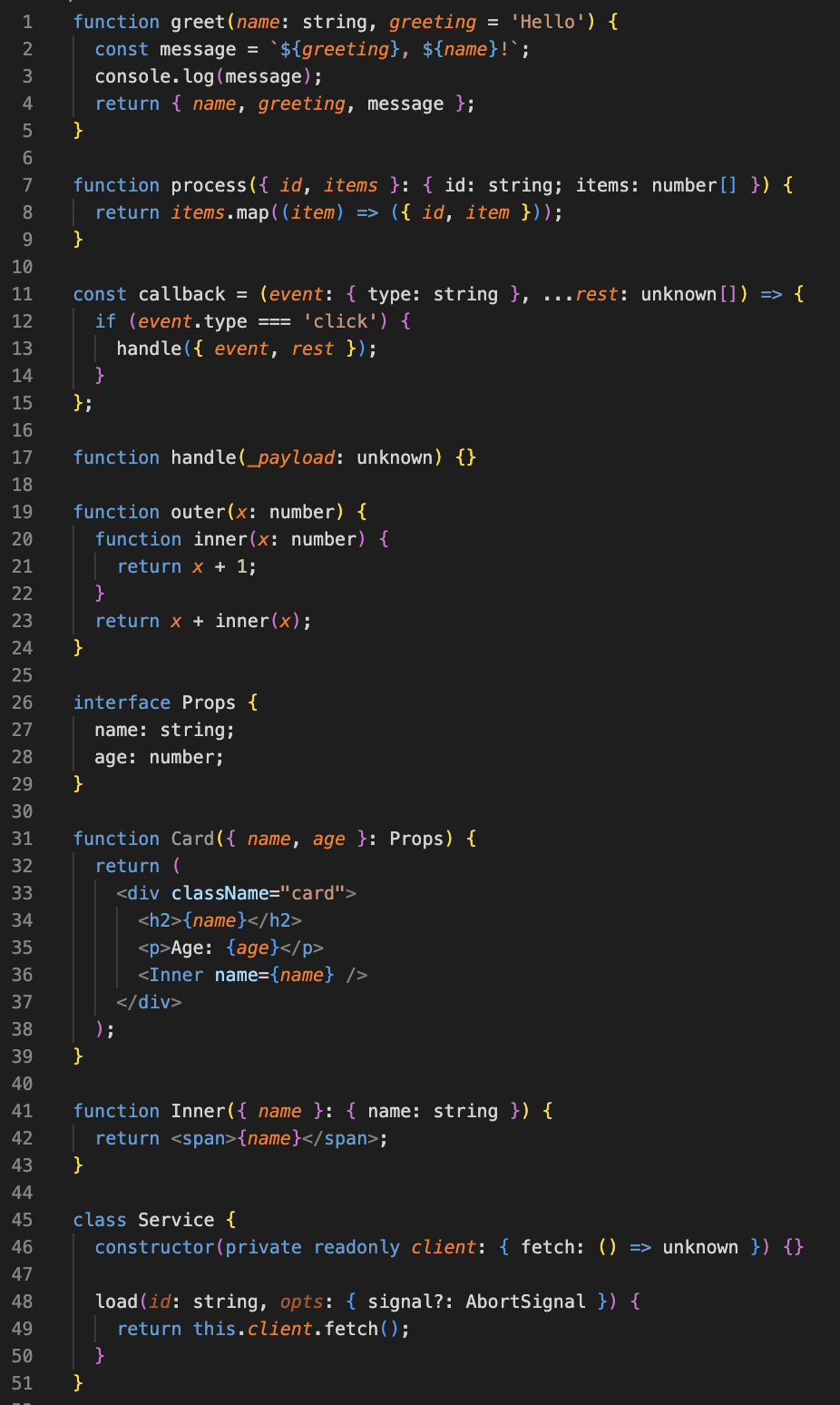
Highlights function parameters in TypeScript and JavaScript with a separate color — the way WebStorm does it. Works in VS Code and Cursor.
Why
VS Code doesn't visually separate parameters from regular variables — especially in shorthand { foo, bar }, JSX expressions, or TypeScript parameter properties (this.client). JetBrains IDEs do, and that one cue makes scanning a function body noticeably easier.
This extension adds one configurable color (and optional italic / bold) on top of every place where a parameter appears. That's it.
✨ What it handles correctly
The parser tracks real scope, not regex. So all of these cases work:
Declaration and direct usages
function greet(name, greeting = 'Hello') {
  return `${greeting}, ${name}!`;
}
name and greeting get the color in the signature and inside the template literal.
Shorthand object properties
function build(id, items) {
  return { id, items };
}
id and items in the returned object are colored as parameters, not as plain property names.
Destructuring and rest
function process({ id, items }, ...rest) {
  return items.map((item) => ({ id, item, rest }));
}
Destructured names, rest, and the inner arrow's item all stay highlighted across the nested arrow.
JSX
function Card({ name, age }) {
  return (
    <div>
      <h2>{name}</h2>
      <Inner name={name} age={age} />
    </div>
  );
}
Identifiers inside {...} get highlighted. Attribute names on the left of = don't.
TypeScript parameter properties
class Service {
  constructor(private readonly client: Client) {}

  load(id: string) {
    return this.client.fetch({ id });
  }
}
client is highlighted in the constructor and in this.client inside load() — the same way parameter properties behave at runtime.
Shadowing
function outer(x) {
  function inner(x) {
    return x + 1; // inner's x
  }
  return x + inner(x); // outer's x
}
Each x is resolved to its own scope. No false positives.
📦 Install
VS Code Marketplace — Cmd/Ctrl+Shift+X, search Params Highlight. Or:
code --install-extension iv13-web.params-highlight
Cursor and other forks — same flow inside Cursor's extension panel (it pulls from Open VSX). Or:
cursor --install-extension iv13-web.params-highlight
Manual — grab the .vsix from Releases and install via Extensions: Install from VSIX....
Highlighting starts as soon as you open a .ts, .tsx, .js, or .jsx file.
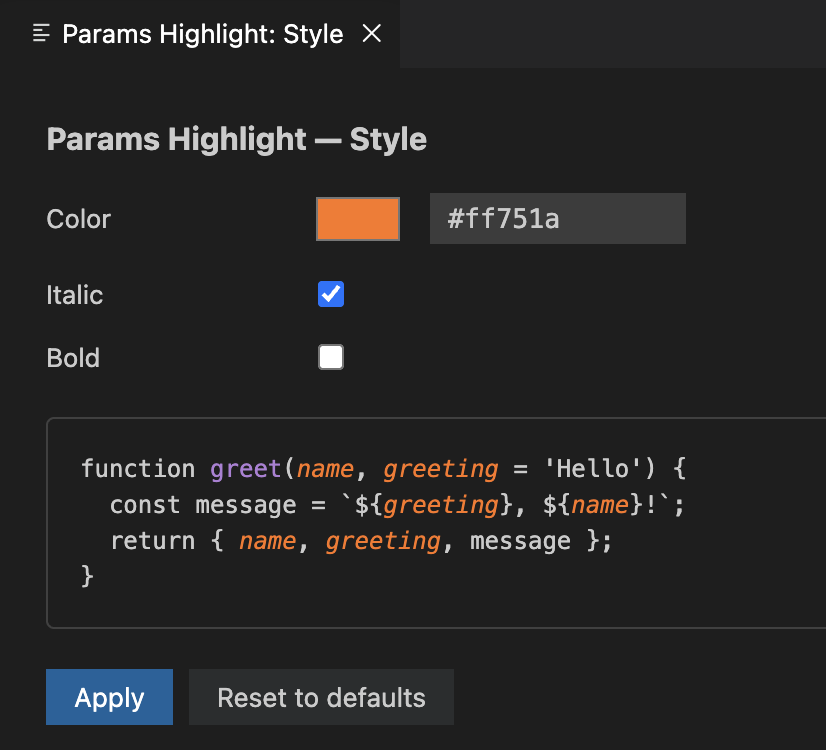
To change color, italic, or bold, run Params Highlight: Configure Style from the Command Palette. A panel opens with a color picker, toggles, and a live preview. Settings save globally.
⚙️ Settings
| Setting |
Default |
What it does |
paramsHighlight.color |
#CC7832 |
Color used for parameters. Any CSS color string (hex, rgb(), hsl(), named). Validated; falls back to default if unsafe. |
paramsHighlight.italic |
true |
Render parameters in italic. |
paramsHighlight.bold |
false |
Render parameters in bold. |
paramsHighlight.maxFileSize |
524288 (512 KB) |
Files above this size are skipped. Hard cap is 5 MB. |
🚧 Limitations
- TS / JS / TSX / JSX only. Vue and Svelte aren't supported.
- Files over
paramsHighlight.maxFileSize are skipped, with a one-time warning per file.
- Pathologically nested code (AST depth ~1000+) is also skipped, with the same kind of warning. Hand-written code never gets near this.
- Additive only: if the parser hits a limit, you lose the parameter color for that file. Everything else (built-in syntax highlighting, IntelliSense, errors) keeps working as usual.
🔒 Privacy & Security
Fully offline — no network requests, no telemetry. Reads the source you have open only to figure out which tokens to color, never writes. Webview UI uses a strict CSP and a sanitized color whitelist. Everything is built from source on GitHub via the release workflow.
🙏 Acknowledgments
Built on top of:
- TypeScript — used at runtime via
ts.createSourceFile to parse the AST. Apache License 2.0, © Microsoft Corporation.
- esbuild — bundles the extension into a single minified file. MIT License, © Evan Wallace.
Full license texts and upstream third-party notices forwarded per Apache 2.0 §4(d) live in THIRD-PARTY-NOTICES.md and notices/.
Inspired by the way WebStorm and IntelliJ IDEA highlight parameters. Reimplemented from scratch on top of the public TypeScript Compiler API.
Contributing
Issues and PRs welcome on GitHub.
License
MIT © 2026 Igor Ivanov

