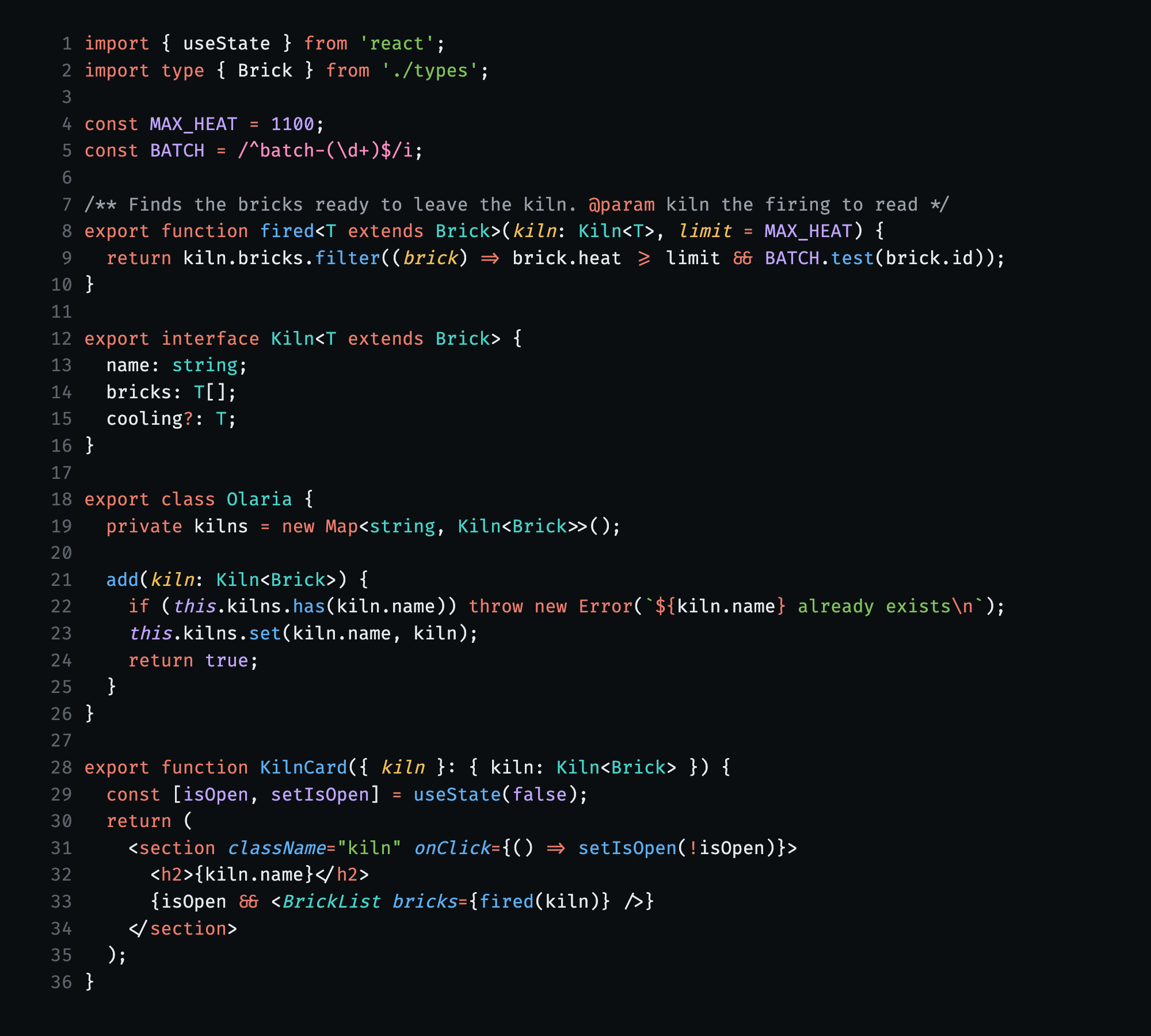
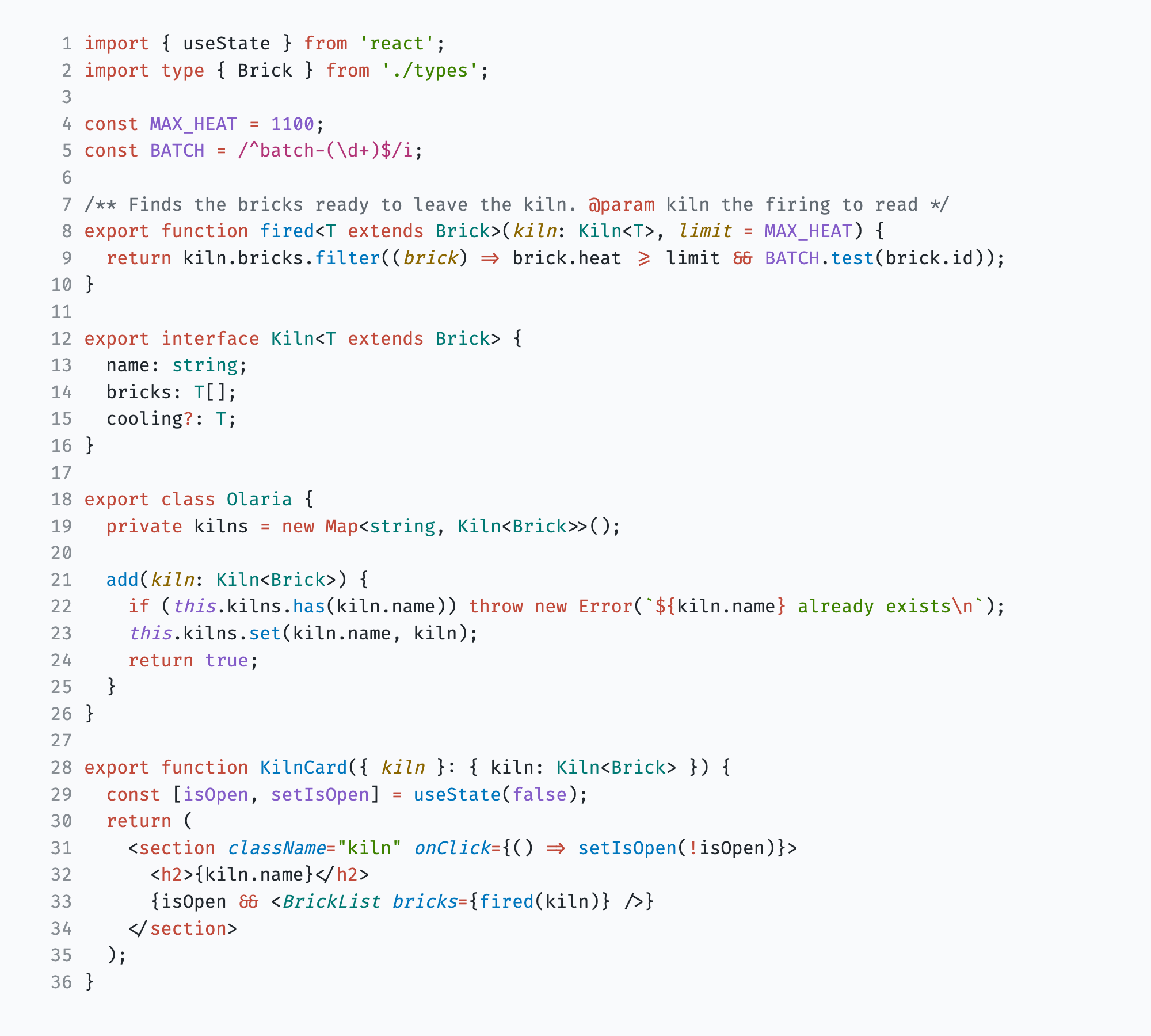
BarroClay on slate: Barro Slate for the dark and Barro Kaolin for the light, with the contrast to read code all day. Installation Launch VS Code Quick Open ( Ctrl+P), paste the following command, and press enter.Copied to clipboard |

BarroClay on slate, with the contrast to read code all day. Barro Slate for the dark and Barro Kaolin for the light.
Keywords carry the clay color, so a file has a shape before you read a word of it. Each color has one job: sky is what runs, teal is the shape of data, sage is text, lavender is a fixed value, straw is what was passed in, and rose is a pattern. Errors get their own red, so a problem never looks like a keyword. Pick a Barro variant with The full spec, and Barro for other apps, is at github.com/irwinarruda/barro-theme. |