Hey, I'm Iripronounced eye-ree iri theme is my own VS Code theme. I designed it for myself, I code in it every day, and now I've made it public so you can use it too. I wanted VS Code to feel like mine: deep violet everywhere, soft pink wherever you interact, and pastel code colours that are easy to read for hours. Purple is my favourite colour and I genuinely think it makes almost anything look better, so I went all in. And I didn't stop at the editor. Menus, tabs, buttons, badges, the scrollbar, the cursor, even the terminal: I tuned every corner, one version after another, until the whole window felt like home.
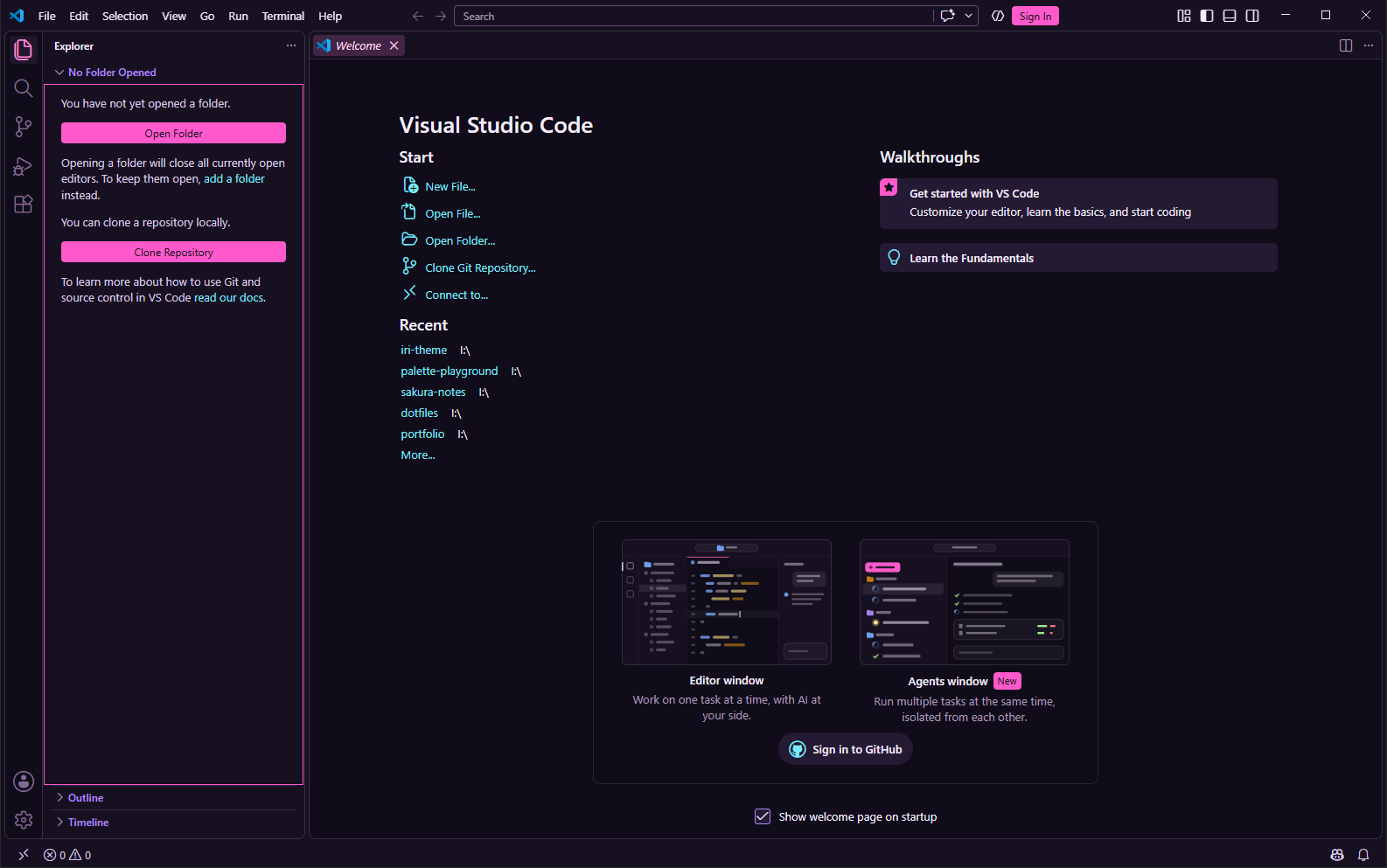
Every Little DetailEvery picture here is a real screenshot of VS Code with iri theme turned on. The Welcome screenPink buttons to open or clone a project, a pink Sign In button, and soft violet cards for the walkthroughs.
Sidebar icons that glowHover over any icon in the sidebar and it lights up pink on a deep rose tile. The one you're using stays pink.
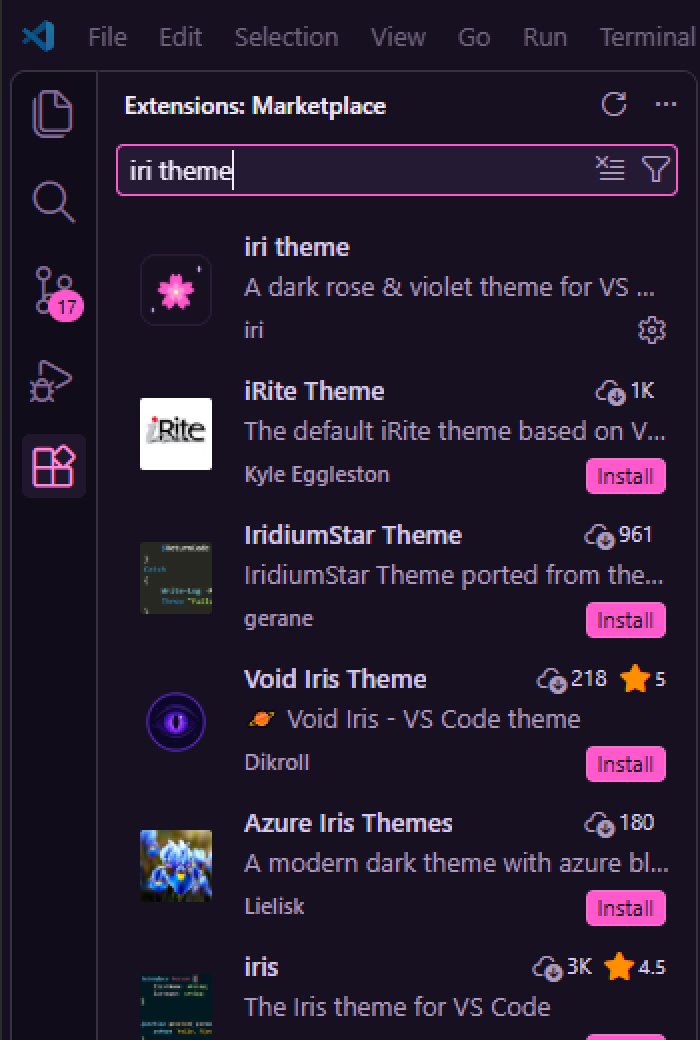
The Extensions viewPink Install buttons, a pink outline on the search box and pink badges, so even browsing for extensions feels like part of the theme.
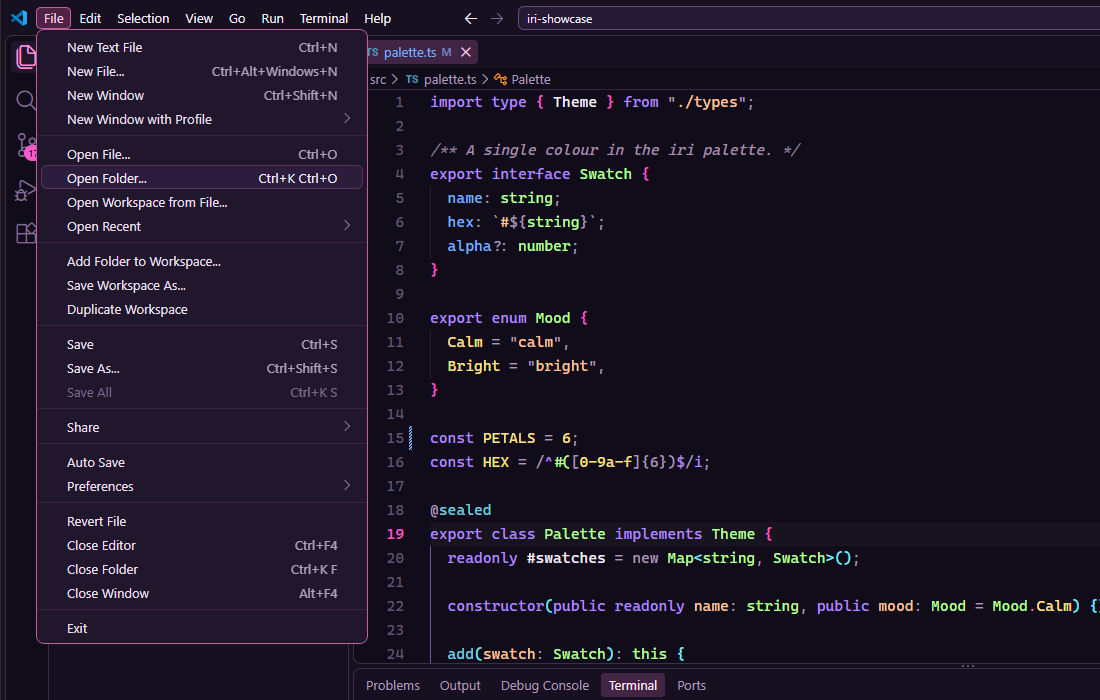
Menus that bloomPlum menus with a rose border. Hover any item and it blushes berry.
A pink outline on hoverPoint at File, Edit, Terminal or any other menu and it picks up a soft pink outline.
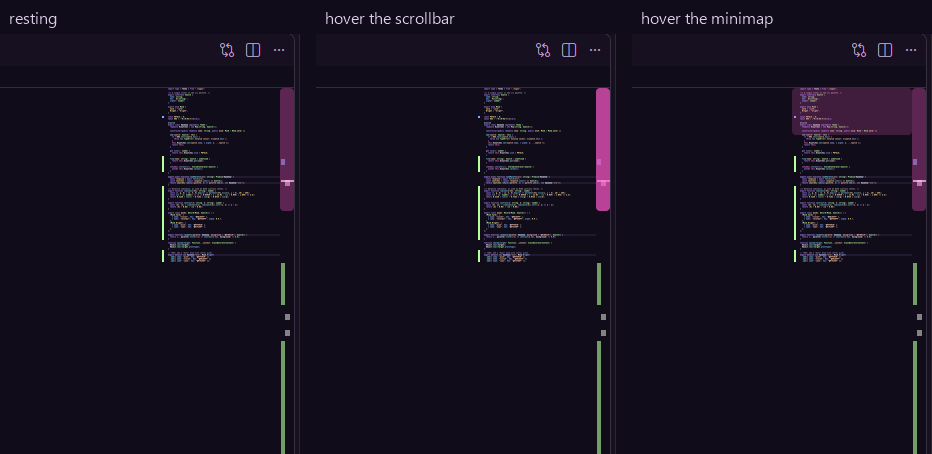
A scrollbar that lights upSoft pink while it rests, bright pink the moment you reach for it. The minimap glows too.
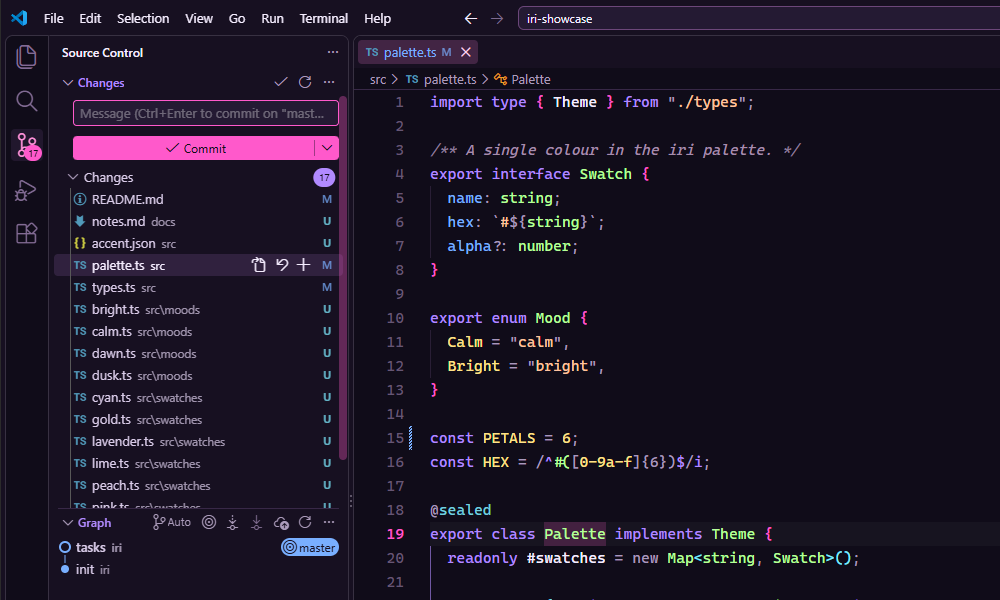
Pink where you interactButtons, badges and focus outlines are all pink. The commit button, the change count on the sidebar and the box you're typing in all catch your eye.
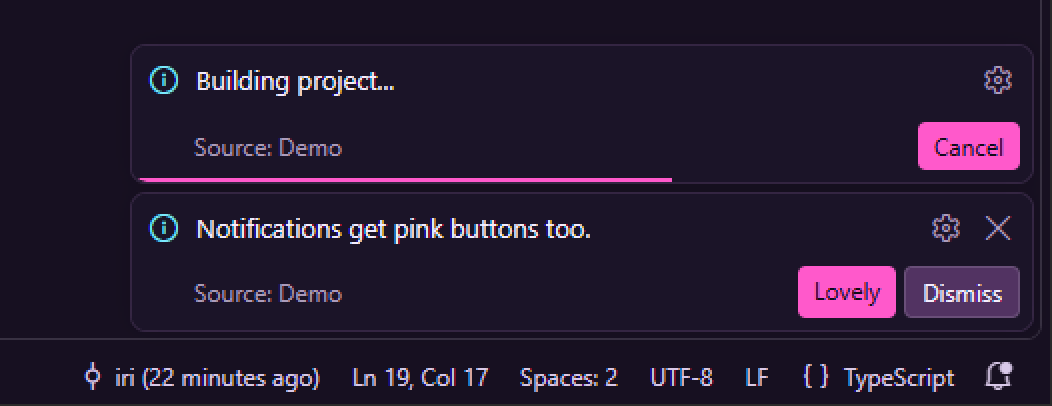
NotificationsEven pop-ups match, with pink buttons and a pink progress bar.
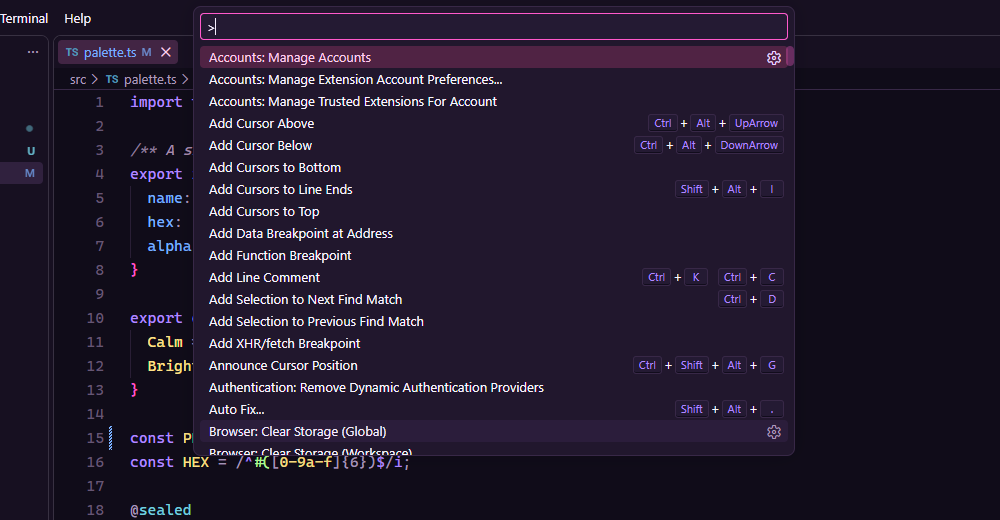
Command paletteThe same plum as the menus, with berry highlights as you move through the list.
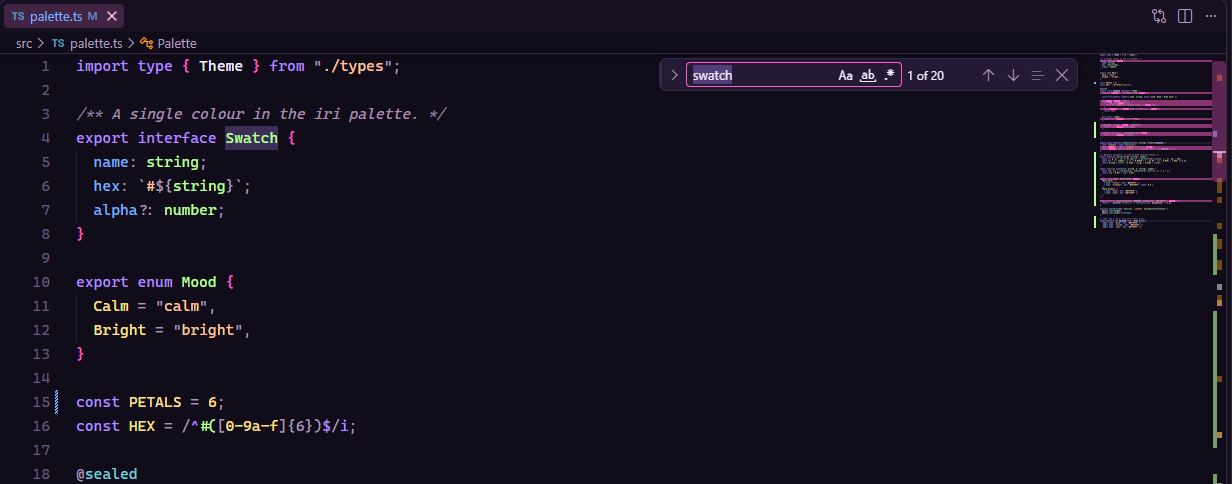
Find that sparklesEvery match glows pink in the editor and right down the minimap.
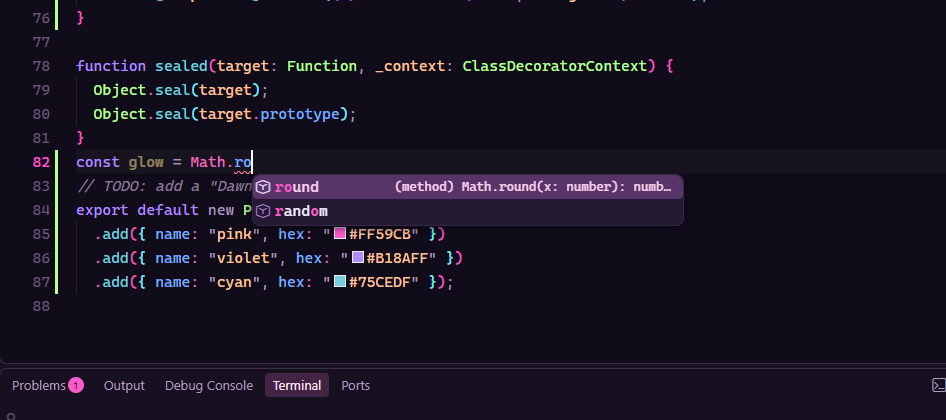
AutocompleteThe letters you've typed light up pink in every suggestion.
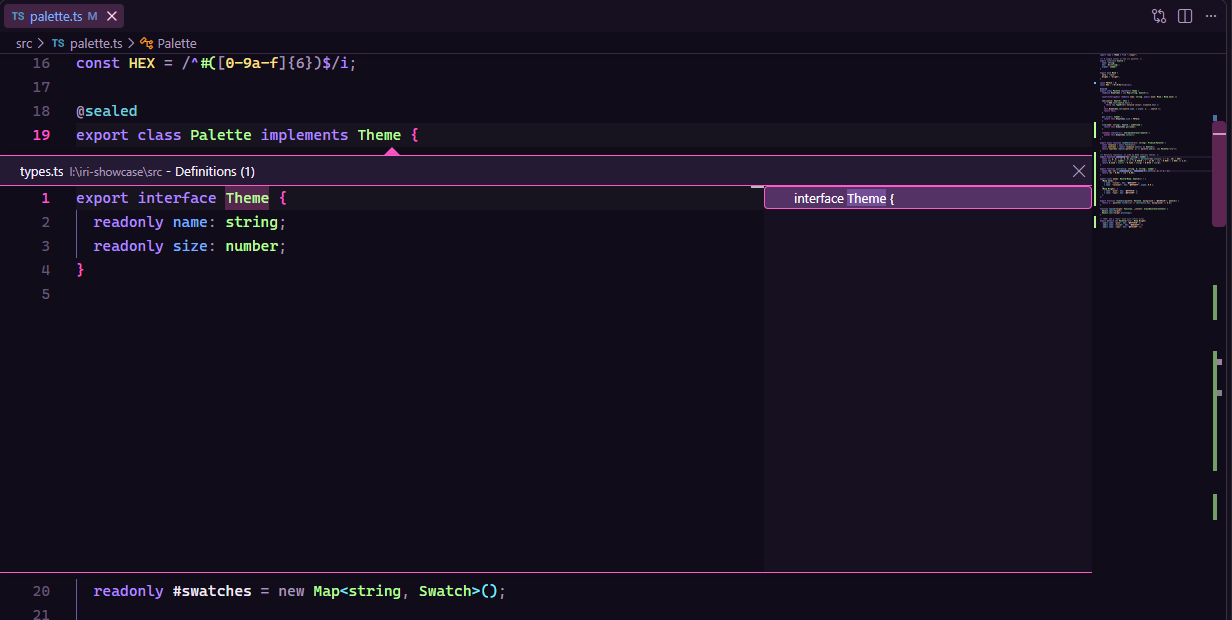
PeekPeek views are framed in pink, so they never get lost in your code.
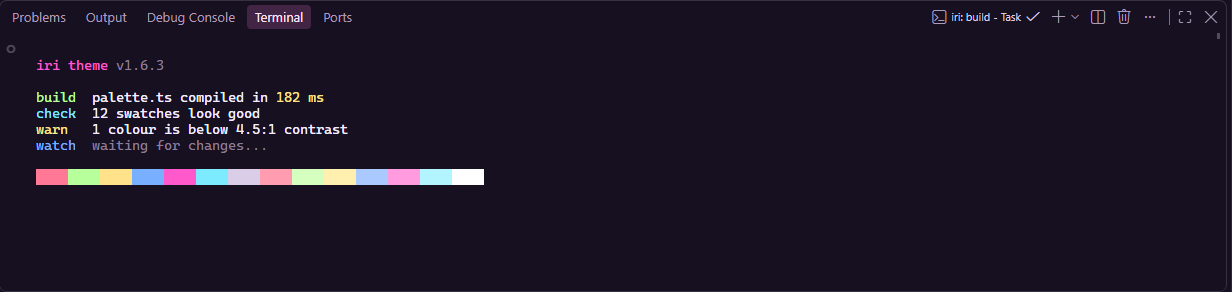
The terminalAll sixteen terminal colours are tuned to the same palette.
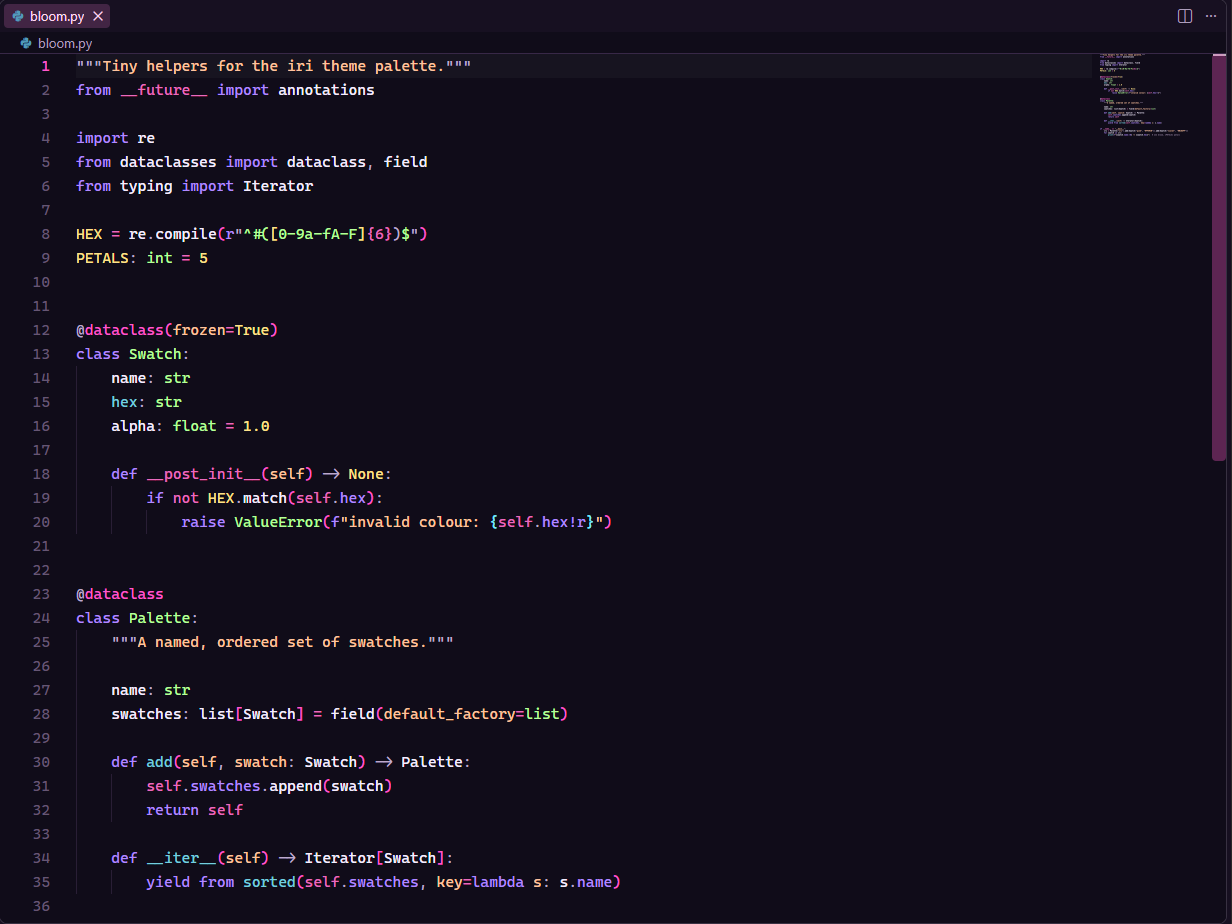
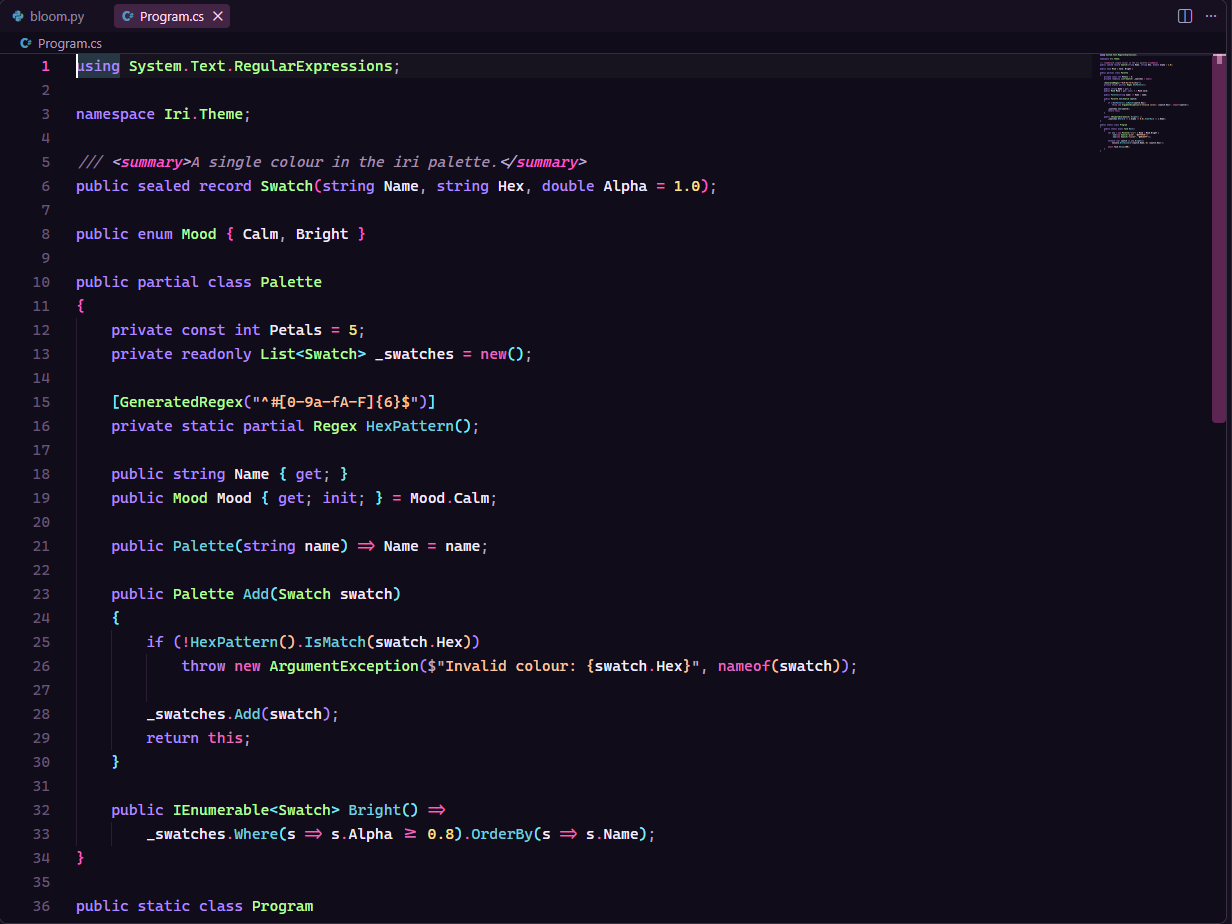
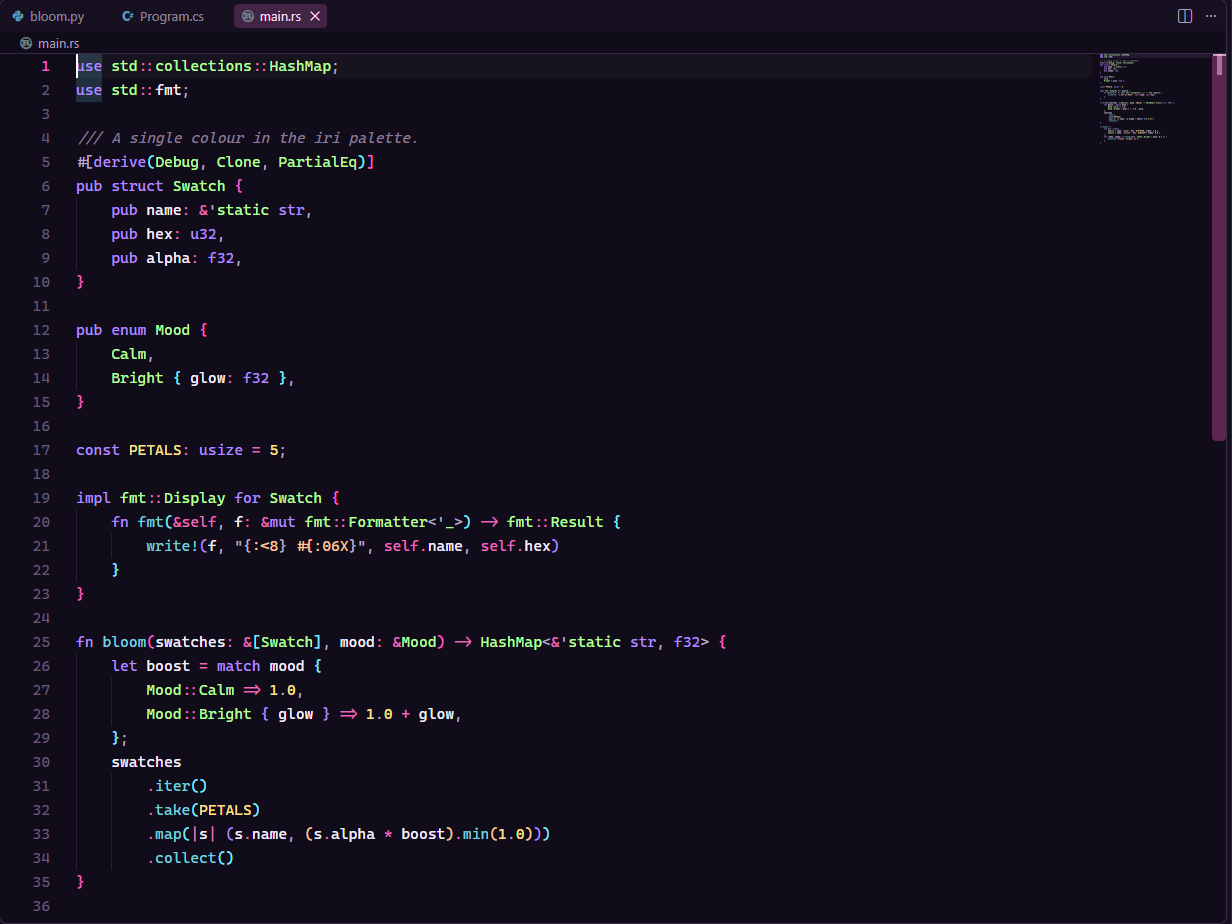
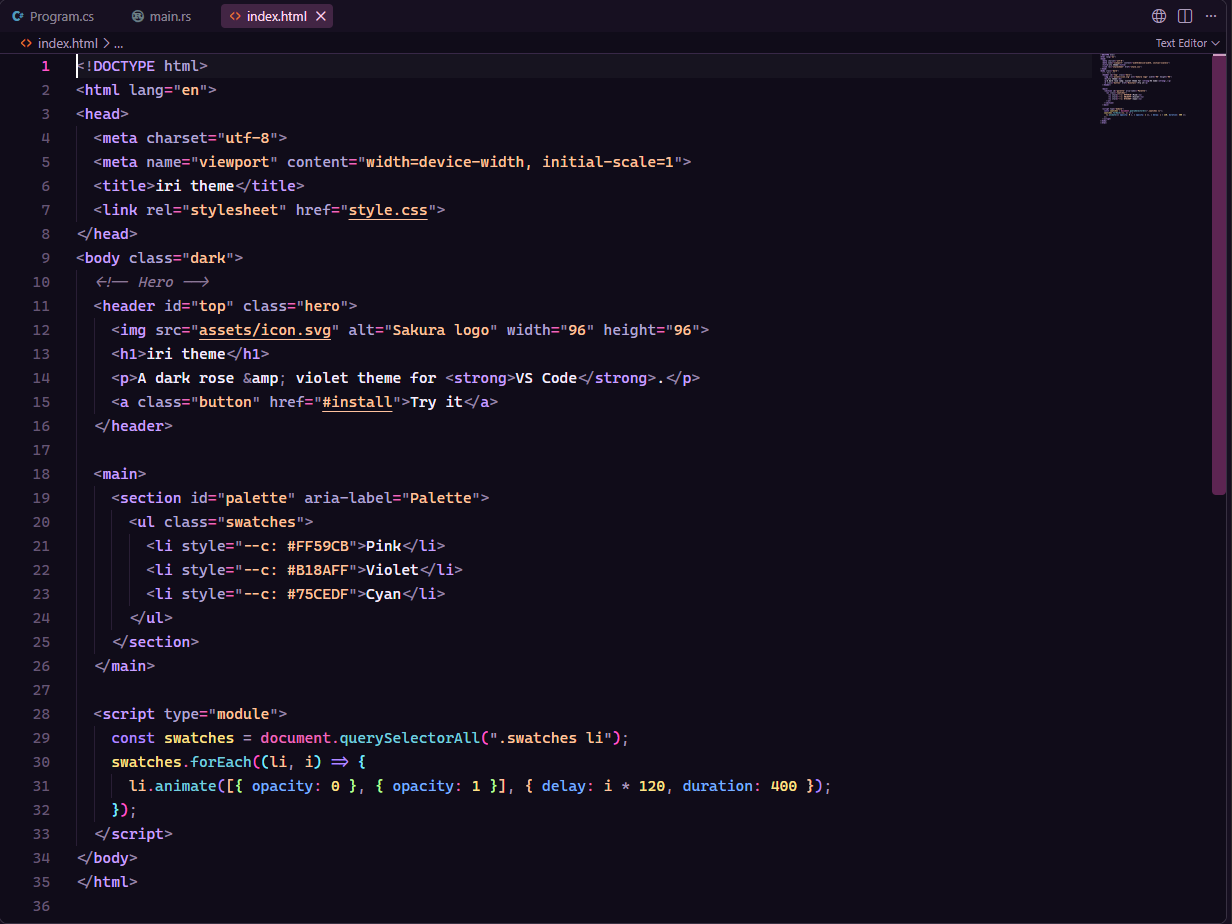
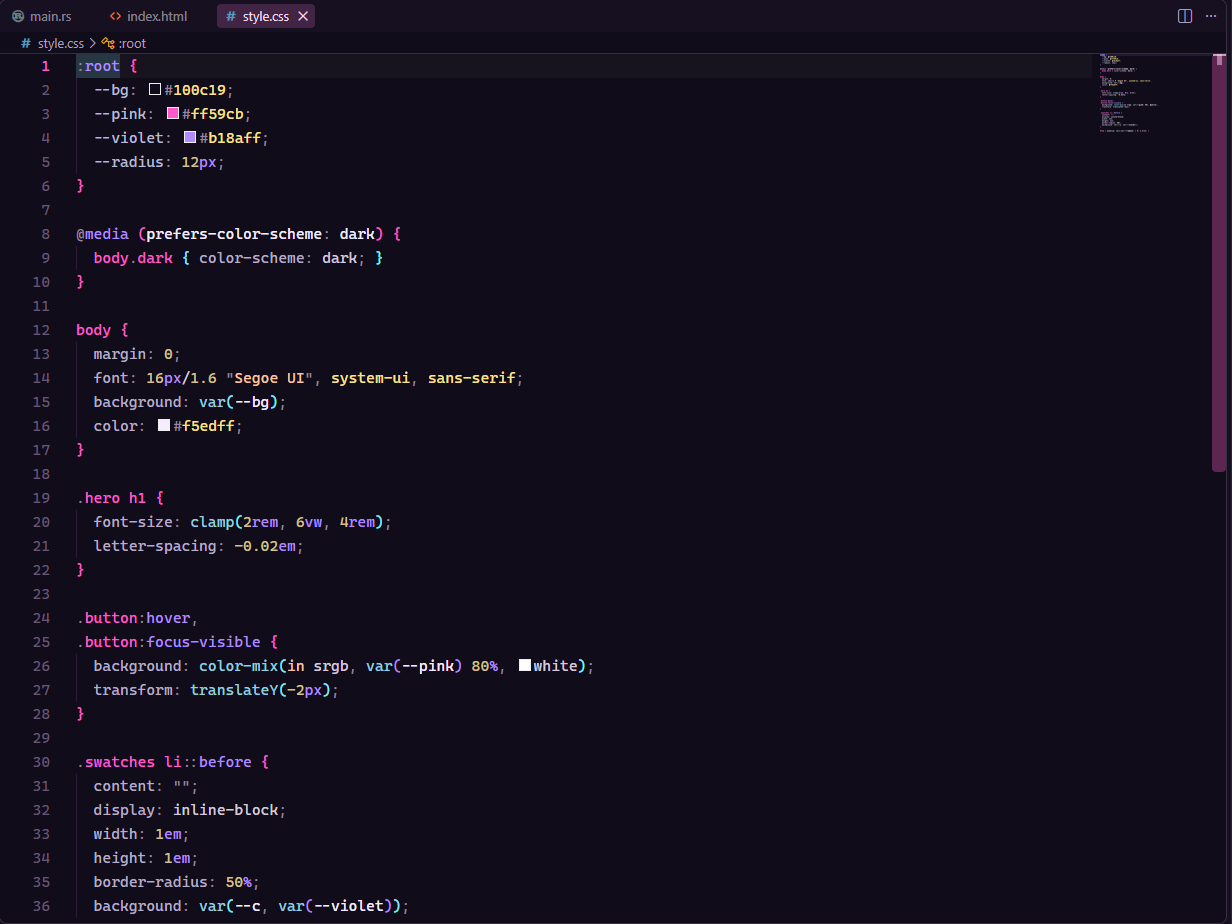
Every LanguageThe same calm colours everywhere: violet keywords, peach strings, lime types, cyan functions and gold numbers. Python
C#
Rust
HTML
CSS
What Colour Is What?
The full colour guide, including HTML, CSS, JSON, Markdown and every part of the editor, is on GitHub. Little ExtrasAlongside the colours, iri theme comes with a few finishing touches:
Your own settings always take priority, so you can change any of these whenever you like. Turn It OnAfter installing, press Say HelloIf a colour looks off in your favourite language, something clashes, or you just want to tell me you like it, I'd genuinely love to hear from you.
Everything I make stays free. If you'd like to help anyway, there's a tip jar. made with care by Iri · one person, many ideas · MIT licence |