impact logCapture what you did and its impact from VS Code: selected code, the current file or the last commit. Drafts open in your impact log — nothing is sent to a server. Installation Launch VS Code Quick Open ( Ctrl+P), paste the following command, and press enter.Copied to clipboard |

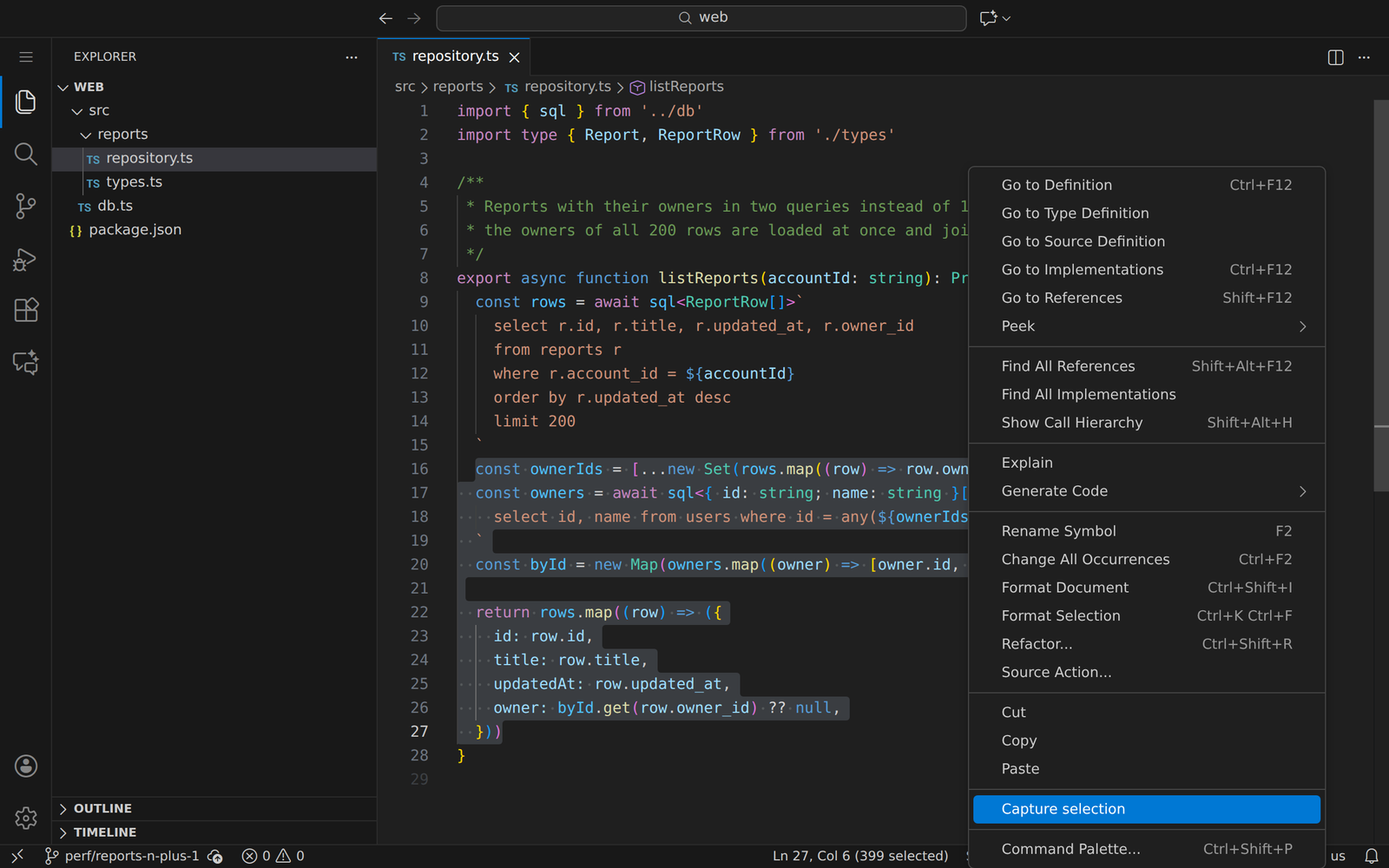
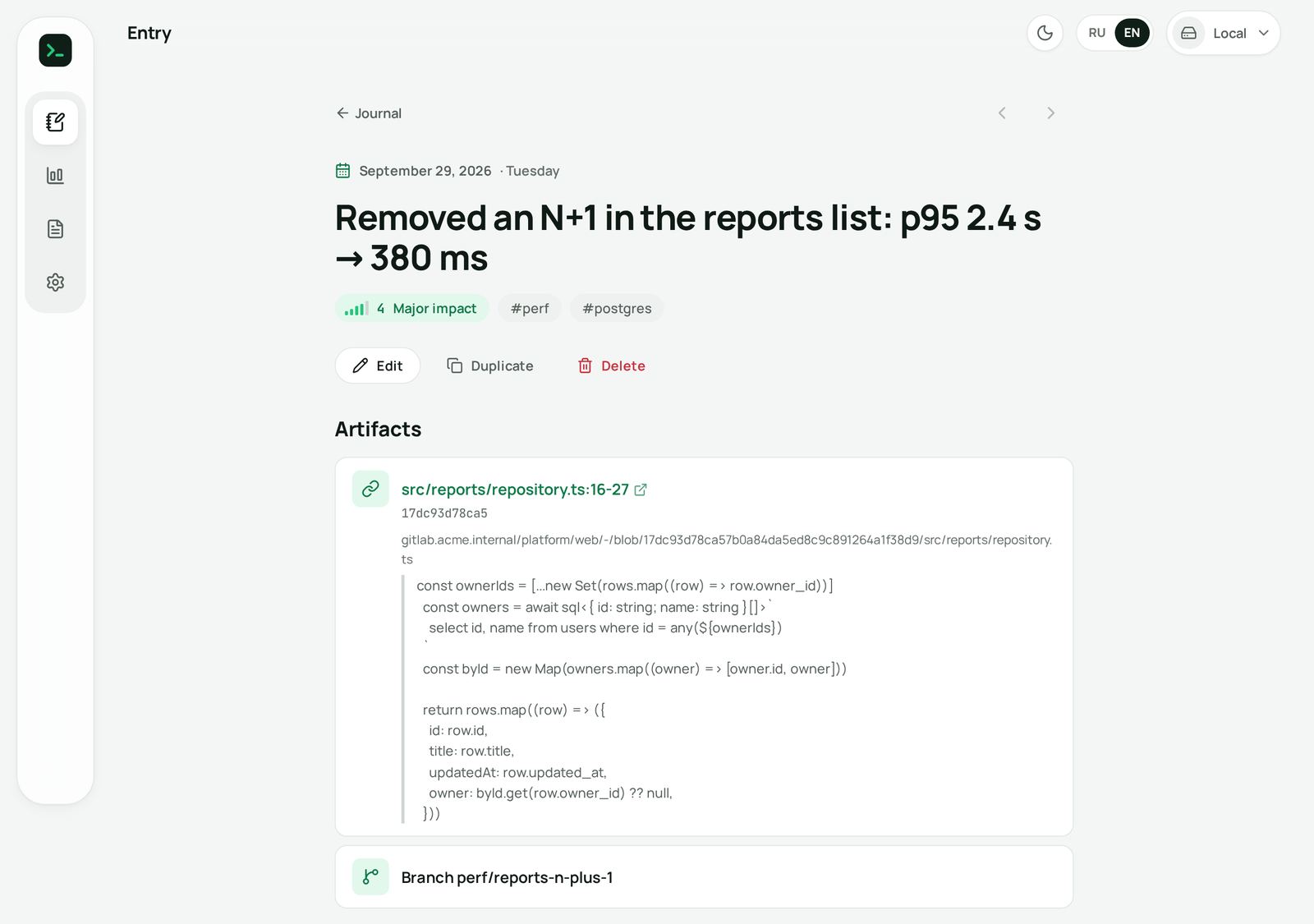
impact log for VS CodeCapture what you did — and the impact it had — without leaving the editor. Select code, run a command, and a draft opens in your impact log with the title, impact score, labels, a permalink to the exact lines, the commit and the branch already filled in. Review it there and save.
Commands
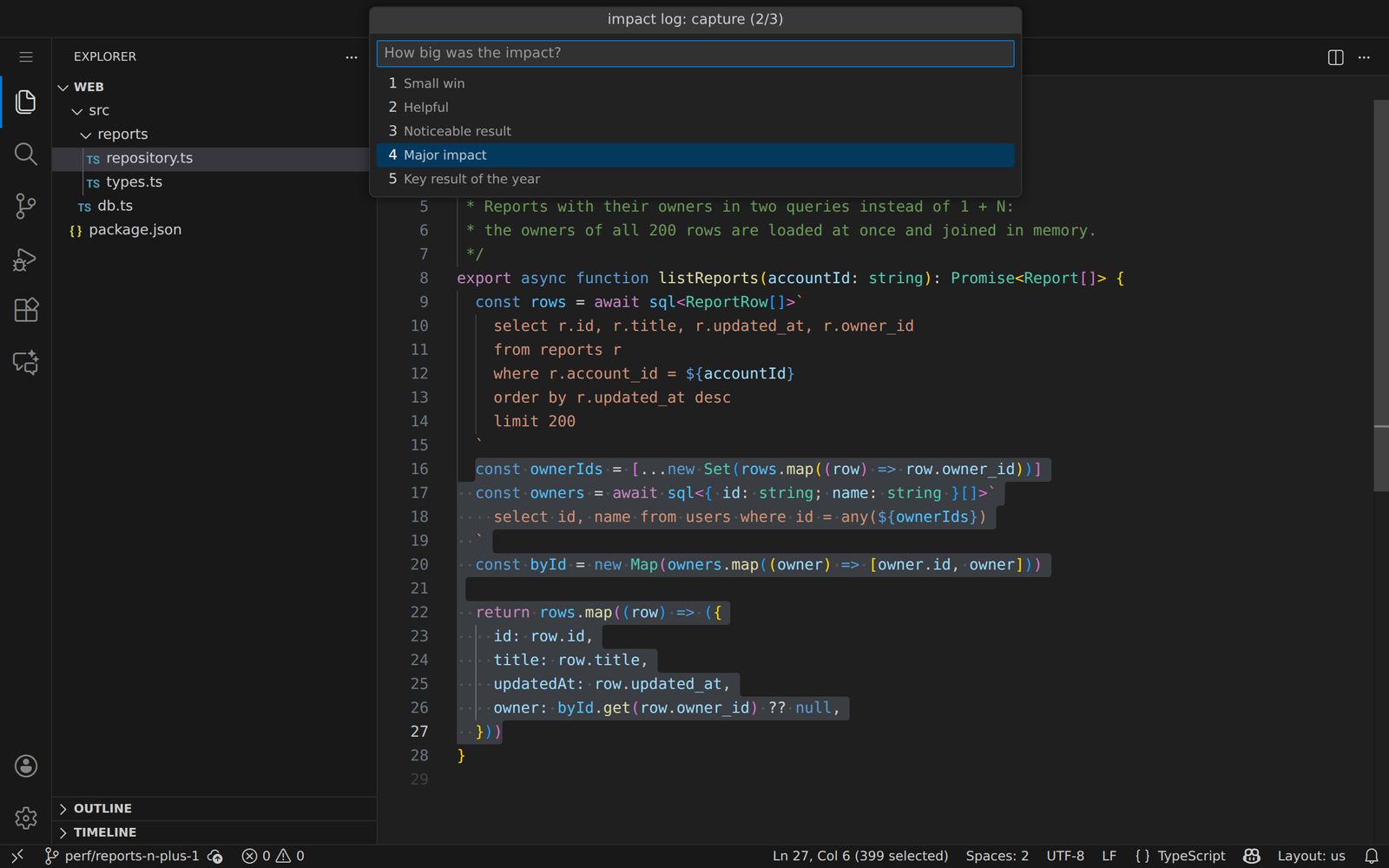
Three quick steps: title (prefilled from the selection or the commit subject) → impact from 1 to 5 →
labels (optional).
The draft opens in the browser: check it and press Save. The entry keeps the link to the lines, the quote and the branch, so a year later you can still show exactly what you did.
Links are built when Settings
Privacy
The interface follows VS Code's display language — English or Russian. По-русскиЗаписывайте, что сделали и какой был эффект, прямо из редактора: выделите код и выберите impact log: Capture selection (есть в контекстном меню) или Capture last commit. Черновик с заголовком, оценкой влияния, метками, ссылкой на строки кода, коммитом и веткой откроется в impact log — проверьте и сохраните. Расширение не делает сетевых запросов: черновик передаётся во фрагменте ссылки. Интерфейс на русском, если VS Code на русском. License |