JupieLove Your Jupyter Notebooks. Where data whispers its secrets, and patterns rise from complexity. Installation Launch VS Code Quick Open ( Ctrl+P), paste the following command, and press enter.Copied to clipboard |

JupieLove Your Jupyter Notebooks Again ✨A calm, powerful way to explore, debug, and present your data.Where data whispers its secrets, and patterns rise from complexity; Where cells cascade like water, and every change feels gentle and clear— This is the Jupie Way.
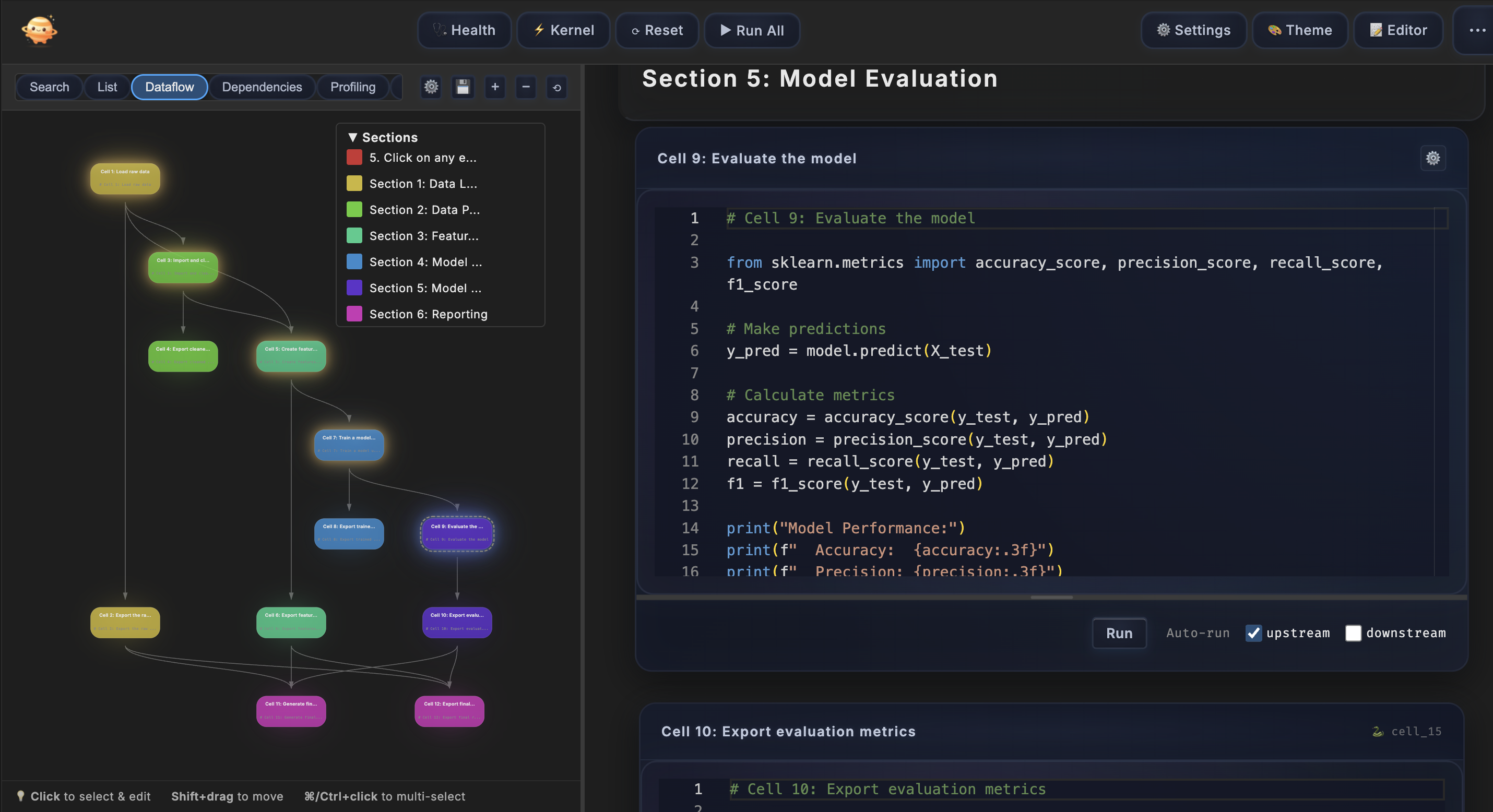
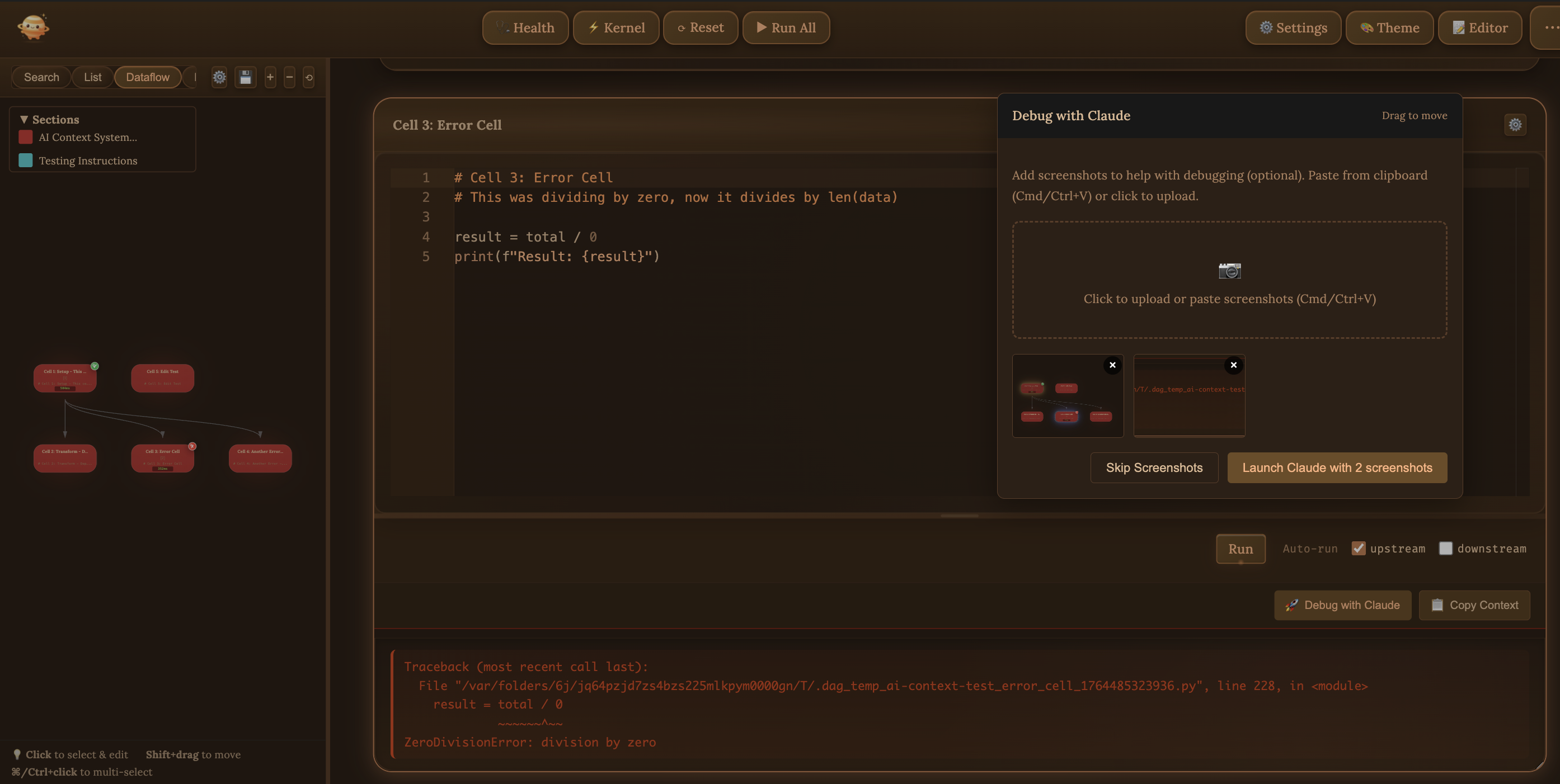
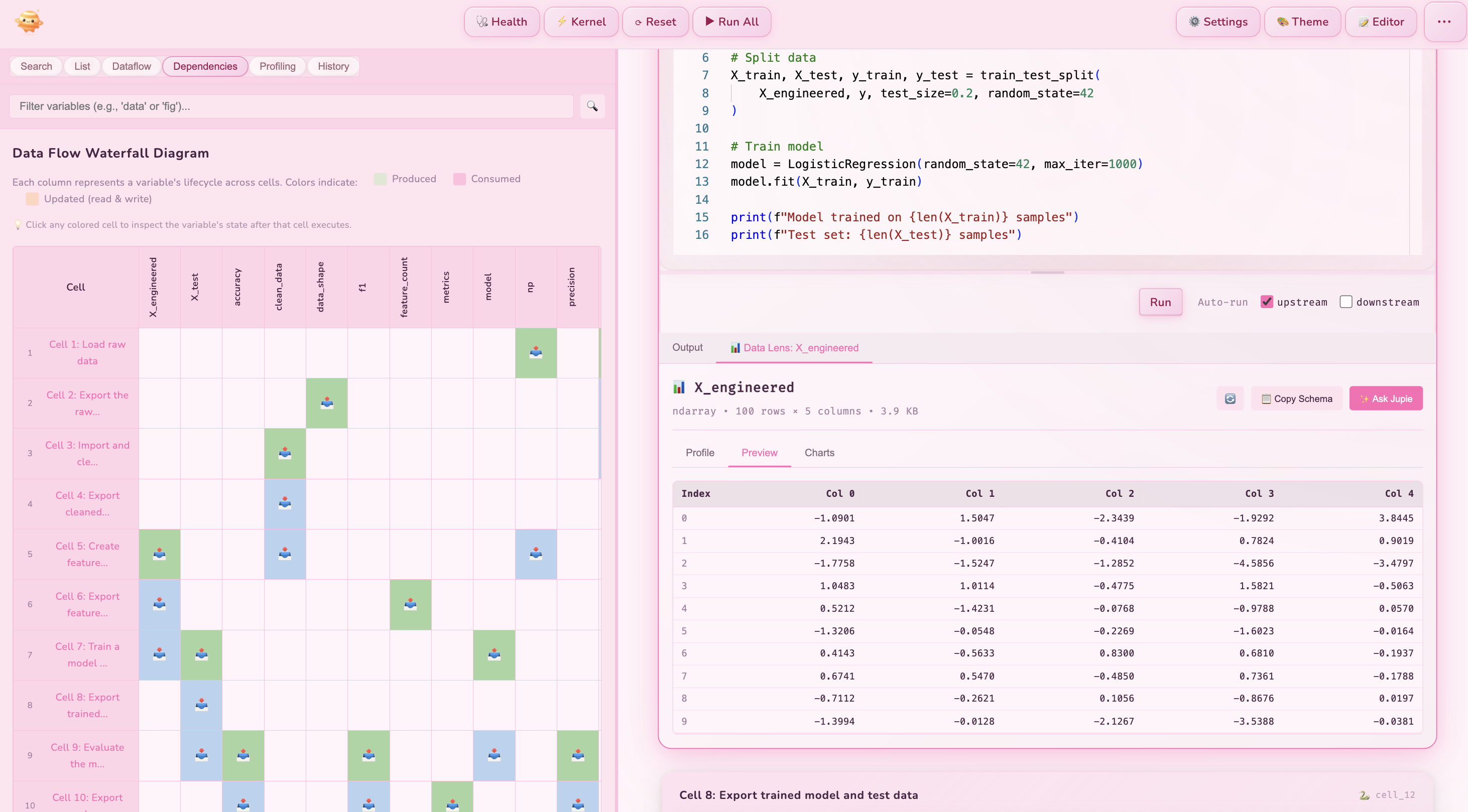
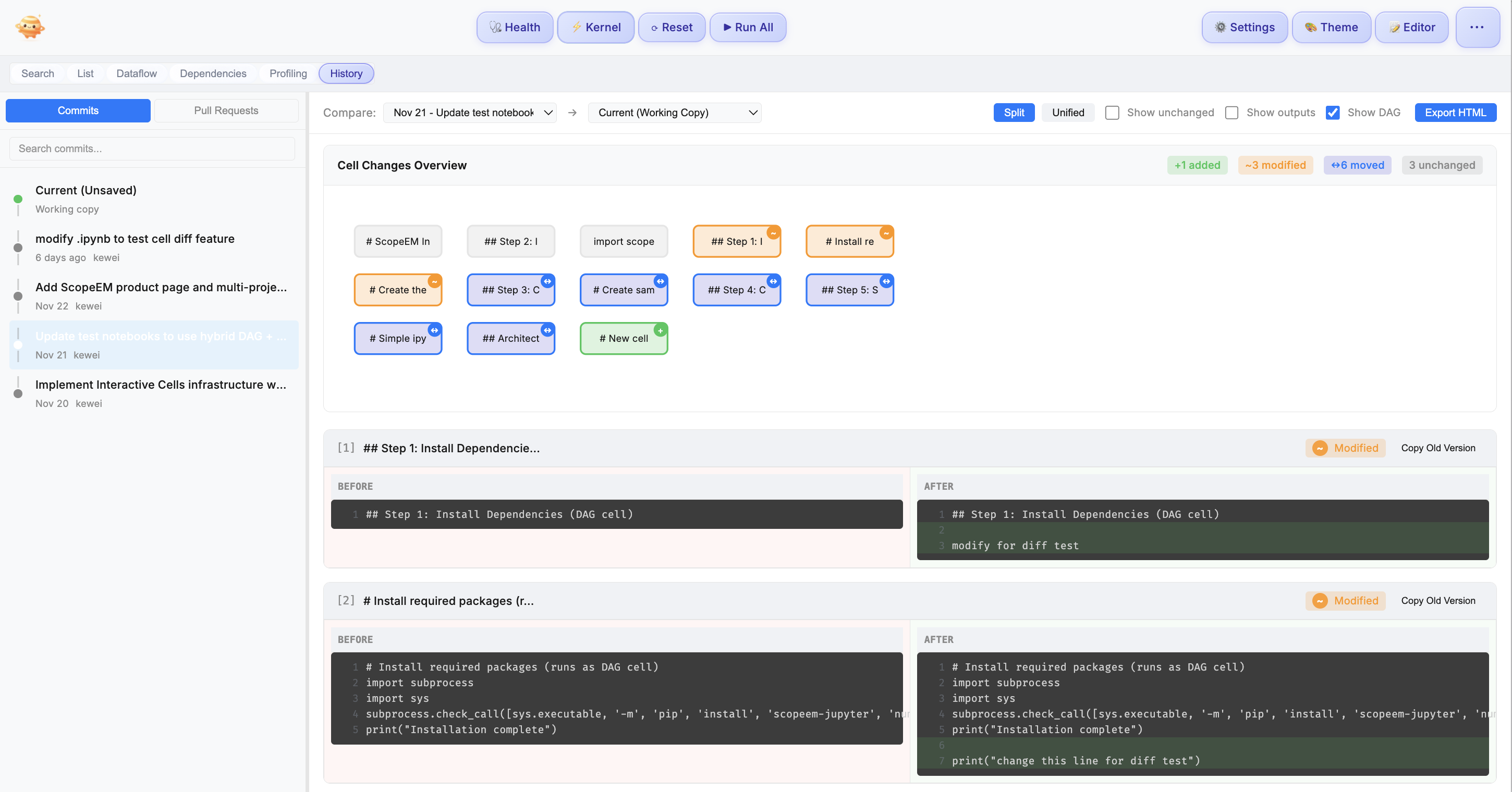
🎬 See Jupie in ActionA Gentle Touch for Complex Notebooks"This cell keeps failing and I don't know why" One tender click, and Claude sees everything — your code, your errors, your journey. Like a trusted confidant who truly understands. "What does this DataFrame actually contain?" Data Lens opens a window into your data's soul. Peek inside any variable, at any moment, and watch its story unfold. "What did I change in this cell last week?" Every cell remembers. Cell-level history captures each gentle evolution, so you never lose the thread of your work. "Which cells will break if I change this?" Your pipeline becomes a constellation of light. Each connection visible, each dependency illuminated. Know before you leap. "My notebook takes 20 minutes to run" Watch cells bloom in parallel, like flowers opening at dawn. 3-5x faster, while your code remains untouched. "I need that data from another notebook" Let it flow. Cross-notebook imports as natural as breathing. Finally, harmony across your work. Discover What Lies Within✨ Dataflow VisualizationYour notebook as poetry in motion. See the dance of data at a glance.
🤖 Smart AI ContextClaude becomes your gentle guide. One click, and it understands your entire journey.
🔬 Data LensA window into your data's heart. Inspect any variable, at any moment in its journey.
📊 Data HistoryWatch your data transform. Revolutionary diff visualization shows exactly how your DataFrames change between cells — added rows in green, deleted in red, modified in yellow. 📜 Cell-Level HistoryEvery cell tells its own story. Track changes, compare moments, never lose your way.
Presentation ModeTurn any notebook into a beautiful presentation. Your markdown headers become slides, your Plotly charts stay interactive, your story comes alive.
Detective JupieYour AI companion that understands your notebook's story and helps you uncover insights.
Begin Your Journey
Each tutorial creates an interactive notebook that teaches through doing. Follow along, execute cells, see Jupie in action. Already familiar? Open any Who Finds Joy HereData Scientists — Let your pipelines breathe. Understand deeply, execute gracefully. ML Engineers — See your model's journey. Let preprocessing flow in harmony. Researchers — Your experiments, elegantly organized. Every connection clear. Educators — Show your students how code flows and data connects. Frequently Asked QuestionsWhat is Jupie and how does it improve Jupyter notebooks? Jupie is a VS Code extension that transforms how you work with Jupyter notebooks. It provides one-click AI debugging with Claude, Data Lens for variable inspection, cell-level git history, and automatic dataflow visualization. Unlike standard Jupyter notebook editors, Jupie shows you exactly how your data flows and gives you powerful tools to debug, inspect, and collaborate. How does the AI debugging feature work with Claude? When a cell fails, click 'Debug with Claude' and Jupie automatically sends rich context to Claude Code: your cell code, error traceback, upstream dependencies, variable states, and recent edit history. Claude understands your entire pipeline context without manual copy-pasting. You can also attach screenshots of visualizations for complete context. What is Data Lens and how do I use it? Data Lens lets you inspect any variable at any point in your data pipeline. Click any colored cell in the waterfall diagram to see the variable's state after that cell executes. View DataFrame previews, array shapes, statistics, and more. Perfect for understanding how data transforms through your notebook. How does cell-level history work with Git? Jupie provides cell-level diff views for your notebook's git history. See exactly which cells changed between commits, compare versions side-by-side, and restore old cell code with one click. No more wrestling with JSON diffs. GitHub PR integration lets you review and comment on specific cells during code review. How is Jupie different from JupyterLab or Jupyter Notebook? While JupyterLab and Jupyter Notebook are excellent for basic notebook editing, Jupie adds advanced features specifically for data scientists working with complex workflows. Jupie provides one-click AI debugging, Data Lens for variable inspection, cell-level git history with GitHub PR support, automatic DAG visualization, and parallel cell execution. Can I use Jupie with existing Jupyter notebook files? Yes! Jupie works seamlessly with all standard .ipynb files. Simply open your existing Jupyter notebooks in VS Code with Jupie installed, and immediately access all features. No conversion or migration needed. What You'll Need
Run Wherever You AreOn your laptop — Local Python, no server needed. Pure and simple. In the cloud — Connect to Jupyter servers, remote GPUs, wherever your data calls home. The same experience. The same gentle awareness. Your choice. We're Here for YouQuestions? support@imlore.com Found something? We'd love to hear. Dream of a feature? We're listening, always. Copyright © 2025 Imlore Inc. All rights reserved. |