duskbox
A calm theme family with tiered attention for Neovim, VS Code (and forks: Cursor, VSCodium, Windsurf…), Ghostty/cmux, and lazygit. Sixteen variants — eight core moods (light → dark plus high-contrast and a neon "cyber" option), with dusk and cyber each also in four signature flavors — all generated from one OKLCH source of truth, so editors and terminals never drift. Richly detailed where it counts: graded Markdown headings that follow your variant, per-language token treatment (JSON · YAML · CSS · regex · doc-tags), calm punctuation, and deep LSP semantic styling. Each variant carries its own atmosphere — backgrounds lean toward the variant's mood — plus designed diagnostics, diffs, and an accent cursor. (Neovim bonus: TODO/FIXME comment badges via the treesitter comment parser — :TSInstall comment if your distro doesn't bundle it; VS Code grammars don't expose codetag scopes to themes.)
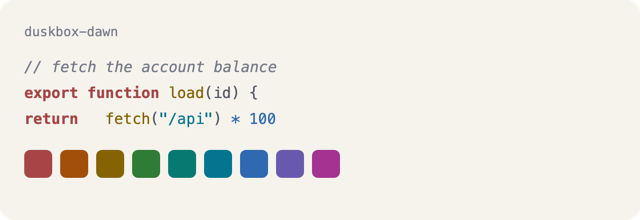
Warm declarations, cool literals, bold keywords & types for legibility. Calm by default; punchy where you want it (hello, cyber).
Palette
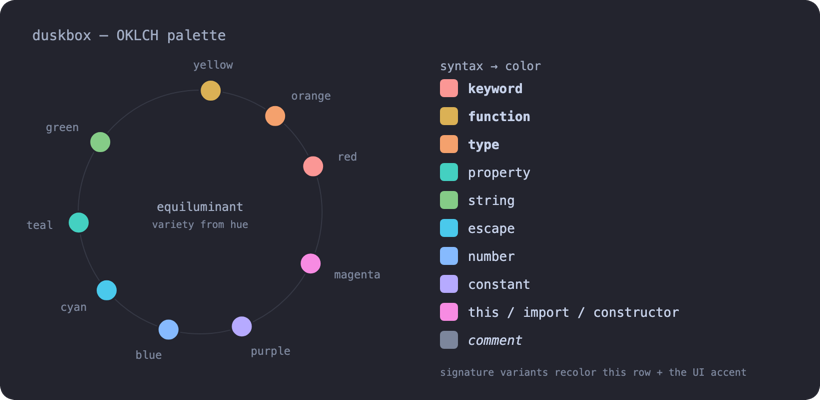
Designed in OKLCH around tiered attention: deep ember keywords command (plum-italic modifiers at their side), the warm + cool work spine carries meaning, and structure recedes into each variant's own background material. In the signature variants, the chrome — cursor, borders, selection, markdown headings, statusline — takes the signature color while the syntax stays consistent across the family.
Variants
| Variant |
Mood |
duskbox-dawn |
soft light (early morning) |
duskbox-day |
bright light |
duskbox-day-hc |
high-contrast light |
duskbox-storm |
soft mid-dark |
duskbox-dusk |
balanced dark (default) |
duskbox-midnight |
deep, dim dark |
duskbox-night-hc |
high-contrast dark |
duskbox-cyber |
neon-on-black (high contrast) |
Signature variants: dusk and cyber also come in four signature flavors — the chrome (cursor, borders, selection, headings, statusline) and the background's mood take the signature color while syntax stays consistent: duskbox-{dusk,cyber}-{azure,neon-purple,magenta,salmon}.
Gallery
The eight core variants:
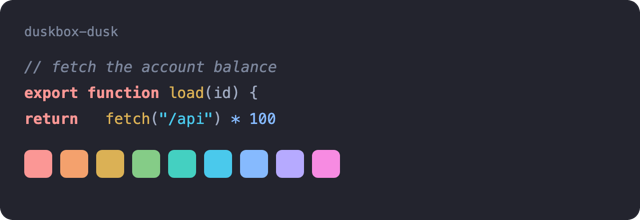
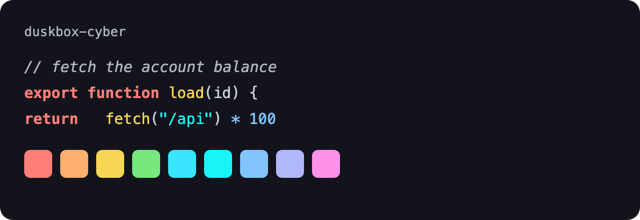
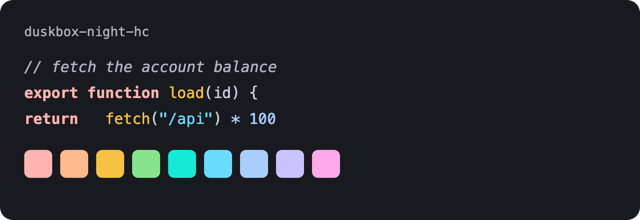
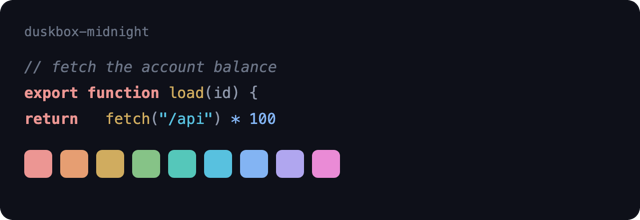
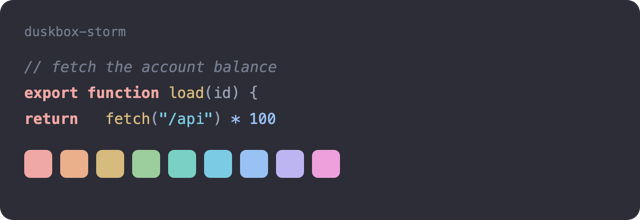
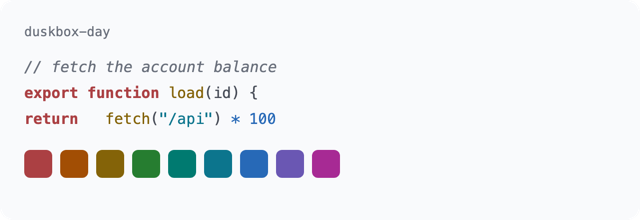
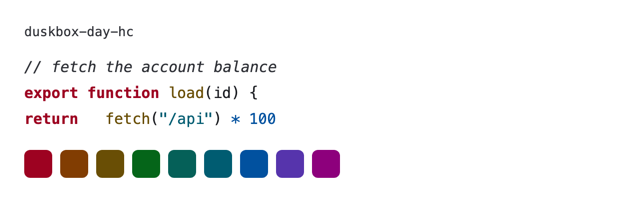
Signature variant previews (azure · neon-purple · magenta · salmon, each on dusk and cyber): see the full gallery on GitHub.
Neovim
With lazy.nvim:
{
  "ih-hugh/duskbox",
  lazy = false,
  priority = 1000,
  config = function()
    require("duskbox").setup({ variant = "dusk", bold = true, transparent = false })
    vim.cmd.colorscheme("duskbox-dusk")
  end,
}
Switch variants anytime with :colorscheme duskbox-<variant> (e.g. :colorscheme duskbox-cyber).
setup options:
| option |
default |
meaning |
variant |
"dusk" |
default variant for require("duskbox").load() |
bold |
true |
bold keywords & types (set false to disable) |
transparent |
false |
clear the editor background |
lualine |
true |
apply the matching lualine theme on load (set false to keep your own) |
on_highlights |
nil |
function(variant) ... end hook after load |
VS Code / Cursor / VSCodium / Windsurf
- VS Code: install Duskbox from the Marketplace, then Preferences: Color Theme and pick a Duskbox variant.
- Forks (Cursor, VSCodium, Windsurf…): install Duskbox from Open VSX, or download the
.vsix from Releases and run code --install-extension duskbox.vsix (or your fork's equivalent CLI).
The repo also ships generated Ghostty/cmux themes under extras/ghostty/ and lazygit themes under extras/lazygit/ so your terminal chrome can use the same OKLCH palette as the editor themes. For cmux, copy the generated theme files into ~/Library/Application Support/com.cmuxterm.app/themes/, then select them with cmux themes set.
Design
duskbox is designed in OKLCH (a perceptually-uniform color space) around tiered attention: hierarchy comes from lightness × chroma, identity from hue. Deep ember keywords command; the work sits in a warm (gold/orange) + cool (green/teal/blue) spine with bright-lavender variables; punctuation is carved from each variant's own background material and recedes. High-contrast variants get their hierarchy from chroma alone (≥7:1 floors). Every accent is gated on WCAG contrast in the test suite — and a pink-regression gate keeps washed-pink and fuchsia out of syntax permanently. Keywords are stratified: command keywords (if, return, function, class) stay ember bold while modifiers (async, const, static, extends) recede to electric-blue italics — async function main reads as three colors, not one. On the salmon variants, import/export ride a vivid true salmon.
License
MIT © Hugo (ih-hugh)


