Keel — Safe npm Fixes
Fix npm vulnerabilities without breaking your project.
A keel keeps a ship stable; Keel helps you make deliberate dependency upgrades instead of jumping straight to the newest release.
The problem
npm audit fix --force can upgrade a dependency to its latest version, including a breaking major release. Meanwhile, npm audit identifies vulnerabilities but does not tell you the minimum version to upgrade to. Keel fills that gap by calculating and reviewing a safer candidate before anything changes.
Features
- Runs
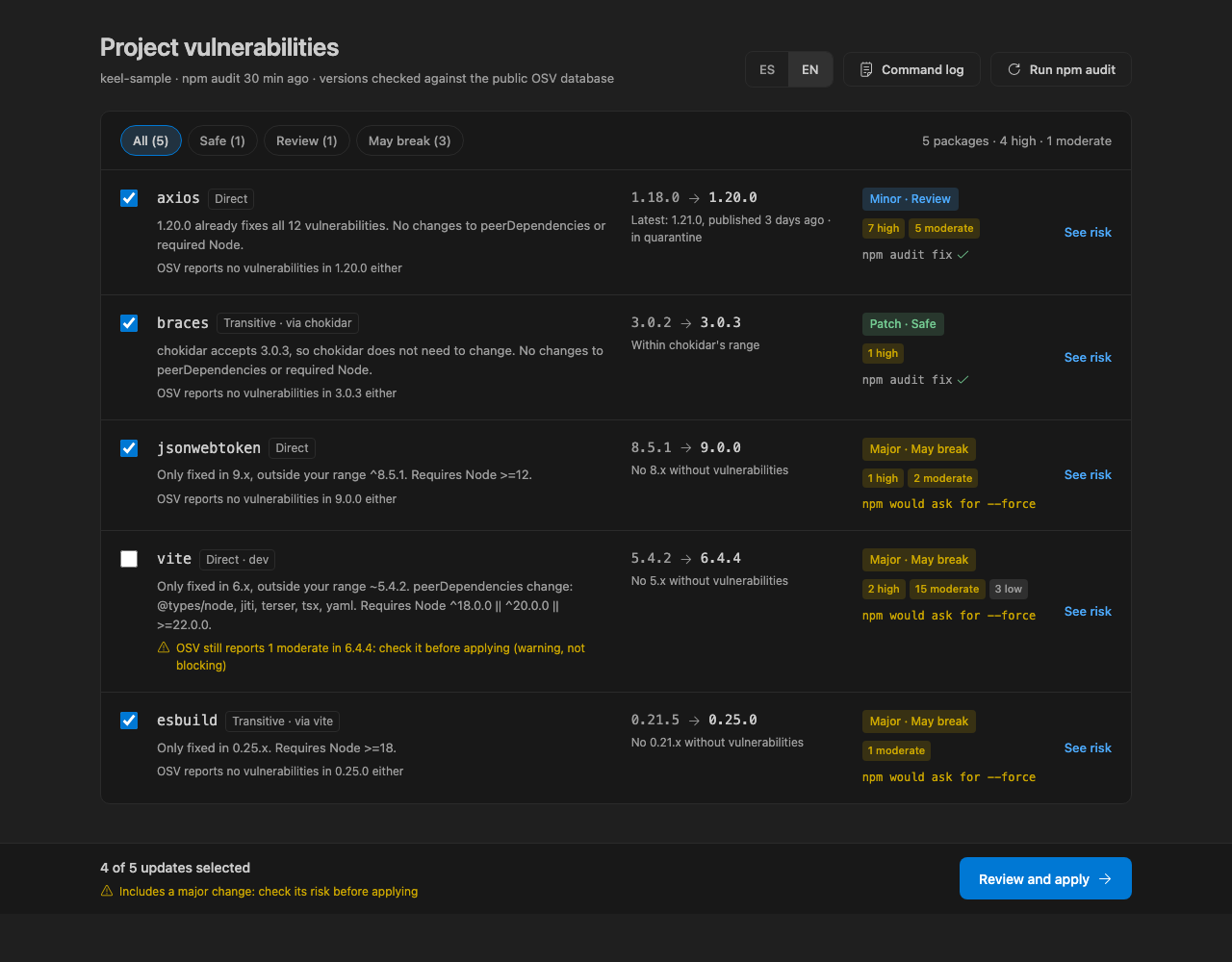
npm audit and calculates the minimum non-vulnerable version.
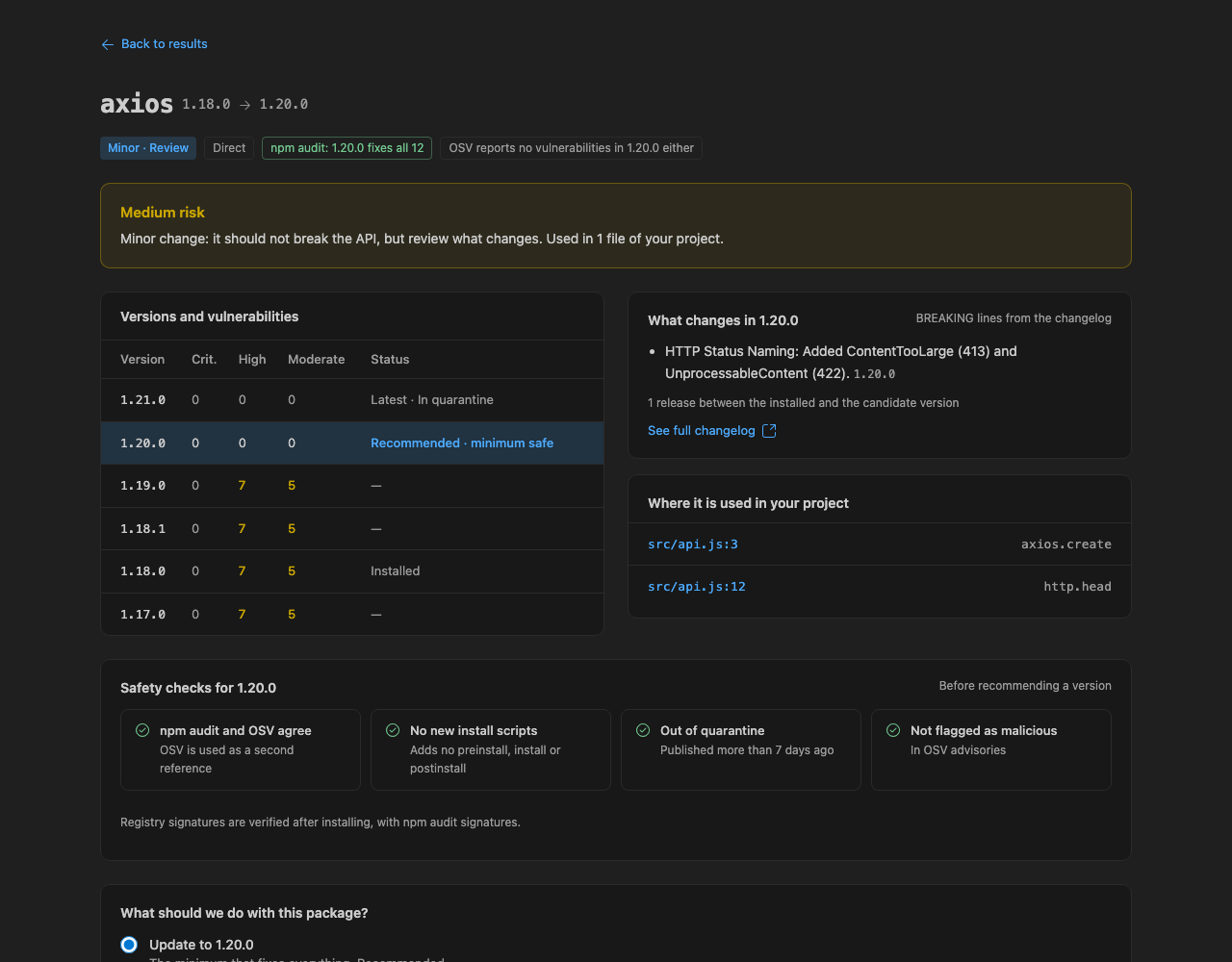
- Keeps newly published versions in quarantine for a configurable number of days.
- Cross-checks candidates with OSV, or Snyk when configured, and rejects known malware advisories.
- Links each package to its public Snyk page so you can compare it yourself, with no token.
- Shows whether npm can apply a compatible fix and highlights patch, minor, and major upgrade risk.
- Provides package details, release-note impact, and text-based import references from your workspace.
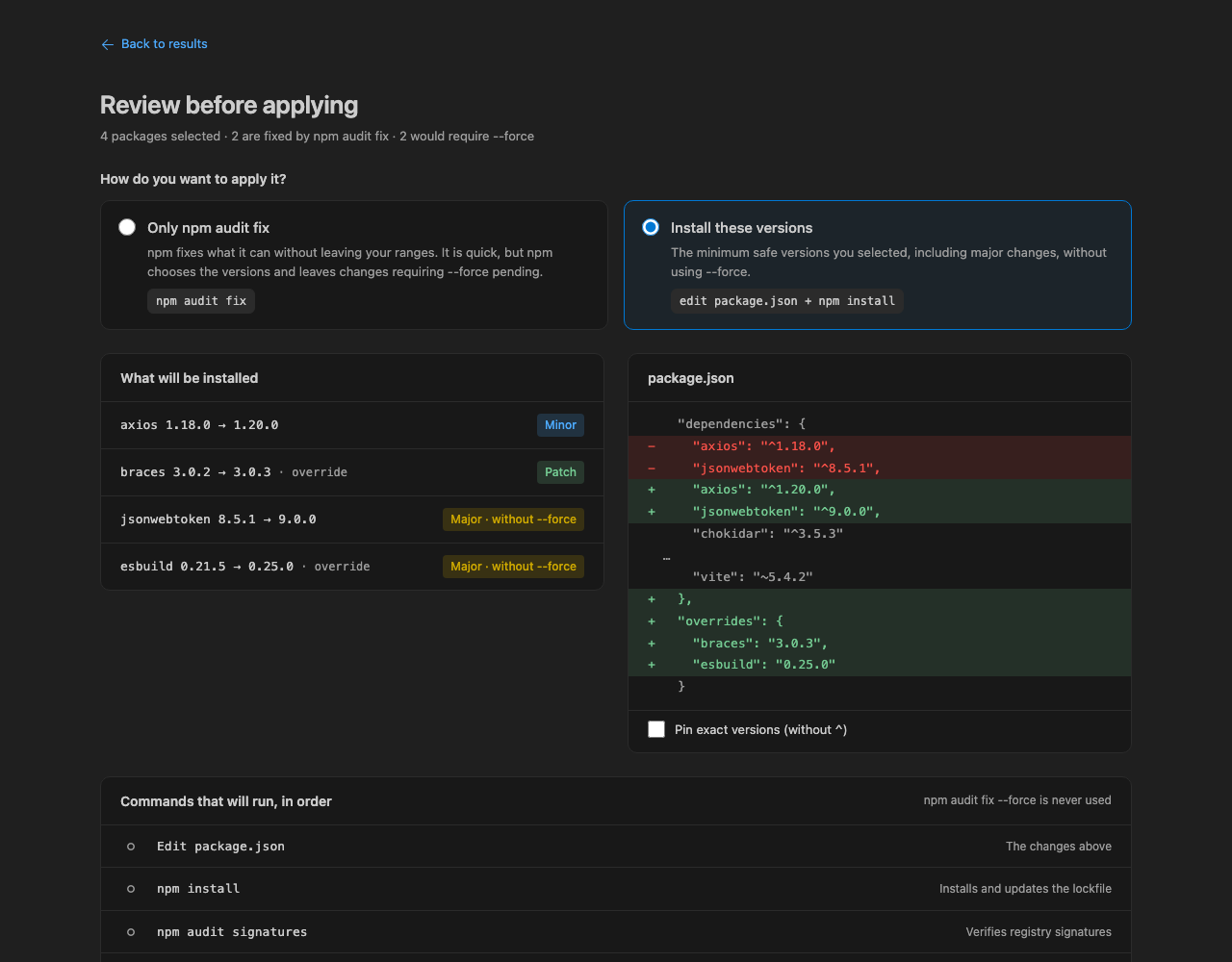
- Lets you review the
package.json diff and exact commands before approving either application method.
- Adds vulnerability diagnostics and recommended-version hovers to
package.json.
- Supports English and Spanish.
How to use Keel
- Open an npm project that contains a
package-lock.json.
- Run Keel: Scan from the Command Palette.
- Review the candidates, risk information, and package details.
- Select the changes you want, review the diff and commands, then explicitly approve the application method.
- Run your project's own build and tests after applying changes.
Commands
- Keel: Scan — scan the current npm project and open the results.
- Keel: Show Command Log — show the commands Keel ran and their results.
- Keel: Set Snyk Token — store or clear the optional Snyk API token. Snyk's API generally requires an Enterprise plan; without a token, Keel uses OSV.
Settings
keel.language — webview and AI-summary language (en or es).keel.quarantineDays — minimum age, in days, for a release to be recommended.keel.snykOrgId — optional Snyk organization UUID used with the stored token (Snyk Enterprise).
Privacy and network
Keel does not collect telemetry. It only makes requests to registry.npmjs.org, api.osv.dev, api.snyk.io, and api.github.com. The optional Snyk token is stored in VS Code SecretStorage.
AI-generated release-note summaries are optional and use the VS Code language model provided by Copilot. When used, the relevant release notes are sent to that model.
Safety
Keel runs only official npm commands, never uses --force, and applies nothing without explicit approval. It does not run your project's build or tests; run those yourself after an upgrade.
Limitations
- Keel supports npm only.
- Monorepos that declare
workspaces are not supported.
- An
overrides entry can force a version outside the range requested by a parent package. Test your build after applying changes.
- Changelog information depends on GitHub Releases being available for the package repository.
- Import detection is text-based rather than a full syntax-tree analysis.
License
MIT © 2026 HenryD5.

