Skip to content
| Marketplace
Sign in
Visual Studio Code>Themes>Tunc Light ThemeNew to Visual Studio Code? Get it now.
Tunc Light Theme

Tunc Light Theme

Hüseyin Tunç

|
3 installs
| (0) | Free
LinkedIn-inspired light theme with clean blue accents for VS Code
Installation
Launch VS Code Quick Open (Ctrl+P), paste the following command, and press enter.
Copied to clipboard
More Info

Tunc Theme

A clean, LinkedIn-inspired theme pack for Visual Studio Code — includes both Light and Dark variants.

Themes

Tunc Light Theme

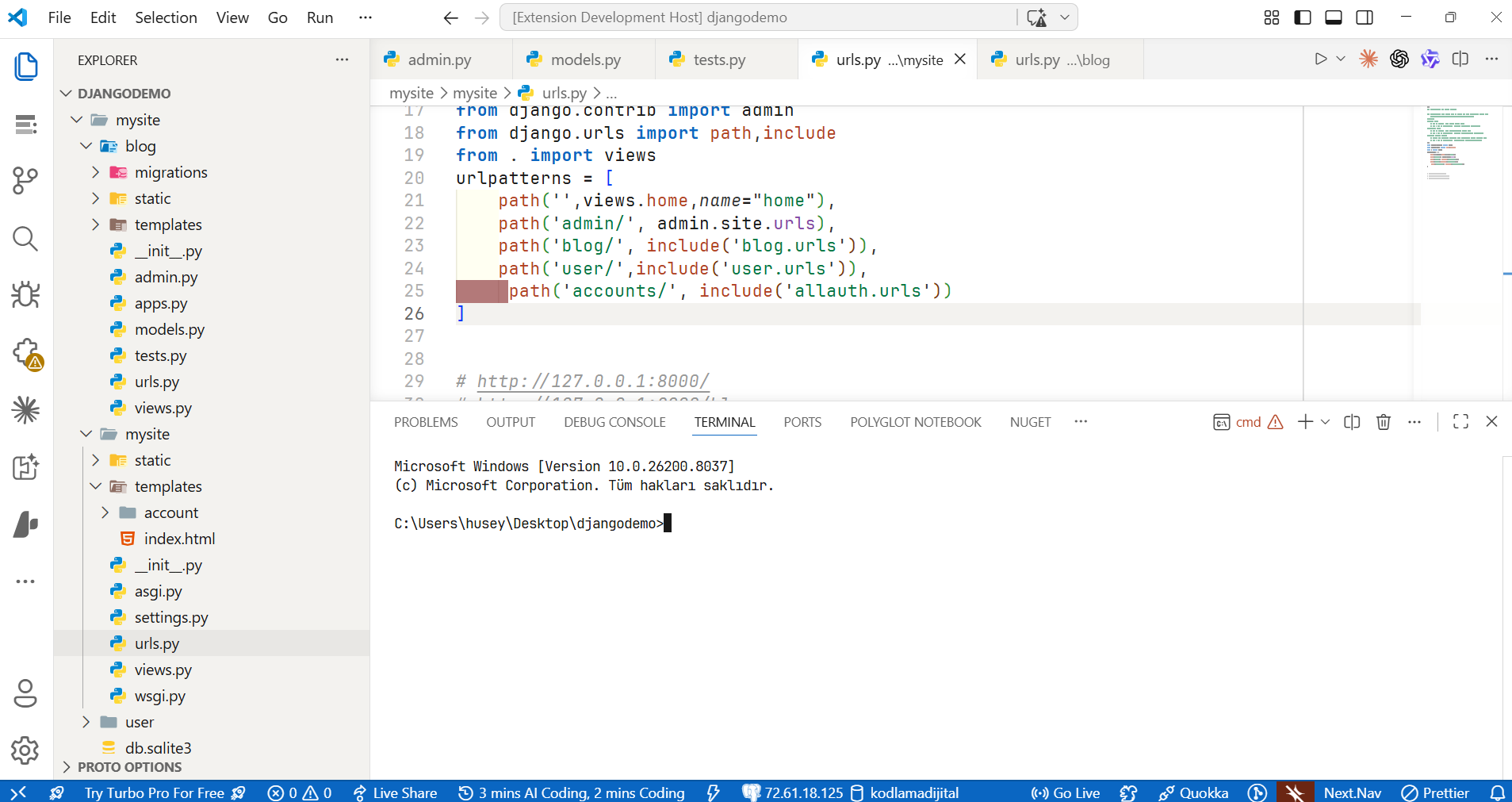
A bright, clean theme with LinkedIn's warm gray panels and signature blue accents.

Tunc Dark Theme

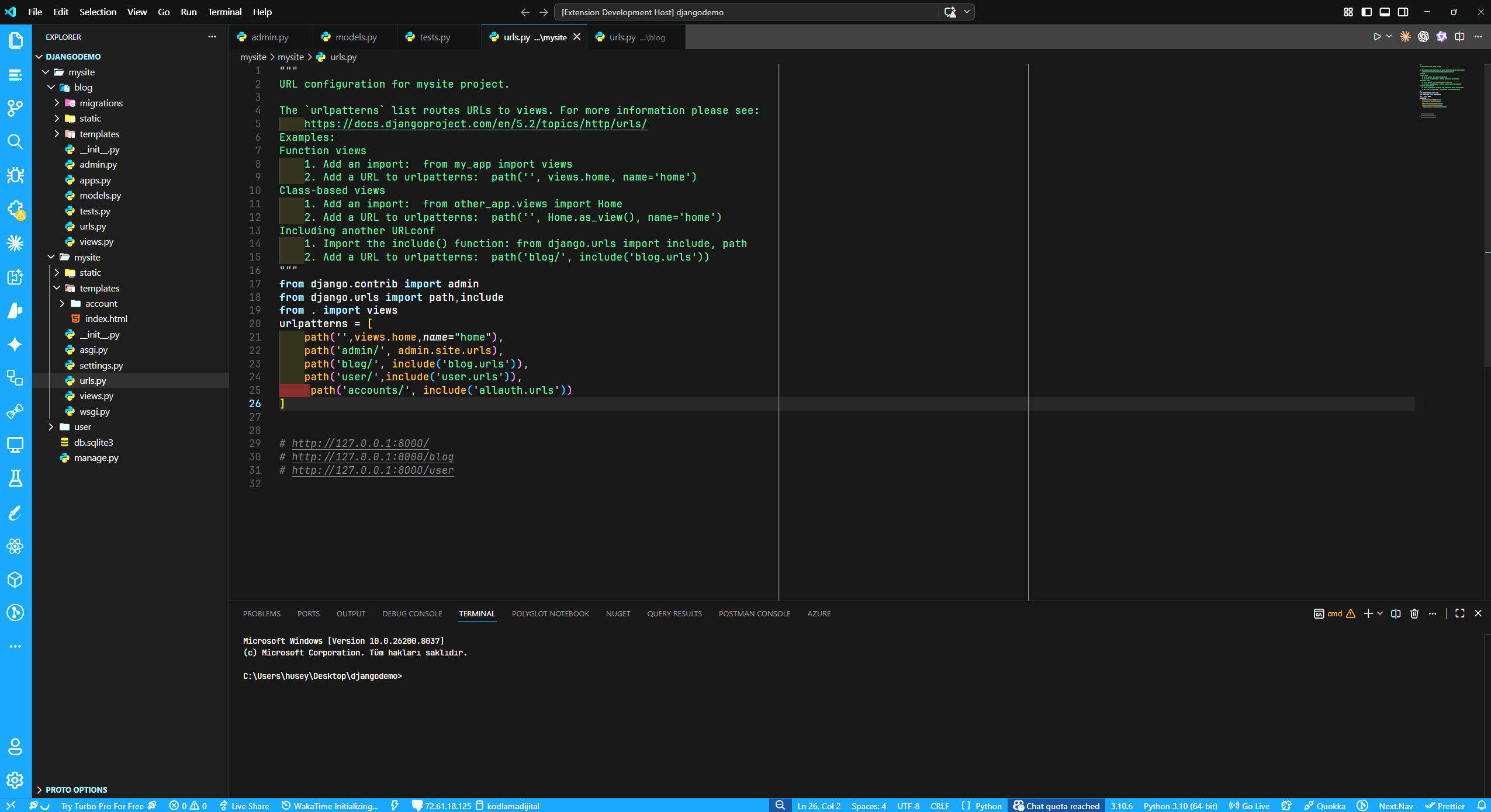
A deep black theme with LinkedIn blue borders, accents and status bar.

Color Palette

Light

Element Color
Background #ffffff
Sidebar #f3f2ef
Status Bar #0A66C2
Keywords #0A66C2
Functions #b24020
Strings #057642
Classes/Types #004182
Numbers #8344a5
Comments #999999

Dark

Element Color
Background #0a0a0a
Sidebar #0e0e0e
Status Bar #0A66C2
Keywords #70b5f9
Functions #d4852a
Strings #44b36a
Classes/Types #378fe9
Numbers #a66cc8
Comments #555555

Installation

  1. Open Extensions sidebar in VS Code (Ctrl+Shift+X)
  2. Search for Tunc Light Theme
  3. Click Install
  4. Go to File > Preferences > Color Theme (Ctrl+K Ctrl+T)
  5. Select Tunc Light Theme or Tunc Dark Theme

Screenshots

Tunc Light Theme Preview

Tunc Dark Theme Preview

Feedback

If you have any issues or suggestions, please open an issue on GitHub.

License

MIT

  • Contact us
  • Jobs
  • Privacy
  • Manage cookies
  • Terms of use
  • Trademarks
© 2026 Microsoft