Human Mode
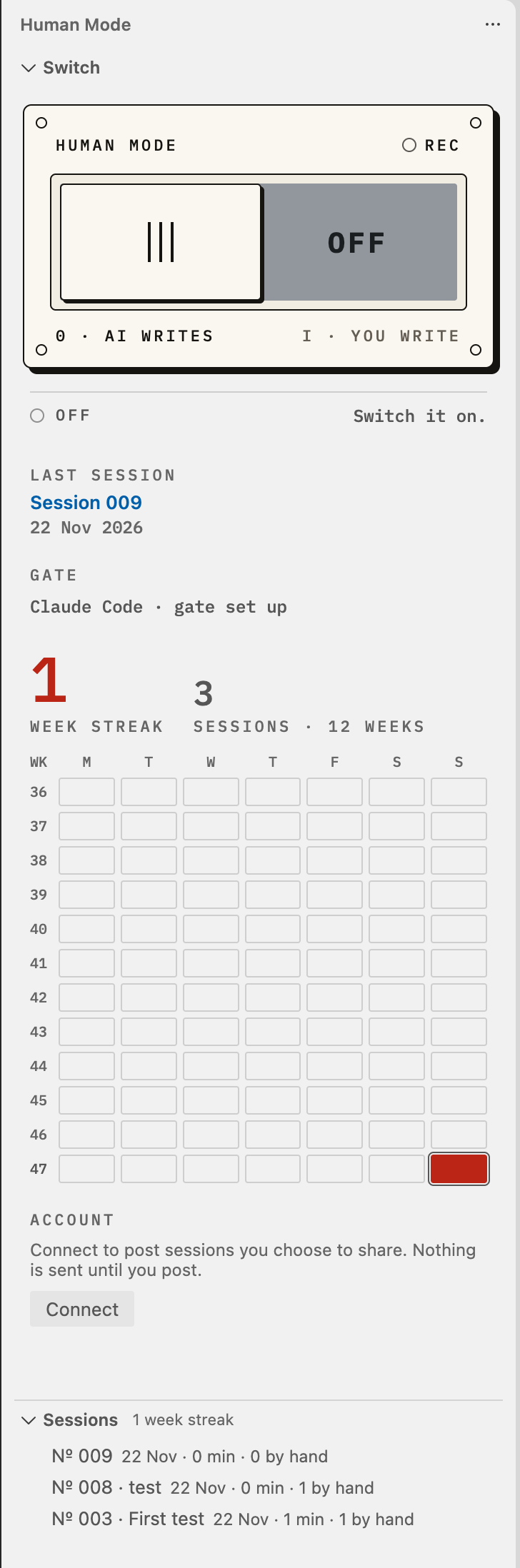
Human Mode is a switch in your editor. Switch it on and AI stops writing into your files. You write the code by hand while the Navigator, an assistant in VS Code chat, hints, explains and reviews. Switch it off and you get a card of the session: time on, lines by hand, AI inserts and test runs. Like a run log, for code.
Preview
This is a preview. The numbers are counted by rules that are still being calibrated on real sessions, so some will be off. A session you post to the feed keeps the numbers it was posted with.
If a session looks wrong, tell us what you did and what the card said: x.com/ghostinthediff.
A session
- Click Human Mode in the status bar, or flip the switch in the Human Mode sidebar. The status bar turns red and counts minutes.
- Write code. Ask the Navigator when you are stuck. It opens in chat when you switch on.
- Switch off. Give the session a title, or press Esc to keep "Session 007".
- The card opens. Save it as a PNG, copy it, or post it to the feed on humanmode.dev and share it from there.
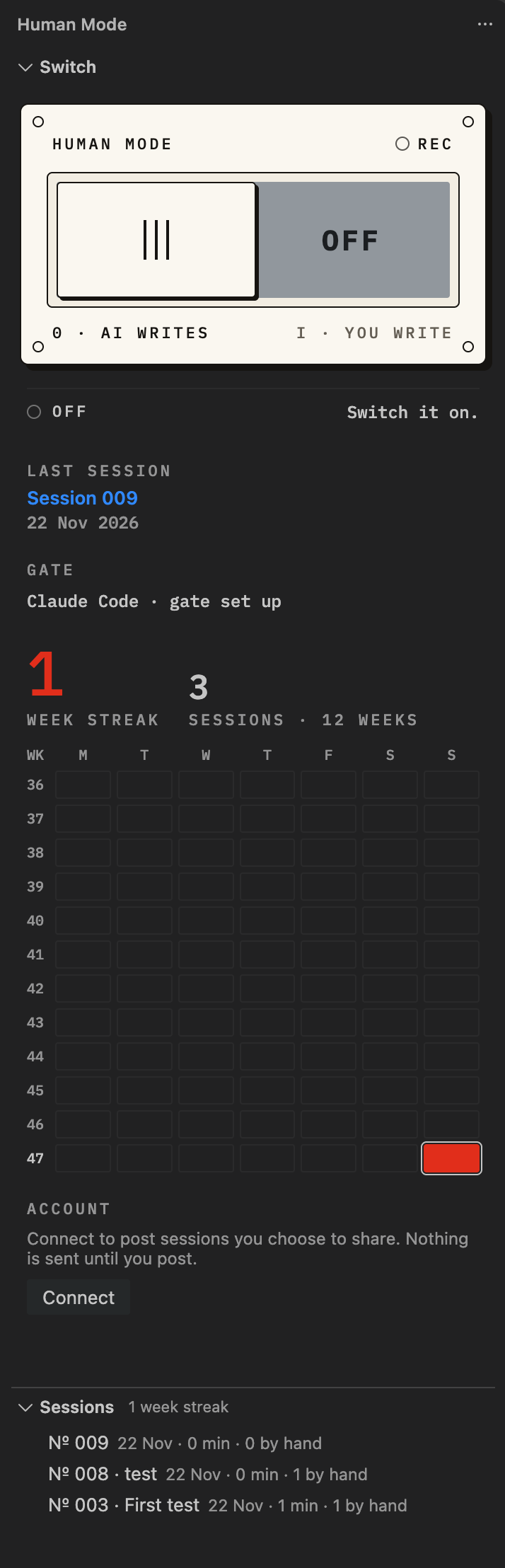
Every week with at least one session adds to your streak.
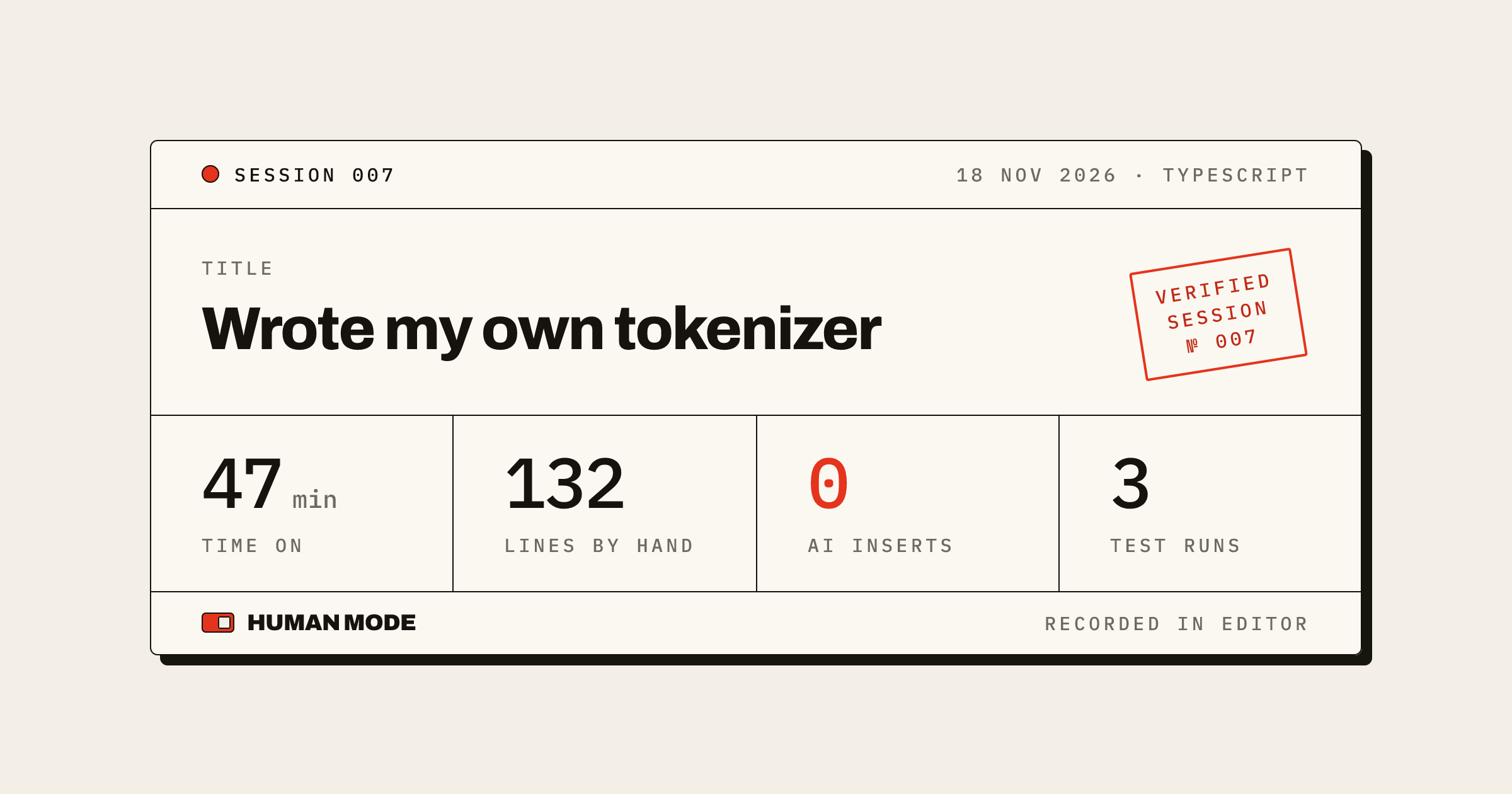
The four stats
- Time on. Minutes between switch on and switch off. A gap of more than 5 minutes without an edit, a cursor move or a focus change is removed in full.
- Lines by hand. Lines you added or changed during the session where most of the characters were typed by you. IntelliSense and snippets count as typing. Pasted code does not count.
- AI inserts. Blocks that landed in your files without being typed or pasted. That includes a file changed on disk by a tool. In Human Mode the target is 0.
- Test runs. Test commands that finished in the integrated terminal (
pnpm test, pytest, go test and similar), and tasks in the Test group. Runs from the Test Explorer are not counted.
"Verified" on the card means the extension recorded it while you worked. Only the title is typed in by you.
Assistants
| Assistant |
While a session is on |
| Navigator (VS Code chat) |
Hints, explains and reviews. Has no tools that edit files. |
| Inline suggestions |
Turned off, and restored when you switch off. |
| Copilot agent, Local harness |
Gated: edit tools are blocked. |
| Copilot agent, Copilot CLI harness |
Watching only. The harness runs no hooks. |
| Claude Code |
Gated after you agree to set it up. Shell redirects can still write; those count as AI inserts. |
| Others (Cursor and more) |
Watching only. Writes count as AI inserts. |
"Human Mode: Show gate status" lists what is gated right now.
Requirements
- VS Code 1.146 or later.
- The Navigator needs a model in VS Code chat: a Copilot sign-in (the free plan is enough) or your own model key. Without one, sessions still record.
- The Claude Code gate needs
node on your PATH.
Privacy
Human Mode never uploads your code.
Stored on your machine, in ~/.humanmode, per session: its number, start and end time, time on, lines by hand, AI inserts, blocked attempts, pastes, test runs, main language, title, which assistants were gated, and the extension version.
Never stored or sent: file contents, file paths, keystrokes, clipboard contents, terminal command lines.
Requests. The extension makes requests to humanmode.dev only when you ask it to:
- Connect and disconnect your account. The token is kept in VS Code's secret storage.
- Post a session to the feed. A post sends the session's number, title, start and end time, UTC offset, time on, lines by hand, AI inserts, blocked attempts, pastes, test runs, main language, gate status and extension version. Nothing else. The first time, it shows you every field and its value before anything is sent.
- Share… on a posted session sends nothing itself: it opens the session's page on humanmode.dev in your browser, with the share menu open.
- Remove a post.
Nothing is sent while you work, and nothing in the background. There is no telemetry.
The Navigator. When you ask the Navigator about your code, VS Code sends that code to the model provider you picked in VS Code chat, as it does for any chat. Human Mode itself sends it nowhere.
What it changes on your machine
User settings, while a session is on. These are set in your user settings:
editor.inlineSuggest.enabled: falsegithub.copilot.nextEditSuggestions.enabled: false, when Copilot is installedgithub.copilot.enable: { "*": false }, when Copilot is installedchat.defaultToCopilotHarness: false, so new chats open in the Local harnesschat.editor.preferCopilotHarness: false
A user per-language value that turns suggestions back on is overridden too. Workspace settings are never changed. Your previous values, including "not set", are saved first and put back when you switch off, when the window closes or the extension is disabled, and on the next start after a crash. If you uninstall the extension during a session, they are put back the next time VS Code starts.
Claude Code, only if you agree. At switch on, Human Mode offers to add two hooks to ~/.claude/settings.json (or $CLAUDE_CONFIG_DIR/settings.json). "Show what it adds" shows the entries first. The hooks do nothing while no session is on. Every other setting and hook in the file is kept. "Human Mode: Remove Claude Code gate" takes them out, and so does uninstalling the extension.
~/.humanmode. Your sessions, your streak and a copy of the gate script for Claude Code. Uninstalling leaves this folder in place, so your sessions survive a reinstall. Delete it to remove them.
Known limits
- Quick fixes other than imports (add
async, implement an interface) count as AI inserts.
- Test runs from the Test Explorer are not counted.
- Copilot in the Copilot CLI harness is not gated. Pick Local at the bottom of the chat panel.
- Cursor, VSCodium and other editors are not supported yet.
Commands
| Command |
What it does |
| Human Mode: Switch on |
Starts a session. |
| Human Mode: Switch off |
Ends it and opens the card. |
| Human Mode: Show sessions |
Lists your past sessions. |
| Human Mode: Show gate status |
Lists each assistant as gated, watching only or not detected. |
| Human Mode: Set up Claude Code gate |
Adds the Claude Code hooks, after showing them. |
| Human Mode: Remove Claude Code gate |
Takes them out again. |
| Human Mode: Connect account |
Connects to your account on humanmode.dev, for posting. |
| Human Mode: Disconnect account |
Disconnects and revokes the token. |

