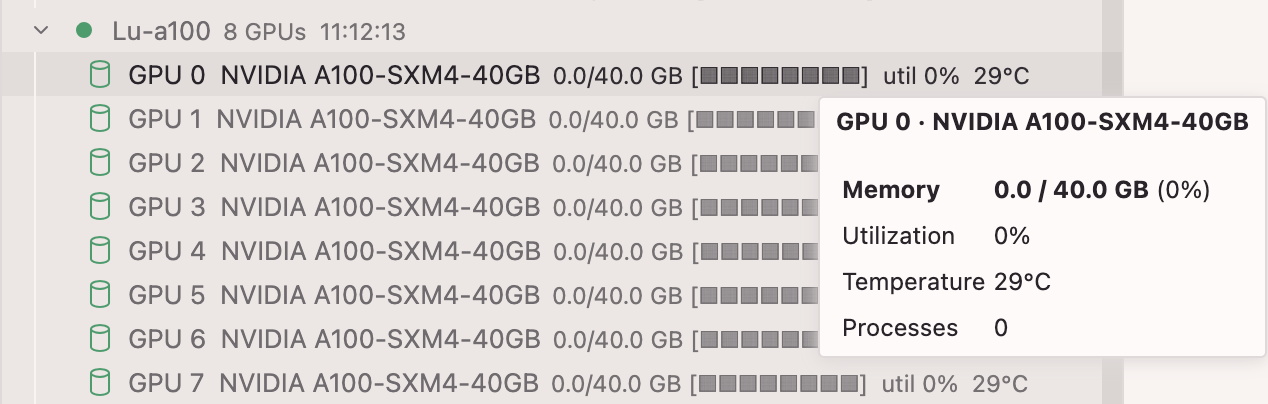
SSH keys or passwords already configured in ~/.ssh/config
Installation
macOS / Linux
git clone https://github.com/huia711/gpu-monitor
cd gpu-monitor
bash install.sh
Then restart Cursor / VS Code.
Windows
git clone https://github.com/huia711/gpu-monitor
cd gpu-monitor
.\install.ps1
If PowerShell blocks the script: Set-ExecutionPolicy -Scope CurrentUser RemoteSigned
Configuration
Click the ⚙ gear icon in the GPU Monitor panel, or edit settings manually:
Setting
Default
Description
gpuMonitor.refreshInterval
30
Auto-refresh interval (seconds)
gpuMonitor.connectionTimeout
8
SSH connection timeout (seconds)
gpuMonitor.excludedServers
[]
Host aliases to skip
gpuMonitor.servers
[]
Only monitor these hosts (empty = all)
Authentication
Type
How it works
SSH key
Uses your system ssh command — ProxyJump, ssh-agent, etc. all work automatically
Password
Click the 🔑 key icon next to the server. Password is stored in VS Code Secret Storage and reused on subsequent refreshes. Right-click → Clear Saved Password to reset.
Updating
git pull
bash install.sh   # or .\install.ps1 on Windows