Skip to content
| Marketplace
Sign in
Visual Studio Code>Other>Ghost CommentNew to Visual Studio Code? Get it now.
Ghost Comment

Ghost Comment

hqb

| (0) | Free
A VSCode extension that shows comments at the end of code lines by automatically displaying contextual documentation comments.
Installation
Launch VS Code Quick Open (Ctrl+P), paste the following command, and press enter.
Copied to clipboard
More Info

Ghost Comment

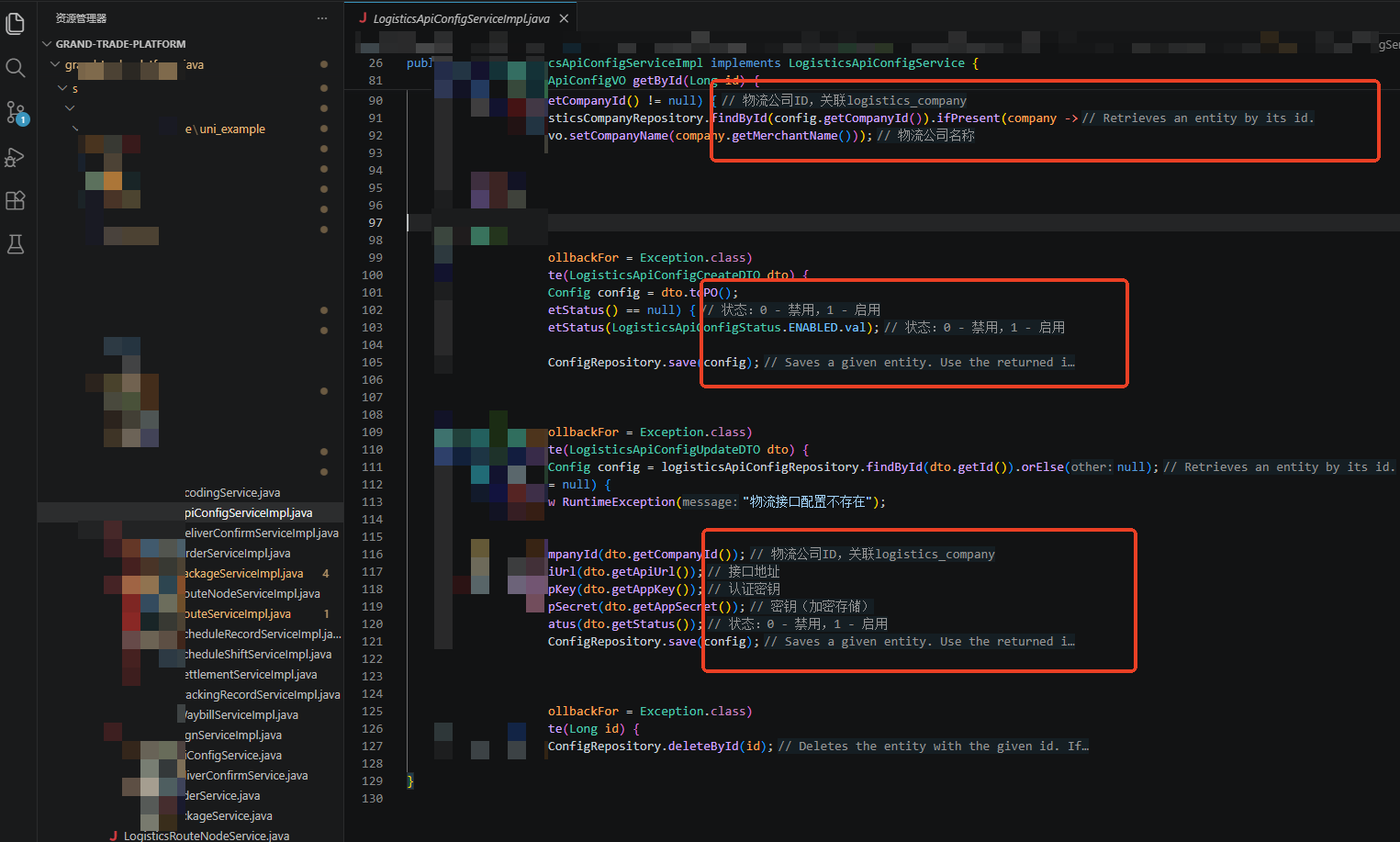
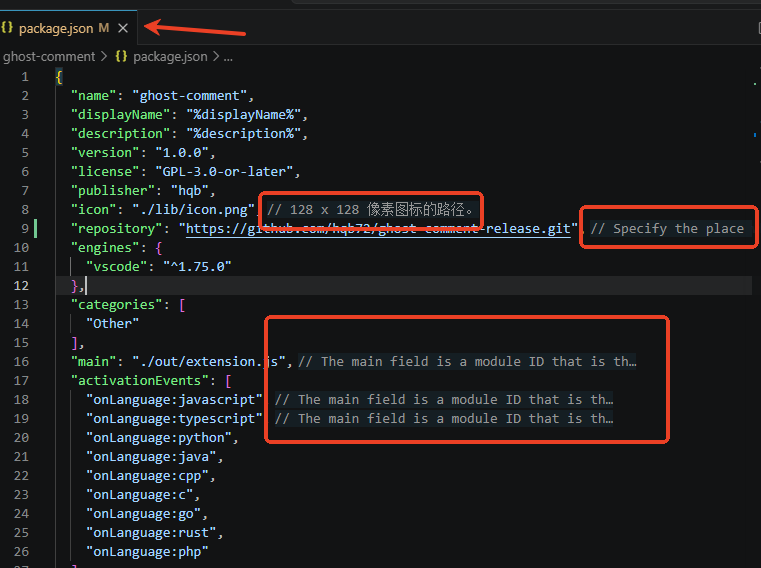
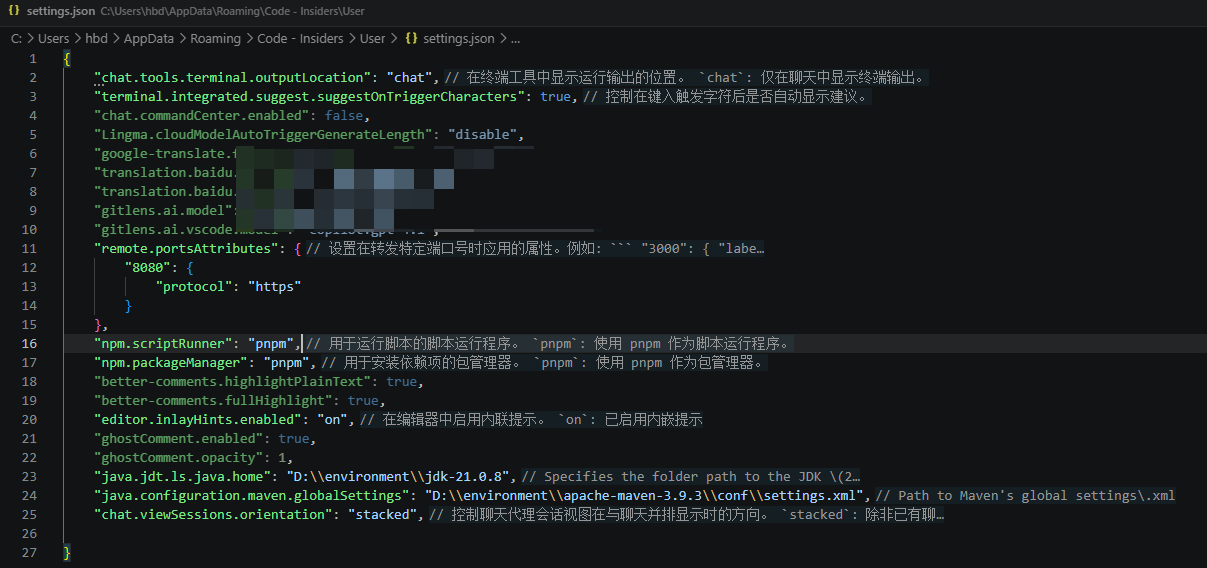
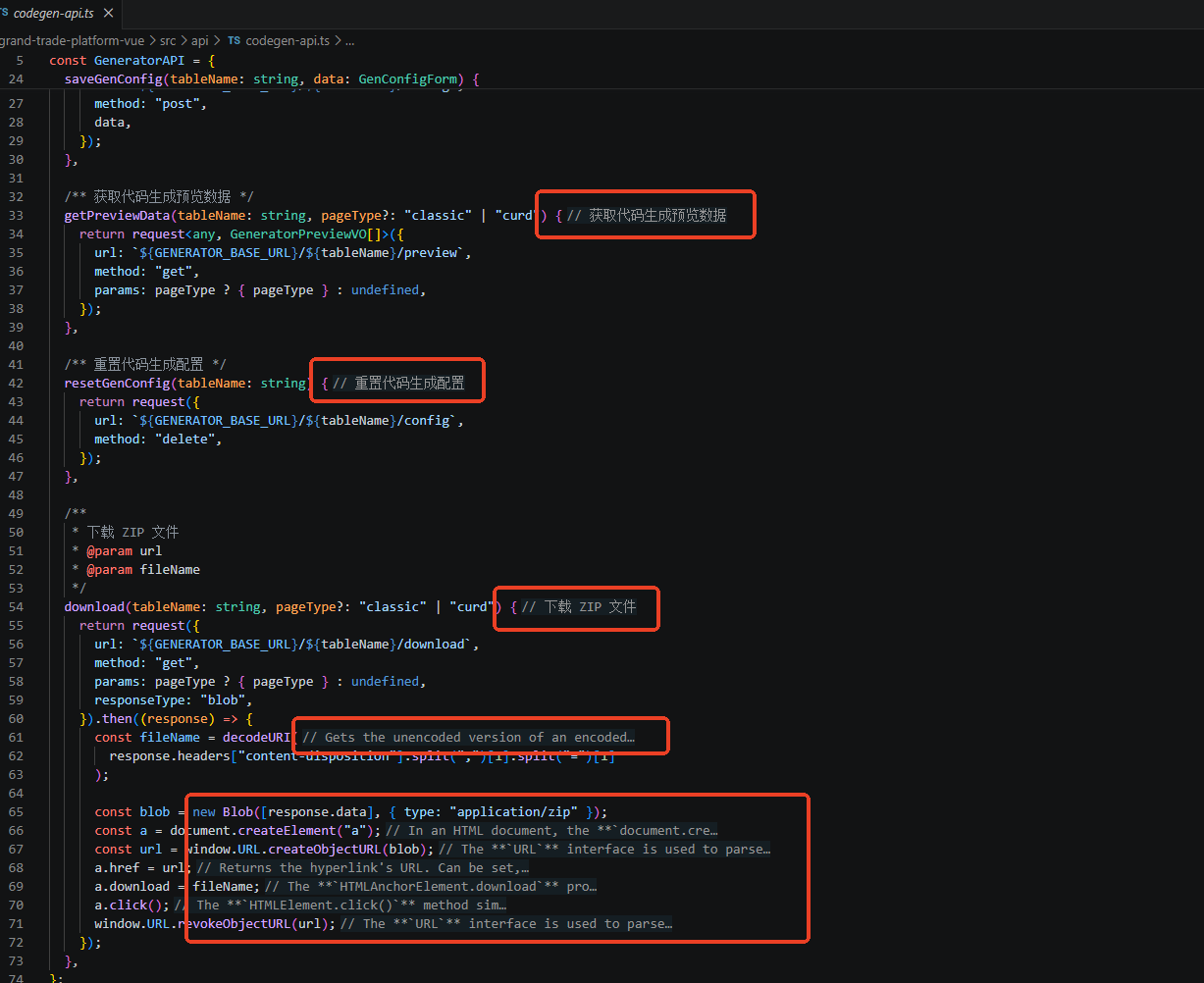
阅读代码时,无需手动触发鼠标悬停,注释自动显示在代码行上。


功能

Ghost Comment 会自动在代码行上显示 Hover 文档注释,让你在阅读代码时一眼看到函数、变量、类的说明。

支持语言:JavaScript、TypeScript、Python、Java、C++、C、Go、Rust、PHP等,支持LSP服务理论上都可以正常支持,甚至vscode的配置文件。


示例

java package settings ts

安装

  1. 下载 .vsix 文件
  2. VSCode 中按 Ctrl+Shift+P,输入 Extensions: Install from VSIX...
  3. 选择下载的 vsix 文件

使用

安装后自动生效,无需任何配置。

打开任意代码文件,注释会直接显示在对应行的行末(默认)或行上方。


设置

在 VSCode 设置中搜索 ghostComment 即可看到以下选项:

设置项 默认值 说明
注释展示位置 行末 可选行末或行上方
注释最大长度 100 单条注释超过该长度会自动截断
缓存文件数 20 最多缓存多少个文件的注释

常见问题

为什么有些行没有显示注释?

可能该行本身没有 Hover 文档,或者文档内容为空。

切换语言后需要重启吗?

不需要,插件会根据 VSCode 语言自动切换界面文案。


如果对您有用,要买一份小吃吗?

pay pay
  • Contact us
  • Jobs
  • Privacy
  • Manage cookies
  • Terms of use
  • Trademarks
© 2026 Microsoft