Thymeleaf Companion for VS Code
The missing Thymeleaf extension for Spring Boot apps.
Bring Thymeleaf-aware editing to your Spring Boot templates with Java-backed completion, navigation, diagnostics, and refactoring in Visual Studio Code.
Showcase
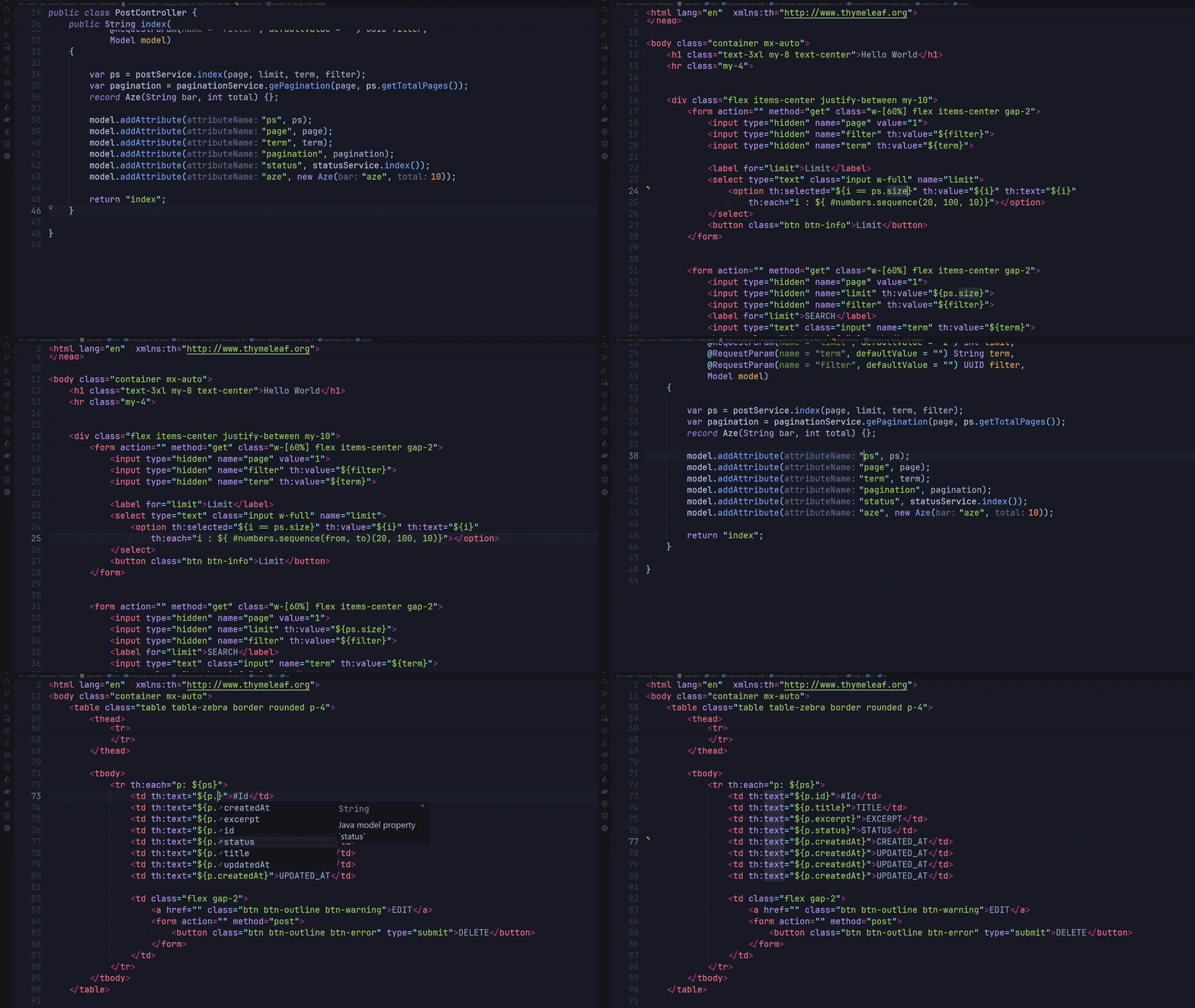
Features
- Prioritized completion for Thymeleaf attributes, expressions, model properties,
th:each variables, templates, fragments, and controller routes.
- Go to Definition between Thymeleaf expressions and Java model properties, controller routes, view names, templates, and fragments.
- Rename Java model fields and record components together with Java references and matching Thymeleaf property references.
- Diagnostics for malformed expressions, unknown Thymeleaf attributes, missing templates, fragments and routes, and unresolved model properties.
- Quick fixes for missing expression braces, common attribute misspellings, and likely model-property typos.
- Hover information, references, and semantic coloring for resolved Java-backed model properties and methods.
- Thymeleaf syntax highlighting and optional snippets in HTML files.
Requirements
- Visual Studio Code
1.85.0 or later.
- A Java project using Spring MVC / Spring Boot.
- The Extension Pack for Java, which provides the required
redhat.java language server.
The Java language server's standard mode provides compiler and classpath-backed symbol resolution. If that API is unavailable, source-based Thymeleaf support remains available and the fallback is reported in the Thymeleaf Companion: Java output channel.
Getting started
- Install Thymeleaf Companion and the Extension Pack for Java.
- Open your Spring Boot workspace in VS Code.
- Open an HTML template under
src/main/resources/templates.
- Use completion, Go to Definition, diagnostics, or Rename as you edit.
Thymeleaf template paths are relative to the configured template directories and omit the .html extension. For example, ~{fragments/header :: navigation} resolves to fragments/header.html.
Settings
| Setting |
Default |
Description |
thymeleaf.templateLocations |
["src/main/resources/templates"] |
Template directories relative to each workspace folder. |
thymeleaf.validation.unclosedExpressions |
true |
Report malformed or unclosed Thymeleaf expressions. |
thymeleaf.validation.unknownAttributes |
true |
Report unknown Thymeleaf attributes and suggest close matches. |
thymeleaf.validation.unknownModelProperties |
true |
Check properties when the model type can be resolved from Java sources. |
Java and Spring support
The extension indexes common Spring MVC @Controller and @RestController mappings, static view-name returns, model values supplied through Model.addAttribute, @ModelAttribute, and Java fields, getters, and record components. It follows common collection types and simple generic types, including nested controller types. A th:each variable is available throughout its element, including in attributes written before th:each in the same opening tag.
With the Java language server active, external Java types are resolved through JDTLS definitions and document symbols against the imported project's classpath. Those symbols can contribute to completion, diagnostics, navigation, and semantic coloring. Rename combines Java references from the Java language server with resolved Thymeleaf property references.
The Spring handler and model association still uses source-based analysis. Full compiler-grade analysis of Spring runtime behavior, complex generic bounds, inherited dependency members, dynamic mappings, and complete SpEL is not yet supported. Ambiguous model attributes are left unresolved rather than assigned an arbitrary Java type.
Development
npm install
npm test
Press F5 in VS Code to launch the Extension Development Host. npm run compile type-checks and bundles the extension; npm run watch rebuilds the bundles while editing.
License
This project is licensed under the MIT License.
Links

