Histrova
A fast Git graph for VS Code, with one-click history editing, undo for everything, a three-way conflict solver, and fetch / pull / push.
Features
A graph you can read
- Every branch, tag and remote branch on one graph, with clear lane colors in light, dark and high-contrast themes.
- Smooth with big histories: 100,000 commits scroll at 60 fps; the first rows appear in a fraction of a second.
- Hover a commit for its full message and details; hover a branch to see how far it is from its remote.
- Click a commit to see its files and diffs. ⌘/Ctrl-click a second commit to compare the two.
- Search by message, author, hash, branch or tag (⌘F / Ctrl+F).
- Filter by author: pick one or more people under Authors in the toolbar (or right-click a commit › Show Only Commits by …) to see just their commits, as a timeline.
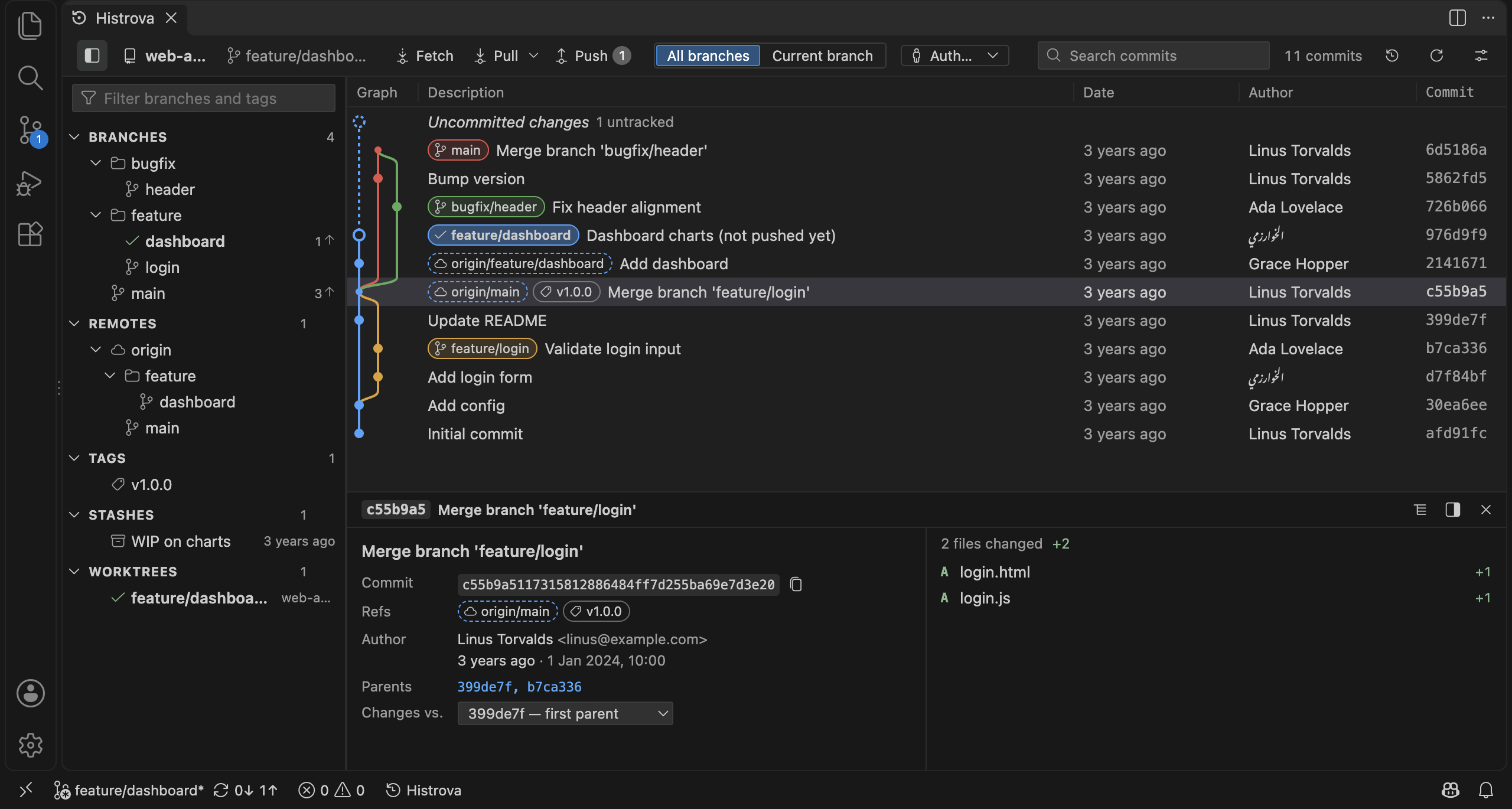
A sidebar left of the graph lists your branches (in folders, with ahead / behind counts), remotes and their branches, tags and stashes (click one to see its changes, then apply, pop or drop it). Filter it, click to jump to a branch in the graph, double-click to check it out, right-click to push, pull, set the upstream, compare, or manage remotes (add, edit URL, rename, remove, fetch, prune) and remote tags.
Edit history in one click
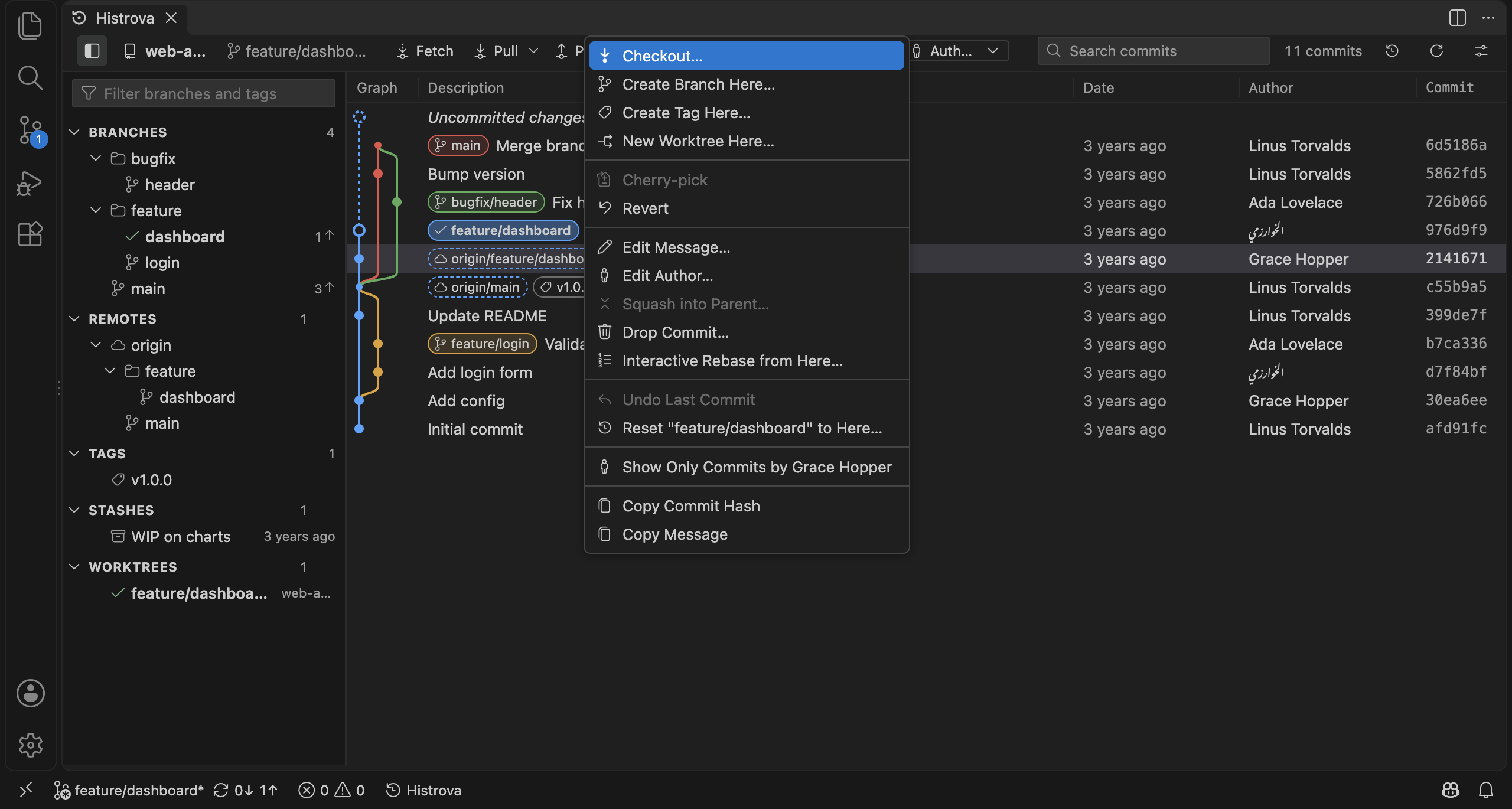
Right-click any commit or branch:
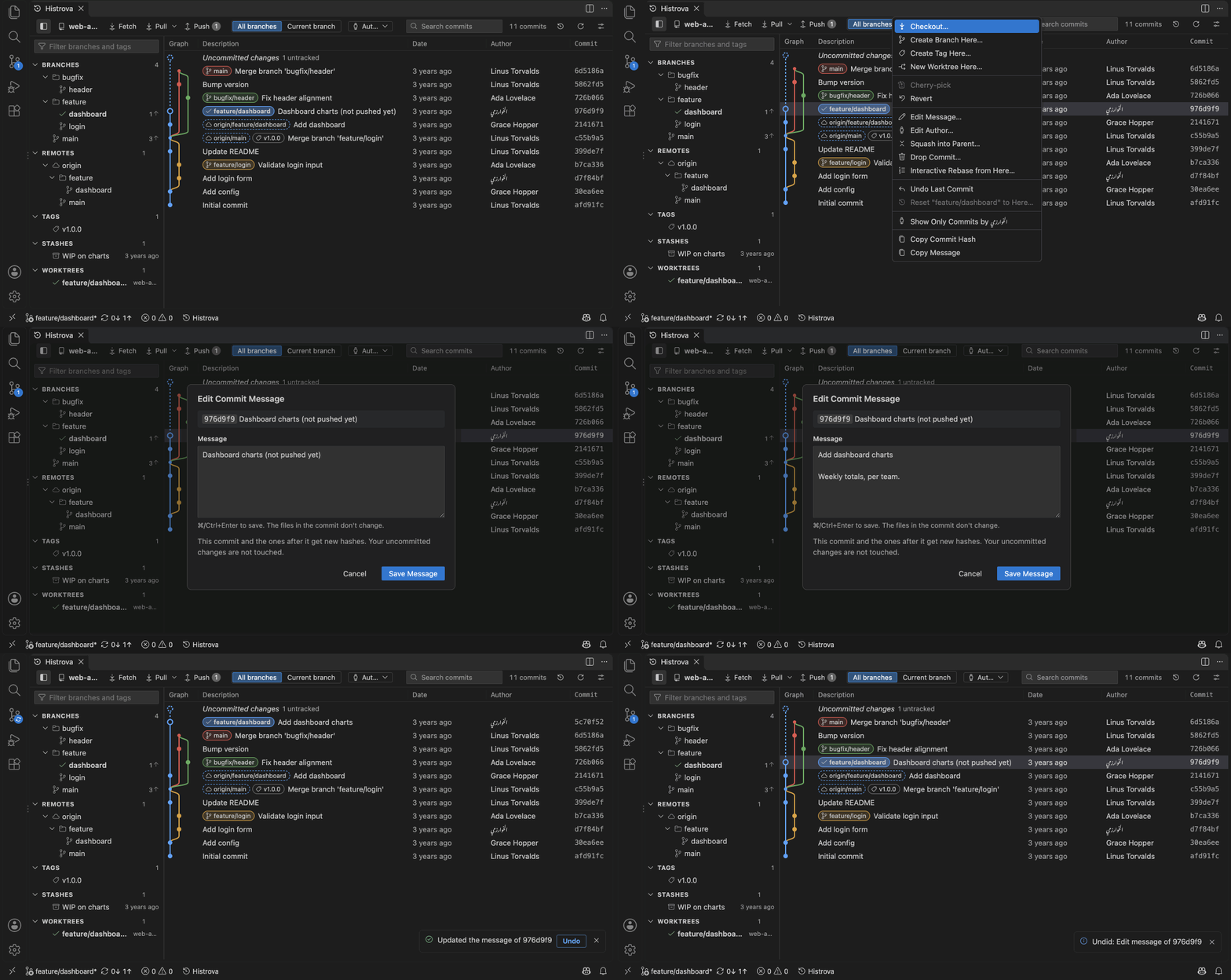
- Edit message and edit author of any commit on your branch, not just the last one. Instant, no rebase.
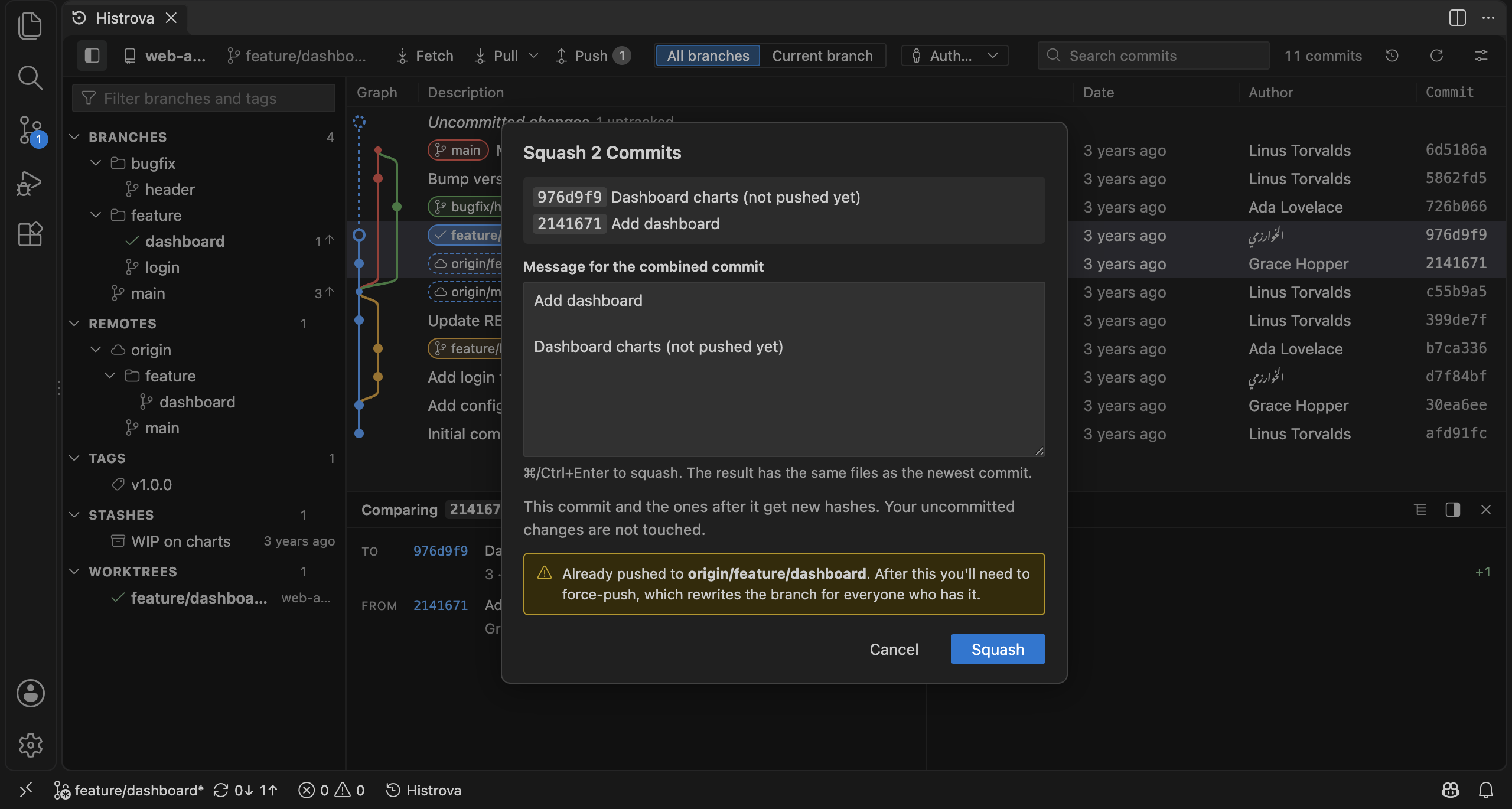
- Squash two commits (or a commit into its parent), drop a commit, reset, undo last commit.
- Interactive rebase without a text editor: drag commits into a new order, and pick, reword, squash, fixup or drop each one.
- Cherry-pick, revert, merge, rebase, checkout, create and delete branches and tags.
- Warns you before you rewrite commits that are already pushed.
Look back
- File history: right-click a file (Explorer, editor tab or Histrova) → Show File History: the graph shows just the commits that changed it, following renames.
- Blame: who last changed each line, and when; click a commit to see it in the graph.
- Recover lost commits: commits you reset away, dropped or squashed are still in the reflog; Histrova lists them and brings one back as a branch.
Submodules and worktrees
- Submodules: the sidebar shows each one and whether it's cloned, on the recorded commit, or changed. Initialize or update them, or double-click one to see its own history in the graph.
- Worktrees: work on two branches at once in two folders. Right-click a branch → Check Out in New Worktree…, then open it in a new window or in the graph. Remove, lock or prune them from the sidebar.
Undo anything
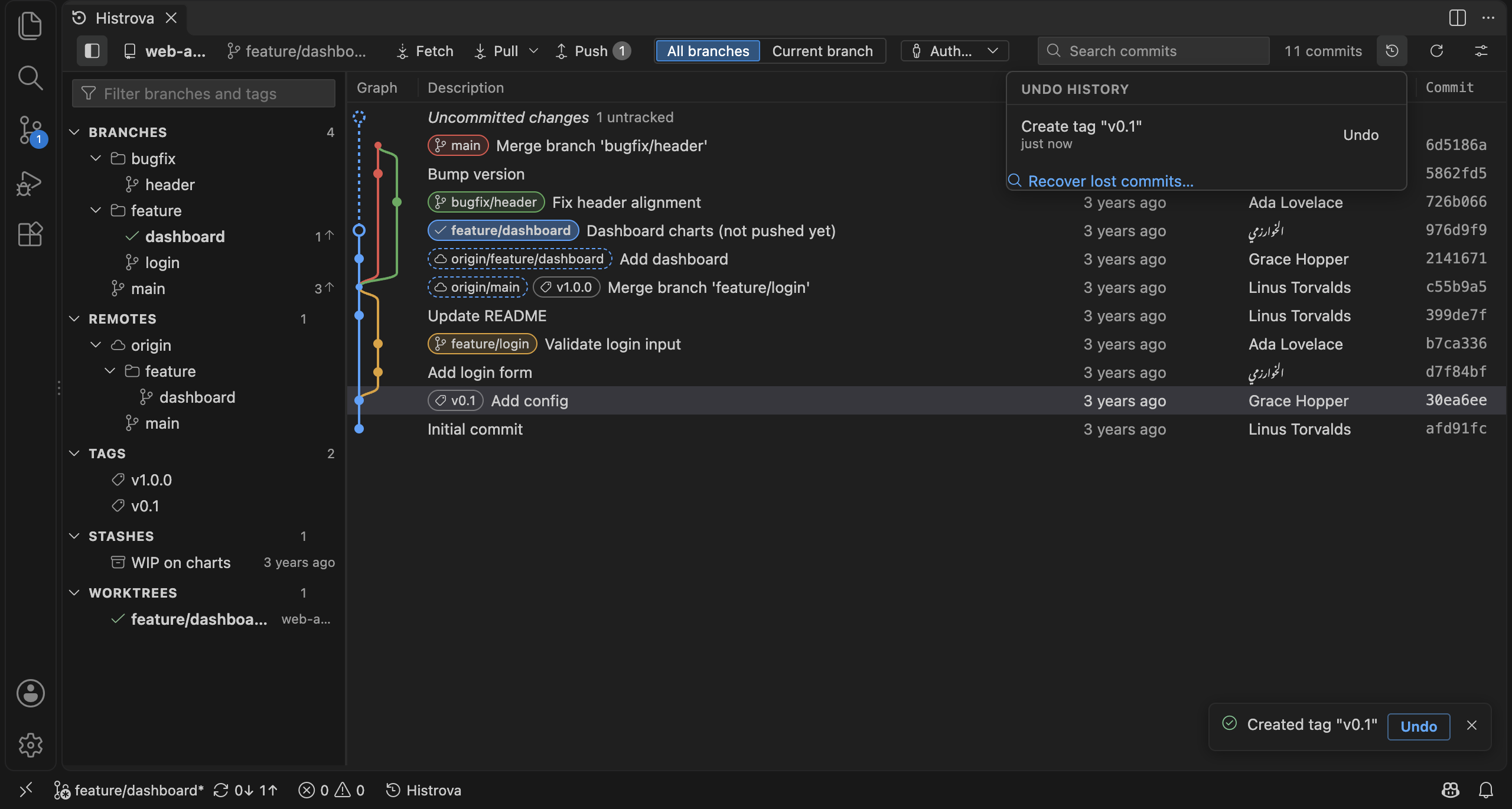
Every action shows an Undo button, and the Undo History keeps the last 20. Undo restores branches, tags and even uncommitted work thrown away by a hard reset or discard. If something changed since, Histrova tells you why it can't undo instead of guessing.
Resolve conflicts side by side
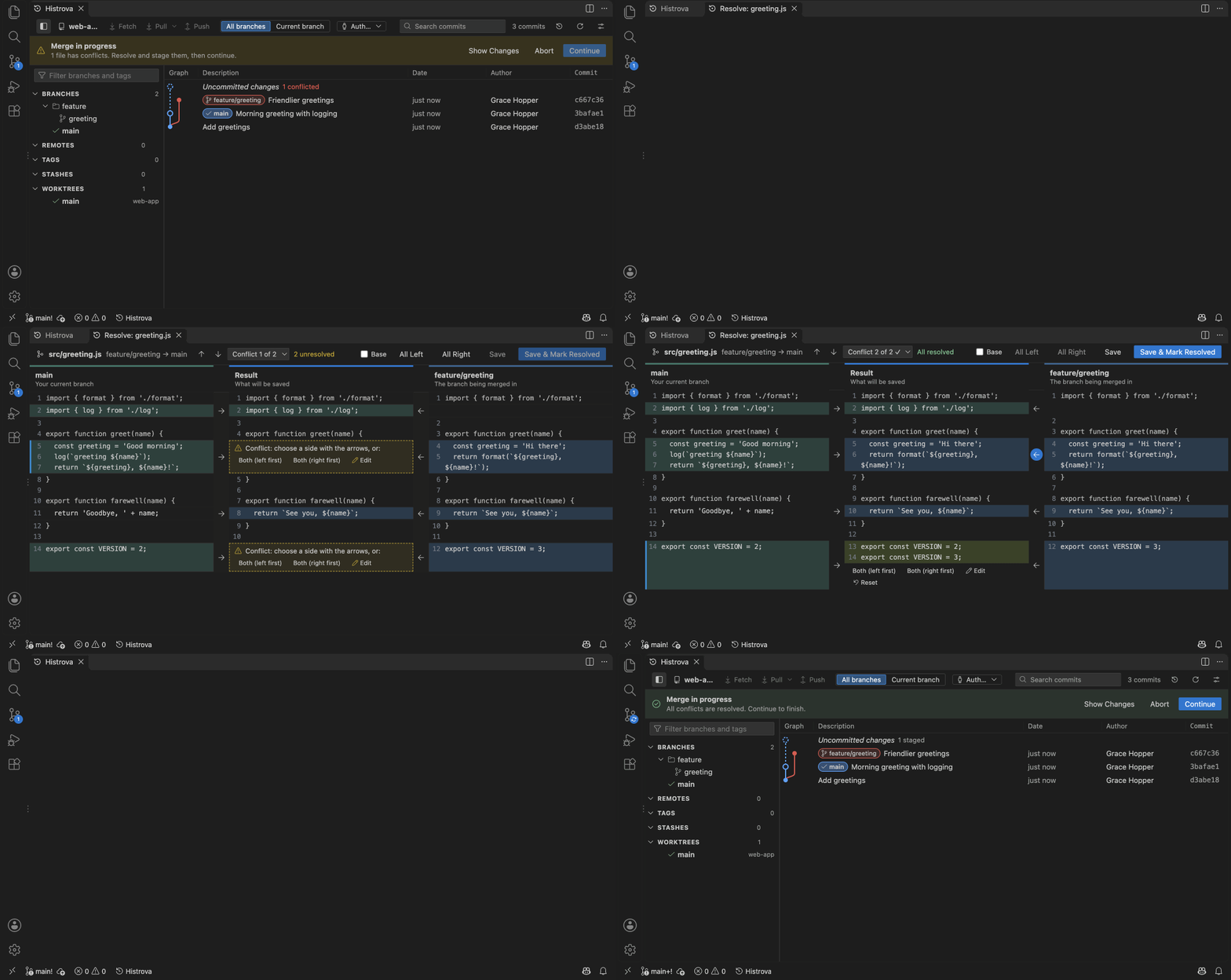
A three-way conflict solver in its own tab: your branch on the left, the incoming branch on the right, the result in the middle, and the common base when you want it.
- Arrows next to every change take a side in one click. Both (either order), Edit by hand, Reset.
- Changes made on only one side are taken for you; real conflicts are highlighted.
- Conflict navigator: previous / next, jump list, count of what's left. Take all left / all right.
- Clear names during a rebase ("the branch you're rebasing onto" vs. "your commit"), and choices for binary files and files deleted on one side.
- Keyboard: Alt+↑/↓ to move, Alt+←/→ to take a side, ⌘/Ctrl+S to save.
Fetch, pull and push
- Ahead / behind counts in the toolbar. Pull by merge or rebase (following your
pull.rebase setting).
- First push asks where to and links the branch for next time.
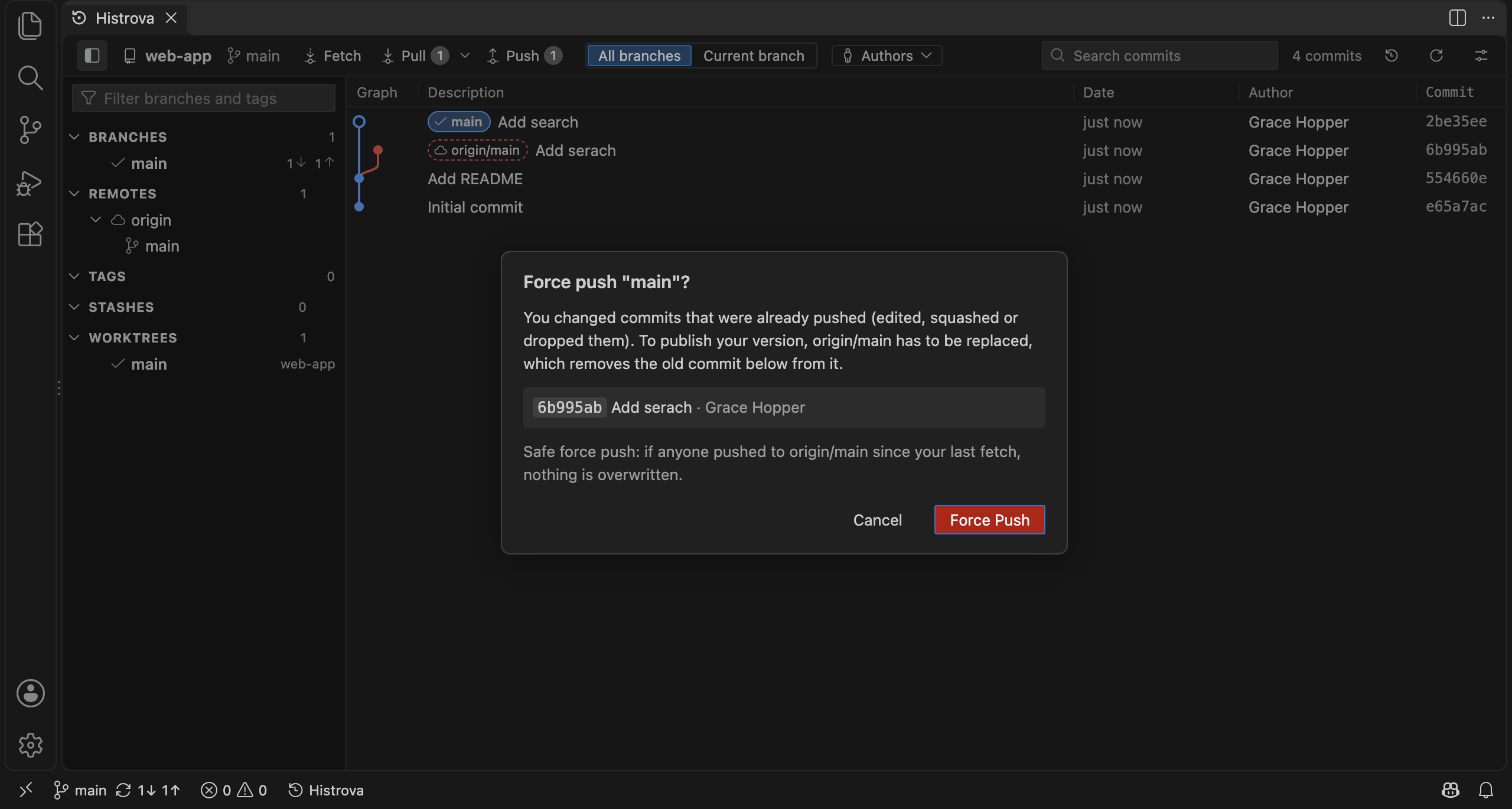
- When your branch and its remote branch have diverged, Histrova tells "you edited pushed commits" apart from "someone else pushed", lists the commits a force push would remove, and only force pushes with a lease (if anyone pushed since your last fetch, nothing is overwritten).
- Usernames, passwords, tokens and SSH passphrases are asked for inside VS Code. Errors say what's wrong in plain words.
Stage and commit
The working tree sits at the top of the graph: stage or unstage files, view diffs, commit or amend, discard changes (new files go to the Trash). To commit only part of a file, open Stage Lines… on it: pick single lines (Shift-click for a range) or whole changes to stage, unstage or discard.
Getting started
Open a folder that contains a Git repository, then click Histrova in the status bar, the Histrova button in the Source Control view, or run Histrova: Show Git Graph from the Command Palette.
Requirements: Git 2.30 or newer, VS Code 1.95 or newer.
Settings
Click the settings button (at the right of Histrova's toolbar) for the View menu: the sidebar, where commit details open, the columns, dates, graph lines, and what the graph shows. Changes apply at once. All Settings… there (or Histrova: Open Settings) opens every setting:
| Setting |
What it does |
Default |
histrova.sidebar |
Branches sidebar: open when the graph is wide (Automatic), always, or never |
Automatic |
histrova.details.position |
Commit details beside the commits when there's room (Automatic), below, or beside |
Automatic |
histrova.graph.position |
Graph column before or after the commit message |
left |
histrova.columns.date / .author / .commit |
Show the Date, Author and Commit columns |
On |
histrova.dateFormat |
Relative ("3 hours ago"), date and time, date only, or ISO (2026-09-28 14:05) |
Relative |
histrova.dateType |
Show the author date or the commit date |
Author date |
histrova.graph.style |
Rounded or angular lines between branches |
Rounded |
histrova.graph.colors |
Your own branch-line colors (up to 10 hex colors) |
Histrova palette |
histrova.openOnStartup |
Open the graph when a window with a Git repository opens |
Off |
histrova.openIn |
Open the graph in the current editor group or beside it |
Current group |
histrova.defaultView |
What a newly opened graph shows: the last choice, all branches, or the current one |
Last used |
histrova.show.tags |
Show tags |
On |
histrova.show.remoteBranches |
Show remote branches |
On |
histrova.show.uncommittedChanges |
Show a row for uncommitted changes |
On |
histrova.commitOrder |
By date, or each branch's commits kept together |
By date |
histrova.firstParent |
Follow only the first parent of merges |
Off |
histrova.dimMergeCommits |
Show merge commits faded |
Off |
histrova.useMailmap |
Use .mailmap to show each person under one name and email |
On |
histrova.warnBeforeRewritingPushedCommits |
Warn when a change rewrites commits that are already pushed |
On |
histrova.undoHistorySize |
Actions kept in the Undo History, per repository (5 to 100) |
20 |
histrova.autoFetch |
Fetch in the background every 5, 10 or 30 minutes (never asks to sign in) |
Off |
histrova.gitPath |
Path to Git, if it isn't found automatically |
Automatic |
histrova.showStatusBarItem |
Show the Histrova button in the status bar |
On |
histrova.telemetry.enabled |
Share anonymous usage counts (see Privacy) |
Off |
Dialogs remember your last choice (checking out a new branch, the merge and reset options, stashing new files). Every graph action (Refresh, Fetch, Pull, Push, Commit, Stash, New Branch, Find, Show or Hide Branches, Reflog) is a command you can give a keyboard shortcut: open Keyboard Shortcuts and search for "Histrova".
Privacy
Histrova works locally and sends nothing anywhere by default. If you turn on histrova.telemetry.enabled (and VS Code's own telemetry is on), Histrova records only which features you use and whether they worked: never file names, paths, commit messages, branch names, remote URLs or anything you type. Every event is shown in the Histrova Telemetry output channel, exactly as recorded.
Feedback and help
The GitHub repository is Histrova's home for issues, the guide and release notes.
License
Copyright © 2026 Histrova. All rights reserved. See LICENSE.md.
| |

