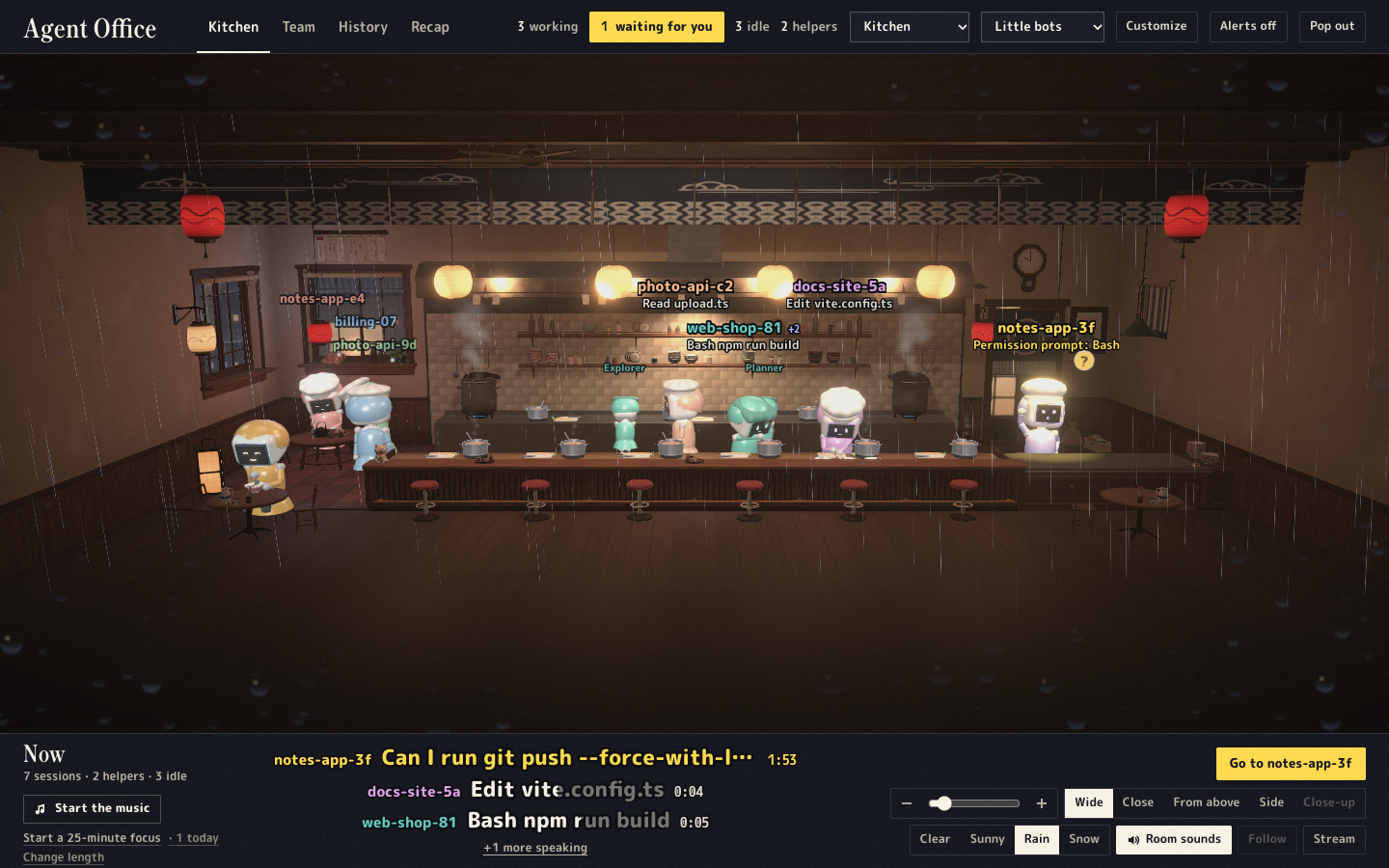
Your Claude Code sessions as little people at work in a cozy 3D room: a loft office, a ramen kitchen or a toy workshop. Reads Claude Code's files on this computer; installs nothing into Claude Code.
Installation
Launch VS Code Quick Open (Ctrl+P), paste the following command, and press enter.
Your Claude Code sessions as little people at work in a cozy 3D room: a loft office, a ramen
kitchen or a toy workshop. Each session is one person who acts out what it's doing (typing when it
edits, reading when it reads, stirring the pot when it runs a command). The one waiting for you
steps under a yellow lamp with a "?", and its helpers work beside it.
Use it
Open the Agent Office tab in the bottom panel (beside Terminal): the room alone, with its name
tags and a small bar; More opens the whole app in place, Room only goes back.
Agent Office: Open the Room in an Editor Tab (Command Palette) opens the whole app in a tab:
History, Recap, the theme, the weather, the music and the camera.
Start Claude Code in any terminal, this editor's included: someone walks in within a second.
Agent Office: Open the Room in the Browser shows the same room in your browser.
Pick the room, the weather and how the people look in its top bar; History replays past
sessions request by request.
Private by design
It reads the files Claude Code already writes on this computer (~/.claude), installs nothing into
Claude Code (no hooks, no settings changed), and serves on 127.0.0.1 only. The page makes no
requests to other sites unless you paste a YouTube or Spotify link for music.
Requirements
Claude Code, used in any terminal.
Built and tested on macOS. Linux and Windows should work, except "Answer in terminal", which uses
macOS Terminal.
Settings
agentOffice.port: the port of the room's local server on 127.0.0.1 (0 picks a free one).
More on the project page. MIT licensed.
Not affiliated with Anthropic; Claude and Claude Code are Anthropic's.