HEXHAD Dark Theme: Calm Colors & File IconsA calm, low-glare dark theme for VS Code with colourful file icons. Deep graphite surfaces, soft muted syntax colours, one mint accent, WCAG AA contrast. Made for Fira Code. Installation Launch VS Code Quick Open ( Ctrl+P), paste the following command, and press enter.Copied to clipboard |

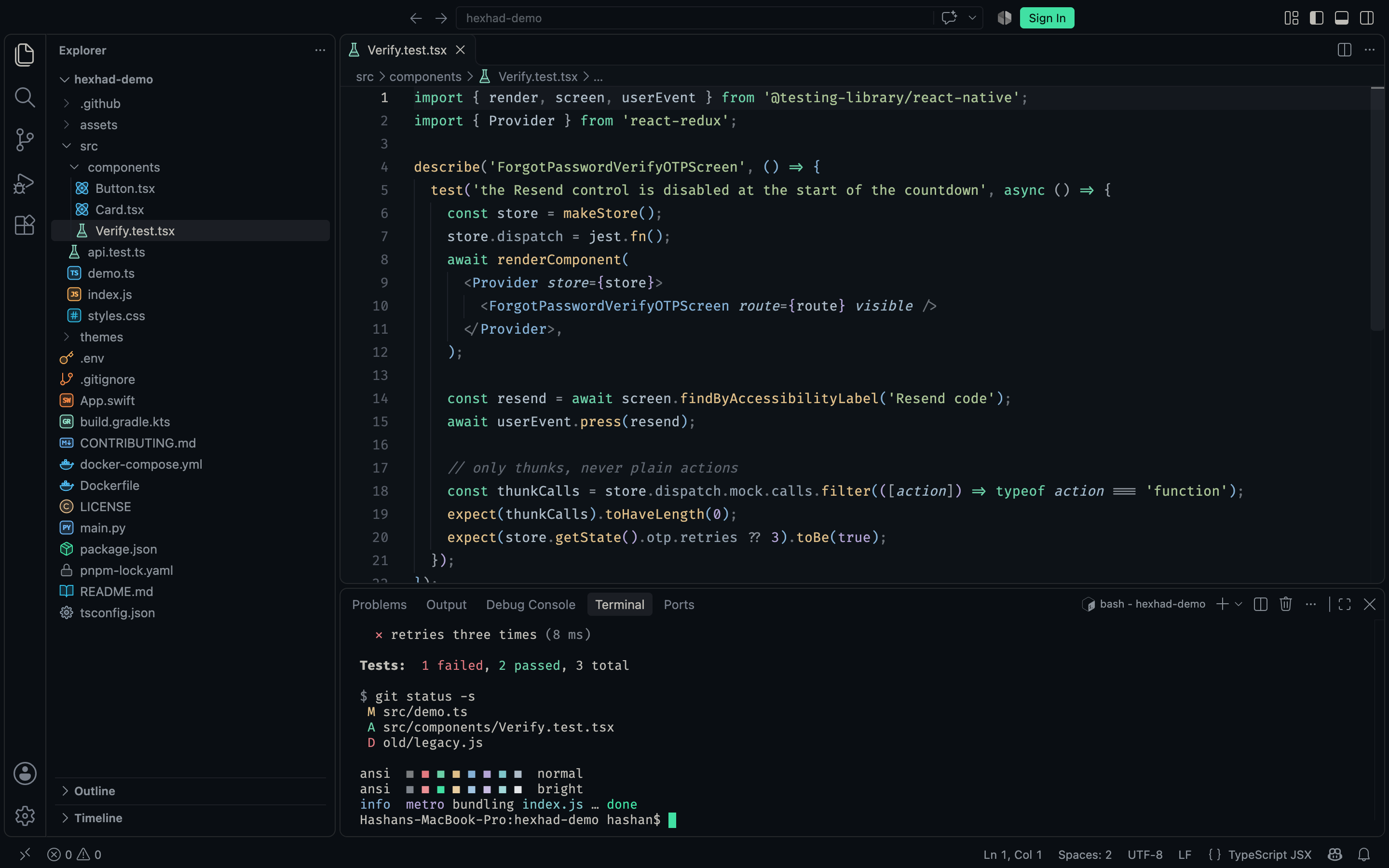
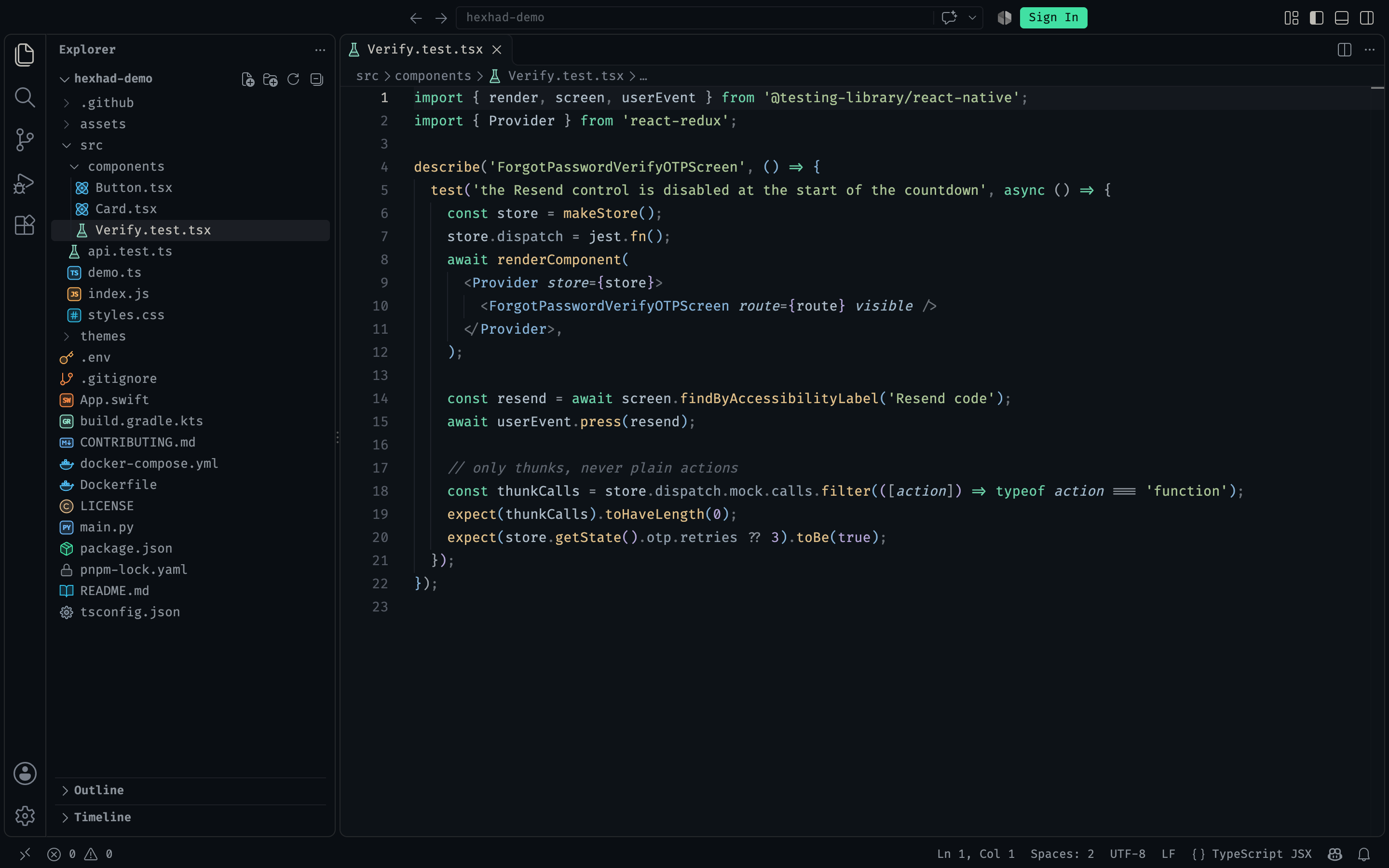
HEXHAD DarkA calm dark theme for VS Code, with a matching set of colourful file icons. Surfaces are deep graphite and code colours are soft and muted, so long sessions are easy on the eyes. One mint accent marks the cursor, focus and active tab.
The extension includes two themes:
Get started
You can also turn on the icons yourself: open the Command Palette, run Preferences: File Icon Theme and choose HEXHAD Icons. Colour balance: 60 / 30 / 10Every colour follows one rule: mostly graphite, some structure, and very little accent.
Code follows the same rule, in low-saturation colours:
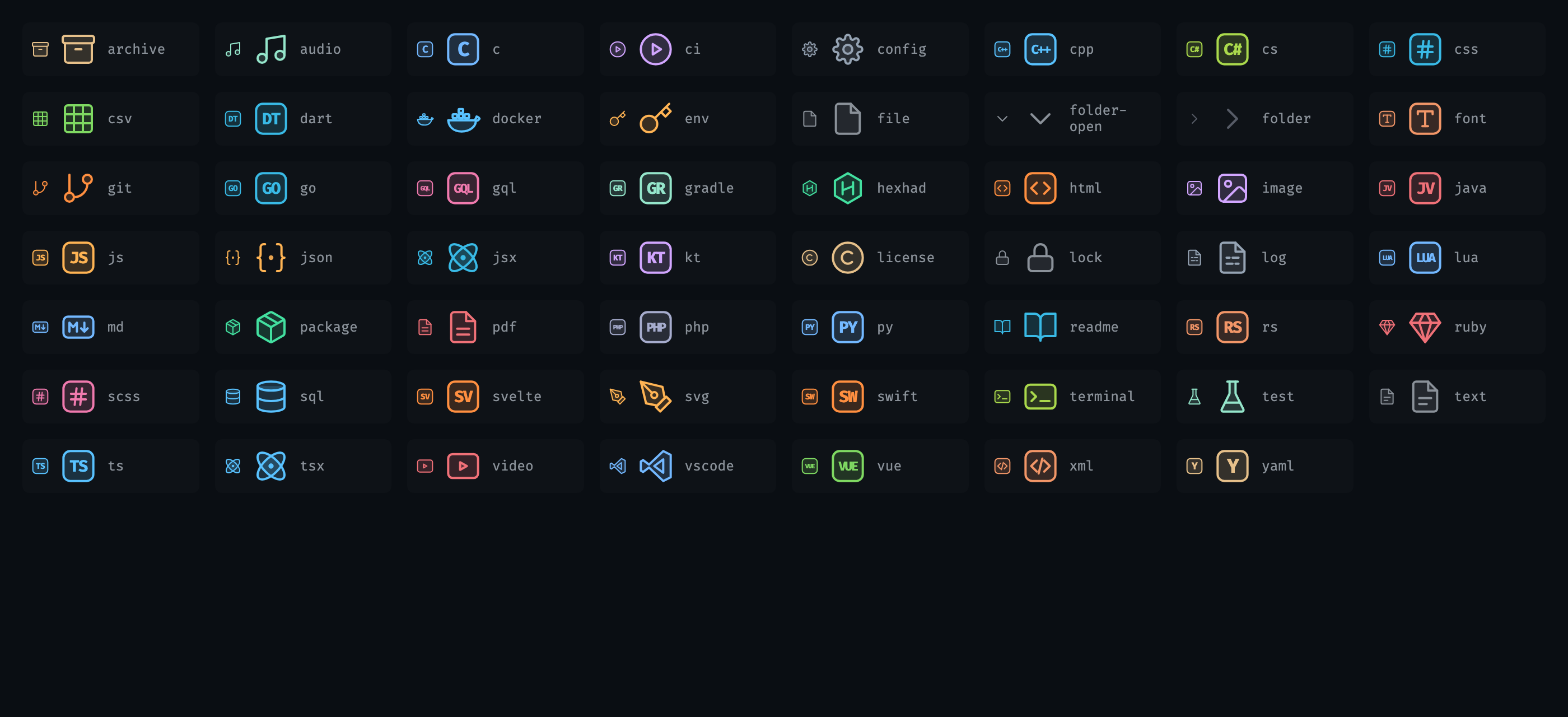
The terminal's 16 ANSI colours use the same palette, so test output and git status match the editor. All interface text meets WCAG AA contrast (4.5:1) against the surface behind it. Code colours measure between 5.9:1 and 15:1. Comments (3.2:1) and punctuation (3.8:1) are deliberately quieter, and git-ignored files are dimmed further. HEXHAD IconsHEXHAD Icons has 55 icons covering more than 170 file types and names. Each icon is a thin 1.5px line drawing with a see-through fill in the same colour. Folders appear as simple chevrons, so the Explorer's own arrows are hidden.
Use Fira CodeA theme can't choose your font. HEXHAD Dark is designed around Fira Code. To use it, install the font, then add this to your Fira Code across the whole window (optional)VS Code doesn't let a theme or a setting change the font of the sidebar, tabs and menus. The Custom UI Style extension can. The setup command does these steps for you when you choose Fira Code across the whole window. To do them yourself:
Custom UI Style changes VS Code's own files, so VS Code then reports that the installation "appears to be corrupt". This is expected and harmless, so choose Don't Show Again. Run the reload command again after each VS Code update. To undo the change, run Custom UI Style: Rollback.
LicenseMIT © 2026 HEXHAD. The icons are original drawings in the style of Feather (MIT) and Lucide (ISC). The HEXHAD name and mark are not covered by the MIT license.
|