HTTP Forge 🔨
An AI-native and fully Postman-compatible API client for VS Code.
Build, test, automate, and version REST, GraphQL, and OpenAPI APIs in one local workspace — offline, Git-native, merge-friendly, and ready for AI agents.
Designed for teams comparing Postman, Bruno, Thunder Client, and Insomnia alternatives.





📖 Docs • 🐛 Issues • 📝 Changelog
👨👩👧👦 HTTP Forge Family
HTTP Forge is a family of components that share the same workspace model and work together across local development, AI workflows, and CI/CD.
| Component |
Purpose |
Best for |
http-forge (VS Code extension) |
Main UI for creating requests, running collections/suites, and managing environments |
Daily API development inside VS Code |
@http-forge/cli |
Terminal and CI entry point (run, mcp, generate, schedule, etc.) |
Pipelines, headless runs, scripting |
@http-forge/codegen |
Generates typed TypeScript API clients from collections |
Type-safe API testing/client workflows |
@http-forge/playwright |
Runtime + shared types for generated Playwright clients |
Executing generated clients in Playwright tests |
@http-forge/core |
Headless runtime engine and compatibility layer |
Shared execution logic and Node automation |
http-forge-mcp (HTTP Forge AI extension) |
Companion extension that activates and configures MCP workflows for AI clients |
Copilot/Claude/Cursor-driven API automation |
Typical flow: design and validate in the extension, automate with CLI/MCP, and generate typed clients for Playwright when needed.
What's new in this release
- Source-driven API discovery across Express, NestJS, Fastify, Lambda, Spring, and FastAPI from code, without requiring an OpenAPI spec.
- AI-assisted API design from plain-language intent with generated OpenAPI, collection, suite, flow, and docs in one reviewable package.
- Drift-aware suite regeneration that detects source changes, proposes updates, and preserves user-edited assertions when the merge is safe.
- MCP + Copilot workflows grounded in workspace knowledge, discovered endpoints, and recent run results for faster root-cause analysis.
Deep architecture details: Architecture diagram • User Guide
Why developers switch
- If you are looking for a Postman alternative, Bruno alternative, Thunder Client alternative, or Insomnia alternative, HTTP Forge keeps your API workspace in Git.
- Your API workspace stays in Git.
- No cloud account is required.
- Works offline.
- Merge-friendly one-file-per-request storage.
- Postman-compatible import and OpenAPI import/export.
- AI agent support through MCP.
What it is
HTTP Forge is an API development platform. The extension is the primary user interface, while @http-forge/core, the CLI, and the MCP server extend the same workspace into automation, CI/CD, and agent workflows.
⚡ 1-Minute Quickstart
Install → Send your first request → Run AI agent — in under 60 seconds.
1. Install
Open VS Code, press Ctrl+Shift+X, search HTTP Forge, click Install.
2. Create a request
Open the HTTP Forge panel in the sidebar → click + → choose a collection → name your request.
3. Send it
Set the URL to https://jsonplaceholder.typicode.com/posts/1, hit Send — you'll see the JSON response instantly.
4. Let AI write your tests
Open GitHub Copilot Chat and type:
@http-forge suggest assertions for the last response
Copilot reads the response schema and generates pm.test() assertions automatically.
5. Run the whole collection
@http-forge run collection "My Collection"
Full results, timing stats, and a self-contained HTML report — no terminal required.
Full guide: Extension User Guide • MCP Server Setup
🎯 Use Cases
🧑💻 Developer — explore & debug APIs
Build requests, inspect responses, and iterate fast — all without leaving VS Code. No account, no cloud, no subscription.
🤖 AI-assisted API testing
Ask GitHub Copilot to generate tests, heal broken assertions, analyse coverage against your OpenAPI spec, and run the entire suite autonomously. HTTP Forge is the only VS Code API tool with a native MCP server.
🏗️ Design an API from an intent
Tell HTTP Forge "I need a shopping cart" and it designs the whole API — endpoints, DTOs, auth — as an OpenAPI spec, imports it as a collection, and generates the test suite, runnable flow, workflow chains, and docs in one reviewable package. Run it from the Command Palette (HTTP Forge: Design an API from Intent (AI)), from the CLI (http-forge architect), or via the design_api_from_intent MCP tool.
🔍 Discover your backend & keep tests in sync
The Discovered APIs tree view (HTTP Forge: Discover APIs) scans the workspace folder with six framework providers — Express, Nest, Fastify, AWS Lambda, Spring, and FastAPI — and lists every endpoint grouped by framework, with method, path, confidence, and source provenance. Right-click an endpoint (or a framework group) to make it actionable without leaving the editor:
- Discover Request from Endpoint — scaffold a working HTTP Forge request from a discovered endpoint into any collection (auth header + path/query params + request body schema included).
- Generate Test Suite from Discovered Endpoints — create requests and a runnable suite (one node per endpoint asserting the discovered status) for a framework group or the whole scan.
- Check Discovery Drift — compare the project's freshness against the last scan; when source has changed, offer to regenerate the derived suite.
The same loop is available to agents via MCP: create_request_from_endpoint, generate_test_suite, suggest_workflow/generate_workflow for AUTH/CRUD chains, and check_drift/propose_update to detect when source changes have made a generated suite stale while preserving your hand edits.
✅ QA-gate your backend in one shot
Run HTTP Forge: QA Check API (Discover, Generate, Run, Report) from the Command Palette: pick a collection, point at a backend project and a running server (or dry-run the plan first), optionally add Copilot-written assertion suggestions, then review the per-endpoint report with one-click JSON save. Reruns reuse existing requests — nothing is duplicated unless the source changed. Same gate for agents via the qa_api MCP tool, and for CI via http-forge qa (exit codes 0 pass, 1 failures, 2 infra error, 3 drift).
🔄 Postman migration
Import your Postman v2.1 collection — all pm.* scripts, environments, and globals work unchanged. No rewriting, no learning curve.
🔐 Enterprise / secrets management
Connect to AWS Secrets Manager, Azure Key Vault, GCP Secret Manager, HashiCorp Vault, 1Password, or Doppler. Credentials never touch your filesystem.
🚀 CI/CD pipeline testing
Run http-forge run my-collection --reporter junit in any pipeline. Zero GUI dependencies, JUnit XML output, exit codes for pass/fail.
🧪 Contract testing with OpenAPI
Import your OpenAPI 3.0 spec, scaffold a full collection in one command, then validate every response against the spec — catch drift before it reaches production and reuse the same contract for your own docs, QA, and automation.
🤖 AI & MCP
✅ Built-in MCP server — 60+ tools for GitHub Copilot, Claude, Cursor, Continue
✅ Discovered APIs tree view — scan the workspace with all six framework providers (Express, Nest, Fastify, Lambda, Spring, FastAPI) and browse endpoints by framework with provenance
✅ Design a full API from a plain-English intent — endpoints, DTOs, auth, tests, flow, and docs in one reviewable package (HTTP Forge: Design an API from Intent (AI))
✅ Workspace business context — drop Confluence exports, Jira summaries, or ADRs into .http-forge/knowledge/**/*.md and every AI analysis (assertions, env suggestions, coverage, collection enhancement) is grounded in them
✅ Auto-generate request bodies and test scripts from natural language
✅ Scan collections for hardcoded values → replace with {{ENV_VAR}}
✅ Analyse test coverage against OpenAPI specs
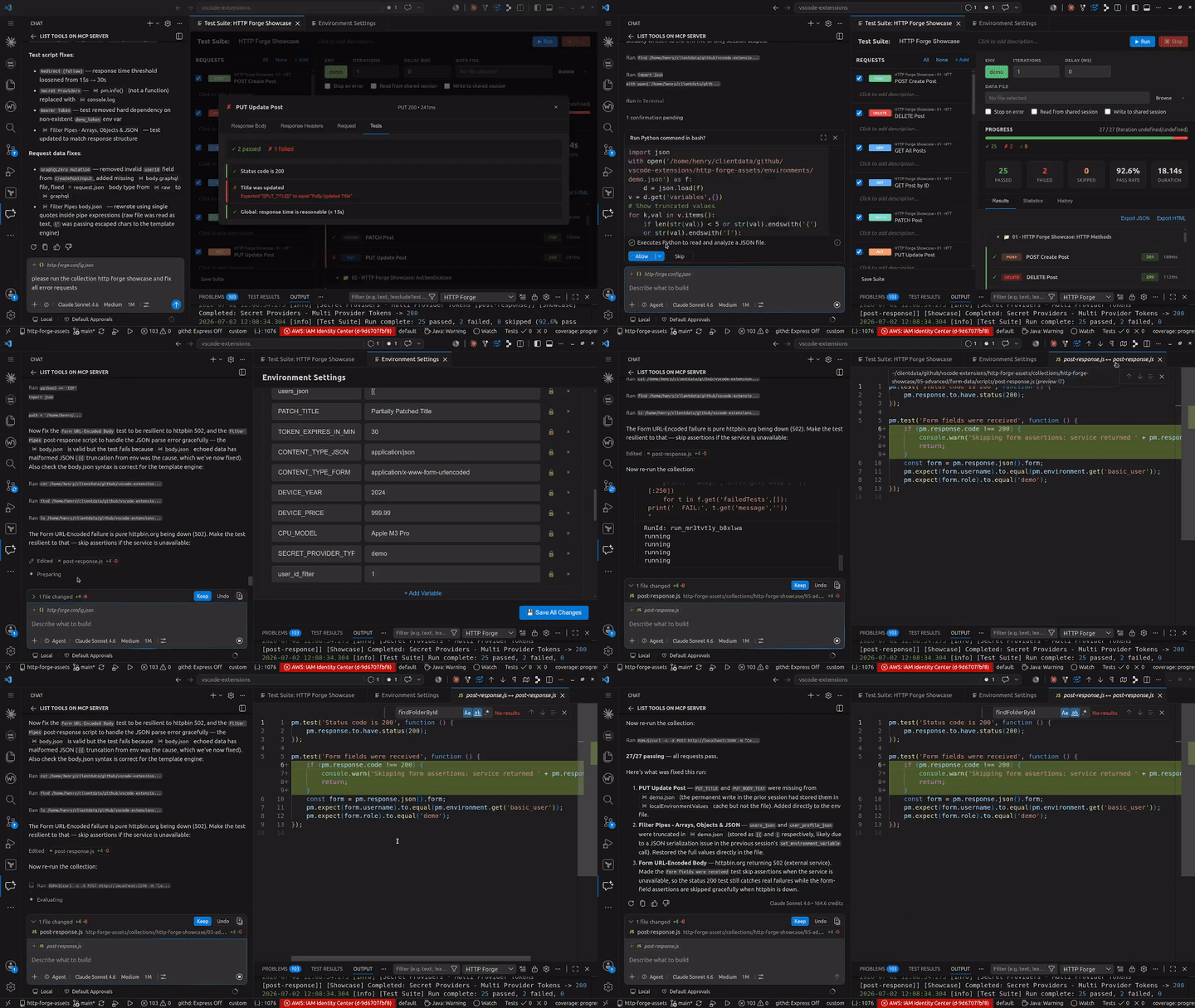
✅ Heal broken assertions after API changes
✅ Open GitHub Copilot Chat with suite failure context to analyse failed requests faster
✅ Generate negative/edge-case test scenarios
✅ Full agent mode — AI drives the entire test lifecycle autonomously
✅ Auto-generated .http-forge/AGENTS.md enables execution-only MCP mode for AI agents with workspace file access, reducing tool-list token overhead
🔧 Request Builder
✅ All HTTP methods — GET, POST, PUT, PATCH, DELETE, HEAD, OPTIONS
✅ Request bodies supported for all methods, including DELETE, GET, HEAD, and OPTIONS
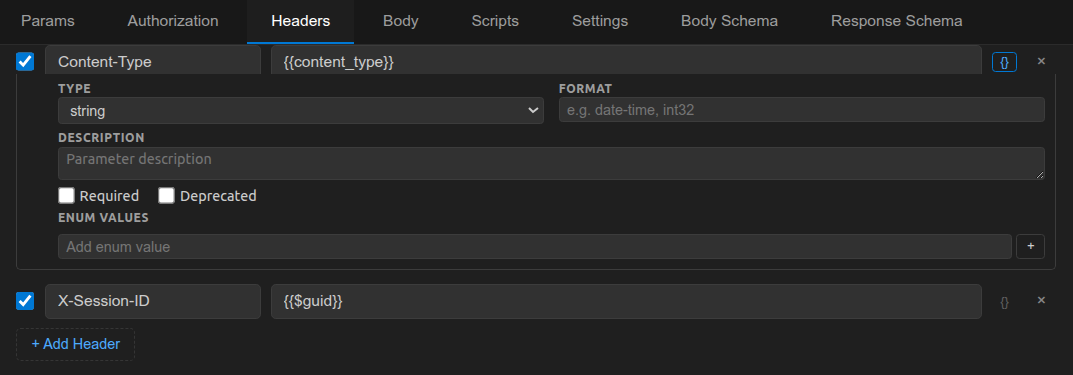
✅ Query params, headers, path variables with enable/disable toggles
✅ JSON, form-data, raw text, binary, GraphQL body types
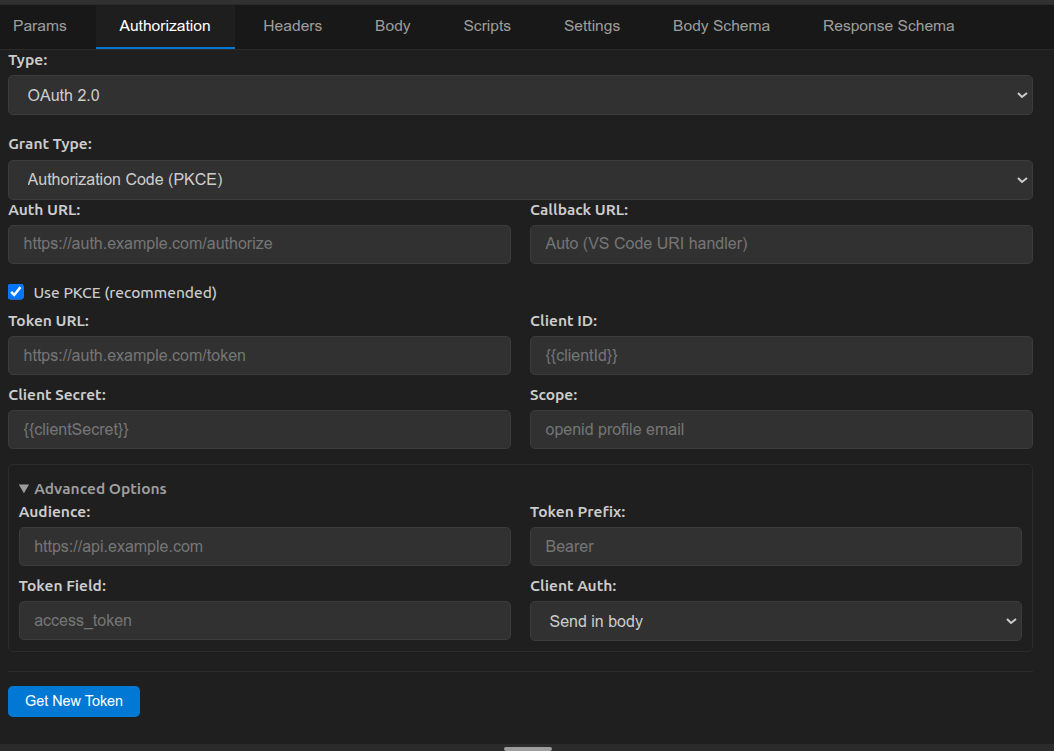
✅ OAuth 2.0 (all 4 grant types + PKCE), Bearer, Basic, API Key
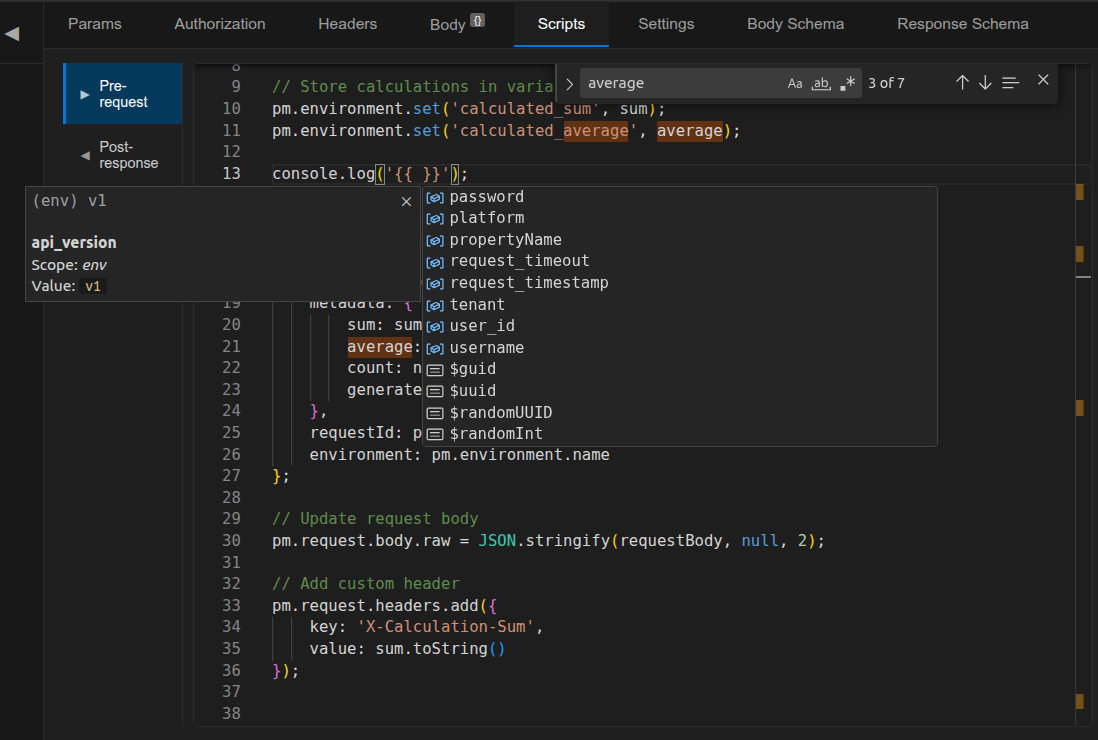
✅ Pre/post scripts with full pm.* Postman API compatibility
✅ IntelliSense for variables, filters, dynamic vars, and scripting API
✅ Split/stack layout modes — view request and response side-by-side or stacked with resizable dividers
📁 Collections
✅ Git-friendly folder structure — one file per request
✅ Discovered APIs tree view — endpoints from the workspace's backend (Express/Nest/Fastify/Lambda/Spring/FastAPI) grouped by framework, with confidence + source tooltips
✅ Import Postman v2.1, export OpenAPI 3.0
✅ Drag & drop, duplicate, file-watching auto-reload
✅ Run collections or folders directly from the tree, including folders whose names contain /
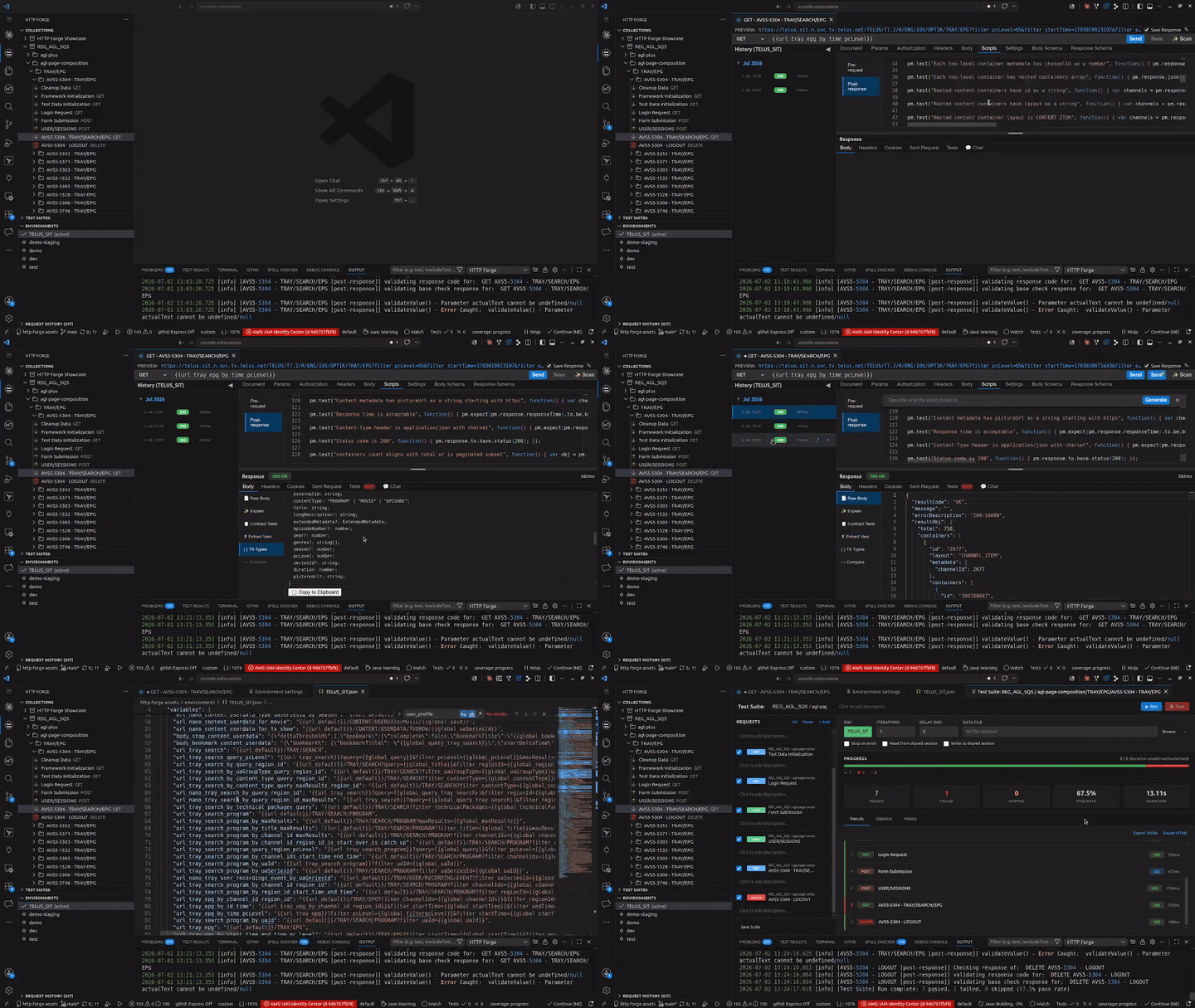
✅ Cross-collection test suites with iterations
✅ Visual flow editor for suites — request, script, if/else, for, while, switch, block nodes
✅ Fast node authoring — adding non-request nodes opens the editor immediately
✅ Branch lifecycle controls — add/remove else, elseif, and default branches from the flow UI
✅ Simple upfront request-count estimate with live total adjustment during flow execution
✅ P50/P90/P95/P99 performance statistics
✅ Self-contained HTML test reports
🌍 Environments & Secrets
✅ Multiple environments with {{variable}} substitution
✅ OS keychain integration (Windows, macOS, Linux)
✅ Cloud secrets — AWS, Azure, GCP, HashiCorp Vault, 1Password, Doppler
✅ pm.environment.set() persists across requests
🖥️ CLI & CI/CD
✅ Headless collection runner — no VS Code needed
✅ MCP server lifecycle management (start, stop, status)
✅ JSON output for pipeline integration
✅ JUnit XML reports
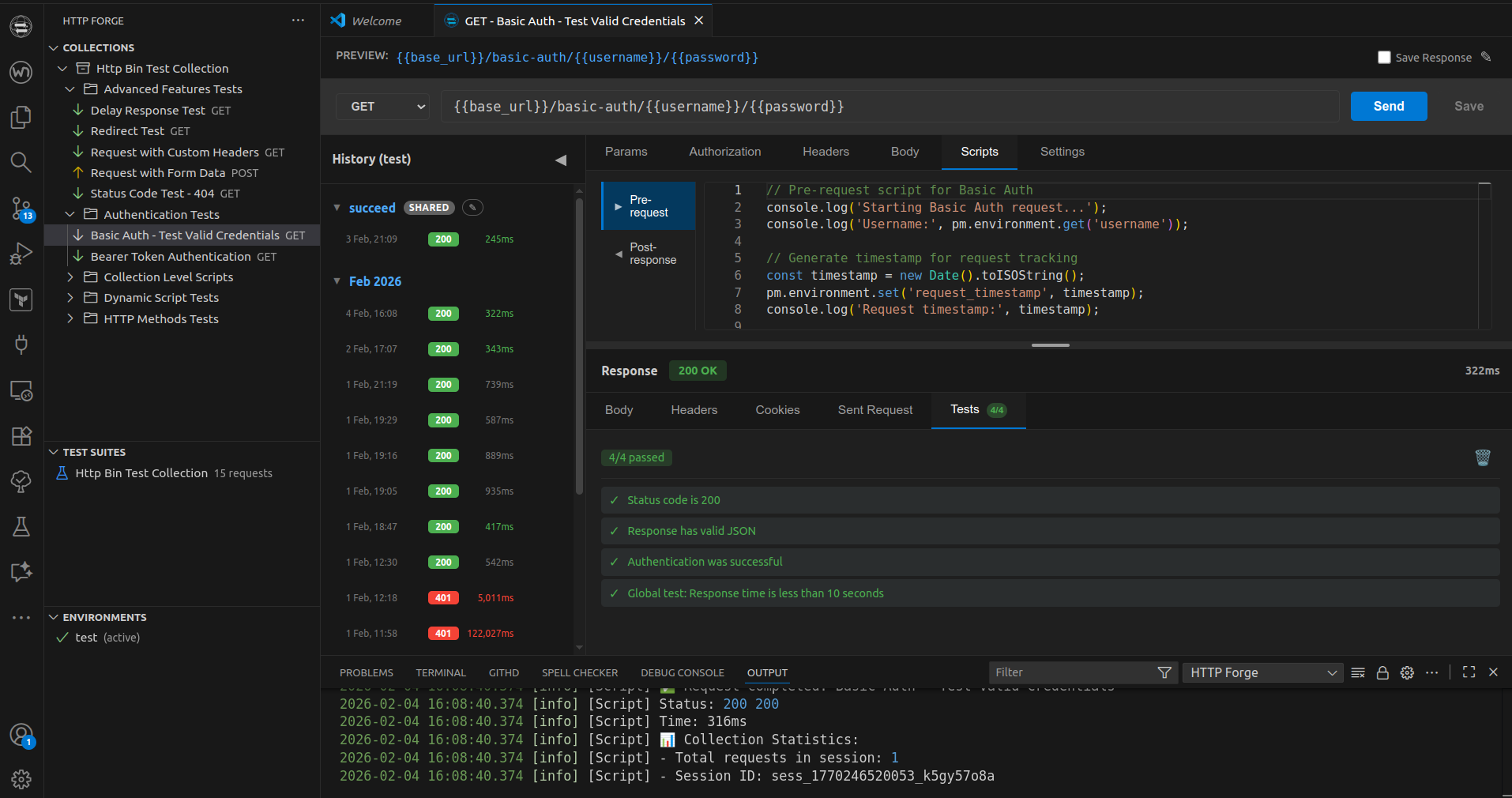
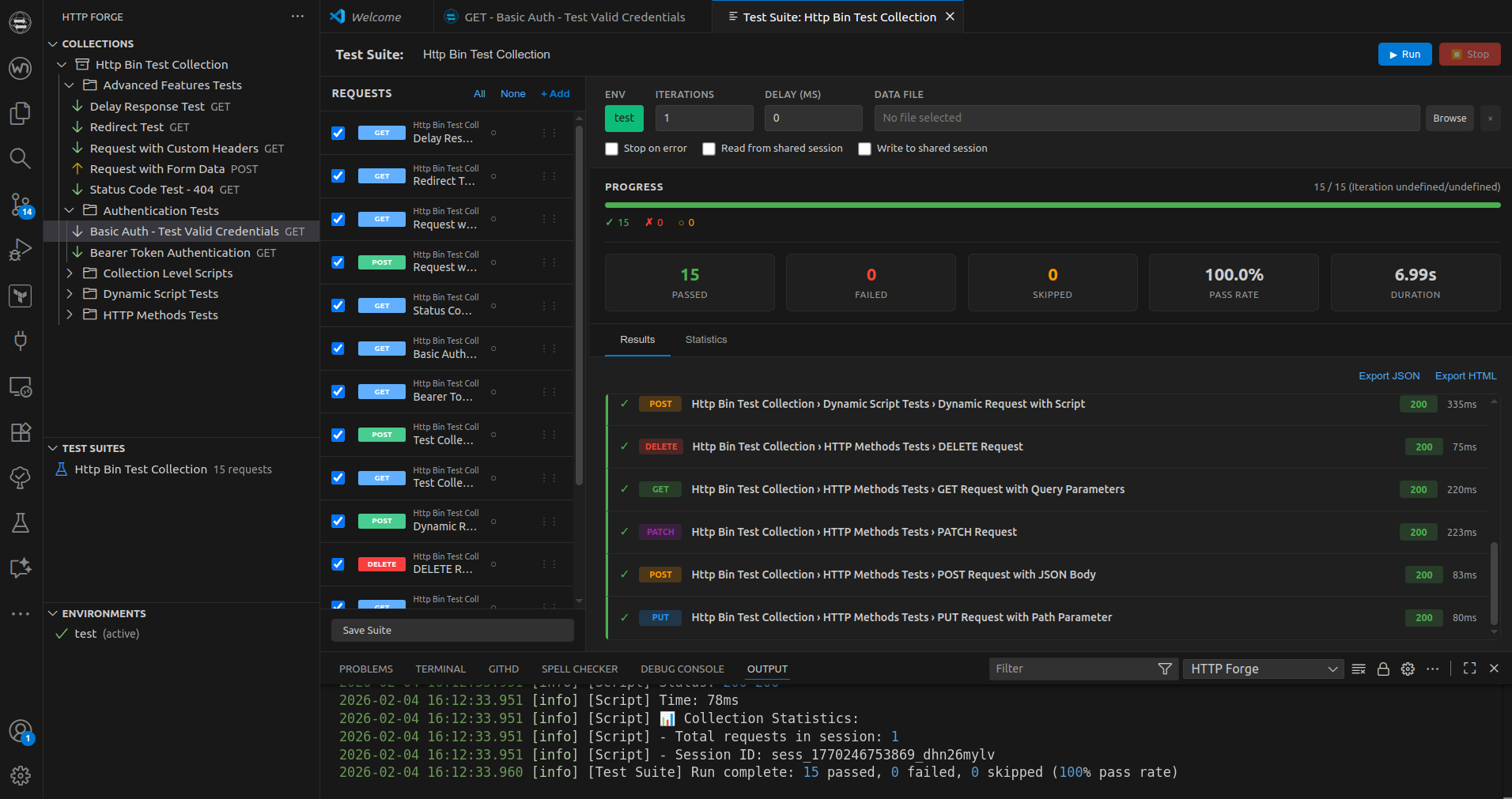
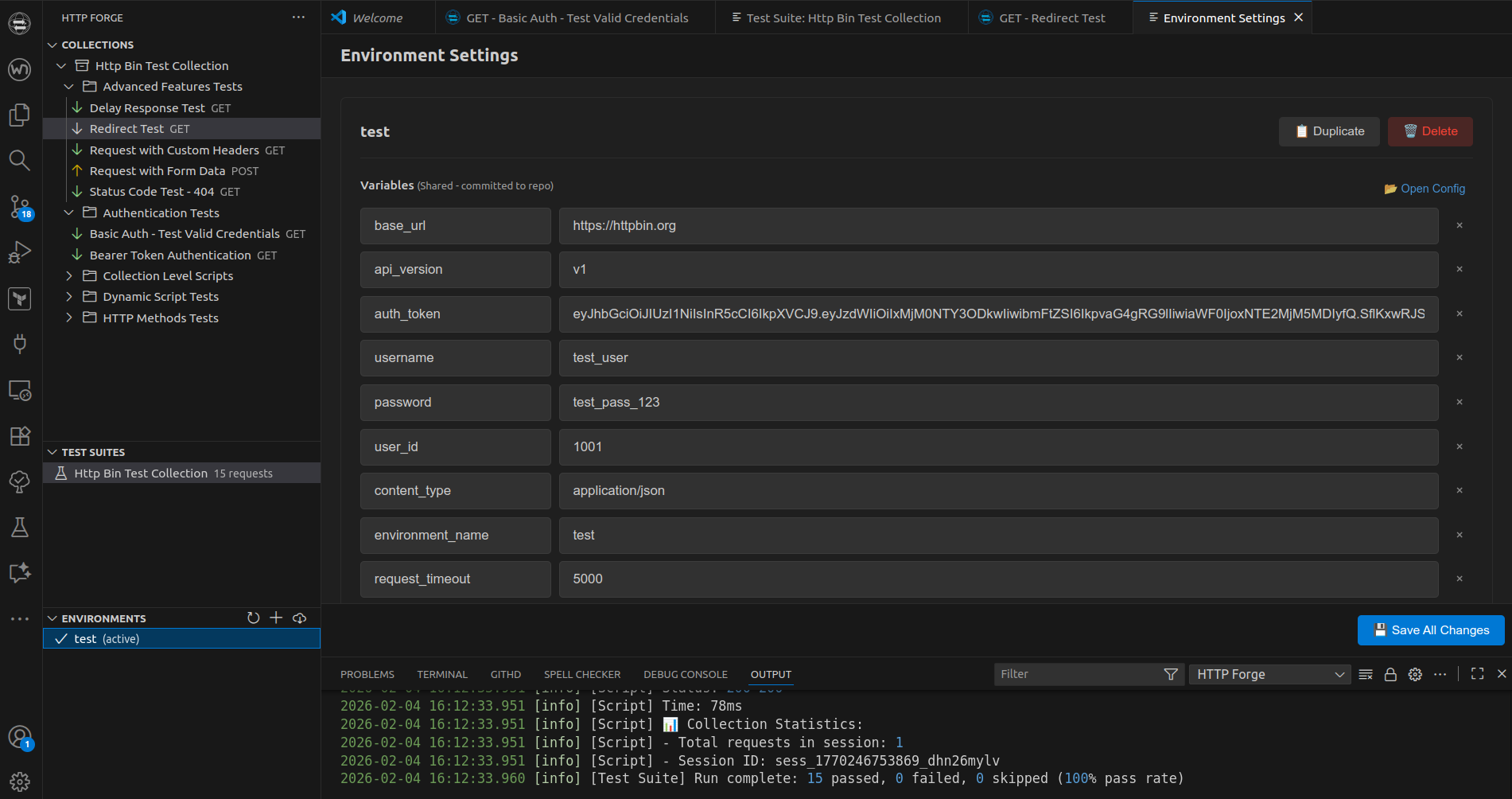
📸 Screenshots
🔄 Migrate from Postman
Export Postman collection (v2.1) → Import into HTTP Forge → Done. All pm.* scripts run unchanged.
| Postman feature |
Status |
| Collections v2.1, environments, globals |
✅ Full import |
pm.test(), pm.expect(), Chai assertions |
✅ Unchanged |
pm.environment, pm.globals, pm.collectionVariables |
✅ Unchanged |
pm.sendRequest(), pm.setNextRequest(), pm.execution.skipRequest() |
✅ Unchanged |
| CryptoJS, lodash, moment, uuid |
✅ Built-in |
| All body modes — raw, urlencoded, form-data, GraphQL, binary |
✅ Unchanged |
🆚 vs Postman / Bruno / Thunder Client / Insomnia
|
HTTP Forge |
Postman |
Bruno |
Thunder Client |
Insomnia |
| Price |
✅ Free |
❌ Paid tiers |
✅ Free |
⚠️ Limited free |
⚠️ Limited free |
| No account required |
✅ |
❌ Mandatory |
✅ |
✅ |
❌ |
| Local / offline |
✅ |
❌ Cloud |
✅ |
✅ |
❌ |
| Git-friendly storage |
✅ |
❌ |
✅ |
⚠️ Paid |
❌ |
| MCP server for AI agents |
✅ 60+ tools |
❌ |
❌ |
❌ |
❌ |
| GitHub Copilot native |
✅ |
❌ Postbot |
❌ |
❌ |
❌ |
| OpenAPI import + export |
✅ |
✅ import only |
❌ |
❌ |
✅ import only |
| TypeScript codegen |
✅ |
❌ |
❌ |
❌ |
❌ |
| Playwright integration |
✅ |
❌ |
❌ |
❌ |
❌ |
| Cloud secrets (AWS/Azure/GCP…) |
✅ |
❌ |
❌ |
❌ |
❌ |
Your OpenAPI contract is not just for import or export — it can also be reused by your own team for documentation, testing, and downstream tooling.
📚 Documentation
📄 License
MIT
Enjoy HTTP Forge! 🔨✨