Throwable Highlighter
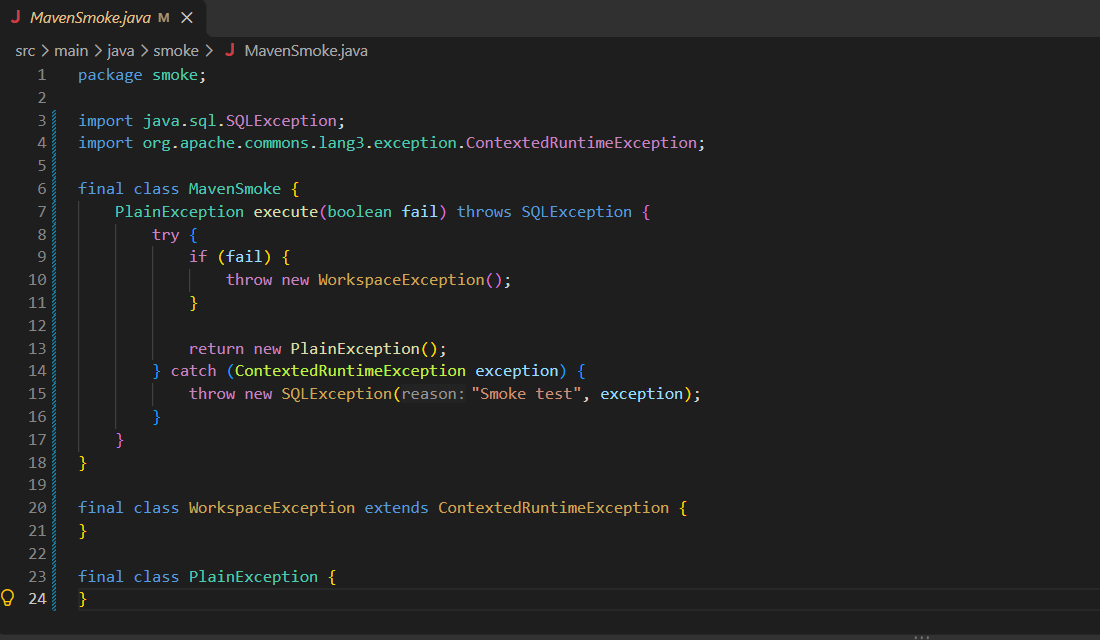
Highlights Java types derived from Throwable in class declarations and references, imports, catch parameters, and
throws clauses.
Preview
Getting started
- Install Language Support for Java by Red Hat (
redhat.java) and use Standard mode.
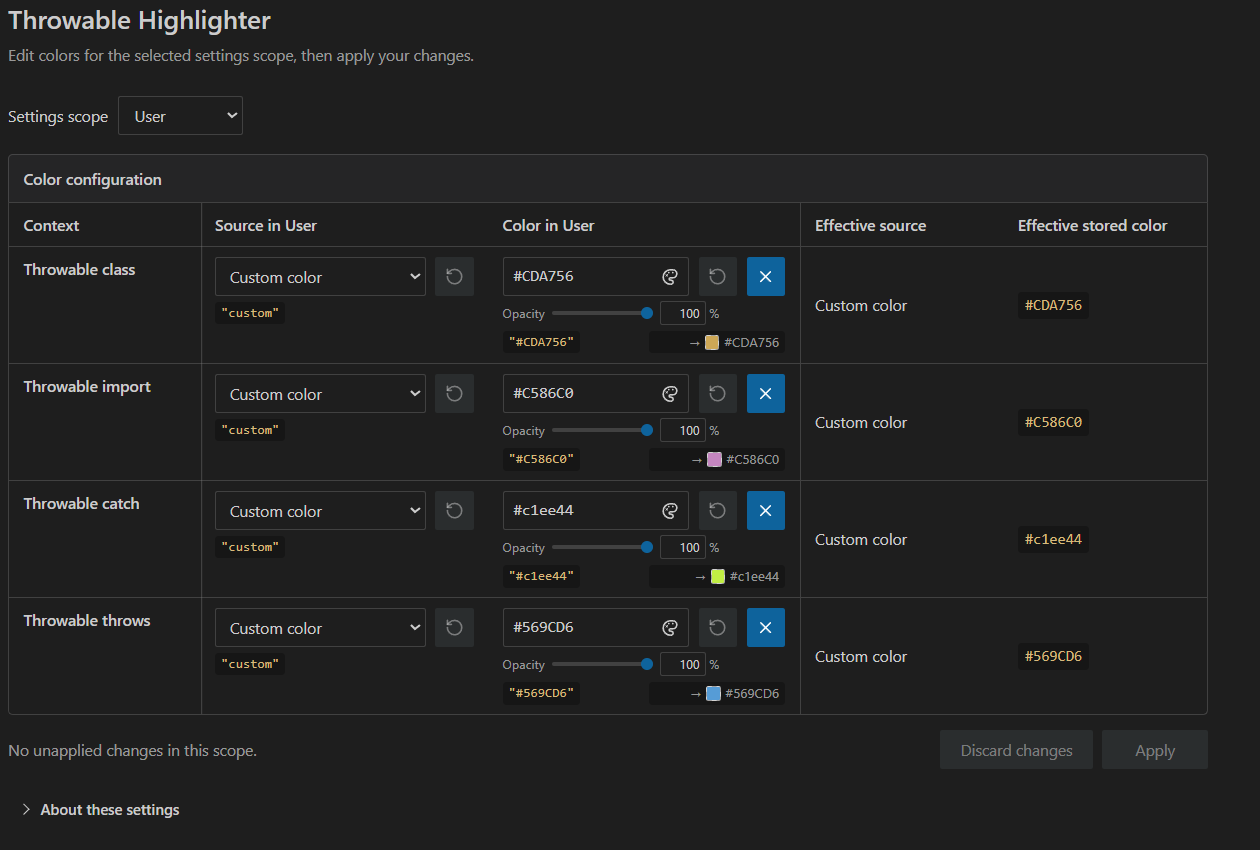
- Run Throwable Highlighter: Open Color Settings and choose a custom color for Throwable class.
- Open a Java file. Set separate colors for imports, catch parameters, and throws clauses as needed.
Run Throwable Highlighter: Open Diagnostics to open the local log.
Requirements
- Visual Studio Code
1.101.0 or later on Windows.
- Language Support for Java by Red Hat (
redhat.java) in Standard mode for Java highlighting.
| |

