Color Theme for Backend
A vibrant neon theme optimized for MERN stack development in Visual Studio Code.
Color Theme for Backend
A vibrant neon theme optimized for MERN stack development in Visual Studio Code.
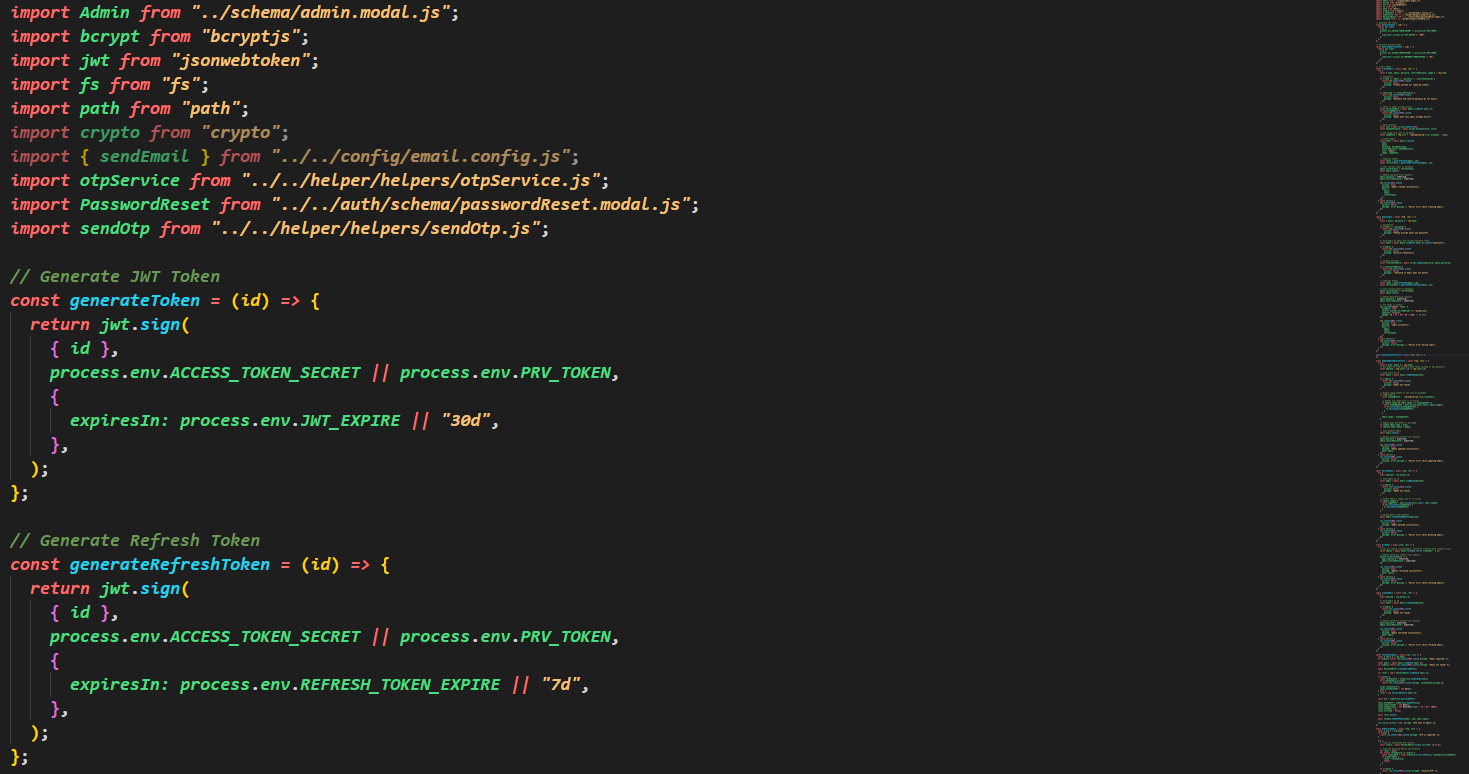
Features
...
Features
- Dark neon color scheme optimized for MongoDB, Express, React, and Node.js development
- Syntax highlighting with neon colors for better code readability
- File icons specifically designed for MERN stack files
- Semantic highlighting for enhanced code understanding
Installation
- Open VS Code
- Go to Extensions (Ctrl+Shift+X)
- Search for "MERN Neon Theme"
- Click Install
Usage
Color Theme
- Open Command Palette (Ctrl+Shift+P)
- Type "Preferences: Color Theme"
- Select "MERN Neon Flow"
File Icon Theme
- Open Command Palette (Ctrl+Shift+P)
- Type "Preferences: File Icon Theme"
- Select "MERN Neon Icons"
Color Palette
- Keywords: Red (#ff6b6b)
- Strings: Yellow (#f6c177)
- Variables: Green (#4ade80)
- Functions: Cyan (#22d3ee)
- Numbers: Pink (#f472b6)
- Classes: Purple (#a78bfa)
- Comments: Green (#6a9955)
Supported File Types
- JavaScript (.js)
- TypeScript (.ts)
- React (.jsx, .tsx)
- JSON (.json)
- Environment files (.env)
- MongoDB files (mongoose.js)
Development
To test locally:
- Clone this repository
- Open in VS Code
- Press F5 to launch a new Extension Development Host window
- Test the theme and icons
Contributing
Feel free to submit issues and enhancement requests!
License
MIT License || Copyright (c) 2026 Ahteshamul Hasan
| |

