SnapCode - PHP
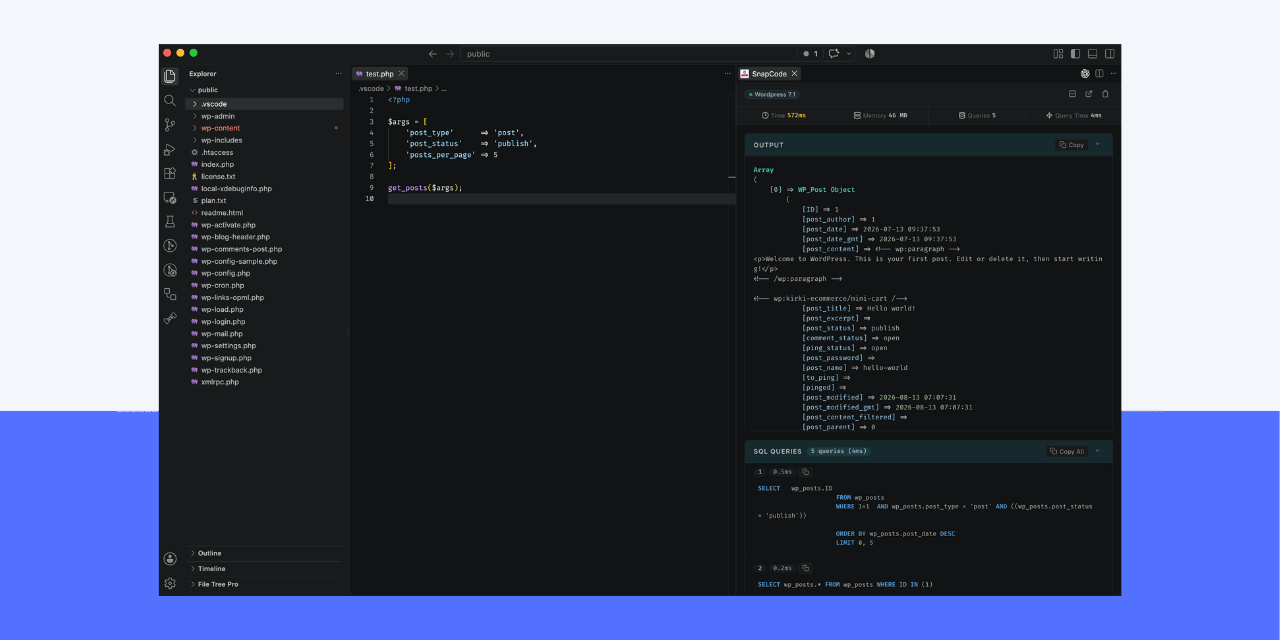
Instant PHP execution and performance inspector for VS Code.
Support Raw PHP, WordPress, Laravel and more
Features
- Smart Execution: Automatically runs selected PHP code if highlighted, or executes the entire active file.
- Framework Bootstrapping: support raw php, wordpress, laravel and etc.
- Automatic SQL Query Logging: Shows executed database queries and times.
- Flexible Layouts: Split view with one-click toggling, or detach into an independent window.
- Rich Visuals: Formatted output with syntax highlighting.
Keybinding
| Command |
macOS |
Windows / Linux |
Description |
SnapCode: Run PHP |
Cmd + Shift + Enter |
Ctrl + Shift + Enter |
Smart execute selection or active PHP file |
Configuration
Search snapcode in VS Code Settings (Cmd+, / Ctrl+,):
| Setting |
Type |
Default |
Description |
snapcode.phpPath |
string |
"php" |
Path to PHP binary executable. |
snapcode.autoDetectFramework |
boolean |
true |
Auto-detect WordPress and Laravel workspaces. |
snapcode.outputPosition |
string |
"right" |
Panel split position ("right" or "bottom"). |
snapcode.showSQL |
boolean |
true |
Show SQL query logs when queries are executed. |
snapcode.showMetrics |
boolean |
true |
Display execution metrics bar. |
snapcode.timeout |
number |
30000 |
PHP execution timeout in milliseconds. |
snapcode.maxOutputSize |
number |
5000 |
Max lines displayed in output buffer. |
snapcode.theme |
string |
"auto" |
Panel visual theme ("auto", "dark", "light"). |
Commands
Available via Command Palette (Cmd+Shift+P / Ctrl+Shift+P):
SnapCode: Run PHP — Execute highlighted PHP selection or active file.SnapCode: Open Output Panel — Open the SnapCode output view.SnapCode: Clear Output — Clear the output view and metrics.SnapCode: Toggle Output Panel Split Position — Switch split layout between Right and Bottom.SnapCode: Separate / Re-attach Output Window — Detach output panel into a floating window.
Requirements
- PHP 7.4+ or PHP 8.x installed and available in system
PATH (or configured via snapcode.phpPath).
License
Created by haruncox.
| |

