SPDX-License-Identifier: MPL-2.0
Copyright © 2026 Cristian Camargo Filho
Harness Lens
Early preview
This release discovers supported coding-agent harness files and connects to
the external harness-lens-lsp reference server. Do not rely on this preview
as a policy or compliance gate.
Harness Lens is an early VS Code integration for coding-agent instruction files.
Quick setup on Windows
Install the extension and its matching native language server together from an
official GitHub release:
$installer = Join-Path $env:TEMP "install-harness-lens.ps1"
Invoke-WebRequest "https://github.com/harness-lens/harness-lens-vscode/releases/latest/download/install-harness-lens.ps1" -OutFile $installer
powershell -ExecutionPolicy Bypass -File $installer
See Windows install, uninstall, and extra configuration
for uninstall instructions, custom server paths, runtime modes, and contributor
installation. CodeBurn remains optional and separate.
Evidence at a glance
The Metrics Center follows the active VS Code theme instead of imposing a
separate product palette. It uses editor color tokens throughout and preserves
contrast in forced-color environments.
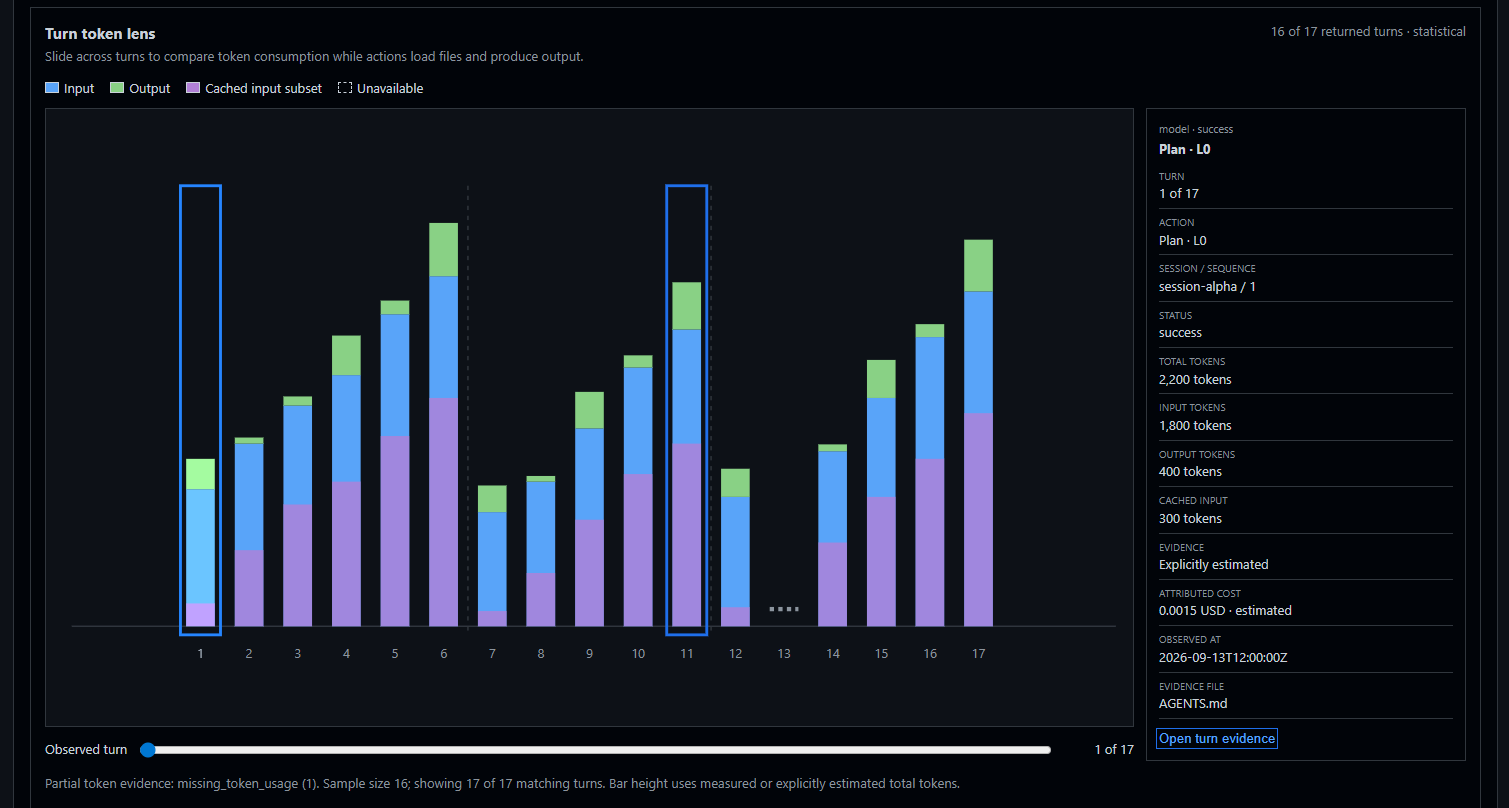
Navigate token use turn by turn while keeping the selected action's evidence
and metrics visible.
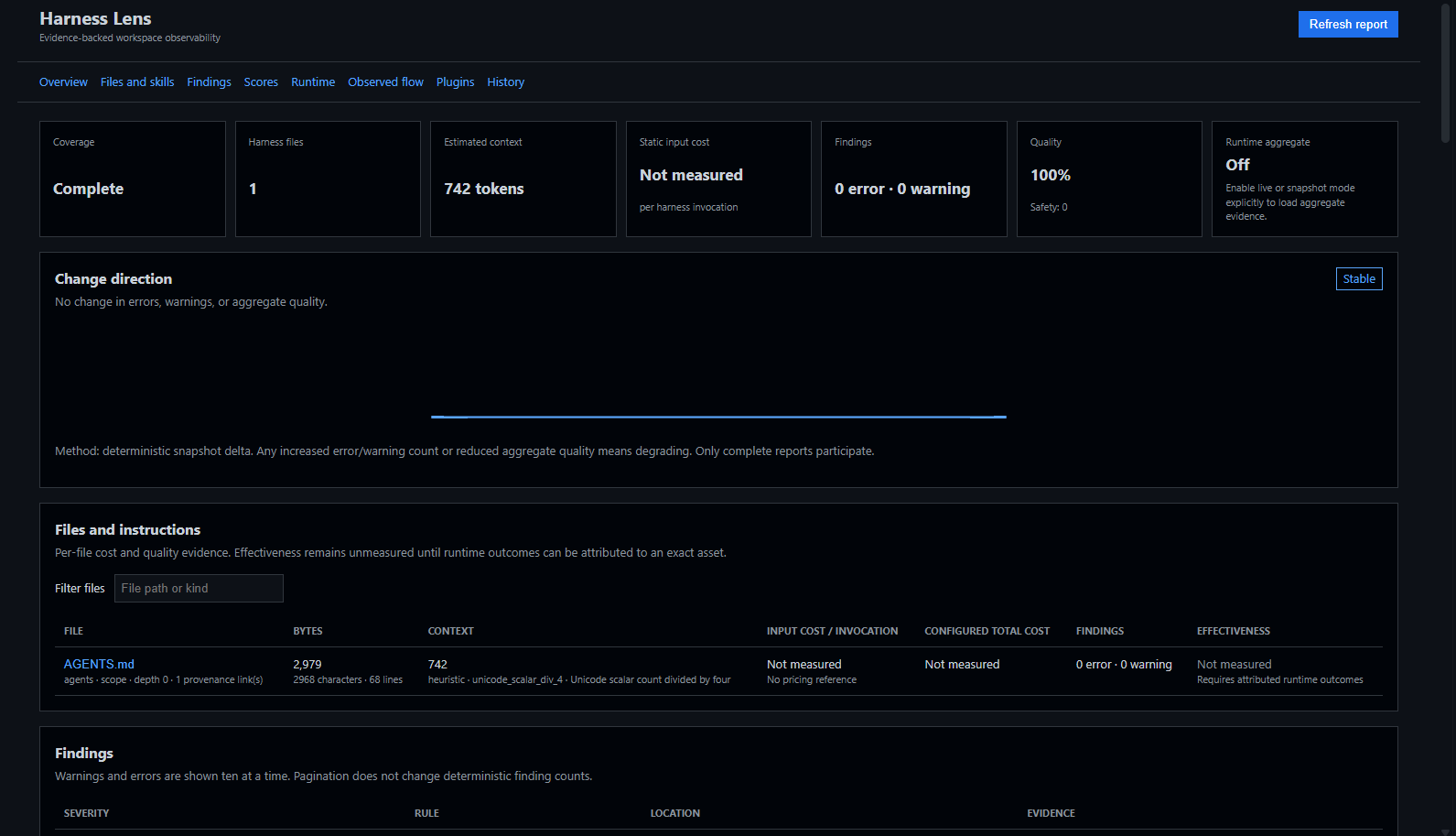
Review coverage, context, findings, quality, runtime status, and deterministic
change direction together.
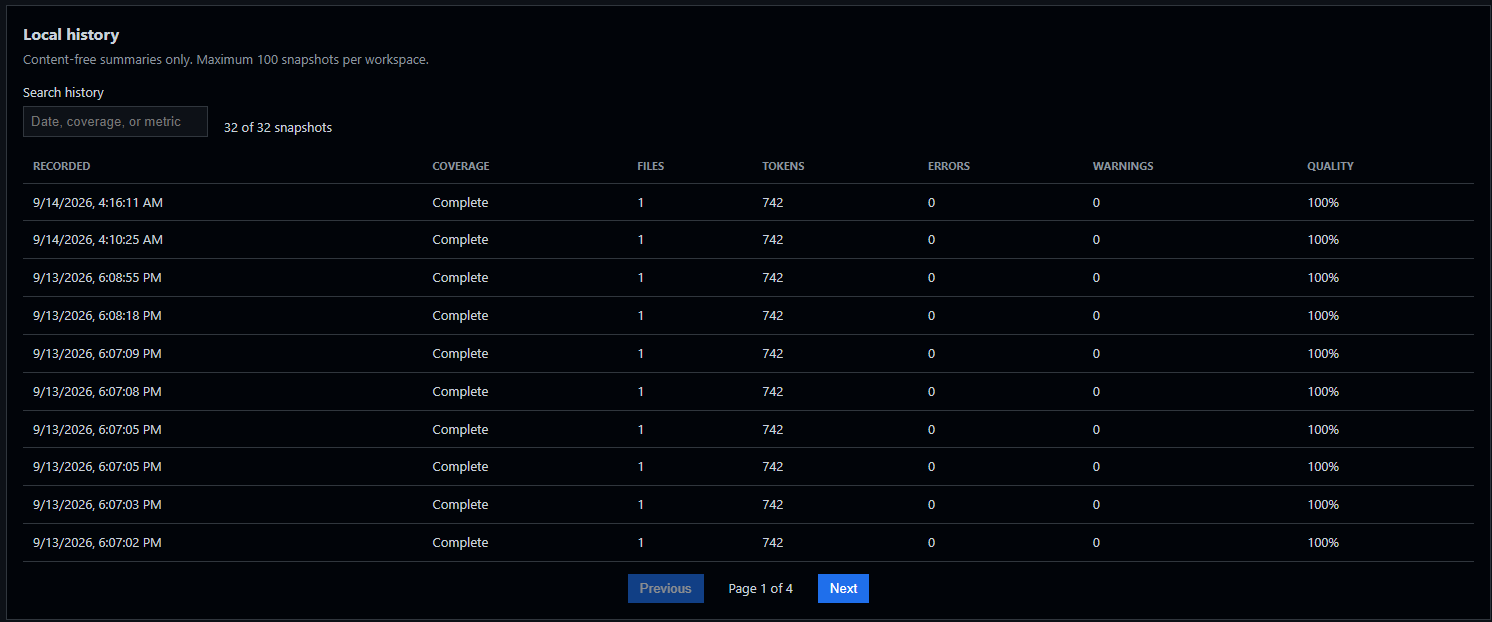
Compare content-free local snapshots without sending workspace evidence to a
remote dashboard.
Available today
- Discover supported harness files in the current workspace.
- Show the detected file count in the status bar.
- Select a discovered file from a quick picker and open it in the editor.
- Publish deterministic repetition and heuristic incongruence diagnostics from
the Rust language server.
- Interoperate with the Problems view and Error Lens through standard LSP
diagnostics.
- Browse files, findings, cost, and coverage from the Harness Lens Activity Bar.
- Open a metrics center with per-file context/cost, score methods, plugin
execution, and up to 100 local content-free history snapshots per workspace.
- Classify complete-report changes as improving, stable, degrading, or
insufficient evidence using an explicit deterministic delta method.
- Show consent-controlled aggregate runtime status from newer language servers;
provider selection and runtime mode both default to
off for each VS Code
window.
- Validate schema-versioned provider catalog and aggregate envelopes before
using Native or optional-provider status.
- Render provider-neutral measured adjacent action transitions as an accessible
Sankey and equivalent table. Root, hop, window, category, status,
minimum-share, and width-metric filters remain server-derived and bounded.
Not available yet
- Code actions or automatic fixes.
- Attributed per-file effectiveness.
- Per-observation tool-call history and attributed effectiveness comparisons.
Runtime evidence defaults to off, and CodeBurn remains separately disabled for
the VS Code window. Run Harness Lens: Enable CodeBurn Provider to review and
confirm its local execution boundary. Enabling does not install or launch
anything. Then choose
live to run a separately installed CodeBurn executable through language
server, or snapshot to read a canonical safe aggregate snapshot without
process launch. Configure mode, executable, period, snapshot path, and report
bound under harnessLens.runtime.* and harnessLens.report.maxFiles; disable
harnessLens.providers.codeburn.enabled to clear optional selection. CodeBurn
is optional, MIT-licensed, and not bundled. Extension never downloads, installs,
or updates it. Aggregate runtime evidence never changes deterministic findings
or scores.
Observed flow is separate from CodeBurn aggregate selection and defaults to
off. To load a local sanitized trace, set
harnessLens.observedFlow.mode to snapshot and
harnessLens.observedFlow.snapshotPath to its JSON file. The extension passes
only these explicit settings to the server, stores no trace, and renders only a
validated bounded relationship graph and aligned per-turn token timeline. The
token lens distinguishes measured and explicitly estimated totals, keeps absent
usage as a gap, and synchronizes its slider with layered Sankey actions. Its
wide layout scales centered visualization controls beside the metrics without
hiding overflow; narrow layouts place the metrics below the chart and slider.
Use Harness Lens: Refresh Observed Flow after the snapshot changes.
Language server
Install harness-lens-lsp from the
language-server repository,
or set harnessLens.languageServer.path to an existing binary. The extension
starts it only for trusted, filesystem-backed workspaces containing harness
files. Use Harness Lens: Restart Language Server after changing the binary.
The metrics center requires a server supporting
harnessLens/providerAggregate, introduced by language-server
[PR #23](https://github.com/harness-lens/language-server/pull/23) and accepted in
immutable merge
496f288.
Observed flow and the per-turn token timeline additionally require
harnessLens/observedFlow and harnessLens.refreshObservedFlow support from
language-server
[PR #35](https://github.com/harness-lens/language-server/pull/35), pinned at
immutable revision
2b7d66b.
Language server stays external rather than becoming bundled build dependency.
Older servers continue to provide standard diagnostics but cannot populate dashboard.
Use the preview
Select the Harness Lens Activity Bar icon or run Harness Lens: Open Metrics
Center. Use Harness Lens: Scan Workspace for the quick picker. The status
bar shows the current detected file count.
Supported files:
AGENTS.mdAGENTS.override.mdCLAUDE.md and CLAUDE.local.mdGEMINI.mdSKILL.md, including .agents/skills/ and .claude/skills/- GitHub Copilot instructions and
.github/agents/*.agent.md
- Claude agents and rules under
.claude/
- Codex config, agents, and rules under
.codex/
- compatible rules under
.agents/rules/ and .cursor/rules/
See the product tour
for the Workspace Observer, scores, runtime, plugins, and local history. The
repository's manual installation guide
covers source builds, WSL, native language-server, VSIX, and CLI setup.
Feedback and bug reports are welcome in the Harness Lens VS Code repository.
License
Early namespace-reservation versions used BSD-3-Clause. The official extension
implementation is licensed under MPL-2.0. See LICENSE and the
repository's licensing policy.

