Portable Kanban Extension for Visual Studio Code
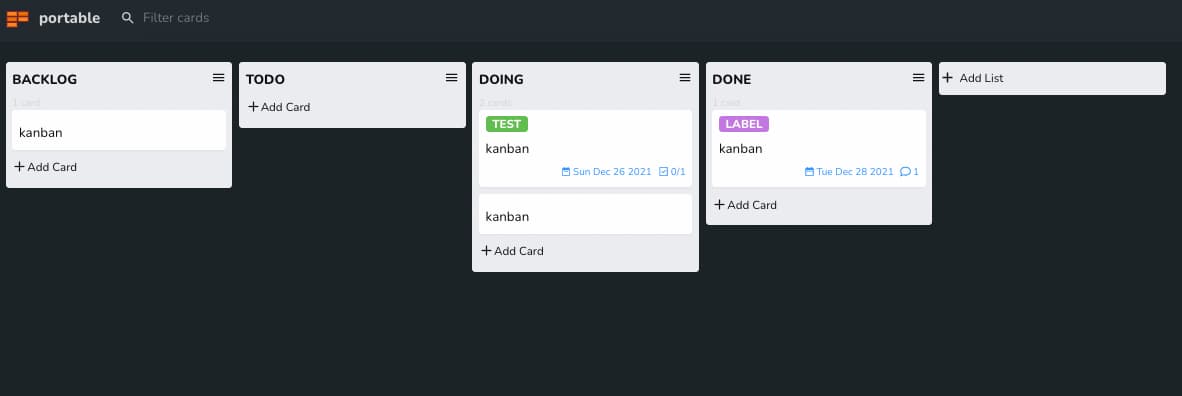
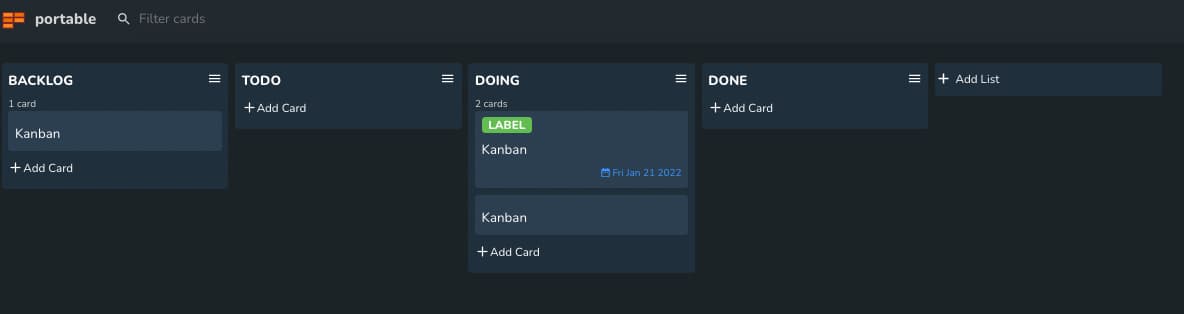
A lightweight and portable kanban board extension for Visual Studio Code that allows you to create and manage kanban boards directly within your editor.
Features
- ✅ Create and manage kanban boards within VS Code
- ✅ Drag and drop cards between lists
- ✅ Add descriptions, labels, due dates, and comments to cards
- ✅ Task lists with checkboxes
- ✅ Archive cards and lists
- ✅ Search and filter functionality
- ✅ Dark / Light / System theme support
- ✅ Portable
.kanban file format — Git-friendly and human-readable
Installation
From VS Code Marketplace
- Open VS Code
- Go to Extensions (
Ctrl+Shift+X)
- Search for "Portable Kanban"
- Click Install
From Command Line
ext install portable-kanban
Getting Started
Creating a New Kanban Board
- Open Command Palette (
Ctrl+Shift+P / Cmd+Shift+P)
- Run "Portable Kanban: Create new Kanban"
- Choose a location — the
.kanban file opens as a board in a new editor tab
Basic Usage
Adding Cards
- Click the "+" button in any list to add a new card
- Bulk Add: Hold
Shift while typing to add multiple cards (one per line)
- Add with Labels: Use the format
Label Name:Card Text to add a card with a label
Managing Cards
- Drag & Drop: Move cards between lists by dragging
- Edit: Click on a card to edit its content, add descriptions, labels, or comments
- Archive: Use the card menu to archive completed cards
- Delete: Remove unwanted cards from the board
Working with Lists
- Add new lists using the "Add List" button
- Rename lists by clicking on the list title
- Archive entire lists when no longer needed
- Move lists by dragging them
Filtering and Search
- Use the search bar to find specific cards
- Filter by labels to focus on specific types of work
- View archived cards and lists in separate views
Configuration
Configure the extension through VS Code settings:
{
  "portable-kanban.theme": "system",        // "dark" | "light" | "system"
  "portable-kanban.show-description": true, // Show card descriptions
  "portable-kanban.show-task-list": true    // Show task lists in cards
}
Keyboard Shortcuts
| Key |
Action |
Ctrl+Shift+P |
Open Command Palette |
Escape |
Close modal / dialog |
Enter |
Confirm edit |
Shift+Enter |
Add multiple items at once |
Kanban boards are stored as .kanban files in JSON format, making them:
- Portable: Easy to share and version control
- Human-readable: Can be edited manually if needed
- Lightweight: Small file size, efficient storage
{
  "lists": [
    {
      "id": "uuid",
      "title": "To Do",
      "cards": [
        {
          "id": "uuid",
          "listId": "parent-list-uuid",
          "title": "My task",
          "description": "Details here",
          "dueDate": "2026-06-01",
          "labels": [{ "id": "uuid", "title": "bug", "color": "#eb5a46" }],
          "checkboxes": [{ "id": "uuid", "title": "Step 1", "checked": false }],
          "comments": [{ "id": "uuid", "comment": "Looks good!" }]
        }
      ]
    }
  ],
  "archive": { "lists": [], "cards": [] },
  "settings": { "labels": [] }
}
Development
Prerequisites
- Node.js 18+
- pnpm 8+
- VS Code 1.101.0+
Setup
git clone https://github.com/harehare/portable-kanban.git
cd portable-kanban
pnpm install
Building
# From the repo root
pnpm build:vscode   # Production build

# Or from this directory
pnpm build          # Build extension + kanban UI
pnpm watch          # Development build with watch
pnpm package        # Package for publishing
Linting
pnpm lint
Packaging (VSIX)
pnpm vsce:package
Contributing
- Fork the repository
- Create a feature branch (
git checkout -b feature/amazing-feature)
- Commit your changes
- Push the branch and open a Pull Request
Roadmap
Planned Features
- [ ] Sync with GitHub Projects
- [ ] Sync with Trello
- [ ] Related cards functionality
- [ ] Export to various formats (PDF, CSV)
- [ ] Custom card templates
- [ ] Time tracking
- [ ] Collaboration features
License
MIT License — see the LICENSE file for details.
Support


