快应用 Lint 插件(hap-eslint)
面向快应用(QuickApp)项目的代码校验插件,使用项目中安装的 ESLint 对 .ux / .mix 文件进行语法检查与自动修复。如果您不熟悉 ESLint,请查看文档。
本插件基于 microsoft/vscode-eslint(MIT 协议)修改,并非微软官方 ESLint 插件。与官方插件的主要区别:
- 新增
ux 语言(.ux、.mix)支持,默认对快应用 .ux 文件整体进行校验;
- 配合
eslint-plugin-vue 校验快应用模板;
- 命令统一使用
hap-eslint.* 前缀,状态栏与输出面板显示为 hap-lint。
由于本插件沿用了 eslint.* 配置项,请勿与官方 ESLint 插件同时启用。
该扩展使用安装在打开的工作区文件夹中的 ESLint库。如果该文件夹不提供 ESlint,则该扩展将查找全局安装版本。如果您尚未在本地或全局安装 ESLint,请在工作区文件夹中运行 npm install eslint 进行本地安装,或者在 npm install -g eslint 进行全局安装。
使用 eslint
安装依赖
由于会用到 eslint-plugin-vue 的能力,所以我们也要在项目下安装 eslint-plugin-vue 依赖:
npm i eslint-plugin-vue --save-dev
新建 eslint 配置文件
在项目根目录下,新建 .eslintrc 文件,并编写配置,下面为简单的配置项,若项目中有额外的要求,可根据 vue 的规则自己额外配置。
{
  "env": {
    "commonjs": true,
    "node": true,
    "es6": true
  },
  "extends": [
    "eslint:recommended",
    "plugin:vue/base"
  ],
  "globals": {
    "loadData": false,
    "saveData": false,
    "history": false,
    "console": true,
    "setTimeout": false,
    "clearTimeout": false,
    "setInterval": false,
    "clearInterval": false,
    "TextDecoder": true,
    "$utils": true
  },
  "overrides": [
    {
      "files": ["*.ux", "*.mix"],
      "parser": "vue-eslint-parser",
      "parserOptions": {
        "parser": "babel-eslint",
        "sourceType": "module",
        "ecmaFeatures": {
          "experimentalObjectRestSpread": true,
          "jsx": true
        }
      }
    }
  ],
  "rules": {
    "vue/html-end-tags": "warn",
    "vue/html-quotes": "warn",
    "vue/comment-directive": "off",
    "no-unused-vars": [
      "warn",
      {
        "varsIgnorePattern": "prompt"
      }
    ],
    "quotes": [
      "warn",
      "single",
      {
        "avoidEscape": true,
        "allowTemplateLiterals": true
      }
    ],
    "linebreak-style": ["warn", "unix"],
    "semi": [1, "never"]
  }
}
注意: 配置中需要关闭 vue/commet/directive。
增加 script 脚本命令
"scripts": {
    "lint": "eslint 'src/**/*.ux'"
}
在终端运行 npm run lint,即可用 eslint 对 src 下所有的 ux 文件进行语法检查。
使用 hap-eslint 插件
启用 eslint
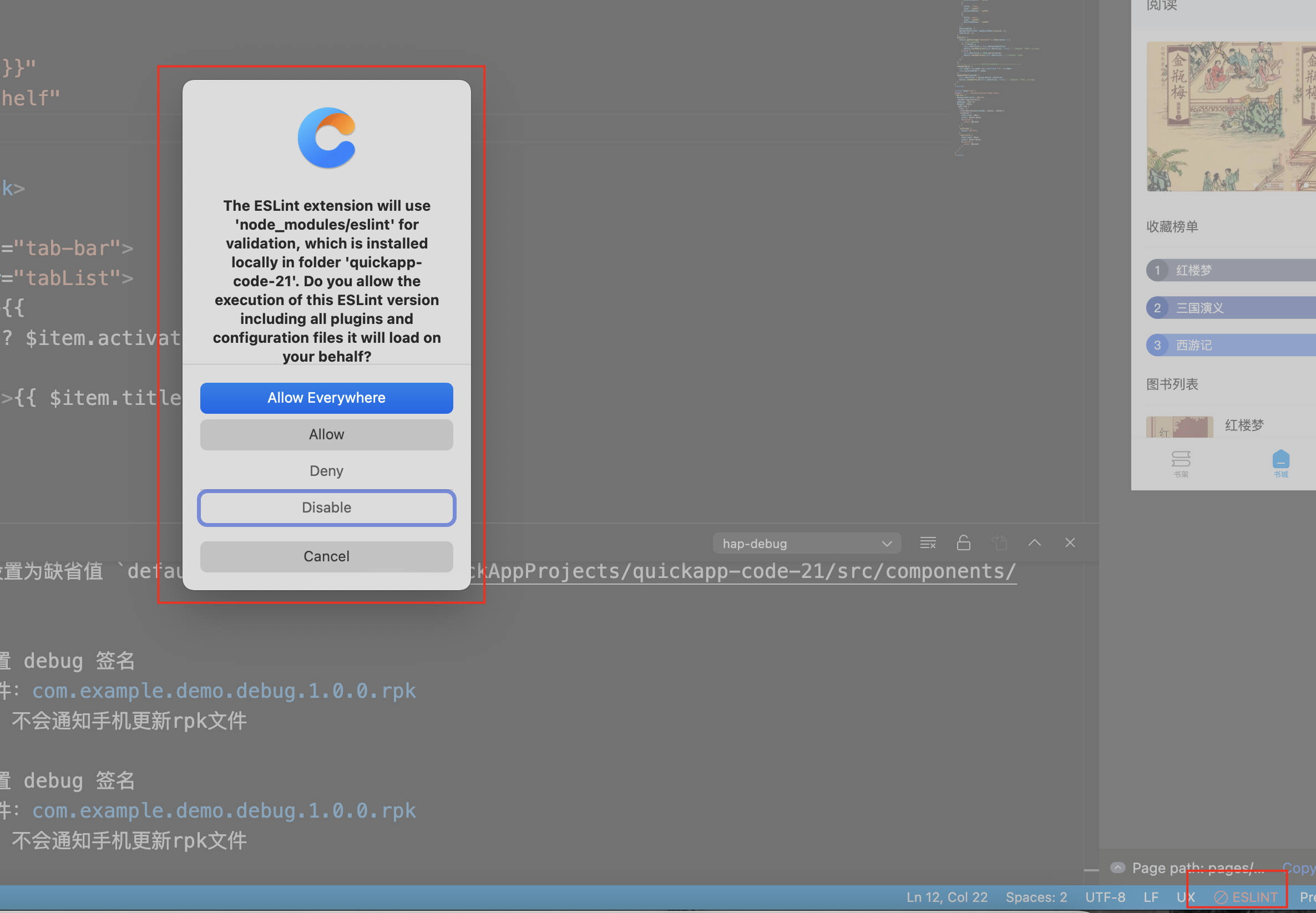
点击底部状态栏的 hap-lint 状态,根据提示选择 eslint 的作用范围。至此,您已经可以在项目中使用 eslint 了。
启用保存时自动 Fix
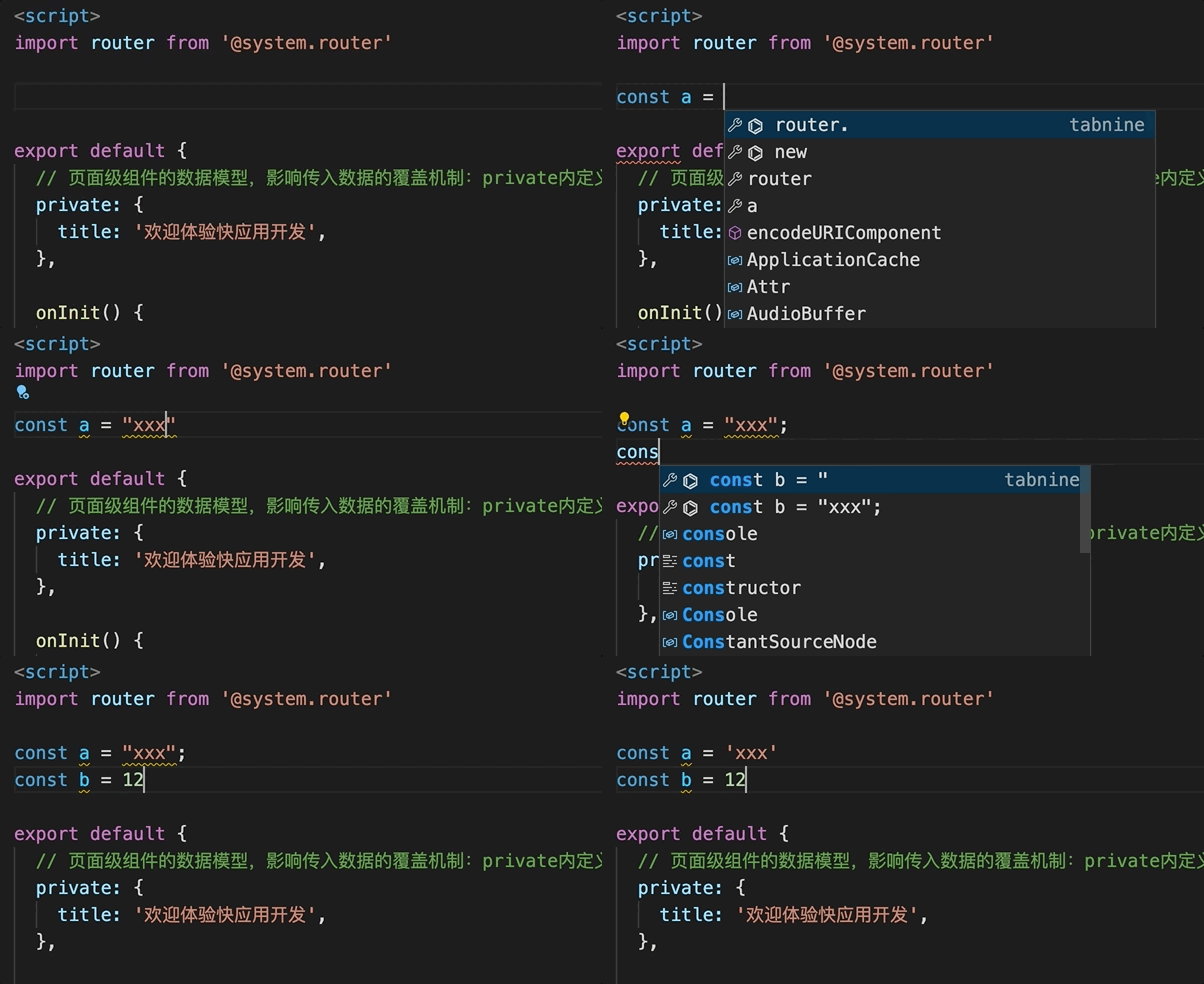
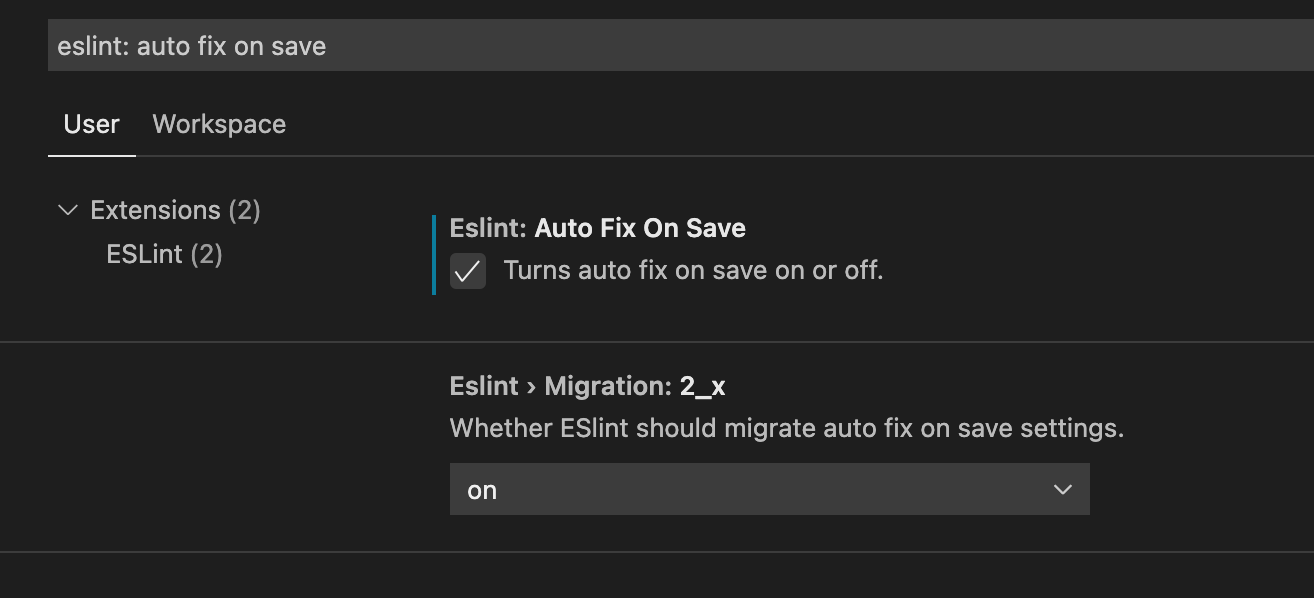
在设置中搜索: eslint: auto fix on save,勾选这个选项,则可以在保存文件时,自动根据配置格式化代码。
效果